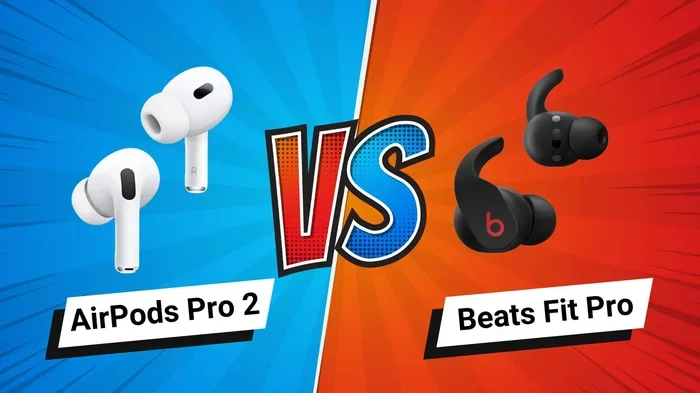
Featured image for AirPods Pro 2 earbuds fit comparison
Image source: cultofmac.com
AirPods Pro 2 offer noticeable fit improvements over the original AirPods Pro, primarily thanks to an extra-small ear tip option and refined design contours. The second-generation model includes four silicone tip sizes (XS, S, M, L) instead of three, giving users with smaller ear canals a much better chance of getting a secure, comfortable seal. Both models use the same in-ear design with a short stem, but subtle changes to the earbud shape make the newer version feel more stable during movement. For most users, the AirPods Pro 2 deliver a snugger, more customizable fit—especially for those who struggled with the first generation sliding out.
Key Takeaways
- Four Tip Sizes vs. Three: AirPods Pro 2 include an extra-small (XS) tip in the box, while the original AirPods Pro only come with small, medium, and large options.
- Slightly Refined Shape: The AirPods Pro 2 earbud body has minor contour changes that help it sit more securely in the ear canal.
- Same In-Ear Design: Both models use silicone tips with an in-ear seal rather than the hard-plastic design of standard AirPods.
- Fit Test Feature: Both generations support the Ear Tip Fit Test on iOS, so you can verify your seal either way.
- Weight Is Nearly Identical: Each earbud weighs about 5.3 grams, so weight is not a deciding factor for fit.
- Better for Small Ears: Users with petite ear canals benefit most from the upgrade because of the new XS option.
- Stability During Workouts: The AirPods Pro 2 stay put slightly better during running, jumping, and high-intensity exercise.
📑 Table of Contents
- Understanding the Fit Evolution Between AirPods Pro and AirPods Pro 2
- What Actually Changed in the AirPods Pro 2 Design?
- How Do You Know If Your AirPods Fit Correctly?
- Who Benefits Most From the AirPods Pro 2 Fit Improvements?
- Do AirPods Pro 2 Fit Better Than AirPods Pro During Workouts?
- What About Comfort During Long Listening Sessions?
- Comparing the AirPods Pro and AirPods Pro 2: Quick Reference
- Practical Tips for Getting the Best Fit From Either Model
- Final Verdict: Which One Fits Better?
Understanding the Fit Evolution Between AirPods Pro and AirPods Pro 2
When Apple dropped the AirPods Pro 2 in September 2022, most of the headlines focused on the fancy H2 chip and the better noise cancellation. But for a lot of people, the real question was much simpler: do AirPods Pro 2 fit better than AirPods Pro? It might sound like a tiny detail, but anyone who has ever had earbuds slowly slide out during a jog—or felt that annoying pressure in their ear canal—knows that fit is everything. If your earbuds don’t fit right, none of the other fancy features matter much.
Here’s the quick answer for anyone in a hurry: yes, the AirPods Pro 2 generally fit better than the first generation. The improvement isn’t dramatic or flashy—there’s no giant redesign—but small changes add up. Apple added an extra-small ear tip size, tweaked the shape of the earbud just a tiny bit, and kept everything else people loved about the original. Think of it like a favorite pair of sneakers getting a small update. They look almost the same, but the new pair somehow feels more comfortable right out of the gate.
That said, “better fit” can mean different things to different people. Some folks want earbuds that stay put during a sweaty workout. Others care more about all-day comfort while working from home. And some people just want a tight seal so the noise cancellation actually works. In this guide, we’ll break down exactly how the fit compares, who benefits most from the upgrade, and how to get the best fit no matter which pair you own.
What Actually Changed in the AirPods Pro 2 Design?
At first glance, the AirPods Pro 2 look almost identical to the original AirPods Pro. Same white color. Same short stem sticking down from your ear. Same little silicone tip at the end. But if you put them side by side, you’ll spot a few subtle differences that matter for fit.
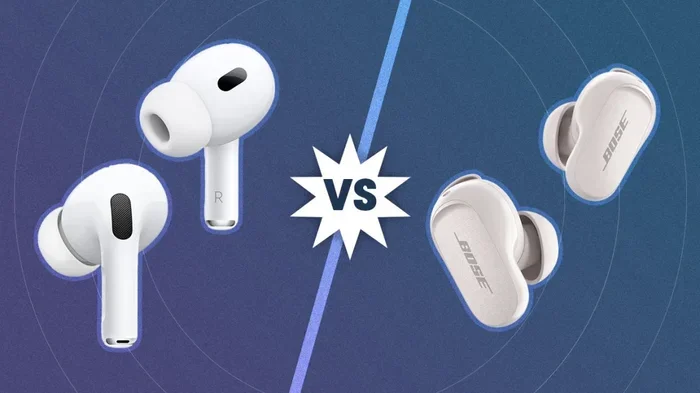
Visual guide about AirPods Pro 2 earbuds fit comparison
Image source: i.pcmag.com
The New Extra-Small Ear Tip
The biggest change is the addition of an extra-small (XS) silicone ear tip in the box. The original AirPods Pro came with three sizes: small, medium, and large. The AirPods Pro 2 now ship with four: extra-small, small, medium, and large.
Why does this matter? Simple. Not everyone’s ear canals are the same size. In fact, ear canals vary a lot from person to person, just like shoe sizes. If you’ve ever felt that even the “small” tips felt too big, the XS option might be your dream come true. For users with smaller ears—especially many women and teens—this single change can be the difference between earbuds that constantly slip out and earbuds that feel like they were custom-made for your ears.
Refined Earbud Contours
Apple also made tiny adjustments to the shape of the earbud itself. The mesh-covered area where the tip attaches is slightly different, and the angle of the earbud body is a touch more rounded. These changes are so small you’d probably miss them if you weren’t looking. But in practice, they help the earbud nestle into the concha (the bowl-shaped part of your outer ear) more comfortably.
Think of it like the difference between sitting in a chair that’s “pretty comfortable” and sitting in one that’s “just right.” Both chairs do the job. But the second one has a curve that lines up perfectly with your back.
Same Weight, Similar Feel
Despite all the new tech inside, the AirPods Pro 2 weigh almost the same as the original—about 5.3 grams per earbud. So if you were worried that the new model would feel heavy or bulky in your ear, don’t be. The fit improvements come from shape and tip options, not weight.
How Do You Know If Your AirPods Fit Correctly?
Before we go any deeper, let’s talk about what “good fit” actually means. Because even the best earbuds in the world won’t sound great if the seal isn’t right.
The Ear Tip Fit Test
Both AirPods Pro generations support a handy feature called the Ear Tip Fit Test. You can find it by going to Settings > Bluetooth > AirPods Pro > Ear Tip Fit Test on your iPhone or iPad. The test plays a quick sound and uses the microphones to figure out if your current tip size is creating a proper fit.
If the test comes back with a “Good Seal,” you’re golden. If it says “Adjust or Try a Different Ear Tip,” it’s time to experiment. The whole thing takes less than a minute and can save you hours of frustration.
What Does a Good Seal Feel Like?
A proper seal should feel snug but not painful. You shouldn’t feel pressure in your ear canal. The earbuds shouldn’t move when you shake your head or chew. And when you play music with noise cancellation on, the world should suddenly feel quieter—that’s how you know the seal is doing its job.
If you’re not sure, try this quick at-home test: put your earbuds in, play some music, and then gently press the earbud in slightly. If the bass suddenly gets louder and fuller, your seal wasn’t quite right. The music should already sound full without you pressing.
Who Benefits Most From the AirPods Pro 2 Fit Improvements?
Not everyone will notice a massive difference between the two models. But certain groups of users will feel the upgrade right away.
People With Smaller Ear Canals
This is the big one. If you ever felt that the original AirPods Pro were “okay but not great,” there’s a good chance your ear canals are on the smaller side. The new XS tip option is a game-changer for these users. Before, you had three choices: too big, slightly too big, or way too big. Now you actually have an option that fits.
Fitness Enthusiasts
Runners, cyclists, and gym-goers will also appreciate the small improvements. The slightly more contoured shape helps the earbuds stay put during high-intensity movement. If you’ve ever had your AirPods Pro slowly work their way out during a long run, the Pro 2 might solve that problem.
All-Day Wearers
Do you wear your AirPods Pro for hours at a time while working from home or taking calls? The refined shape of the Pro 2 reduces that “something is in my ear” feeling a tiny bit. It won’t completely disappear, but after a 4-hour Zoom meeting, your ears might thank you.
Public Transit and Airplane Users
If you’re constantly using noise cancellation in loud environments, a proper seal is critical. The extra-small tip on the Pro 2 means more people can achieve that perfect seal, which means better noise cancellation and better sound quality for those who struggled with the first generation.
Do AirPods Pro 2 Fit Better Than AirPods Pro During Workouts?
Let’s get specific about exercise, because this is where fit matters most. When you’re running, jumping, or doing burpees, your earbuds are basically fighting gravity and sweat at the same time.
Real-World Stability
Most people who upgrade from the first generation to the AirPods Pro 2 report a small but noticeable improvement in stability during workouts. The earbuds stay put better when you’re pounding the pavement or hitting the trails. They also seem to handle sweat a bit better, although both models have an IPX4 water resistance rating.
That said, if you’re doing extreme sports like rock climbing or gymnastics, neither generation is specifically designed for that. You’d want something with ear hooks or fins for maximum security.
Tips for a Workout-Proof Fit
Here are a few tricks to get the most secure fit during exercise, no matter which generation you own:
- Try foam tips: Third-party memory foam tips can give you a much tighter seal than silicone, especially during sweaty workouts.
- Twist to lock: After inserting your AirPods, give them a slight twist backward to lock them into your ear canal.
- Use the right size: Don’t assume the medium tips are the right size just because they came pre-installed. About 60% of users end up switching to a different size.
- Clean your tips regularly: Earwax and debris on the silicone tips can break the seal and cause slippage.
What About Comfort During Long Listening Sessions?
Fit and comfort are actually two different things. Fit is about whether the earbuds stay in place. Comfort is about whether you can wear them without wanting to rip them out after an hour. Let’s talk comfort.
Pressure and Ear Fatigue
Some users experience ear fatigue with in-ear headphones because the silicone tips create a slight pressure sensation in the ear canal. The AirPods Pro 2 don’t completely eliminate this—after all, they still use the same in-ear design—but the refined shape and softer tip angles help a bit.
If you experience significant ear pressure with the original AirPods Pro, you might also experience it with the Pro 2. In that case, consider trying the Ear Tip Fit Test to make sure you’re using the smallest tip that creates a good seal. A bigger tip isn’t always better—it just creates more pressure.
All-Day Wear Tips
If you plan to wear your AirPods Pro 2 for 6+ hours a day, here are some friendly suggestions:
- Take 5-minute breaks every couple of hours to let your ears breathe.
- Switch to Transparency mode occasionally to relieve the sealed feeling.
- Keep your tips clean to avoid irritation.
- Consider rotating between earbuds if you only need audio in one ear for calls.
Comparing the AirPods Pro and AirPods Pro 2: Quick Reference
Let’s put it all in one place so you can see the differences at a glance.
Design and Build
Both models feature the same iconic look: a rounded earbud body with a short stem. The AirPods Pro 2 are virtually the same size as the original, with just minor contour refinements. The charging case got a bigger upgrade—it now has a built-in speaker and a lanyard loop—but that’s a separate feature from ear fit.
Ear Tip Options
The original AirPods Pro come with small, medium, and large silicone tips. The AirPods Pro 2 add an extra-small option to the mix. This is the single biggest fit-related improvement.
Fit Test Compatibility
Both generations support the Ear Tip Fit Test on iOS devices. So if you’re not sure which tip size to pick, your iPhone can help you figure it out either way.
Weight and Balance
At about 5.3 grams per earbud, both models feel nearly identical in weight. The center of gravity is also similar, so balance during wear is essentially the same.
Sound and Noise Cancellation
While this isn’t directly about fit, it’s worth noting: the AirPods Pro 2 have better active noise cancellation and slightly improved sound. Both of those improvements depend on getting a good seal, which is where the fit upgrades really pay off.
Practical Tips for Getting the Best Fit From Either Model
Whether you own the original AirPods Pro, the AirPods Pro 2, or you’re trying to decide between them, here are some pro tips to maximize your fit.
Try Every Tip Size—Even the Obvious Ones
A lot of people skip the extra-small or extra-large tips because they assume they won’t work. Wrong. The right tip size is often surprising. Spend five minutes trying each size with the Ear Tip Fit Test. You might discover that the tip you’d never pick is actually the perfect fit.
Don’t Push Too Hard
AirPods Pro are designed to sit gently in your ear canal. If you’re jamming them in deep to get a better seal, you’re doing it wrong. The earbud should twist in easily and stay put without any pressure. If you feel pain, the tip is probably too big.
Replace Worn-Out Tips
Silicone tips don’t last forever. Over time, they can stretch out, get torn, or lose their grip. Apple sells replacement tips, and third-party options are also widely available. If your AirPods used to fit perfectly but now slide out, the tips might just need replacing.
Keep Your Ears Clean
This one is awkward but important. Earwax buildup on the mesh of your AirPods can mess with the fit and the sound quality. Wipe your earbuds down regularly with a dry, soft cloth. Don’t use water or cleaning solutions directly on them.
Consider Third-Party Tips
If you want an even better fit, third-party foam tips (like Comply foam tips) can transform your AirPods. Foam tips expand to fit your unique ear canal shape, creating a custom seal. They’re especially popular among runners and audiophiles.
Final Verdict: Which One Fits Better?
So, do AirPods Pro 2 fit better than AirPods Pro? The honest answer is yes, for most people—but the difference is subtle. The biggest improvement is the addition of the extra-small ear tip, which makes a real difference for users with smaller ear canals. The minor shape refinements also help with stability during workouts and all-day comfort.
That said, if you already have a pair of original AirPods Pro that fit you perfectly, there’s no urgent need to upgrade just for the fit. You’ll get more noticeable improvements in noise cancellation, sound quality, and battery life than you will in fit. But if you’ve been struggling with fit on your current pair, the AirPods Pro 2 might be the upgrade you’ve been waiting for.
The best advice? Head to an Apple Store or an authorized retailer and try them on in person. Everyone’s ears are different, and what feels great to one person might feel awful to another. A five-minute test drive is worth a thousand reviews.
No matter which pair you choose, remember that the right fit is the foundation of a great audio experience. Take the time to find your perfect tip size, keep your earbuds clean, and your ears will thank you for years to come.
Frequently Asked Questions
Do AirPods Pro 2 fit better than AirPods Pro for small ears?
Yes, AirPods Pro 2 fit better for small ears because they include an extra-small (XS) ear tip in the box. The original AirPods Pro only came with small, medium, and large tips, which could feel too big for users with petite ear canals.
Can I use the original AirPods Pro tips on AirPods Pro 2?
Yes, the ear tips are interchangeable between both generations. They use the same click-on attachment system and identical dimensions, so you can mix and match tips if you have spares from one model and upgrade to the other.
Do AirPods Pro 2 stay in your ears better during workouts?
Most users report that AirPods Pro 2 stay in slightly better during workouts thanks to minor contour refinements. However, the difference is small, and neither model is truly sports-specific. For intense exercise, consider third-party foam tips for an even more secure fit.
How do I run the Ear Tip Fit Test on AirPods Pro 2?
Open the Settings app on your iPhone or iPad, tap Bluetooth, find your AirPods Pro 2 in the list, and select “Ear Tip Fit Test.” Follow the on-screen instructions, and you’ll get a result in under a minute telling you whether your current tips create a good seal.
Are AirPods Pro 2 heavier than AirPods Pro?
No, both AirPods Pro generations weigh about 5.3 grams per earbud. The fit differences come from the shape and tip options, not from added weight. You shouldn’t notice any heaviness difference between the two models.
Should I upgrade from AirPods Pro to AirPods Pro 2 just for the fit?
If fit is your only concern and your current AirPods Pro fit well, the upgrade isn’t urgent. You’ll notice bigger improvements in noise cancellation, sound quality, and battery life. However, if you’ve always struggled with fit, the extra-small tip option alone could be worth the upgrade.