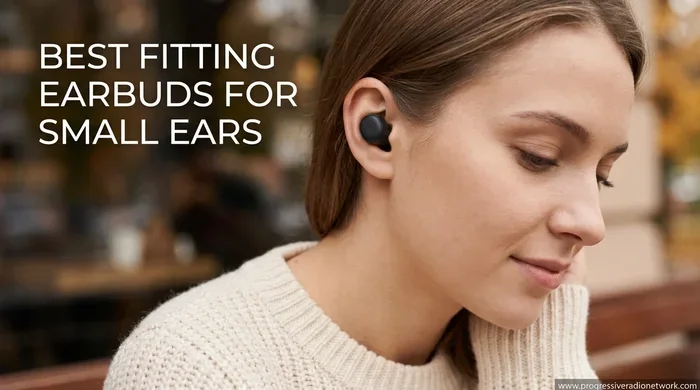
Featured image for small ears wearing earbuds
Image source: progressiveradionetwork.com
Yes, AirPods Pro 2 can fit small ears, but it depends on your ear shape and how you use them. Apple includes four silicone tip sizes (XS, S, M, L) specifically to help people with smaller ear canals get a better seal. If the tips still feel loose, third-party accessories like foam tips or ear hooks can solve the problem without buying new earbuds.
Imagine this: you just unboxed your shiny new AirPods Pro 2, popped them in your ears, and… they slip right out. Sound familiar? If you have smaller ears, this is one of the most common frustrations with wireless earbuds. The good news is that Apple designed the second-generation AirPods Pro with smaller ear canals in mind. The challenge is knowing which tips to use, how to position them correctly, and what to do if the fit still isn’t perfect.
This guide breaks down everything you need to know. We’ll cover the included tip options, how to run Apple’s fit test, why small ears need special consideration, and what accessories or alternatives can help. By the end, you’ll know exactly how to make AirPods Pro 2 work for your ears, no matter how small they are.
Whether you’re buying your first pair or upgrading from the original AirPods Pro, this article will help you decide if they’re the right choice for your ears. Let’s dive in.
Key Takeaways
- XS Tip Inclusion: AirPods Pro 2 come with an extra-small (XS) tip, making them more accommodating for small ears than the original AirPods Pro.
- Ear Tip Fit Test: Apple’s built-in Ear Tip Fit Test helps verify whether you’ve chosen the right size for a secure seal.
- Small Ears Are Common: Studies show that roughly 20% of adults have ear canals smaller than average, especially women and people of Asian descent.
- Third-Party Solutions Exist: Foam tips from brands like Comply can improve grip, comfort, and noise isolation for small ears.
- Weight Matters: At just 5.3 grams per bud, AirPods Pro 2 are lightweight, which reduces ear fatigue during long listening sessions.
- Secure Fit Affects Sound: A poor seal reduces bass and noise cancellation by up to 50%, making fit critical for performance.
- Alternatives Exist: If AirPods Pro 2 still don’t fit, smaller-focused brands like Bose and Sony offer compact alternatives.
📑 Table of Contents
- Understanding the AirPods Pro 2 Fit System
- Do AirPods Pro 2 Actually Fit Small Ears?
- How to Use Apple’s Ear Tip Fit Test
- Common Fit Problems and Easy Fixes
- Third-Party Accessories That Improve Fit for Small Ears
- How AirPods Pro 2 Compare to Alternatives for Small Ears
- Expert Tips for Getting the Best Fit Every Time
- Final Verdict: Are AirPods Pro 2 Good for Small Ears?
Understanding the AirPods Pro 2 Fit System
One of the biggest improvements Apple made with the AirPods Pro 2 was the addition of an extra-small (XS) ear tip. This may sound like a tiny detail, yet it’s a game-changer for anyone with small ears. Think of it like buying socks: one size doesn’t fit all, and having an XS option means you no longer have to squeeze into a size that’s too big.
What’s in the Box?
When you open the AirPods Pro 2 packaging, you’ll find four pairs of silicone ear tips:
- XS (Extra Small): The newest addition, ideal for petite ear canals.
- S (Small): Slightly larger than XS, a good fit for many small-eared users.
- M (Medium): The default size installed out of the box, fits most average ears.
- L (Large): Best for larger ear canals that need a deeper seal.
The tips snap on and off easily. No tools are required, so you can swap sizes in seconds. Apple designed them with an oval shape, which more closely matches the natural shape of an ear canal than the round tips found on many competitors.
Why the Tip Matters for Sound
The ear tip isn’t just about comfort; it’s about creating a seal. A proper seal blocks outside noise and allows the AirPods’ drivers to deliver full bass and clear treble. Without a good seal, your music will sound thin and distant, and noise cancellation will barely work.
Think of it like a window. If the seal is tight, no air gets in or out. If there’s a gap, you hear everything around you. That’s why fit is so important, especially for small ears where even a millimeter of difference can break the seal.
Do AirPods Pro 2 Actually Fit Small Ears?
The short answer is yes, for most people. Apple specifically added the XS tip because of feedback about fit issues with the first generation. According to Apple’s own research, a significant portion of users had trouble with the medium tips, leading to complaints about earbuds falling out during workouts or daily commutes.
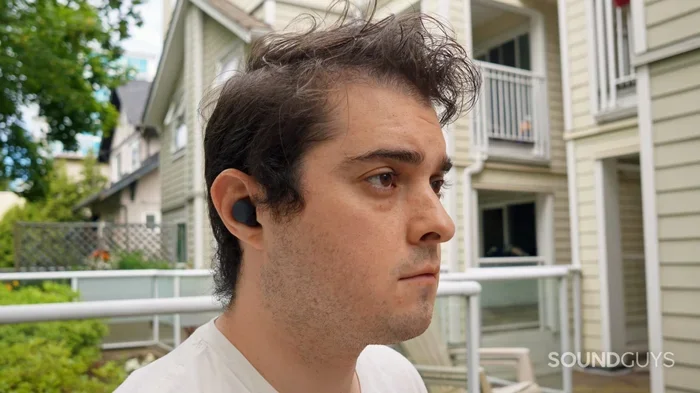
Visual guide about small ears wearing earbuds
Image source: soundguys.com
The Numbers Behind Small Ears
Did you know that ear canal size varies widely across populations? Research published in the International Journal of Audiology found that:
- Women typically have smaller ear canals than men.
- People of East Asian descent often have smaller ear canals on average compared to other groups.
- About 20% of adults have ear canals narrower than the standard size most earbuds are designed for.
This means you’re not alone if you’ve struggled with earbuds in the past. It’s not your fault; it’s just anatomy. And it’s exactly why the XS tip was a major win for inclusivity.
Real User Experiences
Many small-eared users report that the XS or S tips give them a snug, secure fit, even during running or strength training. The trick is insertion depth. Instead of just resting the bud in your outer ear, gently push and twist it so the tip slides into the ear canal at a slight angle. This creates a deeper seal without putting pressure on the outer cartilage.
If you’re still unsure, try this simple test: put the AirPods in, then shake your head side to side and up and down. If they stay put without adjusting, you’ve got a good fit. If they wiggle or fall out, try a smaller tip or different positioning.
How to Use Apple’s Ear Tip Fit Test
Apple built a brilliant little tool right into iOS that takes the guesswork out of choosing the right size. It’s called the Ear Tip Fit Test, and it plays a short burst of music while using the AirPods’ internal microphones to detect sound leakage.
Step-by-Step Instructions
- Connect your AirPods Pro 2 to your iPhone or iPad.
- Open the Settings app.
- Tap on your AirPods Pro 2 at the top of the screen.
- Scroll down and select Ear Tip Fit Test.
- Tap Continue, then follow the on-screen prompts.
The test takes less than a minute. It will tell you if each tip is creating a good seal or if you need to adjust. If the result says “Adjust” or “Try a Different Size,” don’t ignore it. That means sound is leaking, which hurts both audio quality and noise cancellation.
Pro Tips for the Best Fit Test Results
- Test in a quiet room: Background noise can interfere with accuracy.
- Move your jaw while testing: Talking or chewing helps the test detect subtle leaks.
- Try both ears separately: Many people have different-sized ear canals in each ear, which is completely normal.
- Re-test after a workout: Sweat can change how the silicone grips your skin.
Did You Know? Apple patented the algorithm behind the Ear Tip Fit Test. It uses adaptive sound processing to compare what the AirPods play versus what the microphones hear. If the seal is poor, the test will suggest a different size automatically.
Common Fit Problems and Easy Fixes
Even with the right tip size, some people still experience issues. Here are the most common problems and how to solve them.
Problem 1: AirPods Feel Loose During Workouts
If your AirPods slip out when you run or hit the gym, the culprit is usually sweat. Silicone tips can get slippery when wet. The fix?
- Wipe your ears and the tips with a dry cloth before each workout.
- Try foam tips from a third-party brand like Comply. Foam grips better when wet and molds to your ear canal shape.
- Use ear hooks or wings that wrap around the back of the ear for extra security.
Problem 2: Discomfort After an Hour
If your ears feel sore after extended use, the tip may be too large or inserted too deeply. Try the XS size first. Then, instead of pushing the tip all the way in, let it rest just at the entrance of the ear canal. You should still get a seal without pressure.
Think of it like a cork in a bottle. It needs to be snug, but you don’t need to shove it in with all your strength.
Problem 3: Noise Cancellation Isn’t Working Well
Poor noise cancellation almost always points to a bad seal. Before assuming your AirPods are defective, run the Ear Tip Fit Test again. In many cases, simply switching to a smaller tip solves the problem instantly.
Problem 4: One Ear Feels Different From the Other
This is more common than you’d think. About 30% of people have slightly asymmetrical ear canals. The answer is simple: use different tip sizes for each ear. Many users wear an XS on one side and an S on the other, and that’s perfectly fine.
Third-Party Accessories That Improve Fit for Small Ears
If Apple’s included tips don’t quite cut it, the aftermarket world has you covered. There are dozens of accessories designed specifically to improve fit for small ears.
Foam Ear Tips
Memory foam tips, like those made by Comply, are a popular upgrade. They start as small cylinders, and when you insert them into your ear, they expand to fill the canal. This creates a custom seal every time.
Benefits of foam tips include:
- Better grip during movement
- Improved noise isolation
- Reduced ear fatigue
- Less pressure on the ear canal
The downside? They wear out faster than silicone and need replacing every 1-3 months.
Ear Hooks and Wings
These accessories attach to the AirPods and wrap around the top or inside of your ear. They add extra security without changing the tip. Brands like EarBuddy and AZLA make versions specifically designed for AirPods Pro 2.
Custom-Molded Tips
For the ultimate fit, consider custom-molded tips. Companies like Snugs and Decibullz create personalized tips using silicone molding kits you can do at home. They’re pricier, but they offer a fit that feels like the AirPods were made just for your ears.
Did You Know? Custom-molded ear tips are the same technology used by professional musicians and pilots. They offer the best combination of comfort, seal, and sound quality available.
How AirPods Pro 2 Compare to Alternatives for Small Ears
Even with all the tips and accessories, AirPods Pro 2 might not be perfect for everyone. Let’s see how they stack up against competitors known for small-ear-friendly designs.
Bose QuietComfort Earbuds II
Bose includes three tip sizes and uses a unique “stability band” that wraps around the outside of the ear. Many small-eared users find this more secure than AirPods because the band distributes weight across a larger surface area. Bose also offers StayHear Max tips, which are designed to lock into the outer ear rather than slide deep into the canal.
Sony WF-1000XM5
Sony’s flagship earbuds come with four foam tip sizes, and the buds themselves are smaller than their predecessors. They’re often praised for fitting petite ears comfortably. The noise cancellation is on par with AirPods Pro 2, and many audiophiles prefer Sony’s sound signature.
Beats Fit Pro
Made by Apple, Beats Fit Pro includes flexible wingtips that hook into the folds of your ear. They’re designed specifically for active use and small ears, making them an excellent alternative if AirPods Pro 2 still feel insecure.
JLab Go Air Pop
For a budget-friendly option, JLab’s Go Air Pop includes three tip sizes and an incredibly lightweight design at just 3.7 grams per bud. They’re not as feature-rich as AirPods Pro 2, but they fit small ears beautifully and cost a fraction of the price.
Expert Tips for Getting the Best Fit Every Time
Beyond choosing the right size, how you insert and care for your AirPods affects fit significantly.
Insertion Technique
The way you put AirPods in your ears matters more than most people realize. Here’s the method Apple and audiologists suggest:
- Pull your ear slightly upward and backward with your opposite hand. This straightens the ear canal.
- Insert the tip gently while continuing to hold the ear open.
- Twist the AirPod slightly forward (toward your jaw) until it locks in.
- Release your ear and let the canal return to normal.
This technique creates a deeper, more secure seal than just shoving them in straight.
Keep Your Tips Clean
Earwax, oils, and debris can build up on silicone tips, making them slippery and less hygienic. Clean them weekly with a slightly damp cloth or mild soap and water. Let them dry completely before reattaching.
Replace Tips When Worn
Silicone tips degrade over time. If you notice tearing, discoloration, or loss of grip, replace them. Apple sells replacement tips for around $8-10 per pair, and they’re easy to swap on.
Match Tips to Activity
Consider keeping multiple tip sizes for different activities. For example:
- XS or S: Best for casual listening and phone calls.
- M: Good all-around choice for commuting.
- L: Ideal for noisy environments where maximum seal matters.
Final Verdict: Are AirPods Pro 2 Good for Small Ears?
After everything we’ve discussed, the answer is clear: AirPods Pro 2 are an excellent choice for small ears, especially with the XS tip and a few simple adjustments. Apple’s decision to add the extra-small tip was a direct response to user feedback, and it makes the AirPods Pro 2 one of the most accommodating earbuds on the market for petite ear canals.
If you’re on the fence, here’s a quick checklist to help you decide:
- Buy AirPods Pro 2 if: You want seamless iPhone integration, excellent noise cancellation, and you’re willing to try different tips to get the perfect fit.
- Consider alternatives if: You have unusually small or uniquely shaped ear canals, or you need extra security for intense workouts.
Remember, fit is personal. What works for one person might not work for another. The beauty of the AirPods Pro 2 system is that you have multiple tip sizes, a built-in fit test, and a huge ecosystem of third-party accessories to make them work for you.
So go ahead, give them a try. Start with the XS tips, run the fit test, and don’t be afraid to experiment with foam replacements or ear hooks if needed. With the right setup, AirPods Pro 2 can deliver an outstanding listening experience, no matter how small your ears are.
Frequently Asked Questions
What size ear tips come with AirPods Pro 2?
AirPods Pro 2 come with four pairs of silicone tips: XS, S, M, and L. The medium size is pre-installed, but the XS is specifically designed for people with smaller ear canals.
How do I know if my AirPods Pro 2 fit correctly?
Use Apple’s Ear Tip Fit Test in the Settings app. It plays a brief audio sample and tells you if each tip creates a proper seal. If not, try a different size or adjust the angle of insertion.
Can AirPods Pro 2 fall out of small ears easily?
They can if the wrong tip size is used. With the XS or S tip and proper insertion technique, most small-eared users find them secure, even during exercise. Adding foam tips or ear hooks provides extra security.
Are AirPods Pro 2 good for people with tiny ear canals?
Yes, the XS tip was added specifically for users with smaller ear canals. For exceptionally tiny canals, third-party foam tips or custom-molded options can provide an even better fit.
Do AirPods Pro 2 hurt small ears?
They shouldn’t if you choose the correct tip size. If you feel discomfort, switch to a smaller tip, reduce insertion depth, or try foam tips that conform to your ear shape.
What’s the best AirPods Pro 2 accessory for small ears?
Foam tips from brands like Comply are the most popular upgrade. They expand inside your ear canal to create a custom seal, improving comfort, grip, and noise isolation all at once.