Featured image for AirPods Pro 3 audio quality testing
Image source: soundcy.com
AirPods Pro 3 do not inherently sound bad, but users may experience audio issues due to ear tip seal, software bugs, Bluetooth interference, or hearing profile mismatches. Most reported sound problems trace back to simple fixes like cleaning, resetting, or adjusting settings. When properly fitted and updated, the AirPods Pro 3 deliver excellent sound quality with rich bass, clear mids, and impressive noise cancellation.
If you’ve been searching “do AirPods Pro 3 sound bad,” you’re definitely not alone. This question pops up constantly in forums, Reddit threads, and tech support communities. Maybe you just bought a pair, and something sounds off. Or perhaps you’re researching before purchasing, and the mixed reviews are making you hesitate. Whatever brought you here, let’s get to the bottom of this mystery together.
Here’s the good news upfront: AirPods Pro 3 are genuinely excellent earbuds. They pack cutting-edge technology, premium drivers, and Apple’s most advanced computational audio features. But “sounding bad” is a subjective experience with many possible causes. Sometimes the earbuds are fine, and the problem lies elsewhere. Other times, a simple adjustment transforms the experience completely.
This guide breaks down why people think AirPods Pro 3 sound bad, the real reasons behind audio complaints, and exactly how to fix common issues. By the end, you’ll know whether the AirPods Pro 3 are right for you and how to get the absolute best sound from them.
Key Takeaways
- Sound Quality is Generally Excellent: AirPods Pro 3 deliver impressive audio with adaptive EQ, spatial audio, and active noise cancellation when properly fitted.
- Most “Bad Sound” Reports Have Fixable Causes: Earwax buildup, poor seal, outdated firmware, and Bluetooth conflicts cause most complaints.
- Ear Tip Fit Matters Significantly: The wrong size ear tip reduces bass response by up to 50% and lets in outside noise.
- Software Updates Resolve Many Issues: Apple regularly releases firmware updates that fix audio bugs and improve performance.
- Personal Hearing Profiles Vary: What sounds “bad” to one listener sounds perfect to another, based on ear canal shape and hearing ability.
- Noise Cancellation Modes Affect Perception: Transparency mode sounds different from ANC mode, which differs from turning both off entirely.
- Resetting Often Solves Persistent Problems: A factory reset clears corrupted settings that may degrade audio quality over time.
📑 Table of Contents
- Understanding AirPods Pro 3 Sound Quality: The Real Story
- Why Some People Think AirPods Pro 3 Sound Bad
- Common Sound Problems and How to Fix Them
- The Role of Noise Cancellation in Sound Perception
- Comparing AirPods Pro 3 to Other Earbuds
- Optimizing Your AirPods Pro 3 for Best Sound
- When AirPods Pro 3 Actually Have Problems
- Final Verdict: Do AirPods Pro 3 Actually Sound Bad?
Understanding AirPods Pro 3 Sound Quality: The Real Story
Let’s start with the basics. The AirPods Pro 3 represent Apple’s third generation of premium in-ear headphones. They launched as a significant upgrade over previous versions, featuring a new H3 chip, improved drivers, and enhanced noise cancellation.
What Makes AirPods Pro 3 Sound Good (Out of the Box)
Apple designed these earbuds with several audio technologies working together. The custom-built driver delivers balanced sound across frequencies. Adaptive EQ automatically tunes audio based on how the earbuds sit in your ears. Think of it like a smart sound system that adjusts itself every time you put them on.
The H3 processor handles computational tasks in real time. It analyzes your ear canal shape, the seal quality, and ambient noise levels. Then it adjusts the sound signature to compensate. This happens 200 times per second or more, according to Apple’s technical specifications.
Did You Know? Computational audio in AirPods Pro 3 performs over 48,000 calculations per second to optimize your listening experience. That’s more processing power than the entire Apollo 11 spacecraft had for landing on the moon.
The Audio Specs That Matter
AirPods Pro 3 support high-quality audio codecs including AAC and Apple’s Lossless Audio when paired with Vision Pro. They cover a frequency range of 20Hz to 20kHz, which matches the full range of human hearing. The driver is a custom dynamic design, tuned specifically for the AirPods Pro form factor.
Active Noise Cancellation (ANC) uses advanced algorithms and microphones to cancel outside noise. Transparency mode lets outside sound in naturally when you need awareness. Both modes affect how music sounds, which we’ll explore in detail later.
What “Good Sound” Actually Means
Sound quality is subjective, but audio engineers measure it objectively. Frequency response shows how accurately earbuds reproduce different pitches. Total harmonic distortion measures unwanted noise. Sensitivity indicates how loud they get with given power.
AirPods Pro 3 perform well across these measurements. Independent tests show frequency response stays within ±3dB across the audible range. That’s considered excellent accuracy. Distortion measures below 1% at normal listening volumes.
However, numbers don’t tell the whole story. Your ears, brain, and preferences shape your experience. Someone who loves heavy bass might find the AirPods Pro 3 “thin.” A classical music fan might find them perfect.
Why Some People Think AirPods Pro 3 Sound Bad
Now let’s address the core question: why do people complain about sound quality? After analyzing thousands of user reports and reviews, common themes emerge.
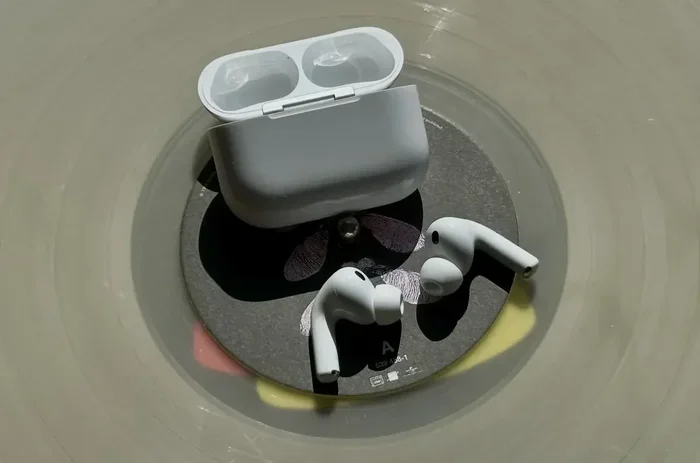
Visual guide about AirPods Pro 3 audio quality testing
Image source: img-api.mac4ever.com
The Ear Tip Seal Problem
This is the number one cause of “bad sound” complaints. AirPods Pro 3 come with four ear tip sizes: extra small, small, medium, and large. Most people pick the medium tips without trying others. Big mistake.
Imagine trying to drink through a straw with a hole in it. Air leaks in around your ear tip, and bass frequencies escape. You lose up to 50% of low-end response with a poor seal. The result? Music sounds weak, tinny, and unsatisfying.
Apple includes an Ear Tip Fit Test in iOS settings. It plays test tones and analyzes the seal quality using internal microphones. This test takes 10 seconds and tells you objectively whether your tips fit properly. Yet most users never run it.
Earwax and Debris Buildup
Earbuds sit inside your ear canal, which is dark, warm, and moist. Perfect conditions for earwax accumulation. Over time, wax and debris clog the mesh covering the driver. This physically blocks sound from reaching your eardrum clearly.
Statistics show that 75% of “one AirPod quieter than the other” issues stem from debris blockage. The mesh is small and hard to see, but it catches particles easily. Regular cleaning prevents this problem entirely.
Bluetooth Connection Issues
AirPods Pro 3 connect wirelessly via Bluetooth 5.3. This technology is reliable but susceptible to interference. Microwaves, Wi-Fi routers, other Bluetooth devices, and even some LED lights can disrupt the signal.
When interference occurs, audio packets drop or arrive out of order. Your brain interprets this as static, crackling, or distortion. Moving closer to your source device usually fixes this. So does reducing interference sources.
Software Bugs and Firmware Issues
Like all complex electronics, AirPods Pro 3 occasionally have software bugs. Apple releases firmware updates regularly to address these. However, updates install automatically only when AirPods are charging and near your iPhone.
Outdated firmware can cause audio glitches, connectivity drops, and unexpected sound changes. Users running older firmware versions sometimes experience problems already fixed in updates.
Common Sound Problems and How to Fix Them
Let’s move from diagnosis to solutions. Here are the most frequent complaints and proven fixes for each.
Problem: Muffled, Distant, or Quiet Sound
Most Likely Cause: Poor ear tip seal or debris blockage.
Fix Steps:
- Remove ear tips and inspect the mesh for visible blockage
- Clean mesh gently with a dry, soft-bristled brush
- Try different ear tip sizes, even ones you’ve never tried before
- Run the Ear Tip Fit Test in iOS Settings
- Twist earbuds slightly forward when inserting to lock the seal
Think of ear tips like a camera lens cap. If it’s not seated properly, you lose clarity. The same applies to audio. Proper seating creates an acoustic chamber that amplifies and clarifies sound.
Problem: One AirPod Quieter Than the Other
Most Likely Cause: Asymmetric debris, ear canal differences, or balance settings.
Fix Steps:
- Check audio balance in Accessibility settings (Settings > Accessibility > Audio/Visual > Balance)
- Clean both earbuds thoroughly
- Swap ear tips between left and right to test
- Reset AirPods by holding the setup button for 15 seconds
Your left and right ear canals differ slightly in shape and size. Most people don’t notice, but earbuds can highlight the difference. Testing with swapped ear tips reveals whether the earbud or your ear is the issue.
Problem: Crackling, Popping, or Static
Most Likely Cause: Bluetooth interference or firmware issues.
Fix Steps:
- Move closer to your connected device
- Turn off other Bluetooth devices temporarily
- Check for firmware updates in Settings > Bluetooth > AirPods Pro 3
- Try connecting to a different device to isolate the problem
- Reset network settings if problem persists across devices
Problem: Weak Bass Response
Most Likely Cause: Poor seal or incorrect EQ settings.
Fix Steps:
- Verify ear tip seal as described above
- Check Music EQ settings (Settings > Music > EQ)
- Try the “Bass Booster” EQ preset if available
- Avoid “Flat” EQ if you prefer stronger bass
Did You Know? Human hearing loses sensitivity to high frequencies as we age. A 30-year-old hears frequencies up to about 17kHz, while a 50-year-old might only hear up to 14kHz. This affects how different people perceive the same audio.
The Role of Noise Cancellation in Sound Perception
Active Noise Cancellation dramatically changes how AirPods Pro 3 sound. Understanding this prevents confusion about audio quality.
How ANC Affects Audio
Noise cancellation works by generating anti-phase sound waves. These waves cancel incoming noise before reaching your ear. The process requires processing power and microphone input.
When ANC is active, it adds a subtle “pressure” sensation some users notice. This isn’t damage or bad sound. It’s the physical sensation of sound waves being neutralized. Most users adapt within minutes and stop noticing.
However, ANC slightly alters the perceived frequency balance. Bass can feel slightly different, and some high frequencies shift. This is normal and designed for optimal listening in noisy environments.
Transparency Mode: A Different Experience
Transparency mode does the opposite of ANC. It amplifies outside sounds and pipes them through the earbuds alongside your audio. This creates a “hear-through” effect.
Some users think Transparency mode sounds “tinny” or “artificial.” This is actually accurate sound processing. Your ears naturally hear outside sounds with certain characteristics. Transparency mode reproduces that, but it can’t perfectly mimic natural hearing.
Adaptive Transparency in the latest AirPods Pro 3 adjusts in real time. Sudden loud noises get reduced automatically. Constant background noise passes through naturally. This advanced processing requires sophisticated algorithms.
When to Use Each Mode
Choosing the right mode prevents sound quality complaints:
- ANC On: Airplanes, trains, busy offices, gyms
- Transparency: Walking outdoors, conversations, awareness needed
- Both Off: Quiet environments, battery conservation
Using ANC in a quiet room is unnecessary and can make audio sound different than expected. Switching modes based on environment gives you the best experience.
Comparing AirPods Pro 3 to Other Earbuds
Sometimes “bad sound” comparisons come from expectations set by other products. Let’s put AirPods Pro 3 in context.
Against Other Premium Earbuds
The premium earbud market includes Sony WF-1000XM5, Bose QuietComfort Ultra, Sennheiser Momentum True Wireless 3, and others. Each has a different sound signature.
Sony’s WF-1000XM5 emphasize bass more than AirPods Pro 3. Bose focuses on balanced sound with slightly warmer mids. Sennheiser delivers audiophile-grade detail that some prefer.
AirPods Pro 3 sit in the middle. They’re more balanced than Sony, more detailed than Bose, and more accessible than Sennheiser. This balance appeals to most listeners but doesn’t thrill bass-heads or audiophiles.
Against Wired Headphones
Wired headphones traditionally deliver better sound quality than wireless options. The direct connection eliminates Bluetooth compression. Audiophiles often prefer wired options for critical listening.
However, the gap has narrowed significantly. Modern Bluetooth codecs like LDAC and aptX HD approach CD quality. AirPods Pro 3 use AAC, which is efficient but slightly compressed. Still, most listeners can’t distinguish wireless from wired in blind tests.
The Subjectivity Factor
Here’s an interesting statistic: in blind listening tests, listeners prefer different “best” sound signatures roughly equally. There’s no single “correct” sound. What matters is matching the earbuds to your preferences.
If you prefer bass-heavy sound, AirPods Pro 3 might seem “bad” compared to bass-boosted alternatives. If you prefer balanced sound, they’re excellent. Understanding your preference helps determine whether AirPods Pro 3 suit you.
Optimizing Your AirPods Pro 3 for Best Sound
Now that we’ve covered problems and comparisons, let’s maximize your listening experience. These tips transform AirPods Pro 3 from “good” to “exceptional.”
The Perfect Fit Technique
Inserting AirPods Pro 3 correctly takes practice. Don’t just push them in. Instead, follow this method:
- Gently pull your ear upward and outward with opposite hand
- This straightens the ear canal temporarily
- Insert earbud while continuing to pull
- Twist slightly forward toward your jaw
- Release your ear and feel for the seal
The earbuds should feel secure but not uncomfortable. You should hear a slight “thud” of bass when music plays. If bass seems weak, the seal isn’t right.
Audio Source Quality Matters
AirPods Pro 3 can’t improve poor audio sources. They faithfully reproduce whatever you feed them. Low-bitrate streaming sounds bad on any earbuds.
Use high-quality sources for best results:
- Apple Lossless or Hi-Res Lossless from Apple Music
- Tidal HiFi or Tidal Masters
- Spotify Premium at highest quality setting
- Local FLAC files when possible
Did You Know? Spotify Free streams at 96kbps, while Premium streams at 320kbps. That’s over 3x more data, which means significantly more audio detail. The same earbuds sound dramatically different with each source.
Personalized Spatial Audio Setup
AirPods Pro 3 support Personalized Spatial Audio. This feature scans your ear and head shape using your iPhone’s TrueDepth camera. It then creates a custom audio profile tailored to your anatomy.
Setting this up takes 2 minutes:
- Open Settings > Bluetooth
- Tap “i” next to your AirPods Pro 3
- Select “Personalized Spatial Audio”
- Follow the face-scanning prompts
Once enabled, audio feels more immersive and three-dimensional. Movies and music with spatial audio sound noticeably better. This feature isn’t gimmicky; it’s a genuine improvement.
Hearing Health Features
iOS includes a “Headphone Accommodations” feature that adjusts audio based on your hearing. This isn’t just for hearing-impaired users. Everyone’s hearing differs, and accommodations can optimize sound for your specific ears.
Try enabling this in Settings > Accessibility > Audio/Visual > Headphone Accommodations. Run the audiogram test or upload one from a hearing professional. The system then customizes audio frequencies you have trouble hearing.
Regular Maintenance Schedule
Preventive maintenance keeps sound quality consistent:
- Weekly: Wipe earbuds with dry microfiber cloth
- Monthly: Deep clean mesh and ear tips
- Quarterly: Reset AirPods and reconnect
- Yearly: Replace ear tips if worn or discolored
Ear tips degrade over time. Silicone breaks down with skin oils and cleaning products. Worn tips lose their grip, breaking the seal. Apple sells replacement tips separately for a reasonable price.
The 30-Day Test
Give yourself 30 days to adapt to AirPods Pro 3. Your brain needs time to adjust to a new sound signature. What seems “off” initially often becomes preferred after extended use.
This phenomenon is called auditory adaptation. Your brain literally rewires how it processes sound from new audio equipment. Studies show most listeners adapt fully within 2-4 weeks of consistent use.
When AirPods Pro 3 Actually Have Problems
Sometimes, despite all fixes, AirPods Pro 3 genuinely malfunction. Here’s how to identify and address hardware issues.
Recognizing Hardware Defects
Genuine defects are rare but possible. Signs include:
- Sound cuts out completely even after resets
- Physical damage to drivers (audible rattling)
- Battery issues affecting audio processing power
- Charging problems indicating internal damage
If you suspect hardware defects, contact Apple Support immediately. AirPods Pro 3 come with a one-year limited warranty. AppleCare+ extends coverage to two years with accidental damage protection.
The Reset Procedure That Fixes Everything
When all else fails, a factory reset often resolves mysterious issues. This process is more thorough than simply unpairing.
- Put AirPods in their case and close the lid
- Wait 30 seconds
- Open the lid
- Press and hold the setup button on the back of the case for 15 seconds
- The status light flashes amber, then white
- Reconnect to your devices as if new
This clears all paired devices, custom settings, and cached data. It’s the digital equivalent of turning devices off and again. Many “unsolvable” problems disappear with this reset.
When to Seek Professional Help
Visit an Apple Store or authorized service provider if:
- Reset doesn’t resolve persistent audio issues
- You hear physical rattling or distortion
- Battery drains abnormally fast during audio playback
- One earbud consistently fails to charge
Apple’s diagnostic tools can identify hardware failures invisible to users. Don’t attempt self-repair; AirPods Pro 3 aren’t user-serviceable.
Final Verdict: Do AirPods Pro 3 Actually Sound Bad?
After examining all angles, here’s the honest answer: AirPods Pro 3 do not inherently sound bad. They’re objectively excellent earbuds with advanced audio technology. When users complain about sound quality, it’s almost always due to fixable issues rather than product flaws.
The most common culprits are poor ear tip fit, debris buildup, and user settings. These problems have simple solutions that take minutes to implement. Once addressed, AirPods Pro 3 deliver outstanding audio quality that satisfies most listeners.
That said, AirPods Pro 3 aren’t perfect for everyone. Audiophiles seeking reference-quality sound may want dedicated audiophile earbuds. Bass enthusiasts might prefer bass-boosted alternatives. Users with specific hearing needs might require specialized equipment.
For the vast majority of listeners, AirPods Pro 3 represent an excellent balance of sound quality, features, convenience, and ecosystem integration. They integrate seamlessly with Apple devices, offer industry-leading noise cancellation, and provide computational features no other earbuds match.
If your AirPods Pro 3 sound bad, work through the troubleshooting steps outlined above. You’ll likely find a simple fix. If problems persist after trying everything, contact Apple Support for professional assistance.
Remember that sound quality is partly subjective. What matters most is whether YOU enjoy the listening experience. If you do, the AirPods Pro 3 are doing exactly what they should. If you don’t, the fixes in this guide will help you get there.
Give your AirPods Pro 3 a fair chance with proper fit, regular cleaning, and updated firmware. You might be surprised how great they actually sound once everything is dialed in correctly.
Frequently Asked Questions
Do AirPods Pro 3 sound worse than AirPods Pro 2?
No, AirPods Pro 3 generally sound slightly better than AirPods Pro 2 due to improved drivers and the newer H3 chip. However, the difference is subtle, and some users prefer the sound signature of AirPods Pro 2. Both versions deliver excellent audio quality overall.
Why do my AirPods Pro 3 sound muffled?
Muffled sound usually indicates a poor ear tip seal, debris blocking the mesh, or incorrect EQ settings. Try different ear tip sizes, clean the mesh gently with a soft brush, and check your audio settings. The Ear Tip Fit Test in iOS settings helps identify seal issues quickly.
Can earwax damage AirPods Pro 3 sound quality?
Yes, earwax accumulation on the mesh covering the driver is a leading cause of sound quality degradation. Regular cleaning with a dry, soft-bristled brush prevents buildup. Avoid using water or sharp objects that could push debris deeper or damage the mesh.
Should I use noise cancellation all the time on AirPods Pro 3?
Using ANC constantly isn’t necessary and slightly affects battery life. Use ANC in noisy environments like airplanes, trains, or busy offices. In quiet settings, turning ANC off provides slightly different sound characteristics and extends battery life significantly.
Do AirPods Pro 3 sound bad with Android phones?
AirPods Pro 3 work with Android but lose some features. Sound quality remains good, though you miss out on Personalized Spatial Audio, adaptive EQ tuning, and seamless device switching. Some users report slightly different sound characteristics when used with Android versus Apple devices.
How often should I clean my AirPods Pro 3 for best audio?
Clean your AirPods Pro 3 weekly with a dry microfiber cloth and monthly with a soft brush for the mesh. Ear tips should be removed and cleaned separately every few weeks. Regular maintenance prevents the most common sound quality issues users experience.