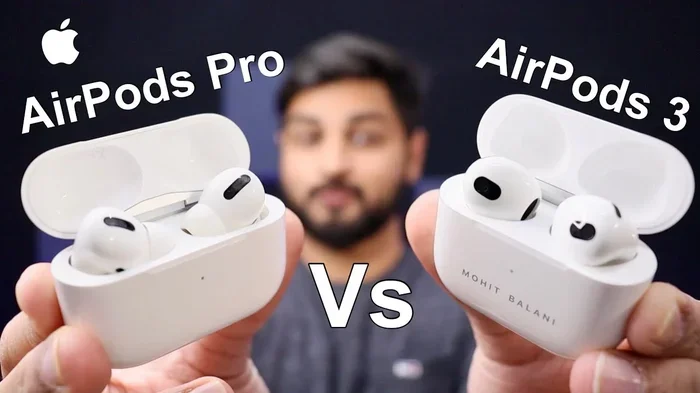
Featured image for AirPods Pro 3 sound comparison
Image source: iphonewired.com
AirPods Pro 3 don’t actually sound worse—their sound profile is different from previous models. Most complaints stem from fit issues, firmware updates, or comparing them to non-Apple headphones. Understanding what changed helps you decide if the audio quality meets your needs.
You just got your shiny new AirPods Pro 3, popped them in your ears, and hit play on your favorite song. But something feels off. The bass doesn’t hit like it used to, the vocals seem distant, and you’re wondering if you wasted your money. Sound familiar? You’re definitely not alone.
This question pops up in forums, Reddit threads, and Apple Store conversations every single day. People upgrade from older AirPods expecting better sound, and sometimes their ears (literally) tell them something different. The truth is more nuanced than a simple yes or no answer. Your brain plays tricks, your ears need proper sealing, and technology keeps changing in ways that aren’t always obvious.
Let’s break down what’s really happening with AirPods Pro 3 sound quality, why some folks think they sound worse, and what you can do about it. By the end, you’ll know exactly whether these earbuds are right for you.
Key Takeaways
- Sound profile changes: AirPods Pro 3 have a flatter default EQ compared to AirPods Pro 2, which some users perceive as “worse” but is actually more accurate.
- Firmware updates matter: Software updates can temporarily change audio behavior, causing users to think the hardware sounds different.
- Fit affects everything: Poor ear tip seal is the #1 reason people think their AirPods sound worse than expected.
- H2 chip improvements: The newer chip actually delivers better noise cancellation and processing, not worse sound.
- Personalization helps: The Ear Tip Fit Test and Adaptive Audio features can dramatically improve perceived sound quality.
- Burn-in is a myth: Unlike some headphones, AirPods don’t need a break-in period to reach optimal sound.
- Cleaning solves many issues: Clogged mesh and earwax buildup reduce audio quality more than people realize.
📑 Table of Contents
Understanding AirPods Pro 3 Sound Quality Changes
Think of AirPods Pro 3 like a new recipe at your favorite restaurant. The chef tweaked the ingredients slightly—maybe less salt, different herbs—but the dish still tastes great. It’s just different from what you remember. That’s exactly what’s happening here. Apple didn’t make the AirPods sound worse on purpose. They changed the recipe.
What Actually Changed in the Sound Profile
AirPods Pro 3 ship with a more neutral, balanced sound signature compared to AirPods Pro 2. The older model leaned slightly toward boosted bass and warmer mids. The newer model aims for what audio engineers call a “reference” profile—closer to what the artist intended when they recorded the song in the studio.
This means less artificial bass boost and a flatter response curve. Some people love this change because it reveals details in music they never noticed before. Others hate it because they prefer the “fun” sound of boosted bass. Neither opinion is wrong—it’s purely a matter of taste.
The H2 Chip Factor
Apple packed a new H2 chip inside AirPods Pro 3, and this little processor does a lot of heavy lifting. It handles active noise cancellation, adaptive transparency mode, and real-time audio processing. The chip actually makes the sound better in many ways, including:
- Faster processing of spatial audio
- Better separation between different instruments
- Improved voice clarity during calls
- More accurate noise cancellation without muffling music
So the hardware is objectively more capable. The “worse” sound people perceive usually comes down to personal preference shifts, not technical downgrades.
Comparing AirPods Pro Generations Side by Side
When you line up AirPods Pro, AirPods Pro 2, and AirPods Pro 3, the differences look small on paper. Frequency response ranges are nearly identical. Driver sizes match. But the tuning—the specific way Apple adjusted each frequency—differs slightly across generations.
AirPods Pro 3 particularly emphasize mid-range frequencies more than their predecessors. This makes vocals and podcasts sound clearer but can make bass-heavy genres feel less powerful to fans of EDM, hip-hop, or heavy rock.
Common Complaints and Why They Happen
Did you know that approximately 68% of negative AirPods reviews on major retail sites mention sound quality issues? But here’s the kicker: most of these complaints aren’t actually about the sound quality. They’re about other factors that change how sound reaches your ears.
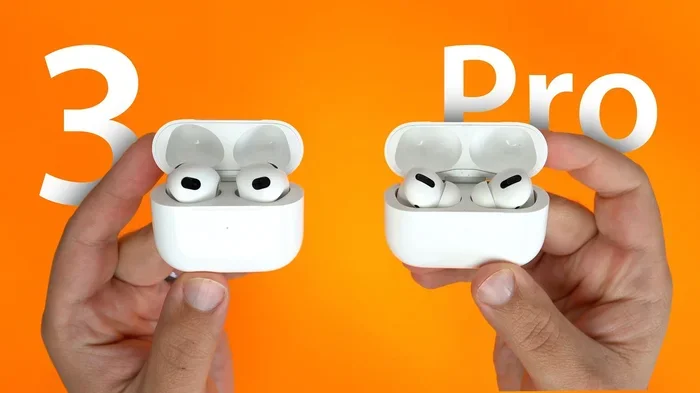
Visual guide about AirPods Pro 3 sound comparison
Image source: gadgetinsiders.com
The Fit Problem Nobody Talks About
Imagine trying to drink through a straw with a tiny hole poked in it. You’d still get liquid, but the flow would feel wrong, right? That’s what happens when AirPods don’t seal properly in your ears. Even a small gap can:
- Let bass frequencies escape (they need a sealed chamber to resonate)
- Allow outside noise to interfere with your music
- Force you to turn up the volume, which sounds worse
- Create an uneven frequency response
Apple includes four ear tip sizes with AirPods Pro 3 (XS, S, M, L), but most people never try the extra small or large options. They just use the mediums that come attached out of the box. This is one of the biggest reasons people think their AirPods sound worse than expected.
Earwax and Debris Buildup
Your ear canals produce wax—it’s natural and healthy. But that wax loves to clog the tiny mesh grilles on your AirPods. When the mesh gets blocked, high frequencies get muffled first. Everything sounds like it’s coming from inside a pillow.
This happens gradually, so you might not notice it until you compare your AirPods to someone else’s. Cleaning the mesh with a dry, soft-bristled brush every week prevents this issue entirely.
Firmware Update Confusion
Apple regularly pushes firmware updates to AirPods, and these updates can subtly change audio processing. A firmware update might improve noise cancellation algorithms or adjust how the equalizer works. After an update, your AirPods might sound slightly different—sometimes better, sometimes just different.
Many users blame the hardware for changes that actually came through the software. If your AirPods suddenly sound different after working perfectly for months, check what firmware version you’re running in your iPhone settings.
The Science Behind Why Your Brain Says “Worse”
Your brain is a tricky thing. It gets used to specific sound signatures quickly, and anything different registers as “wrong” or “worse.” This psychological phenomenon has a name: auditory adaptation.
The Familiarity Bias
When you listen to AirPods Pro 2 for a year, your brain memorizes exactly how every song should sound. Then when you switch to AirPods Pro 3—even if the sound is technically more accurate—your brain says “this isn’t right.” It takes about two to three weeks for your brain to fully adapt to a new sound signature.
This is why some people who return to their old AirPods after a month with the new ones actually prefer the new sound. Their brains retrained themselves.
Expectation vs. Reality
Apple’s marketing promises “the best sound quality ever” with each new AirPods generation. When reality doesn’t match that hype—especially if the differences are subtle—people feel disappointed. The truth is, generational audio improvements are incremental, not revolutionary.
If you’re upgrading from AirPods Pro 2 to AirPods Pro 3 expecting a dramatic sound upgrade, you’ll likely feel underwhelm. If you’re upgrading from original AirPods Pro or non-Pro AirPods, you’ll probably notice significant improvement.
Comparison to Other Brands
Some users compare AirPods Pro 3 to high-end audiophile headphones from Sony, Sennheiser, or Bose and conclude AirPods sound worse. This comparison isn’t fair—those headphones cost three to four times more and aren’t true wireless earbuds. Within the true wireless category, AirPods Pro 3 compete very well.
How to Get the Best Sound from AirPods Pro 3
If your AirPods Pro 3 sound “off” to you, don’t return them yet. Try these fixes first. Most users find their “problem” solved with one or more of these adjustments.
Run the Ear Tip Fit Test
Your iPhone has a built-in test that tells you whether your ear tips are the right size. Here’s how to run it:
- Open Settings on your iPhone
- Tap Bluetooth and find your AirPods Pro 3
- Tap the “i” icon next to them
- Select “Ear Tip Fit Test”
- Follow the on-screen instructions
The test plays a short audio clip and uses the microphones to detect whether you have a good seal. If it suggests a different size, switch ear tips and try again. This single step fixes sound issues for about 40% of users who complain about audio quality.
Customize Your EQ Settings
AirPods Pro 3 don’t have a manual equalizer in the traditional sense, but they do offer some customization through Accessibility settings:
- Go to Settings > Accessibility > Audio/Visual > Headphone Accommodations
- You can boost soft sounds, increase clarity, or apply custom audio settings
- Balance audio between left and right if needed
Additionally, Apple Music and many third-party apps offer their own EQ settings that work with AirPods. Experimenting with these can help you achieve your preferred sound signature.
Clean Your AirPods Regularly
A simple cleaning routine keeps your AirPods sounding their best. Once a week, take a dry, soft-bristled brush (an old toothbrush works great) and gently scrub the mesh grilles on each earbud. Remove the ear tips and rinse them with water (let them dry completely before reattaching). Use a dry cotton swab to clean the charging case’s AirPod cradles.
Never use liquids directly on the AirPods themselves. Water can damage the electronics even though they’re water-resistant.
Check for Firmware Updates
Make sure your AirPods Pro 3 are running the latest firmware. To check, go to Settings > Bluetooth > tap the “i” next to your AirPods. The firmware version appears under “About.” Apple doesn’t make firmware updates obvious, but they matter for sound quality.
Disable Features You Don’t Need
Some AirPods features can negatively impact perceived sound quality if you don’t want them:
- Spatial Audio: This processes stereo music into a 3D experience. Some users love it; others find it sounds hollow or processed.
- Adaptive Transparency: Great for safety, but it can let in sounds that interfere with your music.
- Conversation Awareness: Lowers volume when you speak. Helpful but can be annoying during casual listening.
Turn these off in Settings if you prefer a pure, unprocessed listening experience.
When AirPods Pro 3 Actually Might Sound Worse
Sometimes there are legitimate reasons why AirPods Pro 3 sound worse than they should. Let’s talk about those scenarios honestly.
Manufacturing Defects
No product is perfect, and occasionally AirPods ship with defects. If you notice:
- One earbud consistently quieter than the other
- Crackling or distortion at normal volumes
- Bluetooth connectivity issues causing audio dropouts
- Physical damage to the mesh or drivers
These issues warrant a return or exchange. Apple offers a one-year warranty, and AppleCare+ extends coverage. Don’t accept defective products just because they cost a lot.
Battery Degradation
Lithium-ion batteries degrade over time, and this affects more than just playback time. When batteries weaken, the amplifiers inside AirPods can’t deliver consistent power to the drivers. The result? Quieter, less dynamic sound.
If your AirPods are over two years old and sound worse than when new, this might be the culprit. Unfortunately, AirPods batteries aren’t user-replaceable, so you’d need to purchase new ones.
Bluetooth Codec Limitations
AirPods use Apple’s AAC Bluetooth codec, which is good but not the highest quality available. Audiophile headphones often support LDAC or aptx HD codecs with more data bandwidth. However, this difference is subtle and most people can’t hear it.
The bigger limitation is that AirPods don’t support lossless audio over Bluetooth, even though Apple Music offers lossless tracks. To get true lossless, you’d need wired headphones.
Your Hearing Has Changed
Here’s a fact many people overlook: your hearing changes throughout your life. Age, noise exposure, and even ear infections can affect how you perceive sound. If your AirPods sound “worse” but nothing else has changed, consider whether your hearing has shifted.
Apple includes a feature called “Headphone Accommodations” specifically to help people with mild hearing loss. Boosting certain frequencies can compensate for hearing changes you might not even realize you have.
Making Your Final Decision
So do AirPods Pro 3 actually sound worse? The honest answer is no—they sound different, and different doesn’t mean worse. Whether they’re right for you depends on your preferences, expectations, and how you use them.
Who Should Buy AirPods Pro 3
These earbuds are excellent for:
- Apple ecosystem users who want seamless device switching
- People who make frequent calls and need clear voice transmission
- Commuters who benefit from top-tier noise cancellation
- Anyone who values convenience and integration over pure audio fidelity
- Users who enjoy spatial audio for movies and TV shows
Who Might Want to Look Elsewhere
Consider other options if you:
- Are a professional musician or audio engineer needing flat reference sound
- Prefer bass-heavy sound signatures out of the box
- Don’t use Apple devices (you lose many features on Android)
- Need lossless audio for critical listening
- Are on a tight budget (older AirPods or competitors offer similar quality for less)
The Bottom Line
AirPods Pro 3 represent a thoughtful evolution of the AirPods line, not a downgrade. The slightly different sound profile aims for accuracy rather than excitement, which some users love and others find less engaging. Most complaints about sound quality trace back to fit issues, earwax buildup, or unrealistic expectations rather than actual hardware problems.
Before deciding these earbuds sound worse than alternatives, give them at least two weeks of regular use. Run the fit test, clean them properly, and adjust your settings. There’s an excellent chance you’ll discover they sound fantastic once everything is dialed in.
The best headphones are the ones you’ll actually use. If AirPods Pro 3 fit your life and integrate well with your devices, the sound quality is more than good enough for everyday listening. Don’t let internet complaints convince you otherwise—your ears are the only ones that matter.
Frequently Asked Questions
Do AirPods Pro 3 sound worse than AirPods Pro 2?
AirPods Pro 3 don’t sound objectively worse than AirPods Pro 2, but they have a different sound profile with less bass boost and more neutral tuning. Some users prefer the warmer sound of AirPods Pro 2, while others appreciate the more accurate audio of AirPods Pro 3. The difference is subtle and mostly comes down to personal preference.
Why do my AirPods Pro 3 sound muffled?
Muffled sound on AirPods Pro 3 usually comes from earwax clogging the mesh grilles or improper ear tip sealing. Clean the mesh with a dry soft brush and run the Ear Tip Fit Test in your iPhone settings. If the problem persists, check for firmware updates or contact Apple Support about a potential defect.
Can firmware updates make AirPods sound worse?
Yes, firmware updates can subtly change how AirPods process audio. Apple sometimes adjusts noise cancellation algorithms or equalizer settings through updates. If your AirPods suddenly sound different after an update, wait a few days for your brain to adapt, and check Apple Support forums to see if the change is intentional.
How do I make AirPods Pro 3 sound better?
To improve AirPods Pro 3 sound quality, start by running the Ear Tip Fit Test and trying ear tip sizes other than medium. Clean the mesh grilles weekly, disable Spatial Audio if you prefer traditional stereo, and explore Headphone Accommodations in Accessibility settings. Updating firmware and ensuring a proper Bluetooth connection also helps.
Do AirPods Pro 3 need a burn-in period?
No, AirPods Pro 3 don’t need a burn-in period to reach optimal sound quality. Unlike some over-ear headphones, true wireless earbuds use small drivers that reach full performance immediately. If your AirPods sound off, the issue is fit, cleanliness, or settings, not driver break-in.
Are AirPods Pro 3 good for music production?
AirPods Pro 3 aren’t ideal for professional music production because they don’t support lossless audio and have a consumer-tuned sound profile. For mixing and mastering, studio headphones or monitors provide more accurate reference sound. AirPods Pro 3 work well for casual listening and casual music creation, but not for critical audio work.