Yes, Apple AirPods can cancel noise—but only certain models feature Active Noise Cancellation (ANC). AirPods Pro (1st, 2nd, and 3rd generation) and AirPods Max use advanced microphones and anti-noise technology to block out environmental sounds. Standard AirPods (1st through 4th generation) only offer passive noise isolation through their in-ear fit, not true noise cancellation.
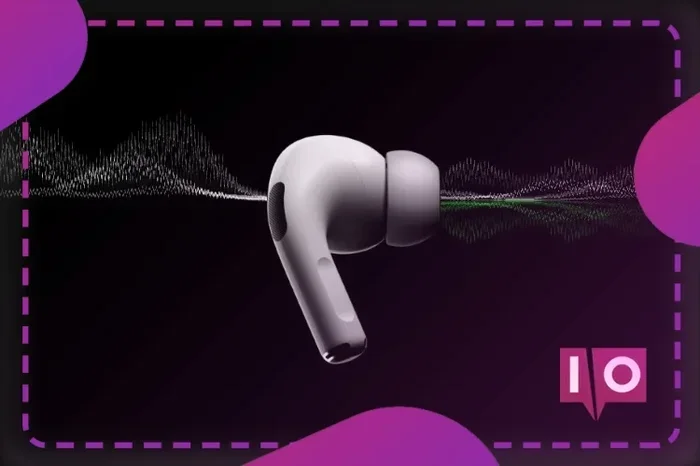
Featured image for Apple AirPods noise cancellation feature
Image source: uk.moyens.net
Have you ever been on a noisy subway and wished you could just… turn the world off? That’s exactly what Apple’s noise-cancelling AirPods promise to do. But here’s the thing: not every AirPod actually cancels noise. Some just block it a little, and others can silence the world around you almost completely.
This guide breaks down exactly which AirPods cancel noise, how the technology works, and how to get the best results. Whether you already own a pair or you’re thinking about buying, you’ll walk away knowing everything you need to make an informed decision.
Let’s start with the big question and work our way into the details.
Key Takeaways
- Only Premium Models Cancel Noise: AirPods Pro 1, 2, 3, and AirPods Max feature Active Noise Cancellation (ANC). Standard AirPods do not.
- ANC vs. Passive Isolation: Active Noise Cancellation uses microphones and sound waves to “cancel” noise, while passive isolation simply blocks sound through physical sealing.
- Transparency Mode: Most ANC AirPods also offer Transparency Mode, which lets outside sounds in when you need awareness.
- Battery Drain: Using ANC reduces battery life by roughly 20-30% compared to listening without it.
- Adaptive Audio: AirPods Pro 2 and later use Adaptive Audio to automatically blend ANC and Transparency based on your environment.
- Not All Noise Is Equal: ANC works best on low, consistent sounds (airplanes, fans) and less well on sudden, high-pitched noises (sirens, voices).
- Fit Matters: Proper ear tip sizing dramatically improves both passive isolation and ANC performance.
📑 Table of Contents
- The Short Answer: Do Apple AirPods Cancel Noise?
- How Does Active Noise Cancellation Work?
- Active Noise Cancellation vs. Passive Noise Isolation
- AirPods Pro Noise Cancellation Features Explained
- How to Get the Best Noise Cancellation from Your AirPods
- Common Questions About AirPods Noise Cancellation
- The Future of AirPods Noise Cancellation
- Final Verdict: Should You Buy AirPods for Noise Cancellation?
The Short Answer: Do Apple AirPods Cancel Noise?
Yes, but only some models. Apple makes several different AirPods, and their noise-cancelling abilities vary widely. Think of it like cars—some have cruise control, others have autopilot. The core function is the same, but the experience is very different.
Apple currently offers these main AirPods models:
- AirPods (4th generation) – Standard version without ANC
- AirPods (4th generation) with Active Noise Cancellation – A new variant with ANC
- AirPods Pro (1st, 2nd, and 3rd generation) – Premium in-ear models with ANC
- AirPods Max – Over-ear headphones with ANC
If you own the base AirPods 1, 2, 3, or 4 (without ANC), your earbuds only block noise passively. That means they rely on the physical seal of the ear tip to muffle sound. It’s like putting your hands over your ears—helpful, but not high-tech.
If you own AirPods Pro or AirPods Max, you have full Active Noise Cancellation. This is a completely different game. These models use tiny microphones, processors, and clever physics to actively “delete” outside sounds before they reach your ears.
Which AirPods Have Active Noise Cancellation?
Here’s a quick breakdown:
- AirPods Pro 1st Gen (2019) – Yes, ANC included
- AirPods Pro 2nd Gen (2022) – Yes, with improved ANC and Adaptive Transparency
- AirPods Pro 3rd Gen (2024) – Yes, with even better noise cancellation
- AirPods Max (2020, updated 2024) – Yes, premium over-ear ANC
- AirPods 4 with ANC (2024) – Yes, the first non-Pro AirPods with ANC
Did you know? The first AirPods Pro were released in October 2019, and they were Apple’s first in-ear earbuds with silicone tips. This design change was crucial—without a tight seal, ANC can’t work properly.
How Does Active Noise Cancellation Work?
Let’s break this down without the engineering degree. Active Noise Cancellation sounds complicated, but the concept is actually pretty simple once you understand the basics.
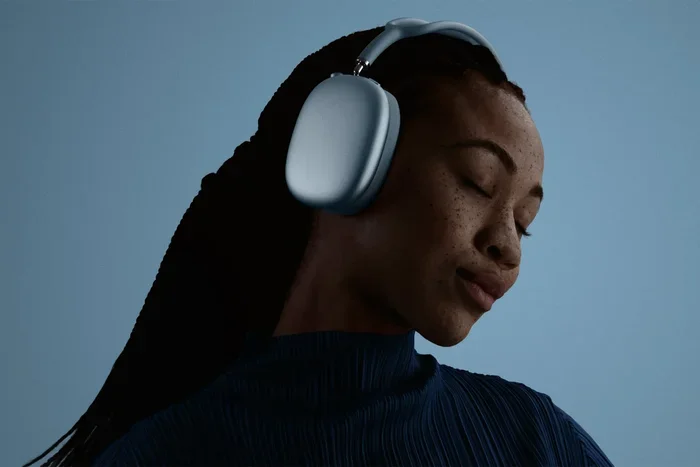
Visual guide about Apple AirPods noise cancellation feature
Image source: media.24brussels.online
Imagine you’re standing still, and a ball is thrown at you. Now imagine two balls thrown at you from opposite directions at the same time. They collide and—poof—nothing reaches you. That’s basically how ANC works, but with sound waves instead of balls.
The Science Behind the Silence
Sound travels in waves. Every sound has a waveform—some are tall (loud), some are short (quiet), some are smooth (like a hum), and some are jagged (like a clap). ANC works by analyzing these waves and creating a mirror image of them.
Here’s how it happens in real time:
- Microphones listen: Tiny mics on the outside and inside of your AirPods pick up the sound around you.
- The processor analyzes: A chip inside your AirPods (the H1, H2, or newer) figures out the sound wave’s shape.
- Anti-noise is created: The chip creates an opposite sound wave—one that’s flipped upside down.
- Waves collide: When the original sound and the anti-noise meet in your ear canal, they cancel each other out.
It’s called destructive interference—sounds fancy, but it’s just one wave canceling another. The result? Silence. Or at least, a much quieter version of whatever was annoying you.
Why It Works Better on Some Sounds
ANC is amazing at killing low, steady sounds. Think airplane engines, train rumbles, air conditioners, or the hum of a busy office. These sounds are predictable, which makes them easy to cancel.
But ANC struggles with sudden, sharp sounds. A dog barking, someone yelling, or a car horn—these are unpredictable. Your AirPods can react to them, but there’s a tiny delay. By the time the anti-noise wave is created, the sound has already reached your ear.
It’s a bit like swatting a mosquito. You can predict where it’ll be, but sometimes it just zips away before you react.
Active Noise Cancellation vs. Passive Noise Isolation
This is where a lot of people get confused. Both terms mean “blocking noise,” but they do it in very different ways.
Passive Noise Isolation
Passive isolation is what you get from any earbud or headphone just by wearing it. The physical barrier blocks some sound from reaching your ears. It’s the same reason you can’t hear as well with your fingers in your ears.
Standard AirPods use passive isolation. The hard plastic sits in your ear, and the speaker points into your ear canal. Some sound is blocked, but a lot still gets through because the fit isn’t perfect.
Think of passive isolation like a sweater. It keeps you warm by trapping air, but if the wind is strong, you’ll still feel it.
Active Noise Cancellation
ANC, on the other hand, is like a sweater with a built-in heater. It doesn’t just block the cold—it actively warms you up. ANC doesn’t rely on the physical seal alone; it uses technology to fight sound at the wave level.
For the best results, you actually need both. That’s why AirPods Pro come with silicone tips in multiple sizes. A tight seal improves passive isolation, which makes ANC work even better. It’s a team effort.
Did you know? Studies have shown that a poor ear tip fit can reduce ANC effectiveness by up to 50%. That’s huge. If your AirPods Pro feel loose, try a different tip size before blaming the technology.
AirPods Pro Noise Cancellation Features Explained
AirPods Pro are Apple’s flagship noise-cancelling earbuds, and they’ve gotten smarter with every generation. Let’s look at what each one offers.
AirPods Pro 1st Generation (2019)
The original AirPods Pro introduced Apple’s first in-ear ANC. They featured:
- Two microphones (one outward, one inward) for ANC
- Transparency Mode for hearing the world around you
- Spatial Audio support
- Silicone ear tips in three sizes
For their time, they were revolutionary. But by today’s standards, the ANC is good—not great.
AirPods Pro 2nd Generation (2022)
The AirPods Pro 2 were a massive upgrade. Apple claimed they offered 2x more noise cancellation than the first generation. The H2 chip made this possible by processing sound faster and more accurately.
New features included:
- Adaptive Transparency Mode (lets important sounds like sirens through while reducing loud background noise)
- Personalized Spatial Audio
- Touch controls on the stem
- Longer battery life (up to 6 hours with ANC on)
Adaptive Transparency was a game-changer. Instead of just turning ANC off, it smartly filtered sounds. You could walk down a busy street and still hear traffic, but a jackhammer nearby wouldn’t blast your eardrums.
AirPods Pro 3rd Generation (2024)
The newest AirPods Pro brought even more improvements. Apple upgraded the H3 chip (or improved H2 architecture) and added:
- Adaptive Audio (auto-switches between ANC and Transparency)
- Conversation Awareness (pauses music when you start talking)
- Even better low-frequency noise cancellation
Adaptive Audio is like having a smart assistant that knows when you need quiet and when you need awareness. Walking into a café? ANC kicks on. A barista calls your name? Transparency activates automatically.
AirPods Max (2020/2024)
AirPods Max are Apple’s over-ear option. They look like premium headphones because they are. The ear cups completely cover your ears, providing excellent passive isolation. Combined with ANC, they create what reviewers often call “a cone of silence.”
Unlike earbuds, AirPods Max use a digital crown (like the Apple Watch) to control volume. They’re heavier and more expensive, but the noise cancellation is superb—especially for long flights or focused work sessions.
How to Get the Best Noise Cancellation from Your AirPods
Buying noise-cancelling AirPods is just step one. To get the most out of them, you need to use them correctly. Here are some practical tips.
1. Get the Right Ear Tip Fit
This is the most important tip. If your AirPods Pro don’t seal well, ANC won’t work properly. Try each size (XS, S, M, L) and see which one feels snug without being uncomfortable.
Apple even has an Ear Tip Fit Test built into iOS. Here’s how to use it:
- Open Settings on your iPhone
- Tap your AirPods Pro at the top
- Scroll down and tap “Ear Tip Fit Test”
- Follow the on-screen instructions
The test plays a short sound and uses the microphones to check the seal. If you see a yellow “Adjust” or “Try a Different Size” message, your fit isn’t ideal.
2. Keep Your AirPods Clean
Dirt, earwax, and debris can clog the mesh and microphones. This affects both sound quality and ANC performance. Clean your AirPods regularly with a soft, dry cloth. For the ear tips, remove them and rinse with water (no soap), then dry completely before reattaching.
3. Update Your Firmware
Apple regularly releases firmware updates that improve ANC. Make sure your AirPods are up to date by keeping them in their case near your iPhone. Updates happen automatically when the conditions are right.
4. Use the Right Mode for the Right Situation
ANC isn’t always the best choice. Here’s a quick guide:
- Use ANC: On planes, trains, in noisy offices, or when you need to focus
- Use Transparency: When walking in traffic, exercising outdoors, or having conversations
- Use Adaptive Audio: When your environment changes a lot throughout the day
To switch modes, press and hold the force sensor on the stem of your AirPods Pro. On AirPods Max, press the noise control button on the right ear cup.
5. Combine ANC with Lower Volume
When ANC is on, you don’t need to crank the volume as high. In fact, keeping volume at 50-60% with ANC on gives you the same perceived loudness as 80% without ANC. This protects your hearing over time.
Did you know? The World Health Organization estimates that 1.1 billion young people are at risk of hearing loss due to loud music. Using ANC properly can help reduce that risk.
Common Questions About AirPods Noise Cancellation
Let’s address a few things people often wonder about.
Does ANC Drain the Battery Faster?
Yes. ANC requires power to run the microphones and processor. On AirPods Pro 2, you get about 6 hours of listening with ANC on, compared to 7 hours with it off. It’s not a huge difference, but it’s noticeable on long trips.
Can You Use ANC with One AirPod?
Yes, but it’s not as effective. With one earbud, you’re only getting half the noise cancellation. Still, it’s better than nothing, and Transparency Mode works well in this case.
Is ANC Bad for Your Ears?
No, ANC itself is safe. Some people feel a slight “pressure” sensation when ANC is on, similar to what you feel on an airplane. This is caused by the anti-noise waves and is harmless. If it bothers you, switch to Transparency Mode.
Do AirPods Block Out Voices?
Partially. ANC works best on constant, low-frequency sounds. Human voices fall in the mid-frequency range, so they’re harder to cancel completely. You’ll notice voices become quieter and less clear, but you may still hear them—especially if someone is talking loudly right next to you.
Are AirPods Pro ANC as Good as Over-Ear Headphones?
AirPods Max generally outperform AirPods Pro in pure noise cancellation, simply because the ear cups create a better seal. However, AirPods Pro 2 and 3 come surprisingly close, and they’re much more portable.
The Future of AirPods Noise Cancellation
Apple isn’t stopping here. Patents and rumors suggest future AirPods might include:
- Health sensors: Heart rate, temperature, and even blood oxygen monitoring
- AI-powered ANC: Smarter noise cancellation that learns your preferences and environment
- Better microphones: For clearer calls in noisy environments
- Longer battery life: Always a priority
The noise-cancelling technology in AirPods has come a long way since 2019. With each generation, Apple gets closer to true silence in a tiny package. Whether you’re working from a busy café, flying across the country, or just trying to sleep on a noisy street, AirPods Pro or AirPods Max can help.
Final Verdict: Should You Buy AirPods for Noise Cancellation?
If noise cancellation is your priority, yes—but choose the right model. Here’s the simple breakdown:
- Best ANC value: AirPods Pro 2 or 3 (great balance of price, performance, and features)
- Best ANC overall: AirPods Max (premium experience, but heavier and pricier)
- First time trying ANC: AirPods 4 with ANC (a budget-friendly entry point)
- Just want basic AirPods: Standard AirPods (no ANC, but good for casual listening)
No matter which you pick, remember: a good fit is just as important as the technology. Take the time to find the right ear tips, keep your AirPods clean, and update them regularly. Do that, and you’ll enjoy the silence you deserve.
Now go enjoy your music—without the world crashing in.