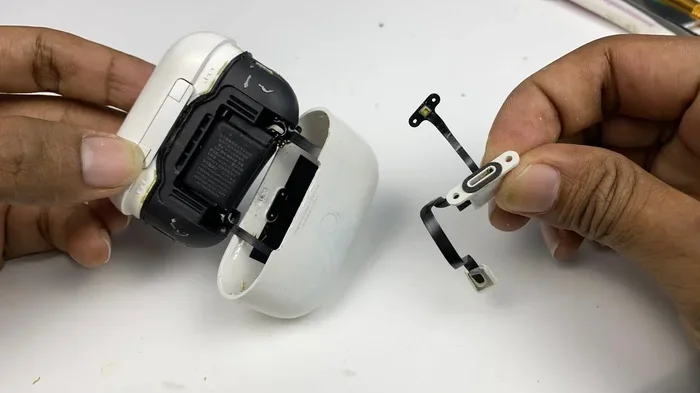
Featured image for AirPods Pro 2 charging case open
Image source: i.ytimg.com
AirPods Pro 2 do not make a sound simply from opening the lid of the charging case on their own. However, you may hear connection chimes or pairing tones when you first connect them to a device, and these sounds often coincide with the moment you open the case. The opening action itself is silent, but the connection process triggers audio cues that many users mistake for a lid-opening sound.
Have you ever opened your AirPods Pro 2 case and heard a sound, leaving you wondering where it came from? You are definitely not alone. This question pops up constantly in forums, Reddit threads, and Apple Support communities. Some people swear their AirPods greet them with a little chime every time they flip the lid. Others insist the case is completely silent. So who is right?
The truth sits somewhere in the middle, and it has a lot to do with how our brains connect actions with nearby sounds. When you flip open that little white case, your iPhone is often doing something behind the scenes at the same moment. That overlap creates the illusion that the AirPods themselves are making noise. In reality, the earbuds and the case are doing two separate things that just happen to look and sound like one event.
This guide will clear up every piece of confusion around AirPods Pro 2 sounds. We will cover exactly what noises your AirPods can make, what sounds come from your other devices, and how to tell the difference. By the end, you will be the most knowledgeable person in any room when this topic comes up. Let us dive in.
Key Takeaways
- The lid opening is silent: AirPods Pro 2 do not produce sound from the physical act of opening the charging case lid.
- Connection chimes happen nearby: The tone you hear is from your iPhone or iPad, not the AirPods themselves, and it plays when the earbuds are detected.
- No startup jingle exists: Unlike some electronics, AirPods Pro 2 do not have a power-on melody or boot-up sound.
- Different sounds mean different things: Battery alerts, pairing requests, and Find My chimes each have distinct audio patterns.
- Case sounds are limited: The only noise from the case itself is the optional Find My beep, which you must trigger manually.
- Myth vs. reality: Many users confuse system sounds with AirPods sounds, leading to widespread confusion online.
📑 Table of Contents
- The Big Question: Do AirPods Pro 2 Actually Make Sound When You Open the Case?
- What Sounds CAN Your AirPods Pro 2 Actually Make?
- The Charging Case: Silent but Smart
- Common Myths About AirPods Pro 2 Sounds
- How to Customize or Silence AirPods Sounds
- Troubleshooting: When Your AirPods Make Unexpected Sounds
- The Science Behind AirPods Audio Design
- Tips for the Best AirPods Pro 2 Audio Experience
- Final Thoughts: Embracing the Silence
The Big Question: Do AirPods Pro 2 Actually Make Sound When You Open the Case?
The short and honest answer is no. Opening the lid of your AirPods Pro 2 charging case does not trigger any sound from the AirPods themselves. There is no tiny speaker inside the lid. There is no hidden chime that plays just because you flipped it open. The action is completely silent as far as the hardware is concerned.
Think of it like opening a jewelry box. The box itself does not play music. It just opens. If your phone starts playing a song the moment you open it, you would not say the jewelry box made the sound. The same logic applies here. Your AirPods case is a container. Your phone or tablet is the speaker.
Why Do People Think They Hear a Sound Then?
This confusion happens because of perfect timing. When you open your AirPods Pro 2 case near your iPhone, a Bluetooth handshake begins. That handshake triggers a system sound on your phone. The two events feel connected because they happen within the same second. Your brain links them together, creating a false memory that the AirPods produced the sound.
This phenomenon is called causal illusion. It is the same reason people think knocking on wood brings good luck. The brain sees two things happen at once and assumes one caused the other. In this case, your lid opening and your phone chiming are simply neighbors in time, not cause and effect.
What About the Connection Sound on the iPhone?
That little “bloop” tone is a system sound built into iOS. It plays whenever your iPhone successfully detects and connects to a known Bluetooth device. It happens across all AirPods models, all Bluetooth headphones, and even some smartwatches. The sound is coming out of your phone speaker, not your AirPods.
Did you know that this connection chime has been part of iOS since the original AirPods launched in 2016? It was designed to give users confidence that their device had paired successfully. Apple never intended it to sound like the AirPods were turning on. It is simply a friendly “hello, I see you” from your iPhone.
What Sounds CAN Your AirPods Pro 2 Actually Make?
While the case itself is silent, your AirPods Pro 2 are actually quite chatty in certain situations. Understanding these sounds will help you know exactly what your earbuds are trying to tell you. Let us break down every noise your AirPods can produce, and what each one means.
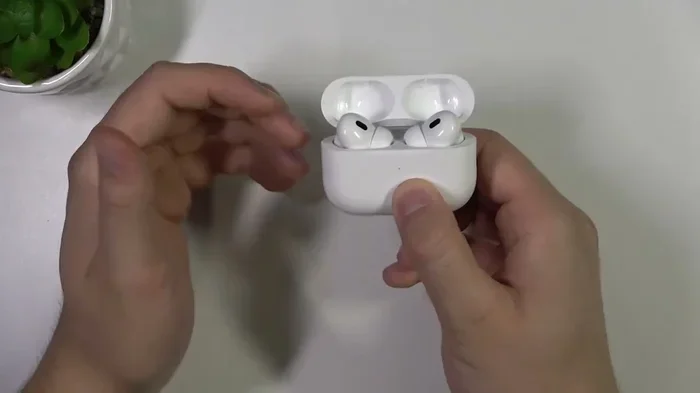
Visual guide about AirPods Pro 2 charging case open
Image source: i.ytimg.com
Connection and Pairing Tones
The most common AirPods Pro 2 sound is the pairing chime. When you first set up your AirPods with a new device, or when you reset them, you will hear a gentle “ding-dong” melody directly in the earbuds. This sound plays through the AirPods speakers, and it confirms the pairing process worked.
You will also hear a soft chime when your AirPods connect to a device they have paired with before. However, this chime is usually quiet and easy to miss. Many people do not even notice it exists until someone points it out.
Battery Low Warning
Just like your iPhone warns you when battery is low, your AirPods Pro 2 will play a tone when they are running out of juice. You will hear two distinct chimes when battery drops to about 10 percent. A second pair of chimes plays right before the AirPods shut down completely.
This is helpful because you cannot see AirPods battery on the earbuds themselves. There is no screen. There are no LED indicators on the buds. The audio warning is your only heads-up before they go silent on you mid-song.
Noise Control Switching
If you press and hold the force sensor on the stem of your AirPods Pro 2, you will hear a soft click. This click confirms that you switched between Active Noise Cancellation, Transparency Mode, and Adaptive Audio. Some users describe it as a gentle “tick” sound, almost like a camera shutter.
This click is one of the most underrated features. It lets you know your command worked without needing to look at your phone. In noisy environments, that audio feedback is a lifesaver.
Siri Responses
When you say “Hey Siri” or activate Siri through your AirPods, you will hear the familiar Siri chime. It is a quick, upbeat tone signaling that Siri is listening. Siri then responds through your AirPods with whatever answer you requested.
Fun fact: the Siri chime through AirPods sounds slightly different from the chime through your iPhone. Apple tuned it to sound clearer and more noticeable when delivered through tiny earbud speakers. This makes it easier to hear in busy environments.
Find My Beep
If you misplace your AirPods Pro 2, you can use the Find My app to make them play a sound. This sound is a repeating beep that gradually gets louder. It works even if your AirPods are in the case, which is great for finding the case itself.
But here is the key point: this beep only happens when you manually trigger it through Find My. Your AirPods do not randomly decide to beep on their own. There is no automatic alert built into the case.
The Charging Case: Silent but Smart
The AirPods Pro 2 charging case is one of the most advanced earbud cases ever made. It has a U1 chip for precision finding. It has a built-in speaker on the bottom for Find My alerts. It even has a lanyard loop. But despite all this tech, it remains silent during normal use.
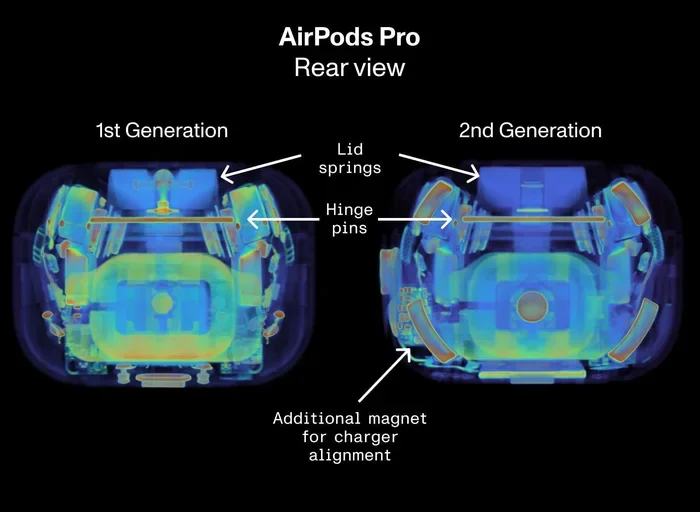
Visual guide about AirPods Pro 2 charging case open
Image source: cdn.prod.website-files.com
The Case Speaker Explained
Yes, the AirPods Pro 2 case has a tiny speaker. No, it does not play music. It does not play chimes when you open the lid. The only job of this speaker is to play a loud chirping sound when you use Find My to locate the case. That is it.
Think of it like a smoke detector. It sits quietly for months, then makes noise only when you need it most. The case speaker works the same way. It is an emergency tool, not a daily companion.
LED Light Colors and What They Mean
While we are on the topic of case signals, the small LED light on the front of the case does communicate through light, not sound. A green light means fully charged. An amber light means charging or low battery. A white light means ready to pair.
These visual cues are silent but informative. Many users prefer them over audio alerts because they do not disturb anyone around you. You can check your case status with a quick glance.
Why Apple Did Not Add a Lid Sound
There is a good reason Apple kept the case silent. Imagine opening your AirPods in a quiet library, on a date, or during a meeting. A chime every single time would be annoying fast. Silence is polite. It respects the environments you use your AirPods in.
Apple has always leaned toward minimalism in design. Steve Jobs famously removed the startup chime from the iPhone for similar reasons. The AirPods case follows that same philosophy. Function over flash.
Common Myths About AirPods Pro 2 Sounds
The internet is full of wild claims about AirPods sounds. Let us bust the most common myths so you have the real story. These myths spread because they sound plausible, but they do not hold up under scrutiny.
Myth 1: AirPods Make a Startup Sound When Removed from the Case
This myth suggests your AirPods play a melody when you take them out. In reality, you may hear a brief connection tone from your phone, but the AirPods themselves stay silent. The earbuds do not have a boot-up sequence with audio. They simply turn on and connect.
Some third-party apps and custom firmware can create startup sounds, but stock AirPods Pro 2 do not. If you hear a fancy jingle when removing your AirPods, it is probably from another app.
Myth 2: The Case Plays a Sound When You Close the Lid
Just like opening, closing the lid is also silent. Some users report hearing a faint click, but that is the physical latch, not an electronic sound. There is no software trigger tied to closing the case.
Myth 3: AirPods Chirp When Battery Is at 50 Percent
Nope. The only battery alert happens at 10 percent and at shutdown. There is no mid-level warning. Apple assumes you can check the battery widget on your iPhone or the battery popup on your screen for routine checks.
Myth 4: All Bluetooth Earbuds Make Opening Sounds
Some brands do include opening sounds, like certain Samsung Galaxy Buds models. But this is brand-specific behavior. AirPods Pro 2 follow Apple’s minimalist approach. Do not assume all wireless earbuds work the same way.
How to Customize or Silence AirPods Sounds
While you cannot turn on a new case-opening sound, you can adjust some of the existing audio cues. Customizing these settings lets you tailor the experience to your preferences. Let us walk through your options.
Turning Off Connection Tones
The iPhone connection chime can be reduced by enabling Do Not Disturb mode, but that silences everything. A better approach is to put your phone on silent or vibrate when you want quiet AirPods time. The AirPods themselves have no volume control for this chime.
Adjusting Find My Volume
When you trigger a Find My sound, the volume is preset to maximum so you can actually hear your AirPods. You cannot lower this volume before triggering it. However, you can stop the sound as soon as you find your AirPods by tapping “Stop Playing Sound” in the Find My app.
Managing Notification Sounds
Any app notification that plays through your AirPods can be managed in your iPhone settings. Go to Settings, then Notifications, and choose which apps are allowed to alert you. This gives you full control over what sounds interrupt your listening experience.
Using Focus Modes
Focus modes like Work, Sleep, or Personal can filter which notifications come to your AirPods. Set up a custom Focus mode for AirPods use, and you will only hear the alerts you truly care about. This is a great way to keep your audio experience clean and focused.
Troubleshooting: When Your AirPods Make Unexpected Sounds
Sometimes AirPods Pro 2 make sounds that should not be happening. These unexpected noises usually point to a specific issue. Knowing what they mean saves you time and frustration. Let us cover the most common sound-related problems and their fixes.
Random Clicking or Popping
If you hear random clicks or pops during music playback, the culprit is usually Bluetooth interference. Move away from other wireless gadgets, microwaves, or Wi-Fi routers. You can also try resetting your AirPods by holding the setup button on the case for 15 seconds until the light flashes amber then white.
Static or Crackling
Static often means your firmware is outdated. Make sure your AirPods are connected to your iPhone, then go to Settings, then General, then About, and check for a firmware version. Apple pushes updates automatically, but you can speed things up by placing your AirPods in the case near your iPhone for a few minutes.
One AirPod Quieter than the Other
This is usually caused by earwax or debris blocking the speaker mesh. Clean your AirPods gently with a dry cotton swab. Do not use water or sharp objects. If cleaning does not help, check the balance settings under Accessibility, then Audio/Visual on your iPhone.
Case Beeping Without Being Triggered
If your case is beeping on its own, it might be in Find My mode from another device in your household. Ask family members if they are using Find My to locate shared AirPods. You can also disable Find My for your AirPods in the Find My app to stop any remote beeping.
Sound Cutting In and Out
Intermittent audio usually means your AirPods are too far from your device, or there is interference. Stay within 30 feet of your iPhone for the best connection. Walls and floors can weaken the signal, so keep your device in the same room when possible.
The Science Behind AirPods Audio Design
Apple spends millions on audio research and development. The AirPods Pro 2 are the result of years of engineering. Understanding the design philosophy helps explain why the case stays silent.
Why Silence Is a Design Choice
Sound design is a powerful part of user experience. A product that makes noise at the wrong moment feels cheap. A product that respects your environment feels premium. Apple chose the premium path. Every AirPods sound is intentional and meaningful.
Did you know that Apple has a dedicated Sound Design team? They craft every chime, click, and tone in Apple products. The team aims for sounds that are informative without being intrusive. This is why AirPods sounds feel calm and gentle rather than loud or jarring.
The Role of the H2 Chip
The AirPods Pro 2 are powered by Apple’s H2 chip. This chip handles audio processing, noise cancellation, and Bluetooth connections. The H2 chip is so efficient that it can determine when to play sounds and when to stay silent. It knows the difference between a lid opening and a pairing request.
This intelligence extends to battery life. By staying silent when unnecessary, the H2 chip conserves power for the moments when audio really matters, like music playback and calls.
Comparing AirPods to Other Brands
Brands like Sony, Bose, and Samsung take different approaches. Some of their earbuds include voice prompts like “Power on,” “Connected,” or “Battery high.” AirPods Pro 2 use subtle chimes instead of voice prompts. This keeps the experience consistent regardless of what language you speak.
Both approaches have merit. Voice prompts are clear but can feel robotic. Chimes are elegant but require you to learn what each one means. Apple bets that users prefer the elegance. The market data suggests they are right. AirPods consistently dominate the wireless earbuds market.
Tips for the Best AirPods Pro 2 Audio Experience
Now that you understand the sounds your AirPods can make, let us share some pro tips. These tricks will help you get the most out of your earbuds. Whether you are new to AirPods or a longtime user, there is something here for everyone.
Tip 1: Learn the Chime Meanings
Spend a week paying attention to every sound your AirPods make. Note when each chime happens and what you were doing at the time. Within days, you will instinctively know what each sound means. This knowledge turns your AirPods into a more intuitive tool.
Tip 2: Customize Your Force Sensor
You can change what the force sensor does in Settings. Go to Settings, then AirPods Pro, and choose your preferred action for press and hold. Options include Siri, noise control, or playback controls. Pick what works best for your daily routine.
Tip 3: Use Personalized Spatial Audio
This feature scans your ear shape using your iPhone’s TrueDepth camera and customizes audio based on your unique anatomy. The improvement in immersion is dramatic. Enable it in Settings, then AirPods Pro, then Personalized Spatial Audio.
Tip 4: Keep Firmware Updated
Firmware updates fix bugs, improve battery life, and sometimes add new features. Make sure your AirPods stay near your iPhone regularly so they receive updates automatically. Check your firmware version in Settings, then General, then About.
Tip 5: Master the Find My Network
The Find My network uses millions of Apple devices to locate your lost AirPods. Even if your AirPods are out of Bluetooth range, other iPhones can detect them and report their location back to you. This is one of the most powerful recovery tools available.
Tip 6: Clean Your AirPods Regularly
Dirty AirPods sound worse. Earwax and debris block the speakers and reduce sound quality. Clean them weekly with a soft, dry cloth and a cotton swab. Avoid water and cleaning chemicals. Your AirPods will sound better and last longer.
Tip 7: Take Advantage of Adaptive Audio
This feature automatically switches between Active Noise Cancellation and Transparency Mode based on your environment. It uses the H2 chip and microphones to detect changes around you. Enable it in Settings, then AirPods Pro, then Audio, then Adaptive Audio.
Final Thoughts: Embracing the Silence
The mystery of whether AirPods Pro 2 make sound when you open the case has a simple answer: they do not. The case is silent by design, and any sound you hear is likely from your phone or another nearby device. This silence is intentional. It reflects Apple’s commitment to respectful, minimalist design.
Once you understand the difference between AirPods sounds and phone sounds, the confusion melts away. You will hear a connection chime and know it is your iPhone greeting your earbuds. You will hear a Find My beep and know you triggered it yourself. You will hear battery warnings and know your AirPods need charging.
AirPods Pro 2 are among the most advanced wireless earbuds ever made. Their sound design is no accident. Every chime, click, and tone serves a purpose. The absence of a lid-opening sound is just as purposeful as the presence of other sounds. It is all part of a carefully crafted experience.
So the next time someone asks you if AirPods Pro 2 make a sound when you open them, you will have the perfect answer. Share this knowledge with friends, family, and anyone who still believes the myth. You are now an AirPods expert. Wear your AirPods with confidence, enjoy the silence, and let the music speak for itself.
Frequently Asked Questions
Do AirPods Pro 2 make a chime when you open the case?
No, AirPods Pro 2 do not make any sound when you open the case lid. The case is completely silent during normal use. Any chime you hear comes from your iPhone or iPad, not the AirPods themselves.
Why do my AirPods make a sound when I open the case near my phone?
Your phone makes a connection sound when it detects your AirPods nearby. This iOS system sound is separate from your AirPods. The two events happen at the same time, which creates the illusion that the AirPods are making noise.
Does the AirPods Pro 2 case have a speaker?
Yes, the AirPods Pro 2 case has a small built-in speaker. However, it only plays sound when you use the Find My app to locate the case. It does not play chimes or notifications during normal use.
Can I turn off the AirPods connection sound?
You cannot disable the connection chime directly, but you can silence your iPhone to prevent it. Putting your phone on silent or using Do Not Disturb mode will stop the connection sound from playing.
What does it mean when my AirPods Pro 2 beep randomly?
Random beeping usually means low battery, a Find My alert, or a connection issue. Check your battery level, make sure no one else is using Find My to locate your AirPods, and reset them if problems continue.
Do AirPods Pro 2 play a sound when battery is low?
Yes, AirPods Pro 2 play two chimes when the charge drops to about 10 percent. They play another set of chimes right before shutting off. The chimes come from the AirPods speakers, not your phone.