Yes, most wireless headphones work with iPhone through standard Bluetooth technology. Since the iPhone 7 removed the headphone jack in 2016, Apple has fully embraced Bluetooth connectivity, making nearly all modern wireless headphones compatible. However, some advanced features—like automatic ear detection and spatial audio—are exclusive to AirPods and Beats products.
Featured image for iPhone wireless headphones setup
Image source: i.ytimg.com
Picture this: you just unboxed a shiny new pair of wireless headphones, but you’re staring at your iPhone wondering if they’ll actually work together. It’s a common question that trips up millions of Apple users every year. Here’s the good news—you can stop worrying.
The short answer is almost always yes. Whether you splurged on premium Sony earbuds or grabbed budget-friendly Anker Soundcore headphones from Amazon, your iPhone can probably connect to them. iPhones have used Bluetooth since 2007, and Apple has spent years perfecting this wireless connection. In fact, over 90% of wireless headphones sold today use Bluetooth, the same technology built into every iPhone made in the last decade.
But here’s what most people don’t realize: while basic pairing works with virtually any Bluetooth headphone, the experience can differ wildly. Some headphones give you magical features like automatic device switching and battery widgets. Others just play music like a regular Bluetooth device. Understanding these differences helps you make smarter buying decisions and get the most from your gear.
Key Takeaways
- Universal Bluetooth Compatibility: Any wireless headphones using Bluetooth technology can pair with iPhone models running iOS 4 or later.
- Best Wireless Option: AirPods offer the most seamless iPhone integration, including instant pairing, automatic switching, and Find My support.
- Bluetooth Version Matters: iPhones support Bluetooth 5.0 and above for stable, energy-efficient connections with most modern headphones.
- Audio Codec Support: iPhones natively support AAC and SBC codecs but lack aptX and LDAC, which may affect audio quality on some non-Apple headphones.
- No App Required: Basic listening works without additional apps, though companion apps unlock EQ settings and firmware updates for non-Apple brands.
- Battery Considerations: Wireless headphones rely on their own battery life, separate from your iPhone’s charge, typically lasting 5-40 hours per charge.
- Beats by Dre Advantage: Since Apple owns Beats, these headphones offer AirPod-like features including the H1/W1 chip for instant pairing.
📑 Table of Contents
- How Bluetooth Headphones Actually Connect to Your iPhone
- Why AirPods Work So Well with iPhone (And Why That Matters)
- Understanding Bluetooth Codecs: The Hidden Audio Quality Factor
- Best Non-Apple Wireless Headphones for iPhone
- Beats: The Best of Both Worlds for iPhone Users
- Common iPhone Wireless Headphone Problems and Solutions
- The Future of Wireless Audio on iPhone
- Making Your Final Decision
How Bluetooth Headphones Actually Connect to Your iPhone
Think of Bluetooth like a universal language that devices use to talk to each other. Your iPhone speaks this language fluently, and so do most wireless headphones on the market. When you pair them, they’re essentially exchanging a digital handshake that says, “Hey, let’s share audio.”
The Simple Pairing Process
Pairing wireless headphones with an iPhone takes less than a minute. Here’s exactly what happens:
- Open your iPhone’s Settings app
- Tap Bluetooth and make sure it’s turned on
- Put your headphones in pairing mode (usually holding a button until a light flashes)
- Wait for your headphones to appear in the list of available devices
- Tap their name, and you’re connected
It’s that simple. No special apps required, no compatibility headaches. Once paired, your iPhone remembers the headphones and will automatically reconnect whenever they’re nearby and powered on.
What Bluetooth Versions Mean for You
Bluetooth has gone through many versions, kind of like how phones upgraded from 3G to 4G to 5G. Each new version brings improvements. Modern iPhones support Bluetooth 5.0 or higher, which means:
- Better range: You can walk about 30-40 feet away before audio cuts out (compared to just 10 feet on older Bluetooth)
- Lower battery drain: Both your iPhone and headphones use less power
- Faster connection: Pairing happens almost instantly
Did You Know? The first iPhone with Bluetooth was the original 2007 model, but Apple didn’t add Bluetooth audio support until the iPhone 3GS in 2009. That’s when wireless music became possible on iPhone!
Why AirPods Work So Well with iPhone (And Why That Matters)
Let’s be honest—Apple designed AirPods specifically for iPhone. It’s like getting a key cut for a specific lock. They fit perfectly because Apple controls both sides of the equation.
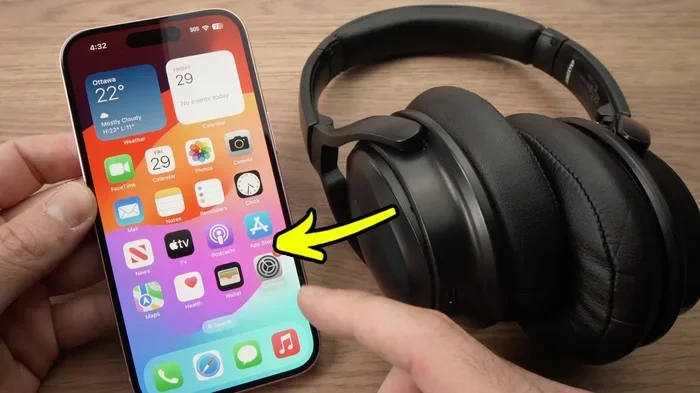
Visual guide about iPhone wireless headphones setup
Image source: i.ytimg.com
The Special Chip Inside AirPods
AirPods contain a custom chip (H1 or H2, depending on the model) that does something remarkable. When you open the case near your iPhone, a setup animation pops up automatically. No digging through settings menus, no holding buttons, no typing passcodes. It just works.
This chip also enables features you can’t get elsewhere:
- Automatic device switching: Start playing music on your iPhone, then switch to your Mac—it transfers seamlessly
- Hands-free “Hey Siri”: Talk to Siri without touching anything
- Spatial Audio: Sound that moves around you like you’re in a movie theater
- Find My integration: Locate lost AirPods using your iPhone’s GPS
- Adaptive EQ: Audio that automatically adjusts to your ear shape
What You’re Missing with Other Brands
Here’s where things get interesting. If you buy Samsung Galaxy Buds, Sony WF-1000XM5, or Bose QuietComfort, they will absolutely work with your iPhone for basic music and calls. You won’t, however, get those magical features I just mentioned. Your experience will be more like using a regular Bluetooth device from 2015.
For most people, this trade-off is totally fine. A pair of Sony headphones might offer better noise cancellation than AirPods Pro. Bose might be more comfortable for long flights. The question is what features matter most to you.
Understanding Bluetooth Codecs: The Hidden Audio Quality Factor
Here’s a concept that confuses even tech-savvy people: codecs. Don’t worry—it’s simpler than it sounds.
Imagine you need to send a package through the mail. You could stuff it with every tiny detail (high quality but expensive to ship), or you could compress it down to essentials (lower quality but faster delivery). Bluetooth codecs work the same way with audio.
The Codecs iPhone Supports
Your iPhone natively supports two Bluetooth audio codecs:
- AAC (Advanced Audio Coding): Apple’s preferred codec, offering good quality at reasonable file sizes. Works great with iPhones.
- SBC (Sub-Band Codec): The universal fallback that every Bluetooth device supports. Quality is decent but not amazing.
The Codecs iPhone Doesn’t Support
This is where audiophiles get frustrated. iPhones do NOT support:
- aptX and aptX HD: Found in many Android phones and some premium headphones
- LDAC: Sony’s high-resolution codec
- LC3: The newer low-latency codec
What does this mean practically? If you buy headphones marketed as “aptX compatible,” they’ll still work with your iPhone—they’ll just fall back to SBC or AAC. You’ll get good audio, but not the absolute best quality those headphones can deliver. For 95% of listeners, this difference is impossible to notice. But if you’re an audio enthusiast, it’s worth knowing.
Did You Know? Apple Music offers “Lossless Audio” and “Dolby Atmos” content, but ironically, you can’t actually hear the lossless quality through Bluetooth headphones—because Bluetooth compresses audio. You’d need wired headphones for true lossless listening!
Best Non-Apple Wireless Headphones for iPhone
Now let’s get practical. Maybe you don’t want AirPods, or maybe you want something AirPods can’t offer. Here are excellent alternatives that work beautifully with iPhone.
Premium Choices (Over $200)
Sony WF-1000XM5: These earbuds are widely considered the noise-cancellation champions. While they lack AirPods’ seamless switching, they offer superior sound quality and battery life. They’ll pair with your iPhone in seconds and work perfectly for music, podcasts, and calls.
Bose QuietComfort Ultra: Bose’s flagship earbuds deliver incredible comfort and industry-leading noise cancellation. They support AAC codec natively, so iPhone users get optimal audio quality. The companion app lets you customize settings and download firmware updates.
Jabra Elite 10: A lesser-known option that punches above its weight. These earbuds offer great call quality, solid noise cancellation, and excellent comfort for long listening sessions.
Mid-Range Winners ($50-$200)
Anker Soundcore Liberty 4: Outstanding value with features like adaptive noise cancellation and spatial audio. Most users report excellent iPhone compatibility and reliable connectivity.
Samsung Galaxy Buds FE: Don’t let the Samsung name fool you—they work perfectly with iPhones. You get great sound, decent ANC, and a comfortable fit at a reasonable price.
Beats Studio Buds: Since Apple owns Beats, these work almost as seamlessly as AirPods. You get the same quick pairing, “Hey Siri” support, and Find My integration. They’re a great middle ground for iPhone users who want AirPods-like features with a different design.
Budget-Friendly Options (Under $50)
Anker Soundcore Life P2: Surprisingly good sound for the price. They’ll pair with your iPhone, deliver clear audio, and last about 7 hours per charge.
JLab Go Air Pop: Ultra-affordable earbuds that get the job done. Battery life exceeds 8 hours, and they come in fun colors.
QCY HT07: A hidden gem on Amazon offering active noise cancellation at budget prices.
Remember: any of these will work with your iPhone. The differences come down to sound quality, comfort, battery life, and special features—not basic compatibility.
Beats: The Best of Both Worlds for iPhone Users
Here’s something many people miss: Apple owns Beats by Dre. This means Beats headphones contain Apple’s custom chips (H1 or W1), giving them special iPhone integration while looking and sounding different from AirPods.
Beats Models That Work Like AirPods
Beats Fit Pro: These contain the H1 chip, meaning you get all the AirPods Pro features—spatial audio, automatic switching, hands-free Siri—in a sporty design with ear hooks. Perfect for workouts.
Beats Studio Pro: Premium over-ear headphones with the H1 chip inside. You get AirPods-like magic with better sound quality and longer battery life.
Powerbeats Pro: The original “sport AirPods” with the H1 chip and secure ear hooks. Great for running and gym sessions.
Why Choose Beats Over AirPods?
Beats offer several advantages for some users:
- Better bass response: Beats headphones are known for powerful low-end sound
- Different fit options: Some people prefer Beats’ ear hook or over-ear designs
- Color variety: Beats come in more color options than AirPods
- Occasionally lower prices: Beats models often go on sale, sometimes cheaper than equivalent AirPods
Did You Know? Apple acquired Beats for $3 billion in 2014. At the time, it was Apple’s largest acquisition ever. This purchase gave Apple both Beats’ streaming service (which became Apple Music) and their headphone expertise.
Common iPhone Wireless Headphone Problems and Solutions
Even though most wireless headphones work flawlessly with iPhone, sometimes things go wrong. Let’s troubleshoot the most common issues.
Problem: Headphones Won’t Pair
Solution: First, make sure your headphones are actually in pairing mode. Most headphones need you to hold the power button for 3-7 seconds until a light starts flashing red and blue (or just rapidly). If they’re already connected to another device, they might not be discoverable. Turn off Bluetooth on other devices first.
Problem: Audio Keeps Cutting Out
Solution: Bluetooth has limited range, and walls, bodies, and interference can disrupt the signal. Try keeping your iPhone and headphones in the same room. If the problem persists, “forget” the device in your iPhone’s Bluetooth settings and pair again. Sometimes clearing this cache resolves mysterious connectivity issues.
Problem: Poor Sound Quality
Solution: Check that your headphones support AAC codec (most do). If you’re using an older iPhone or the headphones are several years old, you might be limited to SBC codec. Also, try turning off other Bluetooth devices nearby—they can interfere with the signal.
Problem: Microphone Doesn’t Work for Calls
Solution: This sometimes happens when headphones default to using their built-in mic differently. Go to Settings > Bluetooth, tap the “i” next to your headphones, and make sure “Microphone” is set correctly. You can choose between always using the headphone mic or automatically switching to your iPhone.
Problem: Headphones Drain iPhone Battery
Solution: Bluetooth itself uses minimal battery, but constant reconnection attempts can drain power. If you’re not using wireless headphones, turn off Bluetooth. Also, keep your headphones’ firmware updated—manufacturers often release updates that improve efficiency.
The Future of Wireless Audio on iPhone
Wireless headphone technology keeps evolving, and iPhone stays at the forefront. Here’s what’s coming and what it means for you.
USB-C and the EU Mandate
Remember when iPhones had headphone jacks? Those days are long gone. But in 2023, Apple switched from Lightning to USB-C charging on iPhone 15 and later models. While this doesn’t directly affect wireless headphone compatibility, it signals Apple’s commitment to standard connections.
Bluetooth LE Audio
The next generation of Bluetooth is coming. Bluetooth LE Audio promises:
- Better sound quality at lower bitrates
- Longer battery life (potentially 50%+ improvement)
- Multi-stream audio (connect one iPhone to multiple headphone sets)
- Lower latency for gaming and video
iPhones will eventually support this, and when they do, compatible headphones will work even better. The first LE Audio products launched in 2024, and adoption is accelerating.
What About AirPlay?
You might wonder: what about AirPlay, Apple’s proprietary wireless streaming tech? AirPlay works with speakers and home theater systems, but not standard wireless headphones. So Bluetooth remains the primary way to connect headphones to iPhone for the foreseeable future.
Did You Know? Apple sold over 200 million AirPods in 2023 alone, making them the world’s most popular wireless headphones. That’s roughly 3 AirPods for every iPhone sold that year!
Making Your Final Decision
So, can any wireless headphones work with iPhone? Absolutely. The question isn’t about compatibility—it’s about what experience you want.
Choose AirPods if: You want the absolute best iPhone integration, value features like automatic switching and spatial audio, and don’t mind paying a premium.
Choose Beats if: You like the AirPods experience but want different designs, stronger bass, or sport-specific features like ear hooks.
Choose other brands if: You prioritize specific features like superior noise cancellation (Sony, Bose), specific fit requirements, or better value for money. Basic music playback, calls, and video will work perfectly fine.
The beautiful thing about Bluetooth is its universality. Whatever wireless headphones you choose, they’ll work with your iPhone. You might miss some Apple-exclusive features, but you’ll get great audio and a reliable connection. That’s really all most people need.
Before you buy, check that the headphones explicitly mention “iPhone compatibility” or “Bluetooth connectivity.” Read reviews from iPhone users specifically. Consider what matters most to you—is it sound quality, comfort, battery life, noise cancellation, or special features? Answer that question, and your perfect wireless headphones will become obvious.
The wireless revolution is here, and your iPhone is ready for it. Now you just need to pick the headphones that match your style, budget, and listening habits. Happy listening!
Frequently Asked Questions
Do all Bluetooth headphones work with iPhone?
Yes, virtually all Bluetooth headphones work with iPhone. iPhones have supported Bluetooth audio since the 3GS model in 2009, and current iPhones support Bluetooth 5.0 and higher. As long as your headphones use standard Bluetooth (which nearly all do), they’ll pair and play audio successfully.
Why don’t some wireless headphones work perfectly with iPhone?
Most wireless headphones work fine for basic functions, but certain advanced features only work with Apple products. Features like automatic device switching, spatial audio, and Find My integration require Apple’s H1 or H2 chip found in AirPods and some Beats models. Non-Apple headphones will play music and take calls but won’t have these premium features.
Do I need an app to use wireless headphones with iPhone?
No, basic wireless headphone functions work without any additional app. Your iPhone’s built-in Bluetooth settings handle pairing and audio routing. However, manufacturer apps (like Sony Headphones Connect or Bose Music) let you customize EQ settings, update firmware, and adjust noise cancellation levels when desired.
Can iPhone connect to two wireless headphones at once?
Standard Bluetooth only allows one audio connection at a time. However, Apple’s Audio Sharing feature (available on iPhone 8 and later with iOS 13+) lets you connect two sets of AirPods or Beats simultaneously. This works with the H1 and W1 chip models. Standard Bluetooth headphones cannot use this feature.
Will expensive wireless headphones sound better on iPhone than cheap ones?
Generally, yes, but with caveats. Premium headphones typically offer better drivers, superior noise cancellation, and more refined sound. However, since iPhone only supports AAC and SBC codecs, extremely expensive audiophile headphones with aptX or LDAC support won’t reach their full potential on iPhone. For most listeners, mid-range options around $100-$200 offer excellent quality.
How long do wireless headphones battery last when used with iPhone?
Battery life depends entirely on the headphone model, not your iPhone. Most true wireless earbuds last 5-8 hours per charge (24-30 hours with the charging case). Over-ear wireless headphones typically last 20-40 hours per charge. Bluetooth itself uses minimal iPhone battery—roughly 1-2% per hour of audio playback.