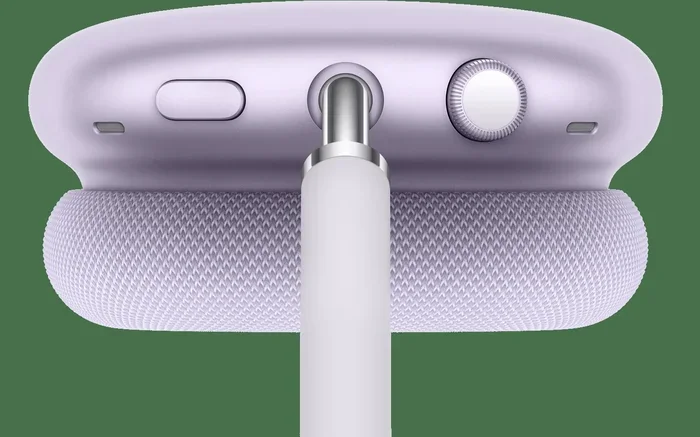
Featured image for AirPods Max transparency mode
Image source: apple.com
AirPods Max do leak some sound at higher volumes, but the premium headphones are designed to minimize audio bleed with their sealed ear cup design. The amount others can hear depends on your volume level, the environment you’re in, and whether you’re using Transparency Mode. For most everyday situations, AirPods Max offer a personal listening experience that’s far less leaky than open-back headphones or earbuds.
Picture this: you’re sitting on a crowded subway, lost in your favorite playlist, when someone taps your shoulder and asks, “Excuse me, what song is that?” You panic slightly because you thought your AirPods Max were keeping your music private. Has this happened to you? If so, you’re not alone.
The short answer is yes, people can hear music outside of your AirPods Max, but the amount is much less than you’d think. Apple’s premium over-ear headphones are engineered with a closed-back design that creates an acoustic seal around your ears. Think of it like the difference between whispering behind a closed door versus yelling in an open hallway. Both make noise, but one keeps things much more private than the other.
However, several factors affect how much sound actually escapes. Your volume setting, the type of music, your environment, and even how well the ear cushions fit all play important roles. In this comprehensive guide, we’ll break down everything you need to know about AirPods Max sound leakage, when it happens, and how to minimize it. Whether you’re commuting, working in a coffee shop, or relaxing at home, you’ll learn exactly what to expect from these high-end headphones.
Key Takeaways
- Minimal Sound Leakage: AirPods Max feature a closed-back design that significantly reduces audio bleed compared to open-back headphones or standard earbuds.
- Volume Matters Most: At moderate volumes (below 60%), people nearby won’t hear much. At high volumes (80%+), some sound leakage becomes noticeable.
- Transparency Mode Changes Everything: This feature intentionally lets outside sounds in, which also means your music becomes more audible to others.
- Noise Cancellation Helps: Active Noise Cancellation (ANC) doesn’t prevent sound leakage but creates a better seal that reduces how much audio escapes.
- Environment Plays a Role: Quiet rooms amplify perceived leakage, while noisy environments mask any sound that does escape.
- Ear Cushion Fit Affects Leakage: A proper fit with intact ear cushions creates a better seal and reduces sound bleed dramatically.
- Social Etiquette Still Applies: Even with minimal leakage, lowering volume in shared spaces shows respect for those around you.
📑 Table of Contents
Understanding How AirPods Max Handle Sound
Before we dive into the specifics of sound leakage, let’s take a moment to understand how AirPods Max actually work. This knowledge will help you make sense of why sound behaves the way it does with these headphones.
The Closed-Back Design Explained
AirPods Max use what’s called a closed-back design. Imagine you’re filling a balloon with water and then sealing it tight. The water stays inside because of the seal. That’s essentially what closed-back headphones do with sound waves. The outer shell of each ear cup is completely sealed, preventing sound from easily escaping in that direction.
This design is fundamentally different from open-back headphones, which have perforated or mesh outer shells. Open-back designs allow air and sound to pass through freely, creating a more natural soundstage but also letting audio leak in all directions. Did you know that open-back headphones can leak so much sound that people nearby often hear your music as clearly as you do? AirPods Max, by contrast, keep sound contained within the ear cups.
The ear cushions themselves play a crucial role in this containment system. Made from memory foam covered in a specially woven textile, these cushions create an acoustic seal against your head. When properly fitted, they form a barrier that significantly reduces sound transmission.
How Sound Waves Behave
Sound is essentially energy moving through air in waves. When you play music through headphones, those sound waves need to go somewhere. Some of them travel directly into your ear canal, which is the desired path. But others vibrate through the headphone driver and can escape through any gap or weak point in the seal.
Think of it like a water hose with a small hole. Most water comes out the nozzle where you want it, but some sprays out the side because the pressure forces it through weak points. Similarly, audio energy seeks the path of least resistance, and any imperfect seal becomes an escape route for sound.
The physics here are pretty straightforward. Higher volume means more energy, which means more sound can potentially leak. Lower frequencies (bass) are particularly good at escaping because their longer wavelengths can slip through smaller gaps. Higher frequencies tend to be more directional and contained.
Real-World Sound Leakage: What to Expect
Now that you understand the theory, let’s get practical. How much sound actually leaks from AirPods Max in everyday situations? The answer depends on several variables.
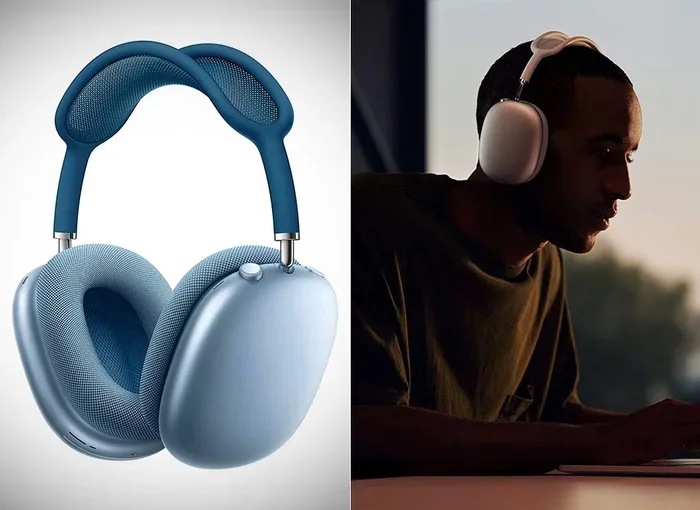
Visual guide about AirPods Max transparency mode
Image source: media.techeblog.com
At Low to Moderate Volumes
When listening at 30-50% volume, AirPods Max are remarkably private. The person sitting right next to you on a bus would likely hear nothing, even in a quiet environment. This is the sweet spot for personal listening without disturbing others.
Apple’s acoustic engineers designed these headphones specifically for immersive personal audio. At moderate volumes, the closed-back design and quality ear cushions create an effective barrier. Most users report that friends, family members, and coworkers can’t tell they’re listening to anything at typical volume levels.
One helpful analogy: it’s like having a conversation at a normal speaking volume in a room with the door closed. People outside might hear the muffled sound of voices, but they definitely can’t make out individual words. AirPods Max at moderate volume work similarly.
At High Volumes
Crank that volume up to 80-100%, and the situation changes significantly. At these levels, you’ll definitely hear some sound leakage. People in close proximity, especially in quiet settings, may be able to identify the general beat or melody of your music.
According to user reports across various audio forums, at maximum volume, AirPods Max can leak noticeable sound within about 3-5 feet. The exact distance varies based on environmental factors. In a library, that leakage might be obvious. In a noisy gym, no one would notice or care.
The type of music matters too. Bass-heavy tracks with heavy sub-bass tend to leak more than vocal-heavy podcasts or acoustic music. That’s because bass frequencies have longer wavelengths that can slip through the ear cushion seal more easily. High-frequency sounds like cymbals and vocals are more contained.
Comparing AirPods Max to Other Headphones
How do AirPods Max stack up against other popular headphones in terms of sound leakage? Pretty well, actually. Here’s a quick comparison to give you context.
Standard AirPods (the earbuds) leak significantly more sound than AirPods Max. This is because earbuds don’t create a seal at all. They sit in your outer ear, allowing sound to escape in all directions. Anyone within a few feet can typically hear what you’re listening to.
Standard AirPods Pro are better, thanks to their in-ear seal and noise cancellation, but they still leak more than over-ear headphones. The silicone tips block some sound, but they’re not as effective as a full ear cup seal.
Other premium over-ear headphones like the Sony WH-1000XM5 or Bose QuietComfort Ultra have similar leakage performance to AirPods Max. All three use similar closed-back designs with quality ear cushions. The differences between them are minimal in terms of sound bleed.
Open-back audiophile headphones are the worst offenders. These can leak so much sound that they’re essentially useless in public. They’re designed specifically for quiet home listening environments.
Transparency Mode: A Different Story
Here’s where things get interesting. Transparency Mode completely changes the sound leakage equation, but not in the way you might think.
What Transparency Mode Does
Transparency Mode is a feature that uses the external microphones on AirPods Max to let outside sounds in. It’s like having a window opened in a soundproof room. You can hear traffic, conversations, announcements, and other environmental sounds without removing your headphones.
This feature is incredibly useful for situations where you need to stay aware of your surroundings. Walking through busy streets, listening for flight announcements at airports, or having a quick conversation without removing your headphones are all great use cases.
However, Transparency Mode also affects how much your music leaks to others. When Transparency Mode is active, the microphones are actively processing external sounds, which changes the acoustic properties of the ear cups. Sound leakage typically increases slightly.
Why Transparency Mode Increases Leakage
The technical reason involves the microphone arrays and digital signal processing. When Transparency Mode activates, the headphones essentially create an “open” acoustic environment by processing external sounds. This processing affects the internal acoustic chamber of each ear cup.
Additionally, many people naturally increase their volume when using Transparency Mode in noisy environments. They’re trying to hear their music over the ambient noise that’s now being piped in. This volume increase naturally leads to more sound leakage.
Think of Transparency Mode like this: if closed-back headphones are like listening to music in a soundproof booth, Transparency Mode opens a window in that booth. You can hear outside, but outside can also “hear” you a bit more easily.
When to Use Transparency Mode
Transparency Mode is fantastic for specific situations but not ideal for pure music listening in shared spaces. Use it when you need situational awareness, like crossing streets or waiting for announcements. Switch it off when you want maximum privacy and immersion.
Pro tip: if you’re going to use Transparency Mode in public, consider lowering your music volume. You’ll still hear everything around you clearly through the microphones, so you don’t need to blast your music to compete with ambient noise.
Factors That Affect Sound Leakage
Sound leakage from AirPods Max isn’t a fixed amount. Multiple variables influence how much audio actually escapes. Understanding these factors helps you minimize leakage in any situation.
Volume Level
This is the most obvious factor, but it deserves emphasis. The louder your music, the more it leaks. This isn’t complicated physics. More volume means more sound energy, and that energy has to go somewhere.
As a general guideline, keeping your volume below 60% will result in minimal leakage that most people won’t notice. Between 60-80%, expect minor leakage that might be audible in very quiet environments. Above 80%, prepare for noticeable sound bleed.
The iOS volume meter can help you stay aware. Apple includes health features that warn you when you’re listening at volumes that could damage your hearing long-term. These warnings typically activate around 80% volume, which conveniently aligns with where leakage becomes significant.
Music Type and Frequency Content
Not all music leaks equally. Bass-heavy genres like hip-hop, EDM, and action movie soundtracks tend to leak more than podcasts, classical music, or acoustic performances. This happens because of frequency physics.
Low-frequency sounds (below 200 Hz) have longer wavelengths that can travel through smaller gaps. The ear cushion seal isn’t perfect at blocking these frequencies. Mid-range and high-frequency sounds have shorter wavelengths that get blocked more effectively by the cushions.
If you’re worried about leakage, consider what you’re listening to. A podcast interview will leak far less than a thumping electronic track, even at the same volume level.
Fit and Ear Cushion Condition
The fit of your AirPods Max dramatically affects sound leakage. A proper fit means the ear cushions create a complete seal around your ears. Gaps in this seal become escape routes for sound.
AirPods Max come with adjustable headbands that allow you to customize the fit. The ear cups should sit comfortably around your entire ear without gaps. If you feel air pockets or notice that the cushions aren’t making full contact, adjust the fit.
Ear cushion condition matters too. Over time, the memory foam in the cushions can compress and lose its sealing ability. Apple sells replacement ear cushions, and replacing worn cushions can significantly reduce sound leakage. If your cushions are more than two years old and show signs of wear, consider replacements.
Environmental Noise
Your surroundings play a huge role in how noticeable sound leakage is. In a noisy environment, any leakage gets masked by ambient sound. In a quiet environment, even small amounts of leakage become obvious.
A coffee shop with conversation noise, espresso machines, and background music will easily mask any sound leaking from your AirPods Max. A library or quiet office will make even minor leakage noticeable.
This is why the same volume level can feel completely different in various settings. What seems perfectly private in a busy gym might be disturbingly loud in a quiet waiting room.
Practical Tips to Minimize Sound Leakage
Whether you’re trying to be courteous in public spaces or just want maximum immersion in your music, these tips will help you minimize any sound leakage from your AirPods Max.
Keep Volume at Reasonable Levels
The simplest solution is often the best. Keeping your volume at or below 60% will dramatically reduce sound leakage. This level is also better for your long-term hearing health.
Most music sounds excellent at moderate volumes. In fact, audio engineers often master music to sound best at conversation-level volumes. Blasting your music at maximum volume doesn’t necessarily sound better, just louder.
Try this experiment: listen to a favorite song at 50% volume and then at 100%. The louder version isn’t necessarily more enjoyable. It’s just more intense, and potentially more damaging to your ears.
Ensure a Proper Fit
Take a moment to adjust your AirPods Max for the best possible fit. The headband should sit comfortably on top of your head with equal pressure on both sides. The ear cups should fully enclose your ears without any gaps.
Adjust the telescoping arms on each side to find your optimal fit. The headphones should feel secure but not tight. If you wear glasses, make sure the temples don’t break the ear cushion seal.
Replacing worn ear cushions is also important. The original cushions are designed to last several years with normal use, but heavy use or storage in hot environments can accelerate wear. New cushions restore the proper acoustic seal.
Use Active Noise Cancellation Strategically
Active Noise Cancellation (ANC) doesn’t directly prevent sound leakage, but it does help you listen at lower volumes. By blocking external noise, ANC means you don’t need to crank up your music to overcome ambient sound.
In a noisy environment, switch to ANC mode. This creates a quieter listening environment that lets you enjoy your music at lower, less leaky volumes. You get the same immersive experience without needing to increase volume to compete with external noise.
AirPods Max offer three modes: Active Noise Cancellation, Transparency Mode, and Off. For maximum privacy and minimal leakage, stick with Active Noise Cancellation in noisy environments.
Be Mindful in Quiet Spaces
Social etiquette matters. Even if AirPods Max leak minimal sound, being considerate in libraries, quiet offices, and other shared spaces is important. Lower your volume or pause your music when in these environments.
This goes beyond just sound leakage. Some people find visible headphones themselves distracting or impolite in certain settings. Reading the room and adjusting your behavior accordingly shows respect for those around you.
Consider Your Music Selection
If you’ll be in quiet environments, consider what you’re listening to. Podcasts, audiobooks, and classical music leak far less than bass-heavy electronic music. Choose your audio content based on your environment.
For commuters and office workers, this might mean saving your bass-heavy workout playlist for the gym and switching to podcasts or ambient music for quieter spaces.
Common Myths About AirPods Max Sound Leakage
Let’s clear up some misconceptions that float around the internet about AirPods Max and sound leakage.
Myth: AirPods Max Leak as Much as Regular AirPods
This is completely false. Regular AirPods (without the Pro designation) leak significantly more sound because they don’t create any seal in your ears. AirPods Max, with their closed-back design and ear cup seal, are far more private.
The difference is dramatic. Someone sitting next to you on a plane would clearly hear music from regular AirPods but might not even know you’re wearing AirPods Max at moderate volumes.
Myth: Noise Cancellation Prevents Leakage
Active Noise Cancellation works by using microphones to detect external noise and generating anti-noise signals to cancel it out. It doesn’t affect sound that’s generated inside the ear cups from your music.
ANC helps you listen at lower volumes by blocking external noise, which indirectly reduces leakage. But it doesn’t actively prevent your music from being heard by others. Don’t rely on ANC as a privacy feature.
Myth: AirPods Max Are Completely Silent to Others
At zero volume, yes, AirPods Max are silent to others. At any audible volume, some sound escapes, especially at higher volumes. No headphones are completely silent to the outside world, though some come closer than others.
Closed-back designs like AirPods Max minimize leakage, but they don’t eliminate it entirely. Physics dictates that sound energy needs to go somewhere, and imperfect seals create escape routes.
Myth: Sound Leakage Damages the Headphones
Sound leakage is a physical phenomenon related to how sound waves interact with materials. It has zero impact on the health or longevity of your AirPods Max. The drivers and internal components work exactly the same regardless of how much sound escapes.
Don’t worry about “damaging” your headphones by playing music at high volumes from a leakage perspective. The concern is hearing damage to your ears, not the headphones themselves.
The Bottom Line on AirPods Max Sound Leakage
AirPods Max are among the better choices for private listening in public spaces. Their closed-back design, quality ear cushions, and excellent build quality work together to minimize sound leakage far better than earbuds or open-back headphones.
At moderate volumes in typical environments, you’ll experience minimal sound leakage that won’t bother anyone around you. At higher volumes or in very quiet spaces, some sound will escape, but far less than most other headphone options on the market.
The real key to managing sound leakage is awareness. Understand your environment, adjust your volume accordingly, and use features like Active Noise Cancellation strategically. Do this, and you’ll enjoy your music privately without disturbing those around you.
Remember that headphones are ultimately a social tool as much as a personal one. Being mindful of how your audio affects others makes public spaces more pleasant for everyone. AirPods Max give you the tools to listen privately, but using them responsibly is up to you.
Whether you’re investing in AirPods Max or already own a pair, understanding their sound leakage characteristics helps you use them effectively in any situation. From busy commutes to quiet offices, from coffee shops to long flights, these headphones are designed to provide immersive personal audio without imposing on others. Just keep the volume reasonable, ensure a good fit, and enjoy your music.
Frequently Asked Questions
Do AirPods Max leak sound at low volume?
At low to moderate volumes (below 60%), AirPods Max leak minimal sound that most people won’t notice. The closed-back design and ear cushion seal contain audio effectively at these levels, making them suitable for use in offices, cafes, and public transport without disturbing others.
Can people next to me hear my AirPods Max?
People sitting right next to you typically cannot hear your AirPods Max at moderate volumes. However, at high volumes (above 80%), some sound leakage becomes noticeable within about 3-5 feet, especially in quiet environments where there’s no ambient noise to mask the leakage.
Does Transparency Mode make sound leakage worse?
Yes, Transparency Mode can increase sound leakage slightly because the headphones process external sounds and change the acoustic properties of the ear cups. Additionally, users often raise their volume when using Transparency Mode to hear over ambient noise, which further increases leakage.
Are AirPods Max louder to others than AirPods Pro?
No, AirPods Max actually leak less sound than AirPods Pro. The over-ear closed-back design of AirPods Max creates a better acoustic seal than the in-ear design of AirPods Pro, resulting in less sound escaping to people nearby.
How can I stop my AirPods Max from leaking sound?
To minimize sound leakage, keep your volume below 60%, ensure a proper fit with the ear cushions fully sealed around your ears, use Active Noise Cancellation instead of Transparency Mode, and replace worn ear cushions if they’ve lost their sealing ability over time.
Is it rude to use AirPods Max in public?
Using AirPods Max in public is generally not rude, as they leak far less sound than most other headphones. However, keeping volume at reasonable levels shows courtesy in quiet spaces like libraries, offices, or waiting rooms where even minimal leakage could disturb others.