Featured image for AirPods noise cancelling feature
Image source: barcodelive.org
Yes, you can get noise cancelling on AirPods—but only on certain models. Apple offers two types: Active Noise Cancellation (ANC) on AirPods Pro and AirPods Max, and Adaptive Audio on newer versions. Standard AirPods (1st, 2nd, and 3rd generation) do not include noise cancellation, but they do offer some sound isolation through their in-ear fit. Understanding the difference helps you pick the right pair for your needs.
Imagine you’re sitting on a noisy subway, trying to enjoy your favorite podcast. The train rattles, people chatter, and announcements blare. Now imagine pressing a button and—suddenly—silence. Just you and your audio. That’s the magic of noise cancelling technology, and it’s one of the most sought-after features in modern earbuds.
If you’re an Apple fan (or even if you’re not), you’ve probably wondered: can you get noise cancelling on AirPods? The short answer is yes, but with a catch. Not every AirPods model offers this feature. Understanding which ones do, how the technology works, and whether it’s worth the investment can save you money and frustration.
This guide breaks down everything you need to know about noise cancellation in AirPods. Whether you’re a commuter, a remote worker, or someone who just loves great audio, you’ll learn how to choose the right pair and get the most out of them. Let’s dive in.
Key Takeaways
- Noise Cancelling is Model-Specific: Only AirPods Pro (all generations) and AirPods Max feature Active Noise Cancellation (ANC).
- Two Types of Noise Control: Apple uses Active Noise Cancellation and Transparency Mode, plus newer Adaptive Audio features.
- Standard AirPods Lack ANC: AirPods 1, 2, and 3 don’t have noise cancelling but offer passive sound isolation.
- ANC Uses Sophisticated Tech: Tiny microphones and processors create anti-noise waves to cancel outside sounds.
- Battery Impact: Using noise cancellation drains battery faster, typically by 1-2 hours per charge.
- Software Updates Matter: Keep your AirPods firmware updated for the best noise cancelling performance.
- Price Reflects Features: ANC AirPods start around $199, while standard models begin at $129.
📑 Table of Contents
- What Is Noise Cancelling and How Does It Work on AirPods?
- Which AirPods Models Have Noise Cancelling?
- How to Turn On and Use Noise Cancelling on AirPods
- Does Noise Cancelling Affect Sound Quality or Battery Life?
- Are AirPods Noise Cancelling Worth the Price?
- Tips to Maximize Noise Cancellation on Your AirPods
- Common Myths About AirPods Noise Cancelling
- The Future of Noise Cancelling on AirPods
- Final Thoughts: Is Noise Cancelling on AirPods Right for You?
What Is Noise Cancelling and How Does It Work on AirPods?
Before we answer the main question, let’s talk about what noise cancelling actually means. Think of it like this: if you’ve ever tried to stop a boat from rocking by pushing against the waves, you’re doing the same thing noise cancelling does with sound. It creates an opposite wave to “cancel out” unwanted noise.
Active Noise Cancellation (ANC) Explained
Active Noise Cancellation uses tiny microphones built into the AirPods. These mics listen to the world around you. Then, a special processor inside the AirPods creates a sound wave that’s the exact opposite of the noise. When these two waves meet, they cancel each other out. The result? Silence, or at least a much quieter environment.
It’s like having a superhero power that makes annoying sounds disappear. The best part? it works automatically once you turn it on. You don’t need to do anything except press a button or squeeze the stem of your AirPods Pro.
Passive Noise Isolation vs. Active Cancellation
Now, here’s where it gets interesting. Even without electronic noise cancelling, some earbuds block sound just by fitting snugly in your ears. This is called passive noise isolation. It’s like putting your hands over your ears—simple but effective.
Standard AirPods (the ones without silicone tips) sit loosely in your ears. They don’t seal tightly, so they don’t block much outside noise. AirPods Pro, on the other hand, come with silicone tips that create a seal. This seal alone blocks a good amount of sound, even before you turn on ANC.
So when people ask, “can you get noise cancelling on AirPods?” the answer depends on which model they’re talking about. The physical design matters just as much as the technology inside.
Which AirPods Models Have Noise Cancelling?
Here’s the breakdown you came for. Not all AirPods are created equal when it comes to blocking noise.
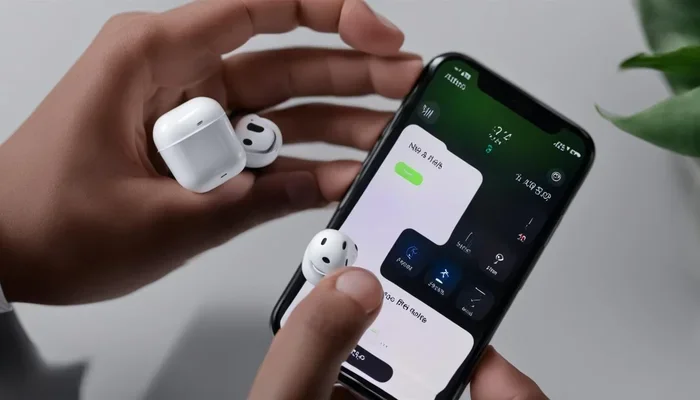
Visual guide about AirPods noise cancelling feature
Image source: descriptive.audio
AirPods Pro (1st, 2nd, and 3rd Generation)
Yes, all three generations of AirPods Pro feature Active Noise Cancellation. The original AirPods Pro launched in 2019, the second generation in 2022, and Apple released a refreshed version in 2024. Each generation has improved ANC technology, with the latest offering the best noise reduction yet.
The AirPods Pro are the go-to choice for most people who want noise cancellation without breaking the bank. They’re portable, comfortable, and effective.
AirPods Max
AirPods Max are Apple’s over-ear headphones, released in December 2020. Yes, they have Active Noise Cancellation—and it’s exceptional. Because they cover your entire ear, they provide both passive isolation and active cancellation.
Think of AirPods Max as the luxury sedan of the AirPods family. They cost more ($549 originally), but the sound quality and noise cancellation are top-tier. If you work in noisy environments or travel frequently, they’re worth considering.
Standard AirPods (1st, 2nd, and 3rd Generation)
Here’s the disappointing news for some: standard AirPods do not have Active Noise Cancellation. That includes the original AirPods (2016), AirPods 2 (2019), and AirPods 3 (2021).
Why? Apple designed them with a one-size-fits-all hard plastic shape. Without a seal in your ear, ANC wouldn’t work well anyway. Instead, these models rely on passive noise isolation (which is minimal) and computational audio to enhance your listening experience.
Did You Know? Apple’s standard AirPods 3 do include a feature called “Adaptive EQ,” which tunes music to the shape of your ear—but that’s not the same as noise cancellation.
AirPods 4 and AirPods 4 with Active Noise Cancellation
In September 2024, Apple introduced the AirPods 4. Interestingly, this launch came in two versions: a standard AirPods 4 and an AirPods 4 with Active Noise Cancellation. This is the first time Apple has offered ANC in a non-Pro, non-Max AirPods model.
The AirPods 4 with ANC costs around $179, making it a more affordable entry point for noise cancellation. However, reviews suggest the ANC isn’t quite as powerful as the AirPods Pro 2, but it’s still impressive for the price.
How to Turn On and Use Noise Cancelling on AirPods
So you’ve got your noise-cancelling AirPods. Now what? Using the feature is simple, but there are a few tricks to get the most out of it.
For AirPods Pro and AirPods Pro 2
To turn on noise cancellation, you have several options:
- Press and hold the stem: On AirPods Pro, squeeze and hold the force sensor on the stem for a few seconds. This cycles between Noise Cancellation, Transparency Mode, and Off (or Adaptive Audio on newer models).
- Use your iPhone or iPad: Open Control Center, press and hold the volume slider, then tap the Noise Control icon. Choose your preferred mode.
- Use Siri: Just say, “Hey Siri, turn on noise cancellation.”
- Set it in Settings: Go to Settings > Bluetooth > tap the “i” next to your AirPods > choose Noise Cancellation as the default mode.
For AirPods Max
AirPods Max use a Digital Crown (the round button on top) to control noise cancellation. Press it once to switch between Noise Cancellation and Transparency Mode. You can also do this from your iPhone’s Control Center or by asking Siri.
Understanding the Different Modes
Modern AirPods with ANC offer three main listening modes:
- Active Noise Cancellation: Blocks outside noise. Best for flights, trains, and noisy offices.
- Transparency Mode: Lets outside sound in naturally. Perfect for crossing streets or having quick conversations without removing your AirPods.
- Adaptive Audio (newer models): Automatically blends ANC and Transparency based on your environment. It’s like having a smart assistant for your ears.
- Conversation Awareness: When you start talking, your AirPods automatically lower your audio and switch to Transparency. It kicks back in when you stop speaking.
Does Noise Cancelling Affect Sound Quality or Battery Life?
Great question! Using noise cancellation does have some trade-offs, though Apple has worked hard to minimize them.
Impact on Sound Quality
Honestly? Most people can’t tell the difference. Apple’s ANC technology is so refined that it enhances rather than degrades audio. In fact, some users report that their music sounds better with ANC on because they’re not competing with background noise.
However, audiophiles (people who are really picky about sound) might notice subtle changes. The noise-cancelling circuitry can sometimes affect the purity of the audio signal. But for everyday listening, the difference is negligible.
Impact on Battery Life
Here’s where you’ll notice a change. Active Noise Cancellation requires extra processing power, which drains the battery faster. According to Apple:
- AirPods Pro (2nd gen): Up to 6 hours of listening time with ANC on, up to 7 hours with ANC off.
- AirPods Max: Up to 20 hours with ANC on, which is the same as with it off (they’re efficient!).
- AirPods 4 with ANC: Up to 4 hours with ANC on, up to 5 hours without.
Pro tip: If you’re running low on battery, turning off ANC can squeeze out a bit more listening time. You can also use one AirPod at a time while the other charges in the case.
Are AirPods Noise Cancelling Worth the Price?
Let’s talk money. AirPods with noise cancellation cost more than standard models. The question is: are they worth it?
Who Should Buy Noise-Cancelling AirPods?
ANC AirPods are a great investment if you:
- Commute daily on trains, buses, or subways where background noise is constant.
- Work in open offices or cafes where conversations and ambient noise are distracting.
- Travel frequently, especially on planes where engine noise can be exhausting.
- Have sensory sensitivities and need a quieter environment to focus or relax.
- Want better audio quality in noisy settings, since ANC lets you hear details you’d otherwise miss.
Who Can Skip Noise Cancelling?
You might be fine with standard AirPods if you:
- Mostly listen in quiet environments like your home or office.
- Use AirPods mainly for calls and podcasts, not music.
- Are on a tight budget and don’t want to spend extra.
- Prefer the open-ear design of standard AirPods (some people find silicone tips uncomfortable).
The Price Comparison
Here’s a quick look at what you’ll pay (as of 2024):
- AirPods (2nd gen): $129
- AirPods 3: $169
- AirPods 4: $129
- AirPods 4 with ANC: $179
- AirPods Pro 2: $249 (often discounted to $199)
- AirPods Pro 3 (2024): $249
- AirPods Max: $549
Did You Know? Apple often discounts AirPods Pro during major sales events like Black Friday, Back-to-School, and Prime Day. If you’re patient, you can save $50-$75.
Tips to Maximize Noise Cancellation on Your AirPods
Got your noise-cancelling AirPods? Here are some insider tips to get the best performance.
1. Get the Right Fit
This is crucial. If your AirPods Pro don’t seal properly, noise cancellation won’t work well. Apple includes four sizes of silicone tips (XS, S, M, L) with AirPods Pro. Try each size and pick the one that feels snug without being uncomfortable.
Not sure which size you’re using? Go to Settings > Bluetooth > tap the “i” next to your AirPods Pro. There, you’ll see a “Ear Tip Fit Test” that tells you if your current tips are sealing correctly.
2. Keep Your AirPods Clean
Did You Know? Earwax and debris can block the microphones that make ANC work. If you notice your noise cancellation isn’t as effective as it used to be, clean your AirPods. Use a soft, dry, lint-free cloth. For the microphone and speaker meshes, use a dry cotton swab or a soft-bristled brush.
Never use water or cleaning solutions directly on your AirPods. And avoid pushing debris further into the openings.
3. Update Your Firmware
Apple regularly releases firmware updates that improve noise cancellation performance. To update, make sure your AirPods are connected to your iPhone and have at least 50% battery. Then, just place them near your iPhone. Updates happen automatically in the background.
You can check your firmware version in Settings > Bluetooth > tap the “i” next to your AirPods.
4. Use Adaptive Audio Smartly
If you have AirPods Pro 2 or AirPods 4 with ANC, take advantage of Adaptive Audio. It automatically adjusts the level of noise cancellation based on your surroundings. Walking past a construction site? It cranks up ANC. Stepping into a quiet coffee shop? It dials it down to save battery.
You can enable it in Settings > your AirPods > Adaptive Audio.
5. Try Conversation Mode for Quick Chats
Need to order a coffee or talk to a coworker? Instead of removing your AirPods, use Conversation Awareness. It detects when you’re talking and automatically switches to Transparency Mode while lowering your audio. When you stop talking, it switches back. It’s like magic.
6. Customize the Controls
Want to make noise cancellation easier to access? Customize what happens when you press and hold the AirPods stem. In Settings, you can choose which modes (ANC, Transparency, Off) the press-and-hold action cycles through. Pick the order that works best for you.
Common Myths About AirPods Noise Cancelling
Let’s clear up some confusion. There are plenty of myths floating around about AirPods and noise cancellation.
Myth #1: “All AirPods Have Noise Cancelling”
False. Only specific models (AirPods Pro, AirPods Max, and AirPods 4 with ANC) have Active Noise Cancellation. Standard AirPods do not.
Myth #2: “Noise Cancelling Blocks All Sound”
Not quite. ANC is great at blocking low-frequency, constant sounds like airplane engines or air conditioners. But sudden, sharp noises (like a dog barking or a car horn) are harder to cancel. Transparency Mode is better for situations where you need to hear everything.
Myth #3: “Noise Cancelling Damages Your Hearing”
No, this is a myth. In fact, noise cancellation can protect your hearing. By blocking background noise, you don’t need to crank up the volume to hear your music. Lower volumes mean less risk of hearing damage over time.
Myth #4: “AirPods Pro Noise Cancelling Works as Well as Over-Ear Headphones”
Generally, over-ear headphones like AirPods Max provide better noise cancellation because of their size and ear cup design. That said, AirPods Pro are remarkably effective for in-ear buds, and many users find them more than adequate.
Myth #5: “You Need an iPhone to Use Noise Cancelling”
Mostly true for full functionality, but you can still use ANC on AirPods Pro and AirPods 4 with non-Apple devices. They connect via standard Bluetooth, and noise cancellation works automatically. However, you won’t get the same level of customization without an iOS device.
The Future of Noise Cancelling on AirPods
Apple continues to invest heavily in audio technology. Looking ahead, we can expect even better noise cancellation, smarter adaptive features, and possibly new form factors. Rumors suggest Apple is working on health-related features for future AirPods, including heart rate monitoring and hearing health tools.
Did You Know? Apple is reportedly exploring “hearing aid mode” functionality for AirPods Pro. This could make them a more affordable alternative to traditional hearing aids—a potential game-changer for millions of people with hearing loss.
As artificial intelligence improves, future AirPods may be able to intelligently identify and cancel specific sounds (like a specific person’s voice or a particular type of machinery). Imagine AirPods that can mute crying babies on planes but let you hear flight announcements. That’s the direction the technology is heading.
Final Thoughts: Is Noise Cancelling on AirPods Right for You?
So, can you get noise cancelling on AirPods? Absolutely—if you choose the right model. AirPods Pro (all generations), AirPods Max, and AirPods 4 with ANC all offer excellent Active Noise Cancellation. Standard AirPods do not, but they may still meet your needs if you don’t deal with much background noise.
The decision ultimately comes down to your lifestyle, budget, and how much you value quiet. If you’re constantly surrounded by noise, ANC AirPods can be life-changing. They’ll help you focus, enjoy your music more, and even protect your hearing. If you live in a quieter world, standard AirPods might be all you need.
Whichever you choose, make sure to get a proper fit, keep them clean, and update the firmware regularly. That way, you’ll get the best possible experience from your AirPods for years to come.
Happy listening!
Frequently Asked Questions
Can you get noise cancelling on all AirPods models?
No, only specific models have Active Noise Cancellation. AirPods Pro (1st, 2nd, and 3rd generation), AirPods Max, and AirPods 4 with ANC feature this technology. Standard AirPods (1st, 2nd, and 3rd generation) and basic AirPods 4 do not include noise cancellation.
How does Active Noise Cancellation work on AirPods?
Active Noise Cancellation uses built-in microphones to detect external sounds. Then, the AirPods’ processor creates an opposite sound wave that cancels out the noise. This technology is most effective against constant, low-frequency sounds like airplane engines or air conditioners.
Does using noise cancellation drain AirPods battery faster?
Yes, turning on ANC uses more processing power and reduces battery life. For example, AirPods Pro 2 last up to 6 hours with ANC on, compared to 7 hours with it off. Turning off ANC when you don’t need it can extend your listening time.
Can I use noise cancelling AirPods with Android devices?
Yes, AirPods with ANC connect to Android phones and other non-Apple devices via Bluetooth. The noise cancellation will still work, but you won’t have access to all the customization features available through iOS settings.
What’s the difference between Noise Cancellation and Transparency Mode?
Noise Cancellation blocks external sounds, creating a quieter environment. Transparency Mode does the opposite—it lets outside sound in naturally so you can hear your surroundings without removing your AirPods. Both modes are useful in different situations.
Are AirPods Pro worth it for noise cancellation alone?
If you frequently deal with noisy environments like commuting, traveling, or working in open offices, AirPods Pro are absolutely worth it. The combination of passive isolation from silicone tips and Active Noise Cancellation provides excellent noise reduction. However, if you mostly listen in quiet places, standard AirPods may be sufficient.