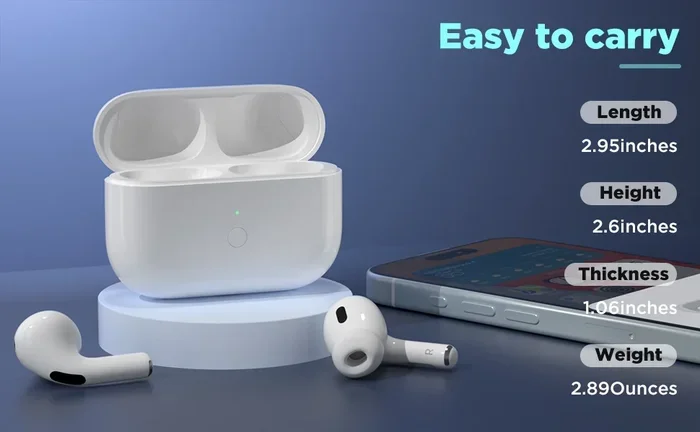
Featured image for AirPods Pro Type C charging case
Image source: m.media-amazon.com
Yes, the AirPods Pro 2 (released September 2023) uses USB-C charging, but the original AirPods Pro 1 and earlier models still use Apple’s proprietary Lightning connector. The shift to USB-C came after the European Union mandated a universal charging standard for consumer electronics. If you own an older AirPods Pro model, you’ll need a Lightning cable, while newer versions use the same USB-C cable that charges most modern Android phones, iPads, and MacBooks.
Picture this: you just got home, your AirPods Pro case is dead, and you grab a cable from your drawer. You plug it in, and… nothing happens. You flip the cable, try again, and still nothing. Sound familiar? The type of charging port on your AirPods Pro case matters more than you might think.
If you’re wondering whether AirPods Pro use USB-C, you’re not alone. This is one of the most common questions Apple users ask today, especially since Apple made a major switch in 2023. The answer depends entirely on which generation of AirPods Pro you own. Some use the older Lightning connector, while newer ones use USB-C.
Let’s break this down in plain English. No tech jargon, no confusing terms. By the end of this guide, you’ll know exactly what your AirPods Pro uses, why it matters, and how to charge them properly.
Key Takeaways
- AirPods Pro 2 (2023) uses USB-C: The second-generation AirPods Pro released in September 2023 features a USB-C charging case.
- AirPods Pro 1 uses Lightning: The original AirPods Pro (2019) and its 2022 update still use the Lightning connector.
- EU regulations drove the change: The European Union’s Common Charger Directive required Apple to adopt USB-C for most devices by late 2024.
- Same audio performance: The USB-C version delivers identical sound quality, active noise cancellation, and features as the Lightning version.
- USB-C offers more convenience: You can use one cable for your iPhone 15, iPad, MacBook, and AirPods Pro 2.
- AirPods Pro 3 expected to follow: Future AirPods Pro models will almost certainly continue with USB-C as Apple’s new standard.
- Cables are not interchangeable: USB-C and Lightning cables have different shapes and cannot be swapped between cases.
📑 Table of Contents
- The Short Answer: It Depends on Your Model
- Why Did Apple Switch AirPods Pro to USB-C?
- What’s Different Between the Lightning and USB-C AirPods Pro?
- Can You Use Any USB-C Cable to Charge AirPods Pro 2?
- What About Other AirPods Models?
- Practical Tips for Charging Your AirPods Pro
- Common Questions and Concerns
- The Bottom Line
The Short Answer: It Depends on Your Model
Here’s the simplest way to think about it. The AirPods Pro family is like a family of cars from the same company, but different model years. Some have gas caps on the left side, others on the right. Same idea with charging ports.
Apple has released two main versions of AirPods Pro:
- AirPods Pro 1st Generation (2019): Uses Lightning connector
- AirPods Pro 2nd Generation with Lightning (2022): Uses Lightning connector
- AirPods Pro 2nd Generation with USB-C (2023): Uses USB-C connector
Did you know that Apple released two different versions of the AirPods Pro 2 in the same product line? The first came out in September 2022 with a Lightning case, and then a refreshed version launched in September 2023 with a USB-C case. From the outside, they look almost identical, but the charging port tells them apart.
Quick tip: If you bought your AirPods Pro before September 2023, you most likely have a Lightning model. If you bought them after that date, check your case to confirm.
How to Tell Which Connector Your Case Has
Look at the bottom of your AirPods Pro charging case. You’ll see one of two things:
- A small, narrow oval-shaped port (Lightning)
- A wider, rounded rectangular port (USB-C)
Lightning ports are about the size of a small pill. USB-C ports are roughly the same width as the case itself, just smaller. It’s actually pretty easy to tell the difference once you know what to look for.
Why Did Apple Switch AirPods Pro to USB-C?
Here’s where things get interesting. Apple didn’t switch to USB-C just because they wanted to. They were largely pushed into it by new laws in Europe.

Visual guide about AirPods Pro Type C charging case
Image source: m.media-amazon.com
The European Union passed a rule called the Common Charger Directive in 2022. This law required all smartphones, tablets, and many other small electronics sold in EU countries to use USB-C charging by the end of 2024. The goal was simple: reduce electronic waste by letting people use one charger for multiple devices.
Think of it like this. Imagine if every brand of TV remote needed a different type of battery. You’d have a drawer full of weird batteries you never use. That’s basically what was happening with phone chargers before USB-C became standard. The EU said, “Enough. We’re using one cable for everything.”
The EU Mandate Timeline
Here’s a quick breakdown of how the rule played out:
- October 2022: European Parliament officially approved the law
- December 2022: The rules were published
- End of 2024: The deadline for most devices to comply
- April 2026: Deadline for laptops to comply
Apple responded by gradually transitioning products to USB-C. The iPhone 15 series in September 2023 was the big one. The AirPods Pro 2 with USB-C launched the same month, riding the wave of Apple’s broader transition.
Apple’s Own Statement on the Switch
Apple’s Senior VP of Worldwide Marketing, Greg Joswiak, hinted at the change before it happened. He said Apple had “no choice” but to comply with EU regulations. While the company didn’t release a big announcement specifically about AirPods Pro, the USB-C version appeared quietly alongside the iPhone 15 launch.
What’s Different Between the Lightning and USB-C AirPods Pro?
Here’s the good news. If you’re worried about losing features by switching to USB-C, don’t be. The internal specs of the AirPods Pro 2 are nearly identical between the two versions.
Let me explain it like this: imagine two cars with the same engine, same features, and same paint job. The only difference is where the gas tank cap is. That’s basically the situation here.
Audio Quality and Performance
Both versions of AirPods Pro 2 deliver:
- Active Noise Cancellation
- Adaptive Transparency Mode
- Spatial Audio with dynamic head tracking
- Personalized Volume
- Conversation Awareness
- The same H2 chip for processing
The sound coming out of your ears will be exactly the same. The USB-C port doesn’t change audio performance at all. It’s just a different way to charge the case.
One Small Upgrade: Dust Resistance
Here’s something interesting. The USB-C version of the AirPods Pro 2 actually has a slightly better IP rating. It jumped from IPX4 to IP54. What does that mean in plain English?
Think of IP ratings like a raincoat rating for your electronics. The “5” in IP54 means it’s better protected against dust. The “4” means it can handle water splashes from any direction. So the USB-C version is a bit tougher against dust and small particles. It’s not a huge difference, but it’s a nice bonus.
Charging Speeds
You might think USB-C charges faster, but the difference is minimal for AirPods Pro. Both versions support about 5W of charging. The case itself is so small that charging speed differences are barely noticeable. A full charge takes around an hour either way.
Here’s a “Did You Know” fact: according to Apple, five minutes of charging gives you about one hour of listening time. This is true for both Lightning and USB-C versions. So if you’re in a rush, even a quick plug-in helps a lot.
Can You Use Any USB-C Cable to Charge AirPods Pro 2?
Yes, pretty much. Any USB-C cable that fits the port will work. You don’t need an Apple-branded cable or an expensive one. The basic rule is: if it fits, it works.
However, there are a few things to keep in mind. Think of it like filling up a car with gas. Most pumps will work, but some might be slower or not optimal. The same applies here.
Cable Quality Matters (A Little)
While any USB-C cable will physically charge your AirPods Pro, higher-quality cables tend to last longer and charge more reliably. Cheap cables might:
- Fray or break at the connector faster
- Provide inconsistent power
- Not support data transfer (though you don’t need this for charging)
If you have a decent USB-C cable from your iPhone 15, iPad, MacBook, or even an Android phone, you’re good to go. Apple recommends using cables that are “Made for iPhone” certified for best results, but it’s not required.
Wireless Charging Still Works
Both versions of AirPods Pro 2 support wireless charging. You can use any Qi-compatible charger or a MagSafe charger. The USB-C port doesn’t replace wireless charging. It just adds another option.
Fun fact: Apple sells a MagSafe charger that will snap magnetically to the AirPods Pro 2 case, making wireless charging feel almost as satisfying as plugging in a cable. If you haven’t tried it, it’s pretty cool.
What About Other AirPods Models?
You’re probably curious if other AirPods use USB-C too. Let’s clear that up.
AirPods 4
The standard AirPods 4 launched in September 2024. Both the regular and noise-cancelling versions use USB-C. Apple fully committed to the new standard for the base AirPods line.
AirPods Max
The AirPods Max (over-ear headphones) finally got a USB-C upgrade in September 2024. The original 2020 version used Lightning, and the 2024 refresh moved to USB-C. So if you’re shopping for AirPods Max today, you’ll get the USB-C version.
AirPods Pro 3 (Expected)
Apple hasn’t announced an AirPods Pro 3 yet, but it’s widely expected to launch in 2025. When it does, it will almost certainly use USB-C. Apple has no reason to go back to Lightning at this point.
The Charging Case Question
Some people wonder if they can buy just a USB-C case and swap it with their Lightning case. Unfortunately, Apple doesn’t sell charging cases separately for the AirPods Pro. The case is paired with the earbuds during manufacturing. If you want USB-C, you’ll need to buy the full AirPods Pro 2 USB-C package.
Practical Tips for Charging Your AirPods Pro
Let’s talk about real-world use. Whether you have Lightning or USB-C, here are some tips to keep your AirPods Pro case in great shape.
Tip 1: Don’t Let the Case Fully Die
Lithium-ion batteries, like the one in your AirPods case, last longer when you keep them between 20% and 80% charge. Letting it fully die to 0% repeatedly can shorten the battery’s overall lifespan over time. Think of it like a muscle. You don’t want to completely exhaust it every time you use it.
Tip 2: Use the Right Cable for Your Model
It sounds obvious, but mixing up cables is a common mistake. If you plug a Lightning cable into a USB-C port, it won’t fit. If you force it, you could damage the port. Always check the port type before plugging in.
Tip 3: Keep the Port Clean
Over time, dust and lint can build up in the charging port. This is especially true if you carry your AirPods Pro in your pocket or bag. Use a soft, dry toothbrush or a wooden toothpick to gently clean the port every few weeks. Don’t use anything metal that could scratch the contacts inside.
Tip 4: Charge Overnight Without Worry
Modern lithium-ion batteries have built-in protection against overcharging. You can leave your AirPods Pro case plugged in overnight without damaging the battery. The case will stop drawing power once it’s full. So go ahead, sleep peacefully.
Tip 5: Check Battery Status Regularly
You can check your AirPods Pro battery in a few ways:
- Open the case near your iPhone and a popup appears
- Add the Batteries widget to your home screen
- Ask Siri “What’s my AirPods battery?”
- Check in the Bluetooth settings on your iPhone or Mac
Common Questions and Concerns
Let’s address some other things you might be wondering about.
Will Apple Go Back to Lightning?
Almost certainly not. Apple has invested heavily in the USB-C transition. Going back would be like a car company switching back from electric to gas after building charging stations everywhere. The industry has moved on, and Apple is moving with it.
What About Future iPhones?
The iPhone 15 and iPhone 16 series all use USB-C. There are some rumors about Apple eventually going portless (relying only on wireless charging), but that’s still years away. For now, USB-C is the standard across Apple’s lineup.
Is USB-C Actually Better Than Lightning?
Here’s an honest comparison:
- USB-C pros: Universal standard, faster data transfer on some devices, more durable connector
- Lightning pros: Slightly smaller connector, was reliable for over a decade
For most users, USB-C is more convenient because it works across devices. One cable for your iPhone, iPad, MacBook, and AirPods Pro is genuinely useful.
What If My Cable Stops Working?
USB-C cables tend to be more durable than Lightning cables, but they can still wear out. If your AirPods Pro case isn’t charging, try a different USB-C cable first. Nine times out of ten, a worn-out cable is the culprit. If a new cable doesn’t fix it, you might need to contact Apple Support.
The Bottom Line
So, do AirPods Pro use Type C? The answer is yes, but only if you have the right model. The AirPods Pro 2 with USB-C, released in September 2023, uses a USB-C charging case. Older AirPods Pro models still use Apple’s Lightning connector.
Here’s the most important thing to remember. Before you buy a new cable or charger, check the bottom of your case. Look for either a Lightning port (small oval) or a USB-C port (wider rounded rectangle). That will tell you exactly what you need.
If you’re shopping for new AirPods Pro today, you’re getting the USB-C version. And honestly, that’s a good thing. One less cable to worry about, one less charger to pack when you travel. The future is universal, and Apple is finally on board.
The transition from Lightning to USB-C is one of those rare cases where the industry, the regulators, and the consumers all pushed in the same direction. The result is simpler, more convenient, and better for the environment. And if you’re like most people with a drawer full of tangled cables, you’ll appreciate having one less type to deal with.
So go ahead. Charge your AirPods Pro with confidence, knowing you have the right cable for the job. And if you ever upgrade to a new model, you can probably leave that old Lightning cable behind for good.