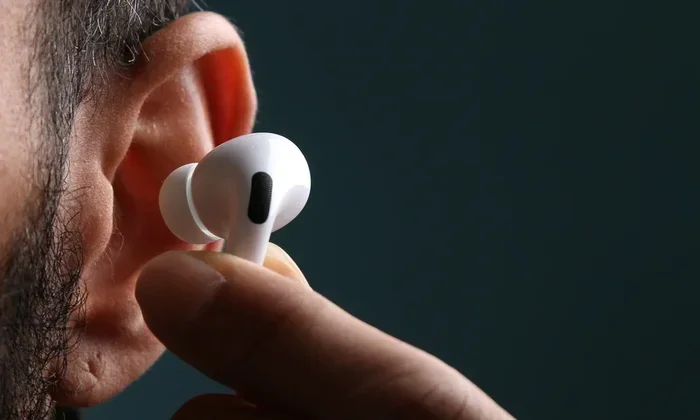
Featured image for AirPods noise cancellation person
Image source: cdn.idropnews.com
Yes, AirPods can block background noise—but how well they do it depends on the model you own and which features you use. AirPods Pro and AirPods Max use Active Noise Cancellation (ANC) to reduce unwanted sounds, while standard AirPods rely mostly on physical fit. Understanding the difference helps you pick the right pair and use them effectively in noisy environments.
Picture this: you’re sitting on a packed subway, the train rattling, people chatting, doors chiming—but somehow you’re lost in your favorite album, hearing every note like you’re in a quiet studio. That’s the magic of modern earbuds, and AirPods are among the most popular tools people use to escape the chaos.
But here’s a question many people ask but few truly understand: do AirPods actually block background noise, or is it just good marketing? The answer is a little of both. AirPods use a blend of clever design, snug-fitting seals, and (in some models) advanced electronics to hush the world around you. Yet not every AirPod works the same way, and not every sound gets blocked equally.
In this guide, we’ll break down exactly how AirPods handle background noise, what makes some models better than others, and how you can squeeze the most silence out of your buds. Whether you commute, work in a busy office, or just want peace at home, this article will help you understand what your AirPods can—and can’t—do.
Key Takeaways
- Not All AirPods Are Equal: Only AirPods Pro and AirPods Max feature Active Noise Cancellation; standard AirPods rely on passive noise isolation.
- ANC Uses Smart Tech: Active Noise Cancellation creates anti-sound waves that cancel out background noise in milliseconds.
- Fit Matters More Than You Think: A proper ear tip seal can block up to 20 decibels of sound even without electronics.
- Transparency Mode Lets Sound In: You can switch between full noise blocking and letting ambient sound through with a simple tap.
- AirPods Can’t Block Everything: Sudden, high-pitched noises and human voices often slip through ANC more easily than low, steady sounds.
- Battery Life Drops with ANC On: Using noise cancellation uses more power, reducing listening time per charge.
- Software Updates Improve Performance: Apple regularly updates AirPods firmware, sometimes enhancing noise blocking capabilities.
📑 Table of Contents
How AirPods Handle Background Noise: The Basics
The simplest way to think about noise blocking is like closing a window. If you shut a single-pane window, you cut down some street noise but still hear a lot. If you shut a thick, double-pane window, the world sounds much quieter. AirPods work in a similar layered way. They use both passive noise isolation (the physical seal) and active noise cancellation (electronic sound-fighting) to quiet your surroundings.
What Is Passive Noise Isolation?
Passive noise isolation is just a fancy way of saying “blocking sound by covering your ears.” Think of putting your palms over your ears when someone talks too loudly. AirPods do this naturally by sitting inside (or around) your ear canal.
Standard AirPods (the basic 2nd, 3rd, and 4th generation models) rely almost entirely on this method. Their hard plastic design creates a loose fit, so they block some noise but not nearly as much as silicone-tipped earbuds. Still, even a partial seal can muffle certain high-frequency sounds like clinking dishes or air conditioner hum.
The trick? A tight fit means better isolation. If your standard AirPods feel loose, switching to a model with silicone tips (like the AirPods Pro) can make a massive difference.
What Is Active Noise Cancellation (ANC)?
Active Noise Cancellation is where things get really interesting. Imagine you’re in a room with a loud humming fan. Now imagine a second fan placed right next to it, blowing in the opposite direction at the exact same strength. The two sound waves cancel each other out, and suddenly—silence.
That’s exactly how ANC works. Tiny microphones inside your AirPods listen to the world around you. A processor then generates an “anti-noise” wave that mirrors the incoming sound but flipped upside down. When the two waves meet, they neutralize each other, and your ears hear far less noise.
This all happens in real-time, thousands of times per second. It’s like having a tiny sound engineer in your ear, constantly deleting the parts of the audio you don’t want.
The Role of Transparency Mode
Sometimes, you want to hear the world—like when a barista calls your name or a car honks while you’re crossing the street. That’s where Transparency Mode comes in.
Transparency Mode uses the same microphones but does the opposite of ANC. Instead of canceling outside noise, it pipes it through to your ears as if you weren’t wearing earbuds at all. The result is a natural blend of your music and your environment, which is great for safety and quick conversations.
On AirPods Pro and AirPods Max, you can toggle between ANC and Transparency with a simple squeeze of the stem or press of a button.
Which AirPods Block Background Noise Best?
Not all AirPods are created equal. Some are built for casual listening, while others are noise-canceling powerhouses. Here’s how the lineup compares.
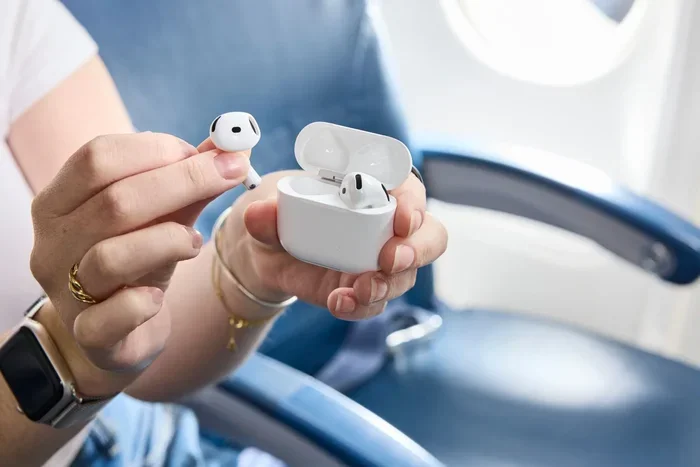
Visual guide about AirPods noise cancellation person
Image source: travelandleisure.com
Standard AirPods (2nd, 3rd, 4th Gen)
Standard AirPods don’t have Active Noise Cancellation. They block noise passively, meaning they rely on how well they sit in your ears. Because they use a one-size-fits-most hard plastic design, the fit is often loose—especially for people with smaller or non-standard ear shapes.
If you’re in a quiet room, standard AirPods sound great. But on a plane or in a café? You’ll hear a lot of background noise bleed through, especially low rumbles and chatter.
Did You Know? The human ear canal varies in size and shape more than fingerprints. That’s why one-size-fits-all earbuds rarely fit everyone perfectly—and why Apple introduced silicone tips with the Pro line.
AirPods Pro (1st and 2nd Generation)
AirPods Pro are where serious noise blocking begins. They combine three noise-fighting tools:
- Silicone ear tips that create a tight physical seal
- Active Noise Cancellation powered by the H1 or H2 chip
- Adaptive Transparency Mode that softens loud sounds while keeping you aware
The AirPods Pro 2, released in 2022, took things further. According to Apple, the H2 chip processes noise cancellation up to twice as effectively as the original AirPods Pro. Independent tests have shown the AirPods Pro 2 can reduce ambient noise by around 25 to 30 decibels—roughly the difference between a quiet library and a noisy restaurant.
They’re especially good at canceling low-frequency sounds, like the drone of an airplane engine or the rumble of a train. That makes them a favorite for travelers and commuters.
AirPods Max
AirPods Max are Apple’s over-ear headphones, and they’re the heavyweight champions of noise blocking in the AirPods family. With larger ear cups, premium materials, and a more powerful ANC system, they outperform the in-ear models in noisy environments.
The cushioned ear cups form a tight seal around your ears, which already blocks a lot of noise passively. Add ANC to the mix, and you get one of the most immersive listening experiences Apple offers.
That said, AirPods Max are bulky and expensive. They’re best for people who want top-tier noise cancellation and don’t mind the size or the price tag.
AirPods 4 with ANC
In 2024, Apple introduced a new option: the AirPods 4 with Active Noise Cancellation. This is the first time ANC has appeared in the standard AirPods line (not the Pro line).
While the noise cancellation isn’t quite as powerful as the AirPods Pro, it’s a major upgrade over passive isolation. For people who prefer the open-ear fit of standard AirPods but still want some noise reduction, this model hits a nice middle ground.
What Kinds of Noise Can AirPods Block?
ANC is fantastic, but it’s not magic. Different types of noise behave differently, and AirPods are better at blocking some than others.
Low-Frequency Sounds: The Sweet Spot
Active Noise Cancellation works best with steady, low-frequency sounds. Think airplane engines, bus motors, air conditioners, and HVAC hum. These sounds have long, predictable wave patterns, which makes them easy to “cancel” with anti-noise waves.
If you’ve ever worn AirPods Pro on a flight, you’ll notice the engine roar practically disappears within seconds. That’s ANC doing its job perfectly.
Mid-Frequency Sounds: Partial Success
Sounds in the middle range—like office chatter, TV background noise, and barking dogs—get reduced but rarely eliminated. ANC can soften them, and the physical seal of the ear tips helps further muffle them. But if someone is talking loudly right next to you, you’ll still catch some words.
This is because mid-frequency sounds are more complex. They have more variation, making them harder to cancel in real-time.
High-Frequency Sounds: The Toughest Challenge
Sharp, sudden sounds—like a baby crying, a dog whistle, or a plate shattering—are the hardest for ANC to handle. These noises have short, fast bursts, and by the time the AirPods detect and cancel them, they’ve already happened.
However, the physical ear tip seal helps a lot here. High-frequency sounds have shorter wavelengths, so they’re easier to block physically. That’s why a good fit matters so much.
Did You Know?
The human ear can hear frequencies from about 20 Hz to 20,000 Hz. AirPods ANC is most effective at canceling frequencies below 1,000 Hz—exactly the range where most “annoying background noise” lives.
Tips to Maximize Noise Blocking on AirPods
Even the best noise-canceling earbuds need a little help. Here are practical tips to get the most silence out of your AirPods.
1. Choose the Right Ear Tip Size
If you’re using AirPods Pro, the silicone tips come in multiple sizes (XS, S, M, L). Most people default to medium, but that’s not always the best choice. Try different sizes in each ear—your left and right ears can actually be different sizes.
Apple includes an “Ear Tip Fit Test” in the AirPods settings. It plays a short tone and checks the seal using the internal microphones. If the test suggests a poor fit, try another size.
2. Keep Your AirPods Clean
Earwax and debris can break the seal between the silicone tip and your ear canal. Even a tiny gap can let in a surprising amount of noise. Wipe your AirPods regularly with a dry, soft cloth, and clean the tips with mild soap and water occasionally.
Did You Know? A blocked or dirty microphone can also hurt ANC performance, because the system can’t “hear” the outside world properly. Keep those grilles clear!
3. Update Your Firmware
Apple frequently releases firmware updates for AirPods. These updates can improve noise cancellation algorithms, fix bugs, and even enhance battery life. Make sure your AirPods are up to date by connecting them to your iPhone and checking Settings > Bluetooth > AirPods.
4. Use the Right Mode for the Environment
Switching modes is easy but easy to forget. If you’re walking near traffic, use Transparency Mode so you can hear cars. If you’re trying to focus at home or on a plane, switch to ANC for full silence.
You can also set AirPods to automatically switch modes based on what you’re doing. For example, ANC can turn on automatically when you start playing music in a noisy place.
5. Combine with Other Tools
AirPods work even better when paired with other focus tools. White noise apps, brown noise playlists, or focus music can fill in the gaps ANC can’t cover. Many people use AirPods Pro with apps like “Endel” or “Noisli” to create a fully immersive quiet space.
Common Misconceptions About AirPods and Noise Blocking
There are a lot of myths floating around. Let’s clear up a few common ones.
Myth 1: All AirPods Have Noise Cancellation
Not true. Only AirPods Pro, AirPods Max, and the AirPods 4 with ANC have Active Noise Cancellation. Standard AirPods rely on fit alone.
Myth 2: ANC Blocks 100% of Outside Sound
Also not true. Even the best ANC systems reduce noise—they don’t eliminate it. You’ll still hear loud or sudden sounds, though much quieter than before.
Myth 3: Higher Volume Equals Better Noise Blocking
Cranking up the volume makes music louder, but it doesn’t block noise any better. In fact, listening at high volumes for long periods can damage your hearing. ANC lets you listen at lower, safer volumes while still hearing your audio clearly.
Myth 4: AirPods Work the Same on All Devices
AirPods work best with Apple devices. On Android or Windows, you lose some features, including automatic switching between ANC and Transparency Mode. You can still use ANC manually on many models, but the experience is smoother within the Apple ecosystem.
Myth 5: Noise Cancellation Hurts Your Ears
Some people feel “pressure” when using ANC, like their ears need to pop. This is normal and not harmful. It’s caused by the anti-noise waves creating a slight difference in air pressure. If it bothers you, try Transparency Mode or take short breaks.
The Future of Noise Blocking in AirPods
Apple isn’t slowing down. With each new AirPods release, noise cancellation gets smarter, faster, and more adaptive.
The H2 chip in AirPods Pro 2 introduced Adaptive Audio, a feature that dynamically blends ANC and Transparency based on your environment. Walking into a noisy café? ANC kicks in. A friend says hello? Transparency takes over.
Future updates may bring even better voice isolation for calls, smarter wind noise reduction, and personalized noise profiles based on your unique ear shape. As machine learning improves, expect AirPods to become even better at knowing what you want to hear—and what you don’t.
There’s also growing interest in spatial audio with head tracking, which creates a surround-sound experience. While not directly related to noise blocking, it adds another layer of immersion that makes outside noise even less noticeable.
Final Thoughts
So, do AirPods block background noise? The short answer is yes—especially if you’re using AirPods Pro, AirPods Max, or AirPods 4 with ANC. These models use a powerful combination of snug-fitting silicone tips and real-time sound-canceling technology to dramatically reduce the noise around you.
But remember: no earbuds can block 100% of sound. AirPods are best at canceling steady, low-frequency noise like engines and air conditioners, and less effective against sudden, high-pitched sounds. The fit of your ear tips, the cleanliness of your hardware, and keeping your firmware updated all make a big difference in performance.
If silence is what you seek, AirPods Pro or AirPods Max are the top choices in Apple’s lineup. For those who prefer the open design of standard AirPods, the AirPods 4 with ANC offers a solid middle ground. Pair your AirPods with smart usage habits, and you’ll get the most peaceful listening experience possible—no matter where life takes you.
Now that you know how AirPods handle noise, you can make smarter choices about which model fits your lifestyle and how to get the most out of them. Whether you’re commuting, working, or just relaxing, the right AirPods can turn a noisy world into your own private concert hall.
Frequently Asked Questions
Do all AirPods block background noise?
No, not all AirPods block background noise. Only AirPods Pro, AirPods Max, and AirPods 4 with ANC feature Active Noise Cancellation. Standard AirPods rely on passive noise isolation, which depends heavily on how well they fit in your ears.
How does Active Noise Cancellation work in AirPods?
Active Noise Cancellation uses tiny microphones to detect outside sounds, then generates an “anti-noise” wave that’s the exact opposite of the incoming sound. When the two waves meet, they cancel each other out, making the environment quieter. This happens in real-time, thousands of times per second.
Can AirPods completely silence the world around me?
No, AirPods cannot block 100% of background noise. They’re excellent at reducing steady, low-frequency sounds like airplane engines, but sudden noises like voices or sirens often come through at lower volumes. A good ear tip seal improves performance significantly.
Is Transparency Mode the opposite of Noise Cancellation?
Yes. Transparency Mode lets outside sounds in so you can hear your surroundings naturally, while Active Noise Cancellation blocks those sounds out. You can switch between the two modes easily using the stem controls or in your iPhone settings.
Does using Noise Cancellation drain the battery faster?
Yes, Active Noise Cancellation uses more battery power than listening without it. AirPods Pro 2, for example, offer around 6 hours of listening with ANC off but about 5.5 hours with ANC on. Turning ANC off when you don’t need it can extend battery life.
Can I use AirPods Noise Cancellation on Android devices?
You can use Active Noise Cancellation on Android with AirPods Pro, AirPods Max, and AirPods 4 with ANC, but you’ll need to control it through button presses or stem squeezes—features like automatic ear detection and seamless mode switching are limited outside the Apple ecosystem.