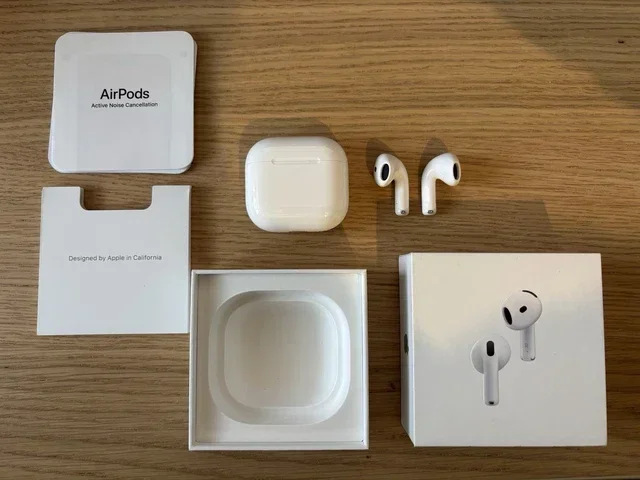
Featured image for AirPods noise cancellation headphones
Image source: picclickimg.com
Yes, certain AirPods models do cancel noise—but only those equipped with Active Noise Cancellation (ANC) technology. Standard AirPods (1st, 2nd, and 3rd generation) offer only passive noise isolation, while AirPods Pro (all generations) and AirPods Max use advanced ANC to actively block external sounds. Understanding which model you own and how to activate the feature is essential to getting the most out of your listening experience.
Imagine sitting on a noisy subway car. The train rattles, people talk, and your playlist is fighting a losing battle against the chaos. Now imagine pressing a button and—suddenly—the world goes quiet. Your music shines through like you’re in a private studio. That’s the magic of Active Noise Cancellation, and yes, certain AirPods can do exactly that.
But here’s the catch: not every AirPods model cancels noise. If you recently bought a pair or are thinking about upgrading, it’s important to know which ones actually do the job. In this guide, we’ll break down everything you need to know—how AirPods noise cancellation works, which models have it, how to turn it on, and what to do if it isn’t working as expected.
Whether you’re a frequent flyer, a remote worker in a noisy home, or simply someone who craves peace during your morning commute, this article will help you understand exactly what AirPods can (and can’t) do when it comes to quieting the world around you.
Key Takeaways
- Not All AirPods Cancel Noise: Only AirPods Pro (1st, 2nd, and 4th gen rumored) and AirPods Max feature Active Noise Cancellation. Standard AirPods rely on passive isolation alone.
- ANC vs. Passive Isolation: Active Noise Cancellation uses microphones and counter-sound waves, while passive isolation simply physically blocks sound—like earplugs.
- Transparency Mode Is the Opposite: AirPods with ANC also include Transparency Mode, which intentionally lets outside sound in for safety and awareness.
- Battery Drain Is Real: Using ANC can reduce listening time by roughly 20–30% depending on the model.
- Fit Matters A Lot: Even the best ANC won’t work well if the ear tips don’t create a proper seal. Apple includes multiple tip sizes for this reason.
- Adaptive Audio (Newer Models): AirPods Pro 2 and newer feature Adaptive Audio that blends ANC and Transparency automatically based on your environment.
- They Don’t Cancel Everything: ANC is most effective on constant, low-frequency sounds (airplane hum, AC units), less so on sudden, high-pitched noises.
📑 Table of Contents
- What Does “Noise Cancellation” Actually Mean?
- Which AirPods Models Actually Cancel Noise?
- How Does AirPods Noise Cancellation Work?
- How to Turn On and Customize Noise Cancellation on AirPods
- How Well Do AirPods Actually Cancel Noise?
- Tips to Get the Most Out of AirPods Noise Cancellation
- Troubleshooting: When AirPods Noise Cancellation Isn’t Working
- AirPods Noise Cancellation: The Verdict
What Does “Noise Cancellation” Actually Mean?
Let’s start with the basics. When people say “noise cancellation,” they might mean two very different things—and that confusion leads to a lot of disappointment.
Passive Noise Isolation vs. Active Noise Cancellation
Passive noise isolation is the simplest form of noise reduction. It’s what happens when you stick your fingers in your ears or wear thick earmuffs. The physical barrier blocks some sound waves from reaching your eardrum. Standard AirPods (1st, 2nd, and 3rd generation) only offer this kind of basic noise reduction. Their hard plastic design doesn’t seal tightly in your ear canal, so a lot of outside noise still sneaks in.
Active Noise Cancellation (ANC), on the other hand, is high-tech wizardry. Tiny microphones on the AirPods listen to the sounds around you. Then, in a fraction of a millisecond, the AirPods generate a mirror-image sound wave (called an “anti-noise” wave) that cancels out the original sound. Think of it like adding a number and its opposite together—plus 5 and minus 5 equal zero. That’s how ANC creates silence.
Did You Know? The idea of noise cancellation dates back to the 1930s, when it was first used in aviation headsets for pilots. It wasn’t until 1989 that Bose released the first commercial ANC headphones for the public.
What About Transparency Mode?
If ANC is the “mute the world” button, Transparency Mode is the “let the world in” button. It uses the same microphones to intentionally pipe outside sounds into your ears. This is super useful when you’re crossing a street, ordering coffee, or want to hear a train announcement without removing your AirPods.
Which AirPods Models Actually Cancel Noise?
This is the big question. Let’s make it simple.
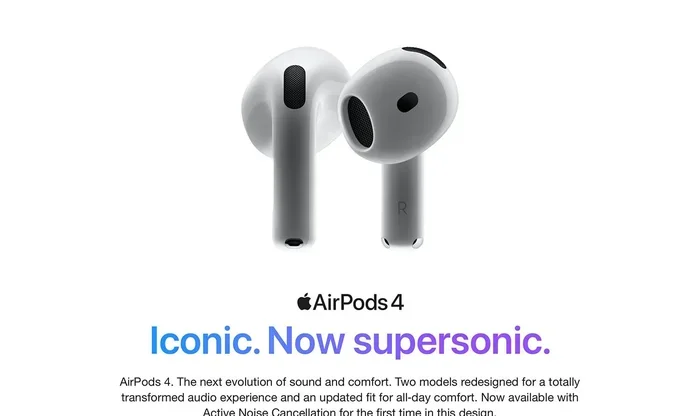
Visual guide about AirPods noise cancellation headphones
Image source: m.media-amazon.com
AirPods That DO Have Active Noise Cancellation
- AirPods Pro (1st Generation): Released in October 2019. The first AirPods to include ANC and Transparency Mode.
- AirPods Pro (2nd Generation): Released in September 2022. Offers twice the noise cancellation of the 1st gen, plus Adaptive Audio and Conversation Awareness.
- AirPods Pro (3rd Generation / rumored 4th): Newer iterations continue to improve ANC performance.
- AirPods Max: Released in December 2020. Apple’s over-ear headphones with premium ANC and high-fidelity sound.
AirPods That Do NOT Have Active Noise Cancellation
- AirPods (1st Generation): Released December 2016. No ANC, no Transparency Mode.
- AirPods (2nd Generation): Released March 2019. Same as above.
- AirPods (3rd Generation): Released October 2021. Slightly better passive fit but still no ANC.
Pro tip: To figure out what model you have, go to Settings > Bluetooth > tap the “i” next to your AirPods on your iPhone. It will show the model number and generation.
How Does AirPods Noise Cancellation Work?
Now for the fun science part. Don’t worry—we’ll keep it simple, like explaining how a dishwasher works to a curious kid.
The Microphone Magic
AirPods with ANC have tiny microphones both on the outside and inside of each earbud. The outward-facing microphones detect the noise around you. The inward-facing microphones listen to the sound that actually reaches your ear. Both work together to give the AirPods a complete picture of what you’re hearing.
The Counter-Sound Wave
Once the microphones pick up unwanted noise, a tiny processor inside the AirPods analyzes the sound and creates an “anti-sound” wave in real time. This wave is the exact opposite of the incoming noise. When the two waves meet, they cancel each other out—like a bullhorn meeting a bullhorn in reverse. The result? Silence (or at least, a lot less noise).
Adaptive Audio: The Smart Evolution
Apple introduced Adaptive Audio with AirPods Pro 2 (with the latest firmware). This feature uses machine learning to detect whether you’re in a quiet room, a noisy street, or a windy park. It then automatically adjusts how much ANC and Transparency Mode to blend together. You don’t have to do anything—your AirPods just know.
Did You Know? According to Apple, the H2 chip inside AirPods Pro 2 can process noise cancellation algorithms up to 48,000 times per second. That’s faster than you can blink.
How to Turn On and Customize Noise Cancellation on AirPods
Got a pair of AirPods Pro or AirPods Max? Here’s how to take full control of the noise cancellation feature.
On iPhone or iPad
- Open the Control Center (swipe down from the top-right corner).
- Press and hold the volume slider.
- Tap the Noise Control button at the bottom left.
- Choose from Noise Cancellation, Transparency, or Off.
On a Mac
- Click the AirPods icon in the menu bar (or add it via System Settings).
- Select Noise Cancellation, Transparency, or Off.
Using the AirPods Themselves
- AirPods Pro: Press and hold the force sensor on the stem to switch between modes.
- AirPods Max: Press the noise control button on the right ear cup.
Personalizing Your Experience
For the best experience, make sure you’re using the right size ear tips. Apple includes small, medium, and large silicone tips in the box. A quick tip: if you can hear yourself humming when you talk, your seal isn’t tight enough.
You can also run the Ear Tip Fit Test:
- Go to Settings > Bluetooth > tap the “i” next to your AirPods Pro.
- Tap Ear Tip Fit Test.
- Follow the on-screen instructions.
This test plays a quick audio sample and tells you whether your current tips create a good seal or if you should try a different size.
How Well Do AirPods Actually Cancel Noise?
Here’s the honest truth: AirPods noise cancellation is very good—but it’s not magic. Let’s break down what they do well and where they fall short.
What AirPods ANC Excels At
- Constant low-frequency sounds: Airplane engines, train rumble, HVAC hum, office chatter in the distance.
- Background white noise: Coffee shop buzz, dishwasher hum, distant traffic.
- Focus and concentration: Great for studying or working in moderately noisy spaces.
Where ANC Struggles
- Sudden loud noises: Sirens, car horns, a baby crying—the anti-sound can’t react fast enough.
- High-pitched sounds: Whistles, squeaky brakes, sharp voices.
- Complete silence: ANC reduces noise; it rarely eliminates 100% of it.
Did You Know? In a 2023 review by RTINGS.com, AirPods Pro 2 received a noise isolation score of 8.5 out of 10 for office noise and 8.7 out of 10 for airplane noise—putting them among the top true-wireless earbuds on the market.
AirPods Pro vs. AirPods Max: Which Cancels More Noise?
AirPods Max, being over-ear headphones, naturally block more noise passively because of their larger ear cups. Combined with ANC, they typically outperform AirPods Pro in pure noise-blocking capability. However, AirPods Pro are far more portable and convenient for everyday use.
Tips to Get the Most Out of AirPods Noise Cancellation
Want to maximize the silence? Here are some tried-and-true tips from heavy users.
1. Keep Your AirPods Clean
Earwax, dust, and debris can clog the microphones and reduce ANC performance. Wipe your AirPods with a soft, dry, lint-free cloth weekly. For the ear tips, remove them and rinse with water (no soap!). Let them dry completely before reattaching.
2. Update Your Firmware
Apple frequently releases firmware updates that improve noise cancellation algorithms. Make sure your AirPods are connected to your iPhone and charging to receive updates automatically.
3. Use the Right Ear Tips
We mentioned this earlier, but it really matters. A poor seal can reduce ANC effectiveness by up to 50%. Don’t settle for the default size if it doesn’t feel snug.
4. Manage Battery Life
ANC drains the battery faster. AirPods Pro typically last around 6 hours with ANC on, compared to 7 hours with ANC off. AirPods Max last around 20 hours with ANC on. If you’re running low, turning ANC off will stretch your listening time.
5. Try Conversation Awareness
This feature, available on AirPods Pro 2, automatically lowers your music and turns on Transparency Mode when you start speaking. It’s perfect for quick chats without removing your earbuds.
6. Use Personalized Spatial Audio
This isn’t directly related to ANC, but pairing Personalized Spatial Audio with ANC creates an immersive experience that makes you feel even more “removed” from your environment. You can set it up in Settings > Accessibility > Audio/Visual > Personalized Spatial Audio.
Troubleshooting: When AirPods Noise Cancellation Isn’t Working
Sometimes ANC acts up. Before you panic, try these quick fixes.
Step 1: Make Sure You Have the Right Model
It sounds obvious, but double-check that your AirPods actually support ANC. Standard AirPods (non-Pro) simply don’t have the feature—no software update can add it.
Step 2: Check Your Settings
- Make sure Noise Cancellation is enabled in Control Center.
- Check Settings > Accessibility > AirPods > Noise Cancellation to ensure it’s toggled on.
Step 3: Restart and Reconnect
- Put your AirPods back in their case for 30 seconds.
- Close the lid, then reopen it.
- Reconnect to your device.
Step 4: Reset Your AirPods
- Go to Settings > Bluetooth and tap Forget This Device.
- Press and hold the setup button on the charging case until the light flashes amber, then white.
- Re-pair your AirPods.
Step 5: Check for Ear Tip Issues
If only one AirPod seems to cancel noise, the ear tip might be loose, dirty, or damaged. Try swapping to a different size or cleaning the tip thoroughly.
AirPods Noise Cancellation: The Verdict
So, do AirPods cancel noise? The answer is a solid yes—if you own the right model. AirPods Pro (1st, 2nd, and newer generations) along with AirPods Max all feature top-tier Active Noise Cancellation that can transform a chaotic environment into a peaceful listening space. They’re especially effective against the steady hum of travel, office noise, and city bustle.
Standard AirPods (1st, 2nd, and 3rd gen) don’t offer ANC, but they do provide modest passive noise isolation. If noise cancellation is a top priority for you, investing in AirPods Pro or AirPods Max is well worth it.
Remember to choose the right ear tip size, keep your AirPods clean, and update the firmware regularly. With a little care, your AirPods can deliver an exceptional noise-canceling experience for years to come.
Whether you’re a frequent traveler, a busy professional, or just someone who wants a moment of quiet in a loud world, AirPods with ANC are a powerful tool. Try them out, tweak the settings, and enjoy the silence.
Frequently Asked Questions
Do all AirPods cancel noise?
No, only AirPods Pro (all generations) and AirPods Max feature Active Noise Cancellation. Standard AirPods (1st, 2nd, and 3rd generation) only offer passive noise isolation through their physical fit, without any electronic noise-canceling technology.
How do I turn on noise cancellation on my AirPods Pro?
On iPhone, open Control Center, press and hold the volume slider, then tap the Noise Control button to choose Noise Cancellation. You can also press and hold the force sensor on the AirPods stem to cycle through Noise Cancellation, Transparency, and Off modes.
Can AirPods noise cancellation damage hearing?
No, AirPods noise cancellation itself is safe and does not damage hearing. However, listening at very high volumes for long periods can harm your ears. ANC actually allows you to listen at lower volumes in noisy environments, which can be healthier for your hearing over time.
Do AirPods block out voices and talking?
AirPods ANC reduces voices somewhat, but human speech is harder to cancel because it’s irregular and varies in pitch. For complete voice blocking, look for headphones specifically designed for office or call-center use with higher passive isolation.
Does noise cancellation work without music playing?
Yes, you can use Active Noise Cancellation on AirPods Pro and AirPods Max without playing any audio. This is great for moments when you simply want quiet, like during a flight or while trying to focus at a café.
Why does my AirPods noise cancellation sound weak?
Common reasons include a poor ear tip seal, dirty microphones, outdated firmware, or simply owning a non-Pro AirPods model. Try cleaning your AirPods, running the Ear Tip Fit Test, and ensuring your firmware is up to date for the best performance.