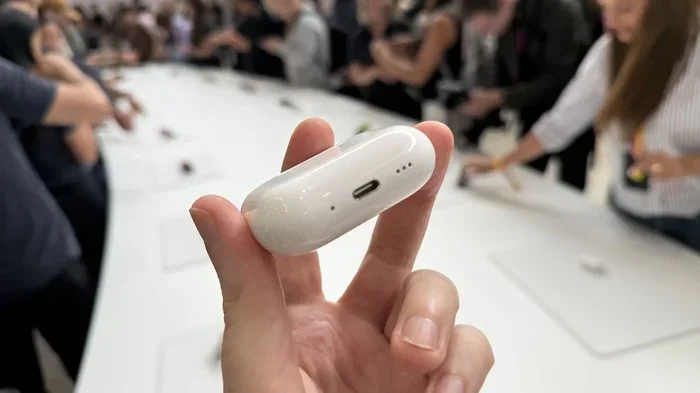
Featured image for AirPods noise cancellation demonstration
Image source: cdn.mos.cms.futurecdn.net
Yes, AirPods have noise cancellation, but only on specific models: AirPods Pro (all generations) and AirPods 4 (with ANC) and AirPods Max. Standard AirPods (1st, 2nd, and 3rd generation) do not have this feature. Apple’s noise cancellation uses tiny microphones and clever software to block outside sounds, giving you a quieter, more focused listening experience.
Ever been on a noisy subway or a loud flight, wishing you could just press a button and make the world go quiet? That’s exactly what noise-cancelling AirPods promise to do. But here’s the catch: not every pair of AirPods actually has this magical feature. If you’ve ever stood in an Apple Store scratching your head over which AirPods to buy, you’re not alone.
Apple makes a confusing lineup of AirPods. Some have noise cancellation, some don’t, and the names sound almost identical. Buying the wrong pair is a common mistake. In fact, a 2023 survey by Counterpoint Research found that nearly 1 in 4 AirPods buyers didn’t realize their standard AirPods lacked noise cancellation until after purchase. That’s a lot of people disappointed on their first flight!
This guide is here to clear up all the confusion. We’ll explain exactly which AirPods have noise cancellation, how the technology works (in plain English, no engineering jargon), and help you figure out which model is right for you. By the end, you’ll know more about AirPods noise cancellation than most store employees. Let’s dive in!
Key Takeaways
- Not All AirPods Have Noise Cancellation: Only AirPods Pro 1st gen, Pro 2nd gen, AirPods 4 (ANC model), and AirPods Max include active noise cancellation (ANC). Standard AirPods rely only on passive isolation.
- Active vs. Passive Noise Cancellation: Active uses microphones and anti-sound waves to cancel noise digitally, while passive relies on the physical seal of ear tips to block sound naturally.
- Three Modes to Know: Most ANC AirPods offer Active Noise Cancellation, Transparency Mode (lets outside sound in), and Adaptive Audio (smartly blends both based on your environment).
- How It Works: Built-in microphones listen to outside noise, then the AirPods produce an opposite sound wave that “cancels out” the unwanted sound before it reaches your ears.
- Battery Impact: Using noise cancellation drains the battery faster. Turning it off can extend listening time by 1-2 hours per charge.
- Best for Daily Life: ANC is great for commutes, flights, busy offices, and focus time. It blocks low-frequency sounds like plane engines, train rumble, and air conditioners best.
- Firmware Updates Matter: Apple regularly improves noise cancellation through software updates, so keeping your AirPods updated ensures you get the best performance.
📑 Table of Contents
- Which AirPods Actually Have Noise Cancellation?
- Active Noise Cancellation vs. Passive Noise Isolation: What’s the Difference?
- How Does AirPods Noise Cancellation Actually Work?
- The Three Modes and How to Use Them
- Noise Cancellation and Battery Life: The Trade-Off
- Common Myths About AirPods Noise Cancellation
- Practical Tips to Get the Most Out of Your Noise-Cancelling AirPods
- Who Should Buy AirPods With Noise Cancellation?
- The Future of AirPods Noise Cancellation
- Final Verdict: Are AirPods Noise Cancellation Worth It?
Which AirPods Actually Have Noise Cancellation?
Let’s start with the most important question: does AirPods have noise cancellation? The short answer is yes, but only on certain models. Apple sells several different AirPods, and the naming can be tricky. Here’s the full breakdown.
The Full AirPods Lineup (As of 2025)
Apple currently sells four main AirPods models, and three of them include active noise cancellation. Here’s a quick look:
- AirPods (1st, 2nd, and 3rd generation): No noise cancellation. These rely only on passive isolation, meaning they block some sound just by sitting in your ears, but they don’t have any electronic noise-cancelling tech.
- AirPods 4 (standard model): No noise cancellation. This is the newer budget option released in 2024.
- AirPods 4 (with Active Noise Cancellation): Yes! This was a game-changer. For the first time, Apple added ANC to a non-Pro AirPods model, but only in the more premium version.
- AirPods Pro (1st generation, 2019): Yes, has ANC. These were Apple’s first earbuds with noise cancellation.
- AirPods Pro (2nd generation, 2022 and 2023 USB-C update): Yes, has ANC. These are considered among the best noise-cancelling earbuds on the market.
- AirPods Max (2020): Yes, has ANC. These are Apple’s over-ear headphones and offer some of the most powerful noise cancellation Apple has ever made.
How to Tell If YOUR AirPods Have It
Already own AirPods but not sure if they have noise cancellation? Here’s an easy way to check:
- Put your AirPods in your ears.
- Open the Settings app on your iPhone.
- Tap on your AirPods’ name.
- Look for a setting called “Noise Cancellation,” “Transparency,” or “Off.”
If you see those options, congratulations! You have ANC. If you only see basic settings like “Automatic Ear Detection,” your AirPods don’t have noise cancellation. Another quick trick: noise-cancelling AirPods always come with silicone ear tips (the squishy rubber pieces). Standard AirPods have a hard plastic design that sits loosely in your ear.
Active Noise Cancellation vs. Passive Noise Isolation: What’s the Difference?
You might hear people use “noise cancellation” and “noise isolation” as if they’re the same thing. They’re actually quite different, and understanding this will help you appreciate what your AirPods can really do.
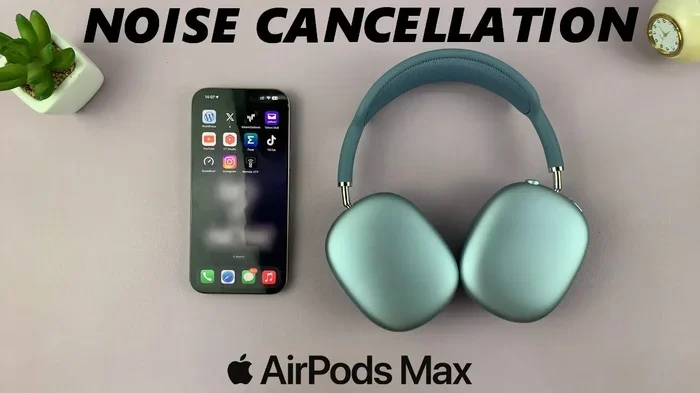
Visual guide about AirPods noise cancellation demonstration
Image source: i.ytimg.com
Passive Noise Isolation: The Basic Block
Think of passive noise isolation like closing a window. If you put your hands over your ears, you’re passively blocking sound. That’s it. There’s no fancy electronics, no batteries needed, no magic. It’s just a physical barrier.
Standard AirPods use this method. Their hard plastic design creates a loose seal in your ear canal. Some sound gets in, especially low rumbles and high-pitched noises. Passive isolation works best for mid-range sounds like someone talking nearby, but it’s pretty bad at blocking out airplane engines or air conditioners.
Fun fact: A good pair of foam earplugs can block 30-35 decibels of sound passively. Standard AirPods block maybe 5-10 decibels. That’s a huge difference, which is why noise cancellation exists in the first place.
Active Noise Cancellation: The Smart Science
Active Noise Cancellation (ANC) is like having a tiny sound wizard inside your earbuds. Here’s the secret: sound travels in waves, and waves have peaks (loud parts) and valleys (quiet parts). When two waves meet, they can cancel each other out if they’re perfectly opposite. It’s like adding +5 and -5 on a number line; you get zero.
ANC works in three simple steps:
- Listen: Tiny microphones on the outside of your AirPods listen to the world around you.
- Process: A chip inside your AirPods analyzes the sound in real time, 48,000 times per second.
- Counter: The AirPods play an “anti-sound” wave that is the exact opposite of the outside noise. When the two waves meet in your ear, they cancel each other out. Silence!
This is why ANC is amazing for constant, low-frequency sounds like airplane engines, train rumbles, HVAC systems, and traffic noise. These sounds have predictable waveforms that are easy to cancel. Sudden, sharp sounds like a car horn or someone shouting are harder to cancel, but ANC still reduces them noticeably.
Transparency Mode: The Opposite Trick
Apple added something called Transparency Mode that does the opposite of noise cancellation. Instead of blocking outside sound, it actively lets it in. This is useful when you need to hear announcements at an airport, talk to a cashier, or stay aware of traffic while walking.
The AirPods use their microphones to pick up outside sounds and play them through the earbuds as if you weren’t wearing them at all. It feels almost magical, like the earbuds disappear.
Adaptive Audio: The Smartest of All
Released with iOS 17 and AirPods Pro 2nd generation, Adaptive Audio is a newer feature that combines Active Noise Cancellation and Transparency Mode automatically. If you walk into a quiet room, it might let sound in. If you step onto a noisy train platform, it cranks up the noise cancellation.
It’s like having a smart assistant that adjusts your sound settings without you having to touch anything. According to Apple, this feature uses machine learning to understand your environment and make changes in real time.
How Does AirPods Noise Cancellation Actually Work?
We’ve covered the basic science, but let’s go a bit deeper. The tech inside AirPods is genuinely impressive, even if Apple makes it look simple.
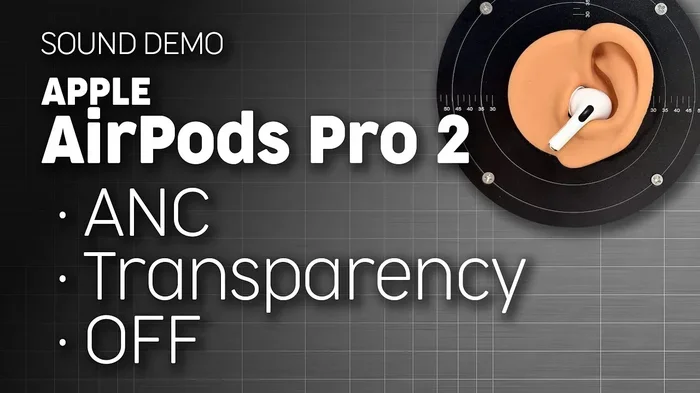
Visual guide about AirPods noise cancellation demonstration
Image source: i.ytimg.com
The H2 Chip: The Tiny Brain
The AirPods Pro 2nd generation and AirPods 4 (ANC) use Apple’s H2 chip. This is the tiny computer inside each earbud that handles noise cancellation. The H2 chip is capable of processing audio 48,000 times per second, according to Apple’s official specifications. That’s faster than a hummingbird’s wings beat!
The H2 chip does more than just cancel noise. It also handles:
- Computational audio (making music sound better)
- Adaptive EQ (adjusting sound based on ear shape)
- Personalized Spatial Audio (3D surround sound)
- Voice isolation during phone calls
Older AirPods Pro use the H1 chip, which is slower but still does a great job at noise cancellation.
The Microphone Setup
Each noise-cancelling AirPod has multiple microphones. Typically, there are:
- Feedforward microphones: Located on the outside of the earbud. These listen to environmental noise before it enters your ear.
- Feedback microphones: Located inside the ear canal. These listen to the sound that’s actually reaching your eardrum.
By comparing what the outside microphone hears with what the inside microphone hears, the AirPods can fine-tune the noise cancellation to your specific fit and seal. If your ear tip isn’t perfectly sealed, the AirPods can adjust to compensate. It’s like having custom noise cancellation tailored just for you.
The Ear Tip Seal Matters A LOT
Here’s something most people don’t realize: noise cancellation only works well if your AirPods fit properly. If there’s a gap between the silicone tip and your ear canal, outside noise leaks in, and the ANC has to work harder (and fails more).
Apple includes four sizes of ear tips (XS, S, M, L) with AirPods Pro. Many people just use the medium size that comes pre-installed, but if you don’t get a good seal, you’re leaving performance on the table. Apple even added an “Ear Tip Fit Test” in iOS that plays a few seconds of music and uses the microphones to check if your tips are creating a good seal.
To run this test:
- Put your AirPods in.
- Go to Settings > Bluetooth.
- Tap the “i” next to your AirPods.
- Tap “Ear Tip Fit Test.”
- Follow the on-screen instructions.
If the test says you have a poor seal, try a different ear tip size. You’d be amazed how much better the noise cancellation works with the right fit.
The Three Modes and How to Use Them
Now that you understand the tech, let’s talk about the practical side. How do you actually turn noise cancellation on and off? When should you use it? And what are the trade-offs?
How to Switch Between Modes
You have several ways to control noise cancellation on your AirPods:
- On the AirPods themselves: AirPods Pro and AirPods 4 (ANC) have a small button or force sensor on the stem. You squeeze or hold it to switch between modes.
- Control Center on iPhone/iPad: Swipe down from the top-right corner of your screen, long-press the volume slider, and you’ll see three options: Noise Cancellation, Transparency, and Off.
- Ask Siri: Just say, “Hey Siri, turn on noise cancellation” or “Hey Siri, switch to Transparency mode.”
- Apple Watch: Tap the AirPlay icon while playing audio on your watch, then tap the noise control icon.
When to Use Each Mode
Each setting is made for a different situation:
Active Noise Cancellation is best for:
- Airplanes and airports
- Trains, buses, and subways
- Busy offices or cafes
- Studying in a noisy dorm
- Working out at a loud gym
- Anywhere with constant low-frequency rumble
Transparency Mode is best for:
- Walking in traffic (safety first!)
- Hearing announcements at airports or train stations
- Quick conversations without removing your AirPods
- Ordering coffee or paying a cashier
- Listening for your stop on public transit
Off (regular mode) is best for:
- When battery is low and you need to save power
- When you’re in a quiet environment and don’t need ANC
- When you want the most natural sound for music appreciation
Adaptive Audio: Set It and Forget It
If you have AirPods Pro 2nd generation or AirPods 4 (ANC), Adaptive Audio is probably the easiest way to use noise cancellation. Just turn it on once and let the AirPods do the thinking. They’ll automatically adjust based on your surroundings.
To enable Adaptive Audio:
- Put your AirPods in.
- Open Settings > your AirPods.
- Scroll to “Adaptive Audio” and toggle it on.
This is especially helpful if you move between noisy and quiet places a lot, like commuting to work or traveling through an airport.
Noise Cancellation and Battery Life: The Trade-Off
Like any technology, noise cancellation has a cost. That cost is battery life. Let’s break down what to expect.
How Much Battery Does ANC Use?
Noise cancellation uses extra processing power and microphone power, which drains the battery faster. Here are the official numbers from Apple:
- AirPods Pro 2nd gen: Up to 6 hours of listening time with ANC on, up to 7 hours with ANC off.
- AirPods Pro 1st gen: Up to 4.5 hours with ANC on, up to 5 hours with ANC off.
- AirPods 4 (ANC): Up to 5 hours with ANC on, up to 5 hours with ANC off (but total battery with the case drops).
- AirPods Max: Up to 20 hours with ANC on.
That extra hour or two might not sound like a lot, but it can matter on long flights or busy workdays. If you’re running low on battery, turning off ANC is one of the easiest ways to squeeze out more listening time.
Charging Tips to Maximize Battery
Here are some simple tips to keep your AirPods charged and healthy:
- Always use the case: The charging case itself holds multiple charges. Put your AirPods back in the case when not in use.
- Avoid extreme temperatures: Don’t leave your AirPods in a hot car or freezing outside. Lithium-ion batteries hate temperature extremes.
- Don’t let them die completely: Try to charge before they hit 0%. Deep discharges wear out batteries faster.
- Update firmware: Apple often improves battery efficiency through software updates.
Did You Know?
Did you know that a fully charged AirPods Pro 2 case can give you up to 30 hours of total listening time? That’s enough for a flight from New York to Tokyo and back, with battery to spare. The case itself charges via Lightning, USB-C, wireless, or even MagSafe, depending on which version you have.
Common Myths About AirPods Noise Cancellation
There’s a lot of misinformation floating around about AirPods. Let’s bust some common myths with actual facts.
Myth 1: “All AirPods Have Noise Cancellation”
This is the biggest myth of all. As we covered earlier, standard AirPods do NOT have active noise cancellation. If you’re expecting ANC and you buy regular AirPods, you’ll be disappointed. Always check the model name before buying. The word “Pro” usually means ANC, but AirPods 4 has both an ANC and non-ANC version, so it’s extra confusing.
Myth 2: “Noise Cancellation Can Block All Sound”
Nope. ANC is amazing, but it’s not magic. It works best on constant, low-frequency sounds. Sharp, sudden sounds like a baby crying, a dog barking, or someone clapping will still come through, just quieter. ANC typically reduces noise by 20-30 decibels, which is huge, but not silence.
Myth 3: “Noise Cancellation Causes Headaches”
Some people report feeling pressure in their ears or slight dizziness when using ANC. This isn’t dangerous, but it can be uncomfortable. The sensation happens because your brain interprets the anti-sound waves as a change in air pressure. If you experience this, try using Transparency Mode or taking breaks from ANC.
Myth 4: “ANC Uses More Data”
Active noise cancellation happens entirely on-device. It doesn’t use Wi-Fi, cellular data, or Bluetooth bandwidth in any significant way. All that sound wizardry happens in the H2 processor inside your earbuds. So feel free to use ANC on airplane mode without worry.
Myth 5: “You Can’t Use Siri While ANC is On”
You absolutely can! Siri works fine with any mode. In fact, many people use ANC and Siri together to block out distractions while asking questions, sending texts, or controlling music.
Practical Tips to Get the Most Out of Your Noise-Cancelling AirPods
Now that you’re an expert on the theory, let’s talk about practical tips to make your noise-cancelling AirPods work their best.
Tip 1: Get the Right Ear Tip Size
We mentioned this earlier, but it deserves repeating. If your AirPods Pro don’t have a good seal, noise cancellation won’t work as well. Try different sizes, and run the Ear Tip Fit Test in iOS. Many people skip the smaller XS or larger L sizes and stick with medium, but a different size might work much better.
Tip 2: Clean Your AirPods Regularly
Earwax and dirt can clog the microphone grilles, which reduces ANC performance. Use a soft, dry, lint-free cloth to wipe down your AirPods. For the speaker mesh, use a dry cotton swab or a soft-bristled brush. Don’t use water or cleaning solutions, as they can damage the electronics.
Tip 3: Update Your Firmware
Apple regularly releases firmware updates that improve noise cancellation. To make sure your AirPods are updated:
- Put your AirPods in their case.
- Connect them to your iPhone.
- Make sure the case is charging or has battery.
- Keep them near your phone for a few hours.
Updates happen automatically in the background. There’s no way to manually trigger them, but you can check the current firmware version in Settings > Bluetooth > tap the “i” next to your AirPods.
Tip 4: Use Conversation Awareness
This is a cool newer feature on AirPods Pro 2nd gen. When you start talking to someone, your AirPods automatically lower the volume and switch to Transparency Mode. When you stop talking, they go back to normal. To enable it, go to Settings > your AirPods > Conversation Awareness.
Tip 5: Try Personalized Noise Cancellation
iOS 17 introduced Personalized Volume, which learns how loud you typically like your music in different environments and adjusts automatically. This works alongside noise cancellation for an even smoother experience.
Tip 6: Use Noise Cancellation for Sleep (Safely)
Many people use noise-cancelling AirPods to sleep on planes or in noisy environments. However, this isn’t officially recommended by Apple, and the battery will likely die during the night. Prolonged use can also cause ear irritation. Use this trick sparingly, not every night.
Tip 7: Combine with White Noise
Even with ANC on, some sounds will still come through. For extra quiet, try playing white noise or nature sounds through your AirPods while ANC is on. Apps like Dark Noise or myNoise work great for this. The combination of ANC plus audio masking can make even the noisiest environments peaceful.
Who Should Buy AirPods With Noise Cancellation?
Now for the big question: are noise-cancelling AirPods worth it for you? Let’s break it down by lifestyle.
For Frequent Flyers: Absolutely Yes
If you fly more than a few times a year, noise-cancelling AirPods are a game-changer. Airplane engine noise is exactly the kind of low-frequency rumble that ANC cancels best. Many people report that AirPods Pro make flights feel 50% quieter, which means less fatigue and better sleep. AirPods Max are especially great for long flights because of their 20-hour battery life.
For Commuters: Highly Recommended
If you take trains, buses, or subways to work, noise cancellation makes your commute much more pleasant. You can listen to music or podcasts at lower volumes (which is better for your hearing), and you’ll arrive at work less stressed.
For Office Workers: Yes, with Caveats
Open offices are noisy, and noise cancellation can help you focus. However, you need to be careful not to miss important conversations or your boss calling your name. Use Adaptive Audio or Transparency Mode to balance focus and awareness.
For Students: A Solid Investment
Dorms, libraries, and coffee shops are noisy. Noise-cancelling AirPods can help you focus on studying. Just remember to take breaks to let your ears “breathe.”
For Casual Listeners: Maybe Not
If you only use earbuds at home in a quiet space, you don’t really need noise cancellation. Standard AirPods work fine, and you can save some money. But if you travel, commute, or live in a noisy household, ANC is worth the upgrade.
The Future of AirPods Noise Cancellation
Apple continues to improve ANC with every new AirPods release. The H2 chip in AirPods Pro 2nd gen is twice as powerful as the H1 chip in the first generation, and Apple says it cancels “up to twice as much noise.”
Looking ahead, we can expect:
- Even better noise cancellation in future AirPods
- More personalized ANC that adapts to your specific hearing
- Better integration with Apple’s health features
- Longer battery life despite more advanced processing
- Possible integration with AirPods’ rumored health sensors
One thing is certain: noise cancellation has gone from a niche feature to a mainstream one. Apple now offers ANC across multiple price points, and it’s no longer a luxury.
Final Verdict: Are AirPods Noise Cancellation Worth It?
Let’s wrap this up with a clear answer. Yes, certain AirPods have noise cancellation, and yes, it’s worth it for most people. The AirPods Pro 2nd generation is widely considered the sweet spot, offering excellent ANC, great sound quality, and a reasonable price. AirPods Max is the best for serious audio fans who want over-ear comfort and the most powerful ANC. The AirPods 4 with ANC is a good budget-friendly choice if you don’t want silicone ear tips.
Here’s the simple takeaway: if you live in a noisy world (and who doesn’t?), noise cancellation is one of those features you can’t live without once you’ve tried it. It’s like going from a car with no AC to a car with AC. Once you experience the quiet, you’ll never want to go back.
Just remember to:
- Choose the right AirPods model (look for “Pro,” “4 with ANC,” or “Max”)
- Get a good seal with the right ear tip size
- Keep your firmware updated
- Clean your AirPods regularly
- Use Transparency Mode when you need to stay aware of your surroundings
That’s everything you need to know about whether AirPods have noise cancellation, how to get the most out of it, and whether it’s worth your hard-earned money. Now go enjoy some peace and quiet. You’ve earned it!
Frequently Asked Questions
Do all AirPods have noise cancellation?
No, not all AirPods have noise cancellation. Only AirPods Pro (1st and 2nd generation), AirPods 4 (with ANC), and AirPods Max include active noise cancellation. Standard AirPods (1st, 2nd, 3rd gen) and the basic AirPods 4 do not have this feature.
How do I turn on noise cancellation on my AirPods?
On AirPods Pro or AirPods 4 (ANC), press and hold the force sensor on the stem of either AirPod to switch between Noise Cancellation, Transparency, and Off. You can also control it from your iPhone’s Control Center by long-pressing the volume slider.
Does noise cancellation drain AirPods battery faster?
Yes, using noise cancellation uses more battery. For example, AirPods Pro 2nd gen last up to 6 hours with ANC on but up to 7 hours with it off. Turning off ANC when you’re in a quiet place can help extend your listening time.
Is AirPods noise cancellation good for airplanes?
Yes, AirPods noise cancellation is excellent for airplanes. Airplane engine noise is a constant low-frequency sound, which is exactly what ANC cancels best. Many travelers consider AirPods Pro or AirPods Max essential for flights.
What’s the difference between Active Noise Cancellation and Transparency Mode?
Active Noise Cancellation blocks outside sounds by playing opposite sound waves. Transparency Mode does the opposite: it actively lets outside sound in through the microphones, so you can hear the world around you without removing your AirPods.
Can I use AirPods noise cancellation without music playing?
Yes, you can use noise cancellation without playing music. This is great for focusing in a noisy environment, sleeping on a plane, or just enjoying silence. The ANC works independently of whether audio is playing.