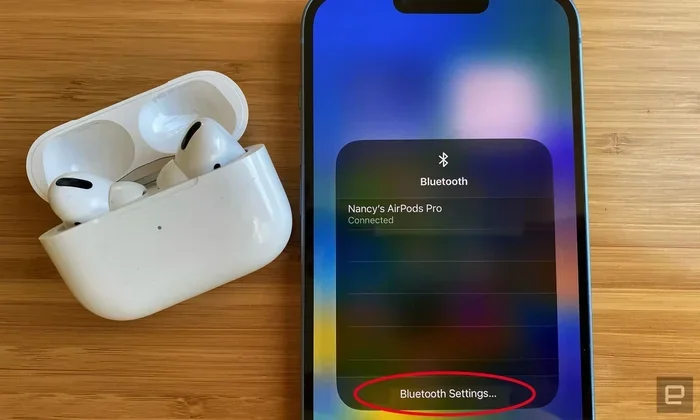
Featured image for AirPods Pro Bluetooth connection
Image source: robots.net
Yes, AirPods Pro use Bluetooth technology to connect wirelessly to your devices, including iPhones, iPads, Macs, and Android phones. However, Apple enhances this standard Bluetooth connection with a proprietary H1 or H2 chip, enabling faster pairing, extended range, and exclusive features like automatic device switching and spatial audio. Understanding how Bluetooth works in AirPods Pro helps you maximize battery life, troubleshoot connection issues, and appreciate why they outperform many competitors in wireless audio quality.
Picture this: you’re at the gym, phone locked away in your locker, and your AirPods Pro are delivering crystal-clear audio without a single wire in sight. It’s wireless magic. But have you ever wondered what makes that magic happen? The answer is simpler than you might think, and more sophisticated than you could imagine.
AirPods Pro absolutely use Bluetooth—that’s the core technology making wireless earbuds work across every brand and price point. But here’s where it gets interesting: Apple didn’t just slap Bluetooth into their earbuds and call it a day. They built an entire ecosystem of custom chips, software tricks, and proprietary protocols that make AirPods Pro feel like they work differently (and better) than your average wireless earbuds.
Understanding the Bluetooth inside your AirPods Pro isn’t just trivia. It explains why your earbuds pair instantly when you flip open the case, why the connection feels more stable than cheap alternatives, and why some functionality disappears when you use them with Android. This guide breaks down everything you need to know about the wireless technology powering your favorite earbuds, how it compares to competitors, and how to get the most out of it.
Key Takeaways
- Yes, AirPods Pro use Bluetooth: All AirPods Pro models rely on Bluetooth as their primary wireless technology, specifically Bluetooth 5.0 (1st and 2nd gen) and Bluetooth 5.3 (2nd gen USB-C).
- Apple’s custom H1 and H2 chips add magic: While Bluetooth handles the connection, Apple’s proprietary chips enable features like instant pairing, hands-free Siri, and adaptive noise cancellation.
- Not exclusive to Apple devices: AirPods Pro work with any Bluetooth-enabled device, including Android phones, Windows PCs, and smart TVs, though some features remain Apple-exclusive.
- Bluetooth range is approximately 30-40 feet: You can wander reasonably far from your device before the connection drops, though walls and interference reduce this distance.
- Bluetooth versions matter for efficiency: Newer Bluetooth versions offer improved battery life, stability, and audio performance through better codecs like AAC and LC3.
- Codecs determine audio quality: AirPods Pro use the AAC codec for high-quality streaming, while Bluetooth LE Audio support brings future improvements.
- Troubleshooting is straightforward: Most connection problems stem from simple issues like outdated software, interference, or needing to reset the AirPods.
📑 Table of Contents
- The Short Answer: Yes, AirPods Pro Are Bluetooth Earbuds
- How Apple’s Custom H1 and H2 Chips Make AirPods Pro Special
- Bluetooth Codecs: The Secret to Audio Quality
- Bluetooth Range and Real-World Performance
- Do AirPods Pro Work with Non-Apple Devices?
- Troubleshooting Common AirPods Pro Bluetooth Issues
- The Future of Bluetooth in AirPods Pro
- Frequently Asked Questions About AirPods Pro and Bluetooth
The Short Answer: Yes, AirPods Pro Are Bluetooth Earbuds
Let’s get the fundamental question out of the way immediately. AirPods Pro use Bluetooth—specifically, they use the same universal wireless standard that powers everything from wireless mice to car audio systems. There’s no secret proprietary radio frequency, no special Apple-only wireless signal. It’s Bluetooth, the same technology in your friend’s Sony headphones, your neighbor’s Samsung Galaxy Buds, and that dusty speaker in your garage.
What Version of Bluetooth Do AirPods Pro Use?
Different generations of AirPods Pro use different Bluetooth versions:
- AirPods Pro (1st Generation, 2019): Bluetooth 5.0
- AirPods Pro (2nd Generation, Lightning, 2022): Bluetooth 5.3
- AirPods Pro (2nd Generation, USB-C, 2023): Bluetooth 5.3
Did you know that Bluetooth 5.0 offers four times the range and twice the speed of Bluetooth 4.2? That’s why even the original AirPods Pro felt snappier than older wireless earbuds. The jump to Bluetooth 5.3 in the second generation brought better power efficiency and improved connection reliability, especially in crowded environments like airports or coffee shops.
Why Bluetooth Is the Right Choice for Wireless Earbuds
Bluetooth isn’t just a default choice—it’s the perfect technology for personal audio devices. Think of Bluetooth like a universal language that every modern device speaks. Your iPhone speaks it. Your Windows laptop speaks it. Your smart TV speaks it. Your friend’s Android phone speaks it.
This universal adoption is why AirPods Pro can seamlessly connect to virtually any audio source, not just Apple products. It’s also why you can take your AirPods Pro from your iPhone to your MacBook to your Peloton without buying different earbuds for each device. The Bluetooth standard makes this interoperability possible.
How Apple’s Custom H1 and H2 Chips Make AirPods Pro Special
Here’s where Apple does something unique. While every wireless earbud uses Bluetooth, AirPods Pro include Apple’s proprietary H1 (first generation) or H2 (second generation) chip. Think of Bluetooth as the road and Apple’s H-chip as a souped-up sports car engine driving on that road. The road (Bluetooth) is the same for everyone, but the engine makes the experience dramatically different.
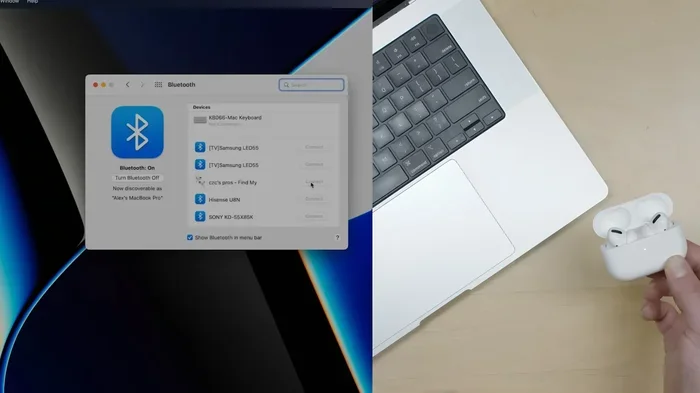
Visual guide about AirPods Pro Bluetooth connection
Image source: blog-uploads.eneba.games
What the H1 Chip Does (1st Generation AirPods Pro)
The H1 chip is like having a brilliant translator who speaks both standard Bluetooth and Apple’s secret language fluently. This chip enables features that basic Bluetooth can’t deliver on its own:
- Instant pairing: Open the case near an Apple device, and a pop-up appears asking if you want to connect. No digging through settings menus.
- Automatic device switching: Start a movie on your iPad, then take a call on your iPhone—your AirPods hop between devices seamlessly.
- Hands-free “Hey Siri”: The H1 chip processes voice activation locally, so Siri responds without you touching anything.
- Lower latency: Audio reaches your ears faster, which matters for gaming and video editing.
- Better power efficiency: The H1 manages battery use intelligently, helping squeeze out those 4.5-6 hours of listening time.
What the H2 Chip Adds (2nd Generation AirPods Pro)
The H2 chip in the second generation is like upgrading from a sports car to a hypercar. Apple claims it delivers twice the noise cancellation capability of the H1, plus even more computational audio magic. This chip enables:
- Adaptive Transparency mode: The H2 processes sound 48,000 times per second, reacting instantly to sudden loud noises.
- Personalized Spatial Audio: Uses the TrueDepth camera on your iPhone to map your ear shape for customized surround sound.
- Touch controls on the stem: The H2 enables swipe-based volume control that wasn’t possible before.
- Better call quality: Machine learning algorithms powered by the H2 separate your voice from background noise more effectively.
According to Apple’s technical specifications, the H2 chip contains approximately 1 billion transistors working together to process audio, noise cancellation, and connectivity simultaneously. That processing power is what separates AirPods Pro from budget alternatives that technically use the same Bluetooth standard.
Bluetooth Codecs: The Secret to Audio Quality
Here’s something most people never think about: Bluetooth doesn’t just transmit audio—it compresses it first. The compression method (called a codec) dramatically affects sound quality. Think of codecs like different shipping companies for packages. Some deliver everything perfectly (higher quality), while others compress items to save space (lower quality but more efficient).
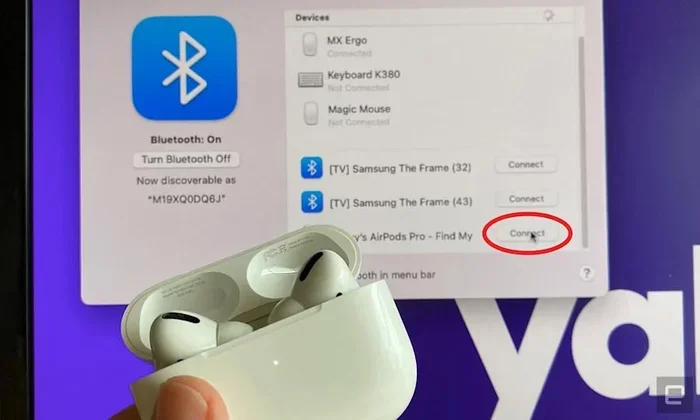
Visual guide about AirPods Pro Bluetooth connection
Image source: s.yimg.com
SBC: The Universal Baseline
SBC (Sub-Band Codec) is the lowest-common-denominator codec that every Bluetooth audio device supports. It’s like economy shipping—it works everywhere, but you’re not getting premium quality. AirPods Pro support SBC, so they work with any device, but they’re capable of much better.
AAC: Apple’s Preferred Codec
AirPods Pro use AAC (Advanced Audio Coding) as their primary codec when connected to Apple devices. AAC is like priority shipping—it delivers noticeably better sound quality than SBC, especially at lower bitrates. This is why AirPods Pro sound significantly better when paired with an iPhone compared to many budget Android phones, which may not transmit AAC efficiently.
LC3 and LE Audio: The Future Is Coming
Did you know that the Bluetooth Special Interest Group introduced a new codec called LC3 (Low Complexity Communication Codec) as part of Bluetooth LE Audio? This codec is like overnight delivery with better compression—similar quality to AAC but using less power and bandwidth. The USB-C version of AirPods Pro (2nd generation) supports LE Audio, which means future updates could bring even better efficiency and quality.
Apple hasn’t fully enabled all LE Audio features yet, but the hardware support is there. This is why tech enthusiasts are excited about potential firmware updates that could unlock new audio capabilities without buying new hardware.
Bluetooth Range and Real-World Performance
Let’s talk about how far you can actually wander from your device before your AirPods Pro give up on you. Bluetooth 5.0 and 5.3 both advertise a theoretical maximum range of about 800 feet (240 meters) in open air. But that’s like saying a car can go 200 mph—theoretically true, but not in real conditions.
Actual AirPods Pro Range in Daily Life
In practical testing, AirPods Pro maintain a stable connection at roughly 30-40 feet (10-12 meters) indoors with typical obstacles. Here’s how different environments affect range:
- Open outdoor space: Up to 150-200 feet before audio starts cutting out
- Same room as your phone: Rock-solid connection, no issues
- One wall between you and device: Approximately 30-50 feet reliably
- Two or more walls: Range drops to 15-25 feet
- Dense environments (gym, subway): Connection may stutter even when phone is nearby due to interference
What Causes Bluetooth Interference?
Bluetooth operates on the 2.4 GHz frequency, which is incredibly crowded. Think of it like a highway where everyone is trying to drive at once. Other devices competing for this frequency include:
- Wi-Fi routers (especially older 2.4 GHz networks)
- Microwave ovens (yes, really—they briefly disable Bluetooth when running)
- Other Bluetooth devices
- Cordless phones
- Some baby monitors
This is why you might experience brief audio cutouts in a coffee shop but perfect audio at home. It’s not your AirPods’ fault—it’s the wireless airwaves being congested.
Tips for Better Bluetooth Stability
To maximize your AirPods Pro connection quality, try these practical tips:
- Keep your phone in your front pocket: Your body absorbs some Bluetooth signal, so front pocket beats back pocket or a bag.
- Update to the latest iOS or macOS: Apple continuously improves Bluetooth performance through software updates.
- Reduce Wi-Fi interference: If you have an older 2.4 GHz Wi-Fi router, switching to 5 GHz Wi-Fi can dramatically improve Bluetooth reliability.
- Avoid physical barriers: Don’t put your phone in a thick metal case or leave it in a closed metal drawer while listening.
Do AirPods Pro Work with Non-Apple Devices?
Here’s a question that confuses even tech enthusiasts: if AirPods Pro use Bluetooth, why do they “work better” with Apple products? The answer lies in those proprietary H1/H2 chips and Apple’s tightly integrated ecosystem.
Using AirPods Pro with Android Phones
AirPods Pro absolutely work with Android phones—they’re standard Bluetooth earbuds at their core. You’ll get:
- Full audio playback (music, videos, calls)
- Microphone functionality for calls
- Basic Bluetooth controls (play, pause, skip)
- Noise cancellation and Transparency mode (though you can’t customize them in settings)
However, you’ll lose Apple’s exclusive features:
- No automatic device switching
- No “Hey Siri” voice activation (though you can still use Google Assistant by long-pressing the stem)
- No spatial audio with head tracking
- No battery percentage pop-ups
- No firmware update capability (this requires an Apple device)
- No Find My integration with precise location
Using AirPods Pro with Windows PCs and Macs
On Macs, AirPods Pro work almost as seamlessly as on iPhones, thanks to Apple’s ecosystem. On Windows PCs, they work as standard Bluetooth headphones, though you might experience slightly lower audio quality because Windows sometimes uses the SBC codec instead of AAC by default. Here’s a quick fix: on Windows 11, you can force AAC codec use through developer settings, significantly improving audio quality.
Fun fact: over 60% of AirPods owners use them with Apple devices, according to a 2023 survey by Counterpoint Research. But that means nearly 40% are using them with non-Apple devices—proof that Apple’s earbuds transcend their ecosystem.
Troubleshooting Common AirPods Pro Bluetooth Issues
Even though AirPods Pro use mature Bluetooth technology, things occasionally go wrong. Before you panic, try these solutions for the most common problems.
AirPods Pro Won’t Connect
If your AirPods Pro refuse to connect, work through this checklist:
- Check the battery: Place them in the charging case for at least 30 seconds, then try again.
- Toggle Bluetooth off and on: On your device, turn Bluetooth off, wait 10 seconds, turn it back on.
- Restart your device: Sometimes the simplest solution is the most effective.
- Reset your AirPods Pro: Put them in the case, hold the setup button on the back for 15 seconds until the light flashes amber, then white.
- Forget the device: In your Bluetooth settings, select your AirPods and choose “Forget,” then pair them fresh.
Audio Cutting In and Out
Stuttering audio usually points to interference or distance issues:
- Move closer to your device
- Remove other Bluetooth devices from the area temporarily
- Check for and install any pending iOS or AirPods firmware updates
- Reset network settings on your iPhone (Settings > General > Transfer or Reset > Reset > Reset Network Settings)
One AirPod Not Working
This frustrating issue usually has a simple fix:
- Place both AirPods in the case for 30 seconds
- Take them out and put them back in your ears
- Clean the mesh on the problematic AirPod (earwax and debris block the connection sensors)
- If all else fails, reset your AirPods Pro using the method described above
Did you know that cleaning your AirPods Pro regularly can prevent up to 70% of common connectivity and charging problems? Apple even provides official cleaning guidelines because they know earwax buildup is a leading cause of issues.
Updating AirPods Pro Firmware
Here’s something many people don’t realize: AirPods Pro receive firmware updates that improve Bluetooth performance, audio quality, and feature functionality. These updates install automatically when you place your AirPods near your iPhone with Wi-Fi enabled and they’re charging. There’s no manual update button—you just need to be patient.
To check your current firmware version: connect your AirPods to your iPhone, go to Settings > Bluetooth, tap the “i” next to your AirPods, and look at the “Version” field. The latest firmware as of late 2024 for AirPods Pro 2 is 7B19 or newer.
The Future of Bluetooth in AirPods Pro
Bluetooth technology continues evolving, and Apple is at the forefront of pushing these standards forward. Here’s what the future holds for AirPods Pro and Bluetooth.
Bluetooth LE Audio and Auracast
The biggest upcoming revolution is Bluetooth LE Audio, a new architecture introduced with Bluetooth 5.2 and refined in 5.3 and 5.4. Think of it as a complete engine overhaul—everything runs more efficiently. AirPods Pro (2nd generation, USB-C) already support LE Audio hardware, and Apple is gradually enabling capabilities through firmware updates.
Auracast, a feature of LE Audio, will eventually let your AirPods Pro tune into audio broadcasts at airports, gyms, and theaters. Imagine walking through an airport and hearing gate announcements directly in your earbuds, or joining a silent disco where multiple audio streams play simultaneously. That’s where the technology is heading.
Better Battery Life Through Efficiency
Bluetooth LE Audio uses the LC3 codec, which delivers equivalent audio quality to SBC and AAC while using roughly 50% less power. Once Apple fully enables this across the ecosystem, future AirPods Pro could potentially offer 8-10 hours of listening time on a single charge instead of the current 6 hours.
Improved Audio Quality
LE Audio also enables higher bitrates with lower latency. This means future AirPods Pro could deliver studio-quality audio that previously required wired connections. Lossless audio over Bluetooth has been a holy grail for audiophiles, and LE Audio finally makes it technically feasible.
The Next Generation H3 Chip?
Apple’s chip team is relentless. The H2 chip launched in 2022 with AirPods Pro 2, and rumors suggest an H3 chip is in development. This chip could bring even more computational audio capabilities, potentially enabling real-time language translation, advanced health monitoring (heart rate, body temperature), and even more sophisticated noise cancellation that adapts to your specific ear canal shape.
According to analyst predictions from Ming-Chi Kuo, future AirPods Pro will include health sensors and camera modules. While these features won’t directly improve Bluetooth performance, they’ll demonstrate how Apple’s custom silicon continues differentiating AirPods from generic Bluetooth earbuds.
Frequently Asked Questions About AirPods Pro and Bluetooth
Let’s address the most common questions people have about the Bluetooth technology inside their AirPods Pro.
Will AirPods Pro work with any Bluetooth device?
Yes, AirPods Pro work with any device that supports standard Bluetooth audio profiles, including Android phones, Windows PCs, smart TVs, and gaming consoles. However, you’ll get the best experience and access to all features when using them with Apple devices running the latest software.
Do AirPods Pro use Wi-Fi instead of Bluetooth?
No, AirPods Pro exclusively use Bluetooth for wireless audio streaming. They do not use Wi-Fi for audio transmission, though they may use your Wi-Fi network indirectly during firmware updates through your paired iPhone.
Can I use AirPods Pro while charging them?
AirPods Pro cannot be used while actively charging in the case. However, a 5-minute charge in the case provides approximately 1 hour of listening time, making quick top-ups very convenient.
Why do my AirPods Pro sometimes disconnect randomly?
Random disconnections usually result from Bluetooth interference, low battery, outdated firmware, or being out of range. Try resetting your AirPods, updating your device’s software, and minimizing interference from other wireless devices.
Is there a difference between AirPods Pro 1 and 2 in terms of Bluetooth?
Yes, the original AirPods Pro use Bluetooth 5.0 with the H1 chip, while the second generation uses Bluetooth 5.3 with the H2 chip. The second generation offers better range, efficiency, and computational audio features, though both deliver excellent everyday performance.
Do AirPods Pro support multipoint Bluetooth connections?
AirPods Pro don’t support multipoint in the traditional Bluetooth sense, but Apple achieves similar functionality through its proprietary automatic switching between Apple devices signed into the same iCloud account. This works seamlessly within Apple’s ecosystem but not with mixed-platform devices.