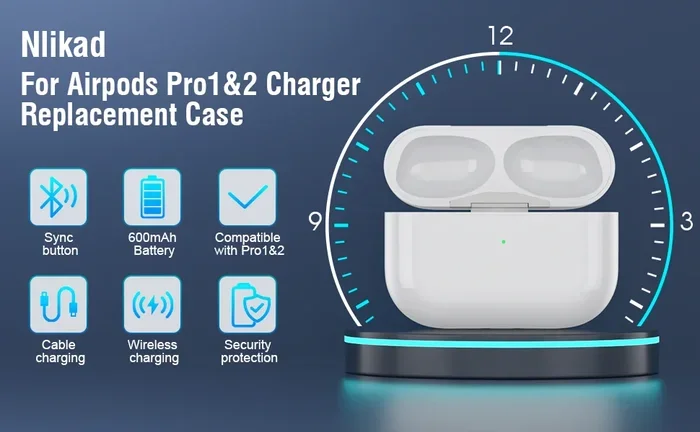
Featured image for AirPods Pro USB-C case
Image source: m.media-amazon.com
Yes, AirPods Pro do use USB C, but only the second-generation model released in September 2023. The original AirPods Pro and AirPods Pro 2 (2022) both rely on Apple’s proprietary Lightning connector. The switch to USB-C aligns AirPods Pro with Apple’s broader transition toward universal charging standards, including the iPhone 15 lineup and most modern iPads.
Picture this: you’re rushing out the door, your AirPods Pro are dead, and you grab the nearest cable. But wait — is it the right one? If you’ve ever found yourself squinting at a tiny port wondering whether you need Lightning or USB-C, you’re not alone. Apple made a big switch with their premium earbuds in 2023, and many people are still catching up.
The answer is simple but layered. Yes, some AirPods Pro use USB-C, but not all of them. Apple sells different generations with different charging ports, and knowing which one you have can save you a lot of frustration. Think of it like buying gas for your car — you wouldn’t put diesel in a gasoline engine, right? Same idea here.
In this guide, we’ll break down exactly which AirPods Pro models use USB-C, why Apple made the switch, what it means for your daily routine, and how to tell which version you own. By the end, you’ll have all the answers you need, plus a few handy tips you probably didn’t know about.
Key Takeaways
- Only AirPods Pro 2 (2023) Use USB-C: The original AirPods Pro (2019) and AirPods Pro 2 (2022) both use Lightning cables for charging.
- EU Regulation Drove the Change: A European Union law requiring USB-C as a common charger pushed Apple to switch from Lightning to USB-C.
- The Charging Case Changed, Not the Buds: The earbuds themselves charge via contact pins, so only the case’s port was updated to USB-C.
- Wireless Charging Still Works: USB-C AirPods Pro 2 cases still support Qi, MagSafe, and Apple Watch chargers.
- Lossless Audio Comes via USB-C: The USB-C version supports lossless audio with Apple Vision Pro, a feature the Lightning model lacks.
- Cables Are Not Included: Apple does not bundle a USB-C cable in the AirPods Pro box, so you may need to buy one separately.
- Identifying Your Model Is Easy: Check the charging case port, model number, or the back of the charging case to confirm which version you own.
📑 Table of Contents
- The Short Answer: Which AirPods Pro Use USB-C?
- Why Did Apple Switch AirPods Pro to USB-C?
- What Are the Practical Differences Between Lightning and USB-C AirPods Pro?
- How to Tell Which AirPods Pro Model You Have
- What About AirPods Pro 3 and the Future?
- Tips, Tricks, and Things Most People Don’t Know
- Frequently Asked Questions About AirPods Pro and USB-C
- Final Thoughts: Embracing the USB-C Era
The Short Answer: Which AirPods Pro Use USB-C?
Let’s cut right to the chase. Only one specific AirPods Pro model uses USB-C: the AirPods Pro 2 with USB-C charging case, released in September 2023. Every other AirPods Pro model in existence uses Apple’s older Lightning connector.
The Complete AirPods Pro Lineup at a Glance
Here’s the breakdown of every AirPods Pro model Apple has released:
- AirPods Pro 1st Generation (2019): Lightning charging case only.
- AirPods Pro 2nd Generation (2022): Lightning charging case (this was the original 2022 release).
- AirPods Pro 2nd Generation (2023): USB-C charging case (this is the refreshed version).
Did you know? Apple actually sells two different versions of the AirPods Pro 2. They look almost the same, sound the same, and have nearly identical features. The biggest difference is the port on the bottom of the charging case. It’s a sneaky detail that trips up a lot of people.
If you bought your AirPods Pro before September 2023, you have the Lightning version. If you bought them after that date — or specifically bought the “USB-C” model — you’re using the newer standard.
Why Did Apple Switch AirPods Pro to USB-C?
This is one of those “follow the money and the regulations” stories. Apple didn’t switch to USB-C just because they felt like it. There were real reasons behind the move, and they affect every tech company selling devices in Europe.
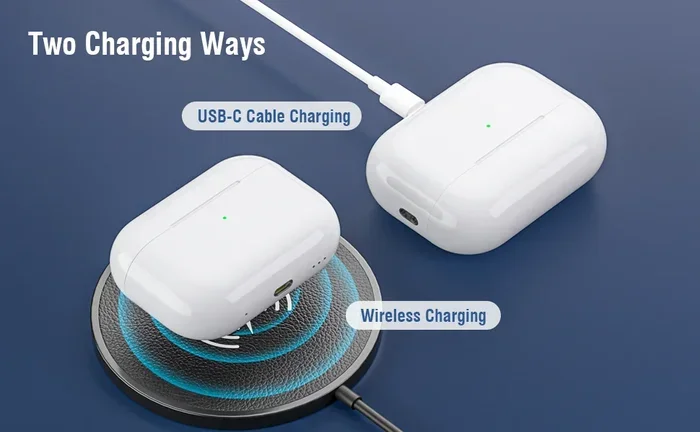
Visual guide about AirPods Pro USB-C case
Image source: m.media-amazon.com
The European Union Common Charger Rule
Back in October 2022, the European Parliament passed a law that shook up the entire electronics industry. The rule required all smartphones, tablets, and headphones sold in the EU to use USB-C as a standard charging port by the end of 2024. The goal? Reduce electronic waste and make life easier for consumers who were tired of juggling a dozen different cables.
Think of it like this: imagine every gas station required a different fuel nozzle for the same type of gas. You’d go crazy, right? The EU basically said, “Pick one nozzle. We’re done with this mess.” Apple, which had been using its proprietary Lightning port since 2012, had to adapt or lose access to a massive market.
Here’s a stat that puts things in perspective: the European Commission estimates that the common charger rule will save consumers around €250 million per year on unnecessary cable purchases. It will also cut roughly 11,000 tons of electronic waste annually. That’s a lot of cables headed to landfills that won’t be there anymore.
Apple’s Broader USB-C Transition
Apple didn’t just flip a switch for AirPods Pro. The company has been gradually moving its entire product lineup to USB-C:
- iPad Pro (2018): One of the first Apple devices to make the switch.
- iPad Air (2020) and iPad Mini (2021): Followed suit.
- iPhone 15 (2023): The biggest move of all — Apple’s flagship phone finally ditched Lightning.
- AirPods Pro 2 (2023): Updated charging case to USB-C.
- AirPods 4 (2024): Also adopted USB-C.
- AirPods Max (2024): Even the over-ear headphones joined the club.
The only major holdout? The entry-level iPhone SE, which as of early 2026 still uses Lightning (though rumors suggest a USB-C version is on the horizon). AirPods Pro, however, are fully on board.
Strategic Benefits for Apple
Beyond the legal pressure, switching to USB-C actually makes business sense for Apple. Here’s why:
- One cable for everything: You can charge your iPhone, iPad, MacBook, and AirPods Pro with the same USB-C cable.
- Universal compatibility: Borrow a friend’s charger, use a cable from a hotel, or grab one at the airport — they all work.
- Faster charging potential: USB-C supports higher power delivery, opening doors for quicker top-ups.
- Future-proofing: USB-C is likely to stick around for decades, while Lightning was already a decade old.
So while EU regulations forced Apple’s hand, the company also saw an opportunity to simplify life for its customers. That’s a rare win-win.
What Are the Practical Differences Between Lightning and USB-C AirPods Pro?
You might be wondering: besides the port on the case, is there any real difference between the two versions? The answer is yes, but the differences are subtle. Let’s walk through them.
The Charging Case Itself
The most obvious change is right on the bottom of the case. The USB-C version has a small, oval-shaped USB-C port, while the Lightning version has Apple’s narrow, pill-shaped Lightning port. Both cases look nearly identical otherwise — same rounded square shape, same LED indicator on the front, same magnetic lid.
Here’s a fun fact: the USB-C AirPods Pro 2 case also gained IP54 dust and water resistance, a small upgrade from the IPX4 rating on the Lightning case. That means the new case can handle a bit of dust in addition to splashes. If you’re someone who uses your AirPods at the gym or on a dusty hike, this is a nice bonus.
Lossless Audio Support
This is the big one for audiophiles. The USB-C AirPods Pro 2 support 20-bit, 48 kHz lossless audio when paired with the Apple Vision Pro headset. The Lightning version? It tops out at standard Bluetooth audio quality.
Now, you might be thinking, “Wait, but AirPods use Bluetooth. How can they do lossless audio?” Great question. Apple developed a proprietary wireless audio protocol that works specifically between the Vision Pro and the USB-C AirPods Pro. It’s not standard Bluetooth — it’s a custom 5GHz wireless connection that skips Bluetooth’s compression limitations.
Think of it like this: regular Bluetooth audio is like watching a YouTube video at 480p. It looks okay, but you’re missing detail. Lossless audio is like watching that same video in 4K — suddenly you notice things you never saw before, like the subtle breath a singer takes before a note or the way a guitar string vibrates after it’s plucked.
Charging Speed and Convenience
Both cases charge at similar speeds when using a wired connection. However, the USB-C version benefits from the broader USB-C ecosystem:
- You can charge from a MacBook, iPad, or any USB-C power adapter.
- USB-C cables are easier to find and often more durable than Lightning cables.
- If you own a USB-C iPhone, you now only need one cable for your phone and earbuds.
Wireless Charging Still Works
Here’s some good news for anyone who’s invested in wireless charging: both versions of the AirPods Pro 2 support wireless charging. Specifically, they work with:
- Qi-certified chargers: Any standard wireless charging pad.
- MagSafe chargers: Apple’s magnetic charging accessories.
- Apple Watch chargers: This is exclusive to the USB-C version — you can charge your AirPods case using your Apple Watch puck, which is super handy if you already have an Apple Watch charging setup on your nightstand.
So even if you hate plugging in cables, the USB-C AirPods Pro 2 give you more options than ever before.
How to Tell Which AirPods Pro Model You Have
Not sure which version you own? Don’t worry — it’s easier to figure out than you might think. Here are three quick ways to check.
Look at the Charging Port
The simplest method: flip the case over and look at the port on the bottom.
- Small, oval port: That’s USB-C.
- Narrow, rectangular port with rounded sides: That’s Lightning.
If you don’t have the case handy, try the next method.
Check Your iPhone Settings
Your iPhone knows exactly which AirPods you own. Here’s how to find out:
- Connect your AirPods Pro to your iPhone.
- Open the Settings app.
- Tap on your AirPods name (it’ll appear near the top, under your Apple ID).
- Scroll down to find the Model Number.
Here’s what to look for:
- A2967: AirPods Pro 2 with Lightning case (2022).
- A2968: AirPods Pro 2 with USB-C case (2023).
- A2083 / A2084: AirPods Pro 1st Generation.
Check the Bottom of the Charging Case
Flip the case over and look at the fine print on the back. You’ll see text like “Designed by Apple in California” followed by a model number. The model number is also printed on the original packaging if you still have it.
Pro tip: if you bought your AirPods Pro from Apple directly, you can also log into your Apple ID account and check your purchase history. The product name will indicate which version you have.
What About AirPods Pro 3 and the Future?
As of early 2026, Apple has not released an AirPods Pro 3. The AirPods Pro 2 — both Lightning and USB-C versions — remain the current flagship model. However, the rumors are swirling, and if history is any guide, we can make some educated guesses about what comes next.
Likely Features of Future AirPods Pro
Apple typically refreshes its AirPods Pro every two to three years. With the USB-C version released in 2023, many analysts expected an AirPods Pro 3 by late 2025 or 2026. While we don’t have official confirmation, here are some features that are widely rumored or expected:
- New H3 or H4 chip: Apple uses custom silicon in its AirPods for processing audio and managing connectivity. A new chip would likely bring better noise cancellation and improved efficiency.
- Health monitoring features: Apple has been exploring ways to add health sensors, like heart rate monitoring or body temperature tracking, to AirPods.
- Improved water resistance: Future models may get even better IP ratings for swimmers and athletes.
- USB-C remains standard: Don’t expect Apple to go back to Lightning — that’s a closed chapter.
Will Apple Ever Ditch the Port Entirely?
This is an interesting question. Apple has shown a willingness to go fully wireless with products like the Apple Watch. Could AirPods Pro eventually drop the charging port altogether?
It’s possible but not likely in the near future. Here’s why: wireless charging is slower and less efficient than wired charging. For a product that many people charge quickly before heading out, that speed matters. Plus, some users prefer the reliability of a wired connection.
That said, the port might eventually shrink or disappear if Apple perfects its MagSafe technology for smaller devices. For now, expect USB-C to stick around.
Tips, Tricks, and Things Most People Don’t Know
Now that we’ve covered the basics, let’s dive into some practical tips and lesser-known facts about USB-C AirPods Pro. These are the kinds of details that can make your daily life easier.
You Don’t Get a USB-C Cable in the Box
Here’s something that surprises a lot of people: Apple does not include a charging cable in the AirPods Pro box. Not a Lightning cable, not a USB-C cable — nothing. The only accessories included are the earbuds, the charging case, and a selection of silicone ear tips (small, medium, and large).
If you’re upgrading from an older iPhone that came with a USB-C cable (iPhone 15 and later), you’re set. If you’re coming from an older device, you’ll need to buy a USB-C cable separately. They’re inexpensive — you can find reliable options for under $10 — but it’s an annoying extra cost.
Use Any USB-C Cable, Not Just Apple’s
Unlike the Lightning era, where third-party cables sometimes caused “accessory not supported” warnings, USB-C is a universal standard. Any USB-C cable will work with your AirPods Pro. You don’t need an Apple-branded cable, and you don’t need to worry about “Made for iPhone” certification.
That said, stick to reputable brands. Cheap, no-name cables can sometimes deliver inconsistent power, which could affect charging speed or even damage your battery over time. Look for cables from brands like Anker, Belkin, or Apple’s own first-party options.
Charge from Almost Anything
One of the underrated benefits of USB-C is the ability to charge from a huge range of sources. You can power up your AirPods Pro using:
- A laptop or desktop computer.
- A USB-C power bank.
- A car’s USB-C port.
- An iPad with a USB-C port.
- A Nintendo Switch dock.
- A modern Android phone (yes, really — most Android phones can act as power sources for small devices).
This is a game-changer for travelers. If you’ve ever been stuck at an airport with dead AirPods and no charger, you’ll appreciate how common USB-C has become.
Fast Charging Works the Same
Both versions of AirPods Pro support fast charging. Pop the earbuds in the case for just 5 minutes, and you’ll get around 1 hour of listening time. A full charge takes about an hour, and the case itself takes about the same to refill via USB-C.
To fast-charge effectively, make sure you’re using a USB-C cable plugged into a decent power source. A 5W charger (like the old iPhone chargers) works but is slow. A 20W USB-C power adapter will fill the case noticeably faster.
Battery Health Matters
Like all lithium-ion batteries, the one in your AirPods Pro will degrade over time. Here are a few tips to extend its lifespan:
- Avoid extreme temperatures: Don’t leave your AirPods in a hot car or freezing car overnight.
- Don’t store them at 0%: If you’re putting your AirPods away for a long time, leave them at around 50% charge.
- Use optimized charging: iOS has a feature called “Optimized Battery Charging” that learns your routine and prevents overcharging. Make sure it’s enabled in Settings.
Did you know? Apple offers battery service for AirPods Pro, but it’s almost always cheaper to just buy a new pair. The earbuds and case are tightly integrated, so individual battery replacement isn’t really a thing — at least not from Apple directly.
Pairing and Switching Is Still Magical
Regardless of which port your AirPods Pro use, the pairing experience is identical. Apple’s H2 chip handles Bluetooth connections seamlessly across all your Apple devices. Once you’ve paired your AirPods with one device, they’ll automatically show up on every other Apple device signed into the same iCloud account.
Need to switch from your iPhone to your MacBook? Just click the AirPods icon in your Mac’s menu bar and select them. Done. No re-pairing required.
Frequently Asked Questions About AirPods Pro and USB-C
We’ve covered a lot of ground, but you might still have specific questions. Here are some of the most common things people ask about AirPods Pro and USB-C charging.
Do all AirPods Pro come with USB-C?
No, only the AirPods Pro 2 sold after September 2023 come with a USB-C charging case. The original AirPods Pro (2019) and the first version of AirPods Pro 2 (2022) both use Apple’s Lightning connector. Always check the model number before buying if USB-C matters to you.
Can I charge USB-C AirPods Pro with a Lightning cable?
No, the physical ports are different shapes and use different standards. A Lightning cable simply won’t fit into a USB-C port, and vice versa. If you have the USB-C AirPods Pro, you’ll need a USB-C cable to charge them wired.
Is the sound quality different between Lightning and USB-C versions?
For everyday listening with an iPhone, the sound quality is identical. The only difference is when paired with the Apple Vision Pro, where the USB-C version supports 20-bit, 48 kHz lossless audio. If you don’t own a Vision Pro, you’ll hear no difference.
Does the USB-C AirPods Pro case work with older AirPods?
No, the charging cases are designed for specific AirPods models. The USB-C AirPods Pro 2 case only works with the matching earbuds. You can’t use it to charge AirPods Pro 1 or standard AirPods.
Should I upgrade my Lightning AirPods Pro to the USB-C version?
If your current AirPods Pro work fine and you don’t own an Apple Vision Pro, there’s no urgent reason to upgrade. However, if you’re already in the market for new earbuds or want the IP54 dust resistance and Apple Watch charger compatibility, the USB-C version is the better long-term choice.
Will Apple ever make AirPods with no port at all?
It’s possible, but not in the immediate future. Apple is heavily invested in MagSafe and wireless charging, so a port-less AirPods case could happen eventually. However, the current USB-C standard is so universal and convenient that it’s likely here to stay for many years.
Final Thoughts: Embracing the USB-C Era
So, do AirPods Pro use USB C? As of today, yes — but only the most recent AirPods Pro 2 model released in 2023. If you own an older pair, you’re still in the Lightning camp, which isn’t a problem — those earbuds still work great and will for years to come.
The switch to USB-C represents more than just a port change. It’s part of a broader shift toward universal standards that benefit consumers, reduce waste, and simplify our increasingly cable-heavy lives. Whether you’re team Apple or team Android, having one cable that works across multiple devices is something we can all appreciate.
If you’re shopping for new AirPods Pro, the USB-C version is the obvious choice. It’s future-proof, widely compatible, and comes with a few extra perks like Apple Watch charging support and improved dust resistance. If you already own the Lightning version, there’s no rush to upgrade — but if your earbuds are aging or damaged, the new model is worth considering.
At the end of the day, the question “do AirPod Pros use USB C” has a clear answer for new buyers, and a slightly more nuanced one for anyone holding onto older gear. Either way, you’re now armed with all the information you need to make the right call. Happy listening!