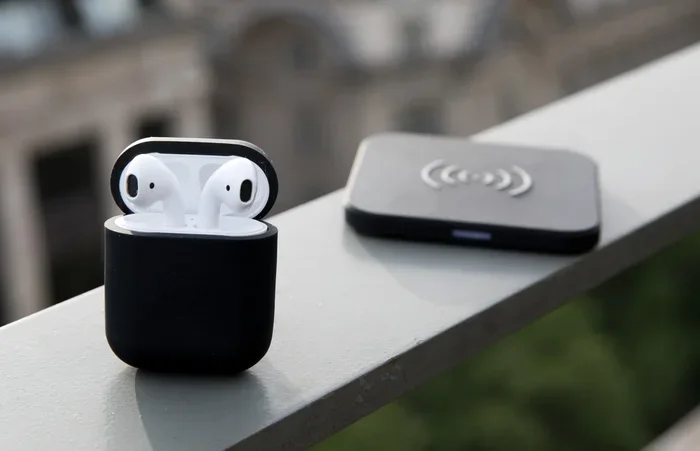
Featured image for Airpods on charging case
Image source: media.idownloadblog.com
AirPods are Apple’s wireless earbuds designed primarily for iPhone, iPad, and Mac users, but they also work with Android, Windows, and other Bluetooth devices. With multiple generations available—from the budget-friendly AirPods 2 to the premium AirPods Pro 2 and AirPods Max—there’s a model for nearly every budget. This guide answers every common question about AirPods, including compatibility, battery life, sound quality, and whether they’re worth your money in 2024.
Imagine walking into a coffee shop, pulling tiny white earbuds from a sleek case, and instantly connecting them to your phone without pressing a single button. That’s the AirPods experience. Since their launch in December 2016, AirPods have become more than just earbuds—they’re a cultural icon. You’ve seen them everywhere: on subway commuters, in movies, in TikTok videos, and dangling from the ears of celebrities and coworkers alike.
But what exactly are AirPods? Who should buy them? And do they really live up to the hype? If you’ve ever wondered whether AirPods are worth your hard-earned money, whether they work with your Samsung Galaxy, or how they compare to cheaper alternatives, you’re in the right place. This guide breaks down everything you need to know about AirPods in plain, simple language.
By the end of this article, you’ll understand the different AirPods models, their features, battery life, compatibility, sound quality, and the answers to dozens of common questions. Let’s dive in.
Key Takeaways
- AirPods Work With Non-Apple Devices: While optimized for Apple products, AirPods function as standard Bluetooth earbuds with Android, Windows, and smart TVs.
- Four Generations Are Available: AirPods come in four main types—AirPods (2nd, 3rd, 4th gen), AirPods Pro, AirPods Pro 2, and AirPods Max over-ear headphones.
- Battery Life Varies by Model: Standard AirPods offer 5-6 hours per charge, while AirPods Pro 2 delivers up to 6 hours with ANC enabled and 30 hours with the case.
- Active Noise Cancellation Is Pro-Only: ANC and Transparency mode are exclusive to AirPods Pro and AirPods Max models.
- Price Ranges from $129 to $549: AirPods start at $129 for the basic 4th generation and reach $549 for AirPods Max.
- Spatial Audio Is a Game-Changer: AirPods support spatial audio with dynamic head tracking for immersive movie and music experiences on Apple devices.
- They’re Among the Best-Selling Earbuds: Apple sold over 100 million AirPods in 2023, making them the world’s most popular wireless earbuds.
📑 Table of Contents
- What Are AirPods and Why Are They So Popular?
- How Many Types of AirPods Are There?
- Do AirPods Work With Android, Windows, and Other Devices?
- What Can AirPods Do? Features Explained Simply
- Battery Life and Charging: What to Expect
- Are AirPods Worth Buying in 2024?
- Common AirPods Problems and How to Fix Them
- The Future of AirPods: What’s Coming Next?
- Frequently Asked Questions About AirPods
What Are AirPods and Why Are They So Popular?
AirPods are wireless Bluetooth earbuds made by Apple. Think of them as tiny computers for your ears—they contain processors, sensors, batteries, and microphones all packed into a design small enough to fit inside your ear canal. Unlike traditional wired earbuds, AirPods connect to your devices wirelessly using Bluetooth technology.
The Origin Story
Apple launched the first-generation AirPods on December 13, 2016. At the time, many people mocked them for looking like “broken toothbrush heads.” Fast forward to today, and Apple has sold over 200 million pairs worldwide. According to Statista, AirPods generated approximately $17.5 billion in revenue in 2023, making them one of Apple’s most profitable product lines—even more profitable than Spotify, Twitter, and Shopify combined.
Why Do People Love AirPods?
The appeal comes down to three things: convenience, ecosystem integration, and status. When you open the AirPods case near an iPhone, a magical animation pops up asking if you want to connect. Pair once, and they’ll automatically pair with every Apple device tied to your iCloud account. Switching from your iPhone to your MacBook happens automatically—no menus, no settings, no hassle.
Think of it like a universal remote that actually works perfectly. While other earbuds require you to dig into Bluetooth settings every time, AirPods just… work. That seamless experience is what keeps people coming back.
Did You Know?
The name “AirPods” combines two ideas: “Air” (representing wireless freedom) and “Pods” (referring to the small capsule-like shape). Apple trademarked the name before launch, and competitors were forced to use alternative terms like “earbuds” or “headphones.”
How Many Types of AirPods Are There?
Apple currently sells four main AirPods models, each designed for different needs and budgets. Understanding the differences will help you choose the right pair.
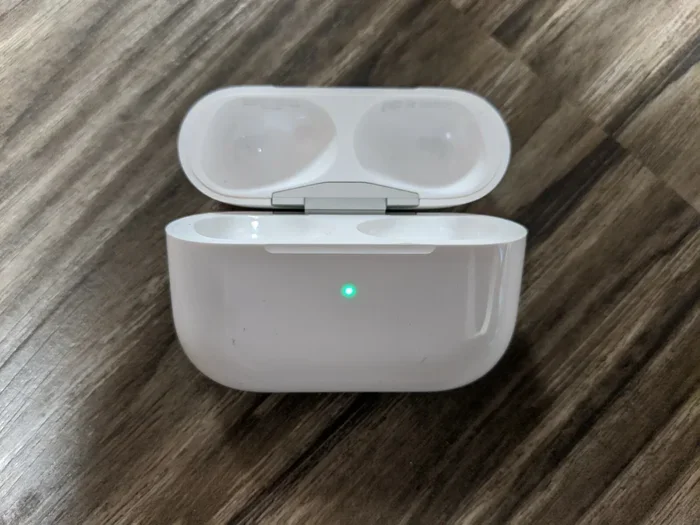
Visual guide about Airpods on charging case
Image source: i.ebayimg.com
AirPods (Standard Model)
The standard AirPods are the “everyday” option. They’re the ones you picture when someone says “AirPods”—white earbuds with short stems. Apple has released four generations:
- AirPods 1st Generation (2016): Discontinued, but you might find used ones.
- AirPods 2nd Generation (2019): Added “Hey Siri” voice activation and faster pairing. Still available refurbished for around $99.
- AirPods 3rd Generation (2021): Redesigned with shorter stems, spatial audio support, and better battery life.
- AirPods 4th Generation (2024): The newest model with improved sound, USB-C charging, and an optional noise-cancellation version.
AirPods Pro
AirPods Pro are the premium in-ear option. They use silicone ear tips that seal your ear canal, similar to how a cork seals a wine bottle. This seal blocks outside noise and improves bass response. The current model—AirPods Pro 2—was released in September 2022 and updated with USB-C in September 2023.
Key features include Active Noise Cancellation (ANC), Transparency Mode (which lets you hear the world around you), Adaptive Audio, and Conversation Awareness. They cost around $249.
AirPods Max
AirPods Max are over-ear headphones—the kind that cover your entire ear like earmuffs. They’re made of aluminum and stainless steel, weigh 384 grams, and cost $549. Think of them as the luxury SUV of the AirPods lineup: premium materials, premium price, premium sound.
Comparison at a Glance
Here’s a simple way to remember the lineup:
- Standard AirPods: Open design, no ear tips, good for casual listening
- AirPods Pro: Sealed in-ear design, noise cancellation, best for travel and focus
- AirPods Max: Over-ear design, premium build, best for audiophiles and home listening
Do AirPods Work With Android, Windows, and Other Devices?
This is one of the most common questions, and the answer might surprise you: Yes, AirPods work with almost any Bluetooth device. You can pair them with Samsung phones, Google Pixel, Windows laptops, smart TVs, and even Nintendo Switch.
How to Connect AirPods to Non-Apple Devices
The process is the same as connecting any Bluetooth earbuds:
- Open the AirPods case lid.
- Press and hold the small button on the back of the case until the LED flashes white.
- Go to your device’s Bluetooth settings.
- Select “AirPods” from the list of available devices.
That’s it. However, you’ll lose some features that are exclusive to Apple devices, which we’ll cover next.
What You Lose on Non-Apple Devices
When you use AirPods with Android or Windows, you give up these Apple-exclusive features:
- Automatic Ear Detection: Music pauses when you remove an AirPod from your ear.
- Spatial Audio: The 3D surround sound feature only works with iPhone, iPad, and Mac.
- Siri Integration: “Hey Siri” voice commands require an Apple device.
- Seamless Switching: The ability to automatically jump between your iPhone and Mac doesn’t work.
- Battery Widgets: You can’t see remaining battery life on your phone screen.
Are AirPods Worth It for Android Users?
Honestly? Probably not. If you use a Samsung Galaxy or Google Pixel, you’re better off with Samsung Galaxy Buds, Google Pixel Buds, or Sony WF-1000XM5. These earbuds are designed for Android and offer better features, customization, and often better sound quality at similar prices.
However, if you already own AirPods or got them as a gift, they’ll still work great for music, calls, and podcasts. You just won’t get the full “magic” experience.
Did You Know?
According to a 2023 survey by Counterpoint Research, about 25% of AirPods buyers use them primarily with non-Apple devices. That’s roughly 1 in 4 AirPods owners who miss out on the full feature set.
What Can AirPods Do? Features Explained Simply
Modern AirPods are packed with technology. Here’s what each feature actually does, explained without the tech jargon.
Active Noise Cancellation (ANC)
Imagine you’re sitting next to a loud air conditioner. Active Noise Cancellation is like having someone turn down the volume on that air conditioner—in your ears. Tiny microphones on the AirPods listen to outside noise, then create an “anti-noise” wave that cancels it out. The result: silence, or at least significantly reduced background noise.
ANC is available on AirPods Pro and AirPods Max. It’s perfect for airplanes, noisy offices, and crowded coffee shops.
Transparency Mode
Transparency Mode does the opposite of ANC. Instead of blocking outside sound, it uses the microphones to pipe external audio into your ears. It’s like having superhuman hearing—you can listen to music while still hearing announcements at the airport or having a conversation without removing your earbuds.
Spatial Audio
Spatial Audio makes sound feel three-dimensional. When you watch a movie on your iPhone with AirPods, the audio seems to come from all around you—not just from left and right. If you turn your head, the sound stays anchored to the screen, creating a theater-like experience.
Think of it like this: regular stereo is like listening to music through a window. Spatial Audio is like having the band perform in your living room.
Adaptive Audio
Introduced with iOS 17, Adaptive Audio automatically blends ANC and Transparency based on your environment. Walking past a construction site? It cranks up noise cancellation. Stopping to chat with a friend? It switches to Transparency. It even lowers music volume when it detects you’re having a conversation.
Conversation Awareness
This feature detects when you start speaking and automatically pauses your music, lowers volume, and activates Transparency Mode. When you stop talking for a few seconds, everything returns to normal.
Touch Controls
AirPods Pro 2 let you control playback by squeezing the stem or swiping up and down to adjust volume. It’s like having a tiny remote control on each ear.
Battery Life and Charging: What to Expect
Nothing kills the wireless earbud experience faster than dead batteries. Here’s how long AirPods actually last.
Battery Life by Model
- AirPods (2nd gen): 5 hours listening, 3 hours talking
- AirPods (3rd gen): 6 hours listening, 4 hours talking
- AirPods (4th gen): 6 hours listening, 5 hours talking
- AirPods Pro 2: 6 hours listening with ANC on, 4.5 hours talking
- AirPods Max: 20 hours listening with ANC on
Charging Case Battery
The charging case holds additional charges. For example, AirPods Pro 2 case provides up to 30 hours of total listening time. This means you can travel for a full day, use the earbuds for several hours, and only need to find an outlet once a week.
Charging Options
Depending on the model, AirPods cases support:
- Lightning Cable: Older models (pre-2023)
- USB-C Cable: Newer models (2023 and later)
- Wireless Charging: Qi-compatible pads (available on Pro and select standard models)
- MagSafe Charging: Magnetic attachment to Apple’s MagSafe chargers
How Long Do AirPods Last Before Needing Replacement?
The batteries in AirPods degrade over time. After about 2-3 years of regular use, you might notice the battery doesn’t last as long. Apple offers battery service for $49-$69 per AirPod, but many people simply buy a new pair when battery life becomes an issue.
Pro Tip: Extend Battery Life
To squeeze out more listening time, store your AirPods in the case when not in use, avoid extreme temperatures, and disable features like Spatial Audio when you don’t need them. These small habits can add months to your battery’s lifespan.
Are AirPods Worth Buying in 2024?
The answer depends on your device, budget, and priorities. Let’s break it down.
Buy AirPods If You:
- Own an iPhone, iPad, or Mac (you’ll get the full experience)
- Value convenience and ease of use over absolute sound quality
- Want reliable noise cancellation for travel or work
- Are willing to pay a premium for Apple’s ecosystem benefits
Skip AirPods If You:
- Use Android exclusively (better options exist)
- Are an audiophile seeking the absolute best sound quality
- Need deep customization and EQ controls
- Have a tight budget (under $100)
Price Comparison
Here’s what you’ll pay in 2024:
- AirPods 4 (no ANC): $129
- AirPods 4 (with ANC): $179
- AirPods Pro 2: $249
- AirPods Max: $549
Alternatives Worth Considering
If AirPods don’t seem right for you, consider these excellent alternatives:
- Samsung Galaxy Buds3 Pro: $249, great for Android users
- Sony WF-1000XM5: $299, best-in-class noise cancellation
- Google Pixel Buds Pro 2: $229, ideal for Pixel phones
- Beats Fit Pro: $199, made by Apple, works great with Android
Final Verdict
AirPods remain the best wireless earbuds for Apple users. They’re not the cheapest, and they’re not the absolute best for sound quality, but they offer an unmatched combination of convenience, features, and reliability. If you’re deep in Apple’s ecosystem, AirPods are a no-brainer.
If you’re on Android or want maximum bang for your buck, look elsewhere. The world of wireless earbuds is better than yours, and there’s never been a better time to shop around.
Common AirPods Problems and How to Fix Them
Even the best technology has hiccups. Here are solutions to the most common AirPods issues.
AirPods Won’t Connect
Try this fix sequence:
- Make sure Bluetooth is turned on.
- Put AirPods back in the case, wait 10 seconds, then take them out.
- Restart your phone or computer.
- On iPhone, go to Settings > Bluetooth, tap the “i” next to your AirPods, and select “Forget This Device.” Then pair them again.
One AirPod Is Quieter Than the Other
This usually means earwax or debris is blocking the speaker mesh. Clean your AirPods gently with a dry cotton swab or soft-bristled brush. Avoid using water or sharp objects.
Battery Drains Quickly
Disable features you don’t use, like Automatic Ear Detection or Spatial Audio. Also, make sure your AirPods are running the latest firmware by placing them in the case near your iPhone overnight.
Sound Quality Is Poor
Check your audio source first—low-quality MP3s will sound bad on any earbuds. Also, try toggling Bluetooth off and on, or disconnecting other Bluetooth devices that might be interfering.
Microphone Doesn’t Work During Calls
On your iPhone, go to Settings > Bluetooth, tap the “i” next to your AirPods, and make sure the microphone is set to “Always Left” or “Always Right” if the automatic setting fails.
Did You Know?
Apple’s support forums receive over 50,000 AirPods-related questions per month, with “connection issues” being the most common complaint. Most problems can be solved by simply resetting the AirPods.
The Future of AirPods: What’s Coming Next?
AirPods continue to evolve. Based on Apple’s patent filings and industry rumors, here’s what might come in future models.
Health Monitoring Features
Apple has filed patents for AirPods that can monitor heart rate, body temperature, and even detect posture. Imagine earbuds that remind you to sit up straight or alert you to irregular heartbeats.
Improved Hearing Aid Functionality
In 2024, Apple announced that AirPods Pro 2 will receive a software update to function as clinical-grade hearing aids. This could help millions of people with mild to moderate hearing loss access affordable hearing assistance.
Better Camera Integration
Future AirPods might include tiny cameras for AI-powered spatial awareness, similar to how Meta’s Ray-Ban smart glasses work. This could enable features like real-time translation and visual search.
Longer Battery Life
Apple is reportedly working on more efficient chips that could double the current battery life. If true, future AirPods might last 12+ hours on a single charge.
Why This Matters
AirPods started as simple wireless earbuds, but they’re quickly becoming wearable computing platforms. In five years, they might do far more than play music—they could be your translator, fitness coach, and hearing assistant all in one tiny device.
Frequently Asked Questions About AirPods
Let’s address the questions people ask most often about AirPods.
Are AirPods Waterproof?
AirPods Pro 2 and AirPods 4 are rated IP54 for dust and water resistance, meaning they can handle sweat and light rain. However, they are not waterproof—don’t swim or shower with them. The original AirPods and AirPods Max have no official water resistance rating.
Can You Use AirPods With a PS5 or Xbox?
AirPods can connect to PS5 and Xbox controllers via Bluetooth for basic audio, but microphone support is limited. The PS5 doesn’t officially support AirPods microphones, and Xbox Series X requires special adapters. For gaming, dedicated gaming headsets work better.
How Far Can AirPods Be From Your Phone?
AirPods use Bluetooth 5.0 or 5.3, which has a maximum range of about 30-40 feet (10-12 meters) in open spaces. In real-world use with walls and interference, expect reliable connection within 15-20 feet. Beyond that, audio may cut out or stutter.
Can You Track Lost AirPods?
Yes. If you lose your AirPods, use the Find My app on your iPhone or iCloud.com to see their last known location. AirPods Pro 2 also have a built-in speaker in the case that plays a sound to help you find them. This works even if the AirPods are dead, as long as the case has battery.
Do AirPods Work With Apple TV?
Absolutely. AirPods pair with Apple TV 4K and Apple TV HD for private listening. This is perfect for watching movies at night without disturbing others. Setup takes about 30 seconds through the Apple TV’s Bluetooth menu.
Should You Buy AirPods or Beats?
Apple owns both brands. AirPods are designed for casual everyday use, while Beats focuses on fitness, bass-heavy sound, and fashion-forward designs. Beats Fit Pro, for example, offers similar features to AirPods Pro with a more secure fit for workouts. Choose based on your style and use case.