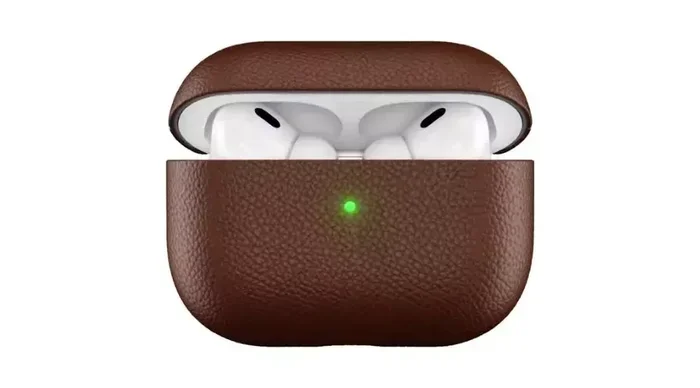
Featured image for AirPods USB-C charging case
Image source: nowandlive.com
Most modern AirPods support USB-C charging, but it depends on the model and case you own. Apple’s AirPods Pro 2 (USB-C version) and AirPods 4 come with USB-C cases, while older models still use Lightning connectors. With the EU’s new regulations pushing for universal USB-C ports, Apple has been transitioning its entire audio lineup to this standard. Knowing your specific AirPods model is the key to unlocking faster, more convenient charging.
Ever grabbed a USB-C cable expecting to charge your AirPods, only to find it doesn’t fit? You’re not alone. This little frustration has puzzled millions of Apple users around the world. With phones, laptops, and tablets all moving toward USB-C, it makes sense to wonder: do AirPods support USB-C charging too?
The short answer is yes, but only for certain models. Apple didn’t switch all its AirPods to USB-C overnight. It happened gradually, starting in late 2020 with the AirPods Pro and continuing through 2024 with the AirPods 4. If you bought your AirPods before 2023, there’s a good chance you’re still using the older Lightning connector.
This guide breaks down everything you need to know. We’ll cover which AirPods support USB-C, how fast they charge, what cables work best, and what the future looks like. Think of this as your complete roadmap to AirPods charging, minus the confusing tech jargon.
Key Takeaways
- Model Matters Most: Only AirPods Pro 2 (2023), AirPods 4, and AirPods Max (USB-C) support USB-C charging natively.
- Case Determines Compatibility: The charging case dictates your connection type, not the earbuds themselves.
- EU Regulations Drove Change: The European Union’s common charger law pushed Apple to switch from Lightning to USB-C.
- Charging Speed Is Similar: USB-C doesn’t dramatically speed up charging, but offers better cable convenience.
- Wireless Charging Still Works: Most USB-C AirPods cases also support Qi and MagSafe wireless charging.
- Adapters Are Possible: Lightning AirPods cases can charge via USB-C using official Apple adapters.
- Future Is USB-C: Apple is unlikely to release new AirPods with Lightning ports going forward.
📑 Table of Contents
Which AirPods Support USB-C Charging?
Let’s get straight to the point. Not every AirPods model in your drawer will work with a USB-C cable straight out of the box. Apple has released several versions over the years, and the charging port depends on when and what you bought.
AirPods Pro 2 (USB-C Version)
The AirPods Pro 2 with USB-C case launched in September 2023. This was Apple’s first major AirPods product to fully embrace USB-C. The case has a USB-C port on the bottom, right where you’d expect. You can charge it with any standard USB-C cable, including the one that ships with your iPhone 15 or newer.
Here’s something cool: this version also supports lossless audio when paired with the Apple Vision Pro. The USB-C connection allows for higher bandwidth than Lightning ever could.
AirPods 4 and AirPods 4 with Active Noise Cancellation
Released in September 2024, both AirPods 4 models come with USB-C charging cases. This was a huge deal for budget-conscious buyers. Finally, Apple’s entry-level AirPods use the same charging cable as everything else in your tech bag.
Did You Know? The AirPods 4 with ANC is the cheapest noise-canceling earbuds Apple has ever made, priced at $129. Yet they still include USB-C charging as a standard feature.
AirPods Max (USB-C Version)
In September 2024, Apple refreshed the AirPods Max with a USB-C port. The original AirPods Max from 2020 used Lightning, which felt outdated even back then. The new version charges via USB-C and comes in fresh colors, including midnight and starlight.
Older AirPods Models with Lightning
The following AirPods still use Lightning connectors:
- AirPods (2nd generation) – Released 2019
- AirPods (3rd generation) – Released 2021
- AirPods Pro (1st generation) – Released 2019
- AirPods Pro 2 (Lightning version) – Released 2022
- Original AirPods Max – Released 2020
Think of it like phones. Some people still have an iPhone with a home button, while others have the latest iPhone 15. Both work great, but they use different charging cables.
Why Did Apple Switch AirPods to USB-C?
This change didn’t happen because Apple suddenly loved USB-C. It happened because they had to. Well, sort of. Let me explain.
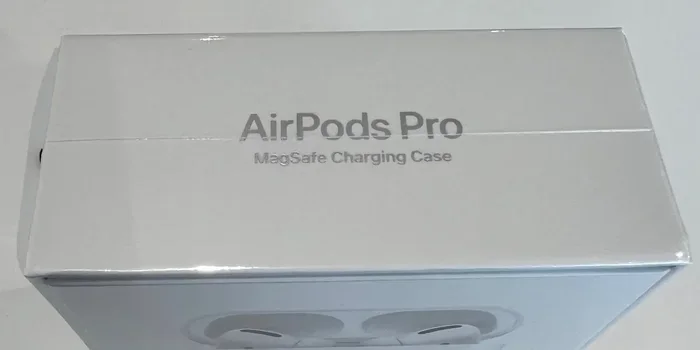
Visual guide about AirPods USB-C charging case
Image source: 9to5mac.com
The EU Common Charger Directive
In October 2022, the European Union passed a law requiring all smartphones, tablets, and headphones sold in EU countries to use USB-C charging by December 2024. The goal? Reduce electronic waste. Think about it: the average household had collected three or more charging cables per device before this law. That’s a lot of e-waste.
Apple, being the largest company still using Lightning at the time, had two choices:
- Switch to USB-C across all products
- Make a special Lightning-only version just for non-EU markets
Apple chose the first option. They began transitioning the iPhone with the iPhone 15 in 2023, then AirPods Pro 2 in 2023, and finally AirPods 4 and AirPods Max in 2024.
The Real Reasons Apple Embraced USB-C
Beyond regulations, USB-C offers genuine benefits:
Faster data speeds – USB-C supports USB 3.0 and higher, while Lightning was stuck at USB 2.0 speeds. This matters for lossless audio with the Vision Pro.
Higher power delivery – USB-C can deliver up to 100 watts of power, though AirPods only need a tiny fraction of that.
Universal compatibility – You probably have USB-C cables for your MacBook, iPad, Nintendo Switch, and Android phone. One cable for everything.
Industry standard – Even Apple’s own iPad switched to USB-C back in 2018. AirPods were the last holdout.
How to Charge AirPods with USB-C
Charging your AirPods with USB-C is incredibly simple. If you’ve ever charged an Android phone, you already know how.
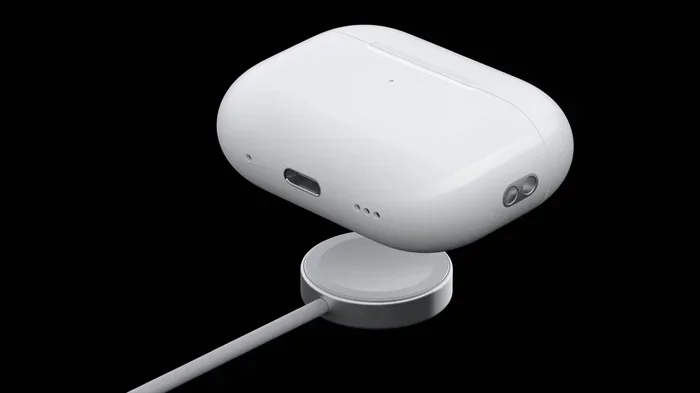
Visual guide about AirPods USB-C charging case
Image source: media.techietech.tech
Step-by-Step Charging Process
- Grab any USB-C cable – The one from your iPhone 15, iPad, or MacBook will work perfectly.
- Plug one end into a power source – This could be a wall adapter, computer, or power bank.
- Connect the other end to your AirPods case – The port is on the bottom of the case.
- Look for the status light – Amber means charging, green means fully charged.
That’s it. No special setup, no extra software, no complicated pairing. Just plug and play.
What Type of USB-C Cable Should You Use?
Not all USB-C cables are created equal. For AirPods, any basic USB-C to USB-C cable will work. You don’t need a fancy $50 cable. A basic $8 cable from a reputable brand does the same job.
Here’s what to look for:
- USB-C to USB-C: Best option for modern iPhones and iPads
- USB-A to USB-C: Works fine, just slower charging
- Certified cables: Look for “Made for iPhone” (MFi) certification for guaranteed compatibility
Did You Know? Charging AirPods with a higher-wattage charger won’t damage them. The case only draws what it needs, kind of like how a garden hose only sprays water when you turn it on, regardless of the pressure behind it.
Charging Speed and Battery Life
Now for the question everyone asks: does USB-C charge AirPods faster than Lightning?
Honest Truth About Charging Speed
USB-C doesn’t make AirPods charge significantly faster. The bottleneck isn’t the cable type. It’s the tiny batteries inside. AirPods cases have small batteries (around 400-500 mAh), and they charge slowly to preserve battery health.
Here’s the typical charging breakdown:
- 5 minutes in the case = about 1 hour of listening time
- 30 minutes = 50-70% battery
- Full charge = about 1-2 hours
Battery Life by Model
AirPods Pro 2 (USB-C): Up to 6 hours of listening time on a single charge. The case provides an additional 24 hours. A 5-minute charge gives roughly 1 hour of listening.
AirPods 4: Up to 5 hours of listening time, with 30 hours total using the case. The ANC version delivers about 4 hours with noise cancellation on.
AirPods Max (USB-C): Up to 20 hours of listening, listening, or talk time on a single charge.
Think of AirPods batteries like a small water bottle. You can pour water in faster, but the bottle only holds so much, and the narrow opening slows things down regardless.
Fast Charging Tricks
Want to charge your AirPods faster? Try these tips:
- Use a 10W or higher wall adapter instead of a 5W one
- Charge when the case is warm, not cold – Batteries charge faster at room temperature
- Close the lid during charging – This helps the case focus power on the battery
- Avoid using the AirPods while charging – This generates heat and slows the process
Wireless and MagSafe Charging Options
Good news: USB-C AirPods cases also support wireless charging. You’re not limited to cables.
Qi Wireless Charging
All USB-C AirPods cases support Qi wireless charging. Just place the case on any Qi-certified charging pad. The status light will glow amber while charging.
MagSafe Compatibility
Here’s where it gets interesting. AirPods Pro 2 (USB-C) and AirPods 4 with ANC work with MagSafe chargers. The magnets snap the case into perfect position, similar to how they work with iPhones.
Did You Know? MagSafe charging isn’t quicker than cable charging for AirPods. It’s mostly about convenience. The maximum wireless charging speed for AirPods is around 5W, while a wired connection delivers slightly more.
Apple Watch Charger Hack
This is a neat trick: AirPods Pro 2 (USB-C) actually work with Apple Watch chargers too. Just plop the case on the small charging puck. It’s not officially supported, but it works for many users.
Common Problems and Troubleshooting
Sometimes things don’t work perfectly. Here are the most common USB-C charging issues and how to fix them.
AirPods Case Not Charging
If your AirPods case isn’t charging via USB-C, try these steps:
- Check the cable – Try a different USB-C cable. Cables wear out faster than people realize.
- Inspect the port – Look inside the USB-C port with a flashlight. Lint and debris love to hide there.
- Clean the port gently – Use a dry soft-bristled brush or wooden toothpick. Never use metal.
- Try a different power source – Switch from a computer USB port to a wall adapter.
- Restart the case – Forget the AirPods in Bluetooth settings, then re-pair them.
Slow Charging Issues
If charging feels slower than usual:
- Use a higher-wattage adapter – 10W or 12W works great
- Check for background apps – Connected devices may drain power while charging
- Avoid extreme temperatures – Charging slows in very cold or very hot environments
- Update firmware – Old firmware can sometimes affect charging performance
Cable Compatibility Problems
Not every USB-C cable works perfectly. Cheap, uncertified cables may:
- Charge slower than expected
- Cause intermittent connection issues
- Not work at all with certain adapters
Stick with cables from brands like Apple, Anker, Belkin, or Ugreen. They’re certified and reliable.
What About Using Lightning Cables?
If you have older AirPods with a Lightning case, you can still use USB-C chargers with a Lightning to USB-C cable. Apple sells these officially. You can also use a Lightning to USB-C adapter for around $30.
This is great news if you already invested in USB-C accessories but still have older AirPods.
The Future of AirPods Charging
Looking ahead, the future is clearly USB-C. Apple has made its position clear, and there are no signs of going back.
What to Expect Next
Complete transition by 2025: Apple will likely discontinue Lightning AirPods cases entirely. New AirPods models from 2025 onward will all use USB-C.
Potential wireless-only future: Some rumors suggest future AirPods might eliminate the charging port entirely, relying solely on wireless and MagSafe charging. This would improve water resistance too.
Faster charging technology: While current speeds are fine, Apple may introduce faster charging in future Pro models. The USB-C connection allows for this possibility.
Why USB-C Is Here to Stay
Beyond EU regulations, USB-C has become the global standard. It’s used by:
- Android phones (since 2015)
- iPhones (since 2023)
- iPads (since 2018)
- MacBooks (since 2016)
- Most laptops and tablets
- Game consoles like Nintendo Switch and Steam Deck
With over 10 billion USB-C devices shipped worldwide, it’s not going anywhere soon. Think of USB-C like the QWERTY keyboard layout. It’s not necessarily the best design, but it’s so widespread that nobody’s switching away.
Tips for Buying AirPods in 2024 and Beyond
If you’re shopping for new AirPods today, here’s my advice:
- Always choose USB-C models – They future-proof your purchase
- Avoid older Lightning stock – Retailers may discount old inventory
- Consider your ecosystem – AirPods work best with Apple devices
- Check for MagSafe support – Useful if you already use MagSafe chargers
- Buy from authorized sellers – Counterfeit AirPods are everywhere online
Final Verdict: Should You Care About USB-C Charging?
Absolutely yes. USB-C charging makes your life simpler. One cable for your iPhone, iPad, MacBook, and AirPods means less clutter in your bag, fewer cables under your desk, and less stress when traveling.
If you’re buying new AirPods today, make sure they support USB-C. The AirPods Pro 2 (USB-C) and AirPods 4 are excellent choices. They future-proof your investment and work seamlessly with everything else in your tech collection.
Still using older AirPods with Lightning? Don’t worry. They still work great, and adapters are available. But when it’s time to upgrade, USB-C will be waiting.
The transition to USB-C isn’t just about Apple. It’s about the entire tech industry moving toward a universal standard. Less waste, more convenience, and one cable to rule them all. That’s a future worth charging into.
Frequently Asked Questions
Do all AirPods support USB-C charging?
No, only AirPods Pro 2 (2023), AirPods 4, AirPods 4 with ANC, and AirPods Max (USB-C version) support USB-C charging. Older models from 2019 to 2022 still use Lightning connectors. The charging case determines the port type, not the earbuds themselves.
Can I charge Lightning AirPods with a USB-C cable?
Yes, you can use a Lightning to USB-C cable to charge older AirPods cases from a USB-C power source. Apple’s official Lightning to USB-C cable costs around $19 and works perfectly. This is a great solution if you’ve switched to USB-C chargers but still own older AirPods.
Does USB-C charge AirPods faster than Lightning?
Not significantly. AirPods cases have small batteries that charge slowly to preserve battery health, so the cable type doesn’t make a major difference. A 5-minute charge still delivers about 1 hour of listening time regardless of whether you use USB-C or Lightning. The main benefit is convenience, not speed.
Do USB-C AirPods cases support wireless charging?
Yes, all AirPods cases with USB-C ports also support Qi wireless charging. The AirPods Pro 2 (USB-C) and AirPods 4 with ANC additionally support MagSafe chargers. You can charge them wirelessly on any compatible pad, though wired charging is typically faster.
Will Apple make all AirPods USB-C in the future?
Almost certainly yes. Apple began the transition in 2023 due to EU regulations requiring USB-C by 2024. The company has systematically updated iPhones, AirPods Pro, AirPods 4, and AirPods Max to USB-C. Lightning AirPods will likely be discontinued entirely by 2025, with no new Lightning models planned.
What cable do I need to charge USB-C AirPods?
You need any standard USB-C to USB-C cable. The cable that comes with your iPhone 15 or newer works perfectly. You can also use USB-C cables from iPads, MacBooks, or third-party brands like Anker and Belkin. Make sure the cable is certified for safety and reliability.