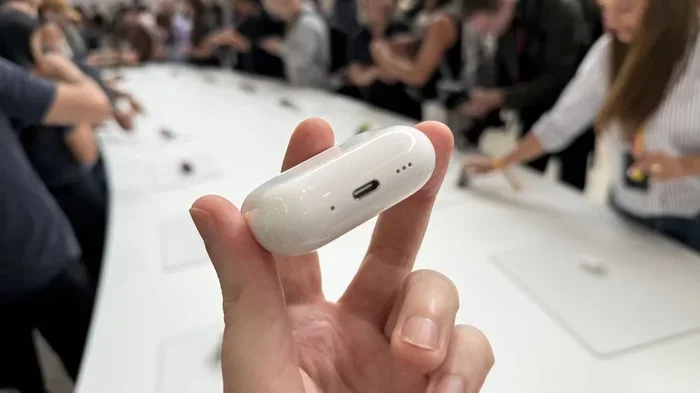
Featured image for AirPods noise cancellation demonstration
Image source: cdn.mos.cms.futurecdn.net
Yes, certain AirPods models effectively eliminate background noise—but not all of them. AirPods Pro and AirPods Max use Active Noise Cancellation (ANC) to block external sounds, while standard AirPods rely only on passive noise isolation. Understanding which model you own and how ANC works can dramatically improve your listening experience in noisy environments.
Imagine sitting on a noisy airplane, trying to enjoy your favorite playlist—but all you hear is the engine roaring in your ears. Frustrating, right? If you’ve ever wondered whether AirPods can rescue you from this chaos, you’re not alone. Millions of people ask the same question every day: do AirPods actually eliminate background noise, or is it just clever marketing?
The short answer is yes—but with a big “it depends.” Only certain AirPods models come with Active Noise Cancellation (ANC), the magical technology that actively fights outside sounds. Other models rely on simple physical blocking, which is like putting earplugs in versus having a sound-cancelling wizard working inside your ears.
In this guide, we’ll break down everything you need to know about AirPods and background noise. You’ll learn how noise cancellation works, which models have it, what makes it tick, and how to get the best performance from your device. Whether you’re a student, a remote worker, a traveler, or just someone who loves good audio, this article will help you master your AirPods.
Key Takeaways
- Not All AirPods Cancel Noise: Only AirPods Pro (1st, 2nd, and 3rd gen with ANC) and AirPods Max feature Active Noise Cancellation. Standard AirPods (2nd, 3rd, 4th gen without ANC) cannot actively eliminate background noise.
- Two Types of Noise Reduction: AirPods use both Active Noise Cancellation (electronic sound-cancelling) and Passive Noise Isolation (physical seal from ear tips) to reduce unwanted sound.
- ANC Uses Inverse Sound Waves: Tiny microphones detect outside noise, and the AirPods generate an “anti-noise” waveform that cancels it out—similar to how adding a number and its negative equals zero.
- Transparency Mode Lets Sound In: When you need to hear your surroundings, Transparency Mode uses the same microphones to amplify external sounds naturally.
- Adaptive Audio (Newer Models): AirPods Pro 2nd gen and AirPods 4 (ANC) feature Adaptive Audio, which automatically blends ANC and Transparency based on your environment.
- Fit Matters Significantly: A proper ear tip seal is crucial—poor fit can reduce noise cancellation effectiveness by up to 50%, according to acoustic research.
- Battery and Settings Impact Performance: ANC drains battery faster and requires proper fit, updated software, and clean ear tips to work at peak efficiency.
📑 Table of Contents
- What Is Background Noise and Why Does It Matter?
- Do AirPods Eliminate Background Noise? The Direct Answer
- How Does Active Noise Cancellation Work in AirPods?
- AirPods Pro vs. AirPods Max: Which Cancels Noise Better?
- Other Noise Control Features: Transparency Mode and Adaptive Audio
- Tips to Maximize Noise Cancellation on Your AirPods
- The Future of Noise Cancellation in AirPods
- Common Myths About AirPods and Noise Cancellation
- Final Verdict: Should You Buy AirPods for Noise Cancellation?
What Is Background Noise and Why Does It Matter?
Background noise is any unwanted sound in your environment. Think of it as the audio version of visual clutter. It includes everything from café chatter and traffic hum to airplane engines and air conditioners. According to the World Health Organization, environmental noise pollution affects over 100 million people in Europe alone, contributing to stress, sleep problems, and reduced concentration.
The Science of Sound Interference
Sound travels in waves, measured in frequencies (Hertz) and decibels (loudness). When two sound waves meet, they either amplify each other or cancel each other out. This is called wave interference. Noise-cancelling headphones use this principle to create “anti-noise”—a mirror image of the unwanted sound that neutralizes it.
Think of it like this: if you push a swing forward at the exact moment it’s coming back, you stop it. Noise-cancelling technology does the same thing with sound waves, just much faster—about 48,000 times per second.
Why Eliminating Background Noise Is Important
Studies show that even moderate background noise can reduce productivity by up to 66%. For people with hearing sensitivities or conditions like misophonia, noise cancellation isn’t a luxury—it’s a necessity. Whether you’re taking an important call, studying for an exam, or simply relaxing with music, blocking out distractions makes a massive difference.
Do AirPods Eliminate Background Noise? The Direct Answer
Yes, some AirPods eliminate background noise—and they do it remarkably well. But here’s the catch: only specific models have Active Noise Cancellation built in. Let’s clarify which ones do and which ones don’t.

Visual guide about AirPods noise cancellation demonstration
Image source: i.ytimg.com
AirPods Models With Active Noise Cancellation
- AirPods Pro (1st Generation): Released in 2019, these introduced ANC to the AirPods line. They feature two microphones and H1 chip technology.
- AirPods Pro (2nd Generation): Launched in 2022, these doubled the noise cancellation capability compared to the first generation, thanks to the newer H2 chip.
- AirPods Pro (3rd Generation): Note—Apple doesn’t currently make a “3rd gen” Pro model in the same numbering as regular AirPods. The Pro line is on its 2nd generation as of 2024.
- AirPods 4 with Active Noise Cancellation: Released in late 2024, these brought ANC to the standard AirPods line for the first time at a lower price point.
- AirPods Max: Apple’s over-ear headphones released in 2020, featuring premium ANC and high-fidelity sound.
AirPods Models Without Active Noise Cancellation
- AirPods (2nd Generation): Released in 2019, these only offer passive noise isolation.
- AirPods (3rd Generation): Released in 2021, better fit but no ANC.
- AirPods (4) without ANC: Released alongside the ANC version in 2024, this is the base model.
Did you know? According to Apple, AirPods Pro 2 cancel up to twice as much noise as AirPods Pro 1, making them among the most effective in-ear ANC headphones on the market.
How Does Active Noise Cancellation Work in AirPods?
Active Noise Cancellation sounds like science fiction, but it’s actually elegant in its simplicity. Let’s break it down step by step using a simple analogy.
The “Waves in a Pool” Analogy
Imagine throwing two pebbles into a still pond at the same time. Where the ripples meet, they sometimes cancel each other out, creating calm water. ANC works exactly like this with sound waves. Your AirPods detect incoming noise and create a wave that’s the exact opposite. When these two waves collide, they cancel each other out, leaving you with silence.
The Step-by-Step Process
1. Microphones Detect Outside Noise: AirPods have tiny microphones on the outside and inside of each earbud. These mics listen to the world around you 48,000 times per second.
2. The Chip Analyzes the Sound: The H1 or H2 chip (depending on your model) processes the sound data instantly. It identifies the frequency, amplitude, and pattern of the noise.
3. Anti-Noise Is Generated: The chip instructs the speaker to produce a sound wave that is the exact mirror image of the incoming noise—same amplitude, opposite phase.
4. The Magic Happens: When the anti-noise meets the original noise in your ear canal, they cancel each other out through destructive interference.
5. You Hear Silence (or Just Your Music): The unwanted noise disappears, leaving only your audio crisp and clear.
What Types of Noise Can ANC Cancel?
ANC is most effective at canceling low-frequency, consistent sounds. This includes:
- Airplane engine hum
- Air conditioner drones
- Train rumble
- Traffic noise
- Office HVAC systems
However, ANC is less effective at canceling sudden, high-frequency, or irregular sounds like:
- People talking nearby
- Babies crying
- Sharp claps or bangs
- Dog barks
For these unpredictable sounds, a good physical seal (passive noise isolation) is just as important as ANC.
AirPods Pro vs. AirPods Max: Which Cancels Noise Better?
If you’re shopping for the best noise cancellation, you’re likely choosing between AirPods Pro and AirPods Max. Both are excellent, but they serve different needs.
AirPods Pro: The Portable Champion
AirPods Pro are in-ear headphones with silicone tips that create a seal in your ear canal. They feature the H2 chip, which Apple says cancels up to twice as much noise as the previous generation. They’re lightweight (about 5.3 grams per earbud), portable, and great for active lifestyles.
Best for: Commuting, working out, traveling, casual listening, taking calls.
AirPods Max: The Premium Powerhouse
AirPods Max are over-ear headphones with memory foam ear cushions that fully enclose your ears. They feature the H1 chip in each ear cup, eight microphones for noise cancellation, and premium build quality. At 384 grams, they’re heavier but provide a more immersive experience.
Best for: Long flights, home office use, audiophiles, professional environments.
Head-to-Head Comparison
According to independent testing by RTINGS.com, AirPods Max cancel slightly more low-frequency noise than AirPods Pro 2. However, AirPods Pro 2 are more versatile and convenient for everyday use. Both are excellent choices—the best one depends on your lifestyle.
Did you know? AirPods Max use computational audio, processing sound through 10 cores per ear cup in real time. That’s more computing power than the Apollo 11 guidance computer used to land humans on the moon.
Other Noise Control Features: Transparency Mode and Adaptive Audio
AirPods don’t just block noise—they can also let it in when you need it. This is where Transparency Mode and Adaptive Audio come into play.
Transparency Mode: Hear the World Naturally
Transparency Mode uses the same external microphones to let outside sounds in, so you can hear conversations, announcements, or traffic without removing your AirPods. It’s like having a transparent window to the world while still enjoying your music.
Imagine you’re at a train station listening to music. Suddenly, an announcement plays. Instead of pulling out your earbuds, you simply press a button and hear the announcement clearly through your music. That’s Transparency Mode.
Adaptive Audio: The Smart Blend
Introduced with AirPods Pro 2 and AirPods 4 (ANC), Adaptive Audio automatically adjusts noise control based on your environment. If you walk from a quiet office to a busy street, your AirPods will seamlessly blend ANC and Transparency Mode—reducing noise when needed and letting important sounds through when necessary.
Conversation Awareness: This feature detects when you start speaking and automatically lowers your music volume, making it easier to chat without removing your AirPods.
Personalized Volume: Your AirPods learn your listening preferences over time and automatically adjust volume based on environmental noise levels.
Tips to Maximize Noise Cancellation on Your AirPods
Owning AirPods with ANC is only half the battle. To get the best performance, follow these practical tips.
1. Get the Perfect Ear Tip Fit
This is the single most important factor. AirPods Pro come with four sizes of silicone tips (XS, S, M, L). Use the Ear Tip Fit Test on your iPhone to find your ideal size. A poor seal can reduce noise cancellation by up to 50%.
To run the test: Go to Settings > Bluetooth > tap your AirPods > tap “Ear Tip Fit Test.”
2. Keep Your AirPods Clean
Earwax and debris on the speaker mesh or ear tips can block sound and reduce ANC effectiveness. Clean your AirPods weekly using a soft, dry, lint-free cloth. For ear tips, remove them and rinse with water (no soap), then dry completely before reattaching.
3. Update Your Firmware
Apple regularly releases firmware updates that improve noise cancellation algorithms. Make sure your AirPods are connected to your iPhone and placed in their case near a Wi-Fi network to receive updates automatically.
4. Replace Worn Ear Tips
Silicone ear tips degrade over time. If yours feel loose, torn, or less sticky, it’s time for replacements. Apple sells a four-pack of replacement tips for around $9.
5. Use the Right Listening Mode
Press and hold the force sensor on the stem of your AirPods Pro to cycle through Noise Cancellation, Transparency, and Off. Use ANC in loud environments and Transparency when you need awareness.
6. Charge Your AirPods Regularly
ANC requires battery power to function. When your AirPods are low on battery, noise cancellation may perform poorly or disable itself entirely. Keep them charged for optimal performance.
7. Avoid Extreme Temperatures
Battery performance degrades in extreme cold or heat, which can affect ANC. Apple recommends using AirPods in environments between 0°C and 35°C (32°F to 95°F).
The Future of Noise Cancellation in AirPods
Apple continues to push the boundaries of audio technology. Looking ahead, we can expect even better noise cancellation in future AirPods models.
What Improvements Are Coming?
Better Chips: Each generation of AirPods features a more powerful chip. The H2 chip already processes audio 2x faster than the H1. Future chips will likely handle even more sophisticated noise-cancelling algorithms.
Health Features: Apple has been exploring in-ear health monitoring, including hearing aids and temperature sensors. Future AirPods may use microphones to monitor your health while blocking noise.
Improved AI Integration: With Apple Intelligence rolling out, AirPods may use on-device AI to identify specific sounds (like a smoke alarm or doorbell) and let them through Transparency Mode while blocking everything else.
The Competition Is Heating Up
Brands like Sony, Bose, and Sennheiser continue to innovate in noise cancellation. Sony’s WF-1000XM5 and Bose QuietComfort Ultra Earbuds are direct competitors to AirPods Pro. To stay ahead, Apple will need to keep improving ANC performance with each release.
Did you know? The noise-cancelling headphone market was valued at over $13 billion in 2023 and is expected to reach $30 billion by 2030, according to industry analysts. It’s one of the fastest-growing segments in consumer electronics.
Common Myths About AirPods and Noise Cancellation
Let’s bust some common misconceptions to help you make informed decisions.
Myth 1: All AirPods Cancel Noise
False. Only AirPods Pro, AirPods Max, and AirPods 4 (ANC) have Active Noise Cancellation. Standard AirPods do not.
Myth 2: Noise Cancellation Damages Your Hearing
False. ANC is safe and actually protects your hearing by allowing you to listen at lower volumes. The World Health Organization recommends noise-cancelling headphones as a hearing protection strategy.
Myth 3: ANC Drains Battery Extremely Fast
Partially true. ANC does use more battery than passive listening, but AirPods Pro 2 still offer up to 6 hours of listening time with ANC on (30 hours with the case). It’s a worthwhile trade-off.
Myth 4: Noise Cancellation Completely Silences Everything
False. No headphone can silence 100% of all noise. ANC significantly reduces noise but doesn’t eliminate it entirely. Sudden, sharp sounds will still be audible.
Myth 5: You Don’t Need Ear Tips for Good Noise Cancellation
False. Ear tips create the seal necessary for both passive and active noise cancellation. Without them, ANC performance drops dramatically.
Final Verdict: Should You Buy AirPods for Noise Cancellation?
If background noise is a constant annoyance in your life, AirPods Pro or AirPods Max are absolutely worth considering. They offer best-in-class noise cancellation, seamless Apple ecosystem integration, and excellent sound quality.
Choose AirPods Pro 2 If You Want:
- Portability and comfort
- Great noise cancellation in a small package
- A workout-friendly design
- Seamless switching between Apple devices
Choose AirPods Max If You Want:
- Premium over-ear comfort for long sessions
- The absolute best noise cancellation Apple offers
- High-fidelity audio for music production or audiophile listening
- A luxury design statement
The answer to “do AirPods eliminate background noise” is a confident yes—for the right models. Whether you’re commuting, working, studying, or relaxing, AirPods with ANC can transform your audio experience from chaotic to blissful.
Now that you understand how AirPods handle background noise, you can make the best choice for your needs. Remember to get a proper fit, keep your earbuds clean, and update your firmware regularly. With these tips, you’ll enjoy quieter, more focused listening wherever life takes you.
Frequently Asked Questions
Do all AirPods models eliminate background noise?
No, only AirPods Pro (1st and 2nd generation), AirPods Max, and AirPods 4 with Active Noise Cancellation feature ANC. Standard AirPods (2nd, 3rd gen, and AirPods 4 without ANC) do not actively eliminate background noise.
How does Active Noise Cancellation work in AirPods?
ANC uses built-in microphones to detect outside sounds, then generates an “anti-noise” sound wave that’s the exact opposite. When these two waves meet, they cancel each other out, reducing the noise you hear.
Can AirPods completely silence all background noise?
No, no headphone can eliminate 100% of all noise. AirPods ANC is most effective against low-frequency, consistent sounds like airplane engines and air conditioners, but sudden or high-frequency sounds may still be audible.
What’s the difference between AirPods Pro and AirPods Max for noise cancellation?
AirPods Max generally cancel slightly more noise due to their over-ear design and eight microphones. However, AirPods Pro 2 are more portable and convenient for everyday use, while still offering excellent ANC performance.
How do I turn on noise cancellation on my AirPods?
Press and hold the force sensor on the stem of your AirPods Pro to cycle through Noise Cancellation, Transparency, and Off modes. You can also control this from your iPhone’s Control Center or Settings app.
Why isn’t noise cancellation working on my AirPods?
Common reasons include poor ear tip fit, dirty speaker mesh, outdated firmware, low battery, or using a model without ANC. Try cleaning your AirPods, testing different ear tip sizes, and updating to the latest firmware for best results.