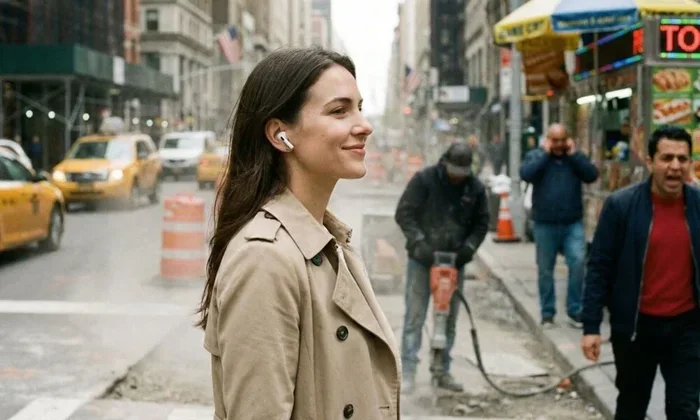
Featured image for person wearing airpods noisy environment
Image source: idropnews.com
Yes, AirPods can significantly drown out background noise, but the level of noise cancellation depends on the model you own. AirPods Pro and AirPods Max feature Active Noise Cancellation (ANC) technology that uses microphones to detect and cancel surrounding sounds. Standard AirPods without ANC rely on passive noise isolation, which blocks some noise but not nearly as much. If you need serious noise-blocking power, investing in the Pro or Max versions is the way to go.
Ever tried focusing in a loud coffee shop or a busy office? Background noise can drive anyone up the wall. Many people turn to AirPods hoping for a quiet escape. But do AirPods actually drown out background noise? The answer depends on which AirPods you own and how you use them.
Apple offers several AirPods models, and not all of them handle noise the same way. Some use fancy technology called Active Noise Cancellation (ANC) that listens to the world around you and creates “anti-noise” to cancel sound waves. Others simply use a physical seal in your ears to block noise, kind of like putting your fingers in your ears. Understanding the difference can save you money and frustration.
In this guide, we’ll break down exactly how AirPods handle background noise. You’ll learn which models work best, how to maximize their noise-blocking power, and what limitations to expect. Whether you’re a student, a remote worker, or just someone who loves their music, this information will help you make the right choice.
Key Takeaways
- Noise Cancellation Types: AirPods use either Active Noise Cancellation (ANC) or passive noise isolation, with ANC being far more effective at drowning out background noise.
- Pro and Max Models Excel: AirPods Pro 1, 2, and AirPods Max offer the best noise-cancelling performance thanks to advanced ANC technology.
- Transparency Mode: When you need to hear your surroundings, Transparency mode lets outside sound in while still wearing your AirPods.
- Battery Drain: Using Active Noise Cancellation drains the battery faster than listening without it.
- Not Perfect Silence: Even the best AirPods cannot eliminate 100% of background noise, especially sudden loud sounds.
- Fit Matters: A proper seal with silicone ear tips dramatically improves noise-blocking performance on AirPods Pro.
- Adaptive Audio: Newer AirPods Pro 2 with the H2 chip feature Adaptive Audio that automatically adjusts noise cancellation based on your environment.
📑 Table of Contents
- How AirPods Handle Background Noise: The Basics
- Which AirPods Models Cancel Noise Best?
- AirPods Pro vs AirPods Max: Which Cancels More Noise?
- Tips to Maximize Noise Cancellation on AirPods
- Understanding Transparency Mode and Adaptive Audio
- Common Limitations of AirPods Noise Cancellation
- The Bottom Line: Do AirPods Drown Out Background Noise?
How AirPods Handle Background Noise: The Basics
Think of background noise like water in a bathtub. You’re trying to keep the tub empty, but water keeps flowing in. Different AirPods handle this problem in different ways. Some use a simple drain (passive noise isolation), while others use an active pump that pushes water back out (Active Noise Cancellation).
Passive Noise Isolation Explained
Passive noise isolation is the simplest form of noise blocking. It works just like earplugs. When you put something in or over your ear canal, it physically blocks sound waves from reaching your eardrum. The better the seal, the more noise gets blocked.
Standard AirPods (the basic 2nd and 3rd generation models) rely entirely on passive noise isolation. They sit in your ears but don’t create a tight seal. As a result, lots of background noise leaks through. You’ll hear chatty coworkers, blaring TVs, and street traffic even while wearing them.
Did You Know? Passive noise isolation can typically block 10-15 decibels of sound, while Active Noise Cancellation can reduce noise by an additional 20-30 decibels on top of that.
Active Noise Cancellation Explained
Active Noise Cancellation, or ANC, is where things get interesting. Imagine a sound wave as a hill. ANC creates an exact mirror image of that hill, called an “anti-sound wave.” When the two meet, they cancel each other out. The result? Much quieter surroundings.
AirPods with ANC use tiny microphones on the outside and inside of each earbud. These microphones listen to ambient noise, and the chip inside creates anti-noise in real time. The whole process happens in milliseconds, so you don’t even notice it happening.
ANC works best for steady, low-frequency sounds. Think airplane engine hum, air conditioner drone, or the rumble of a train. These consistent noises are easier to cancel than sudden sounds like someone shouting or a door slamming.
Which AirPods Models Cancel Noise Best?
Not all AirPods are created equal when it comes to drowning out background noise. Here’s the breakdown by model.
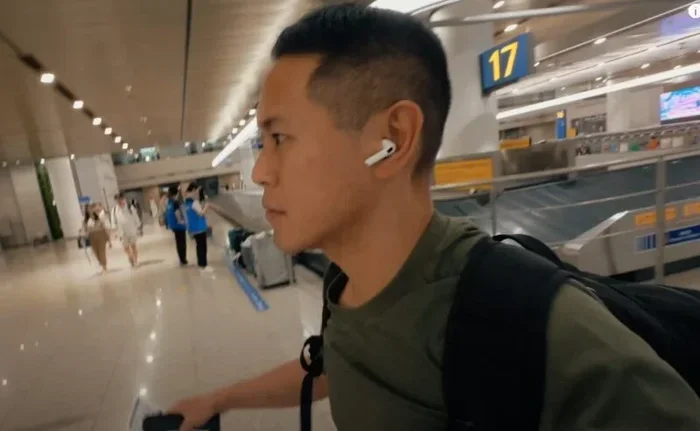
Visual guide about person wearing airpods noisy environment
Image source: inbloomfestival.com
AirPods Pro (1st Generation)
The original AirPods Pro introduced Active Noise Cancellation to the AirPods lineup in 2019. They use silicone ear tips in three sizes to create a proper seal in your ear canal. Combined with ANC, they do a solid job of blocking background noise.
Each earbud has two microphones dedicated to noise cancellation. The H1 chip processes everything quickly and efficiently. In real-world tests, the AirPods Pro 1 can reduce ambient noise by around 20-25 decibels, which is impressive for their small size.
AirPods Pro (2nd Generation)
The AirPods Pro 2 took everything great about the original and made it better. They feature the new H2 chip, which doubles the noise cancellation power compared to the previous generation. Apple claims they cancel up to twice as much noise as the first generation.
Additional features include Adaptive Transparency mode, which automatically reduces loud environmental sounds like sirens or construction while still letting normal sounds through. The ear tips now come in four sizes (XS, S, M, L) for an even better fit.
Did You Know? The H2 chip in AirPods Pro 2 performs around 48,000 operations per second to deliver real-time noise cancellation!
AirPods Max
If you want the ultimate noise-cancelling experience from Apple, the AirPods Max are your best bet. These over-ear headphones feature larger drivers and more powerful ANC than the Pro models. They use eight microphones dedicated to noise cancellation.
The cushioned ear cups create an excellent seal around your ears, adding passive isolation on top of the active cancellation. Many reviewers rank the AirPods Max among the best noise-cancelling headphones available, period. They handle everything from airplane noise to chatty neighbors with ease.
Standard AirPods (2nd, 3rd, and 4th Generation)
Standard AirPods rely solely on passive noise isolation. They sit loosely in your ears and don’t create a tight seal. Background noise leaks in easily. If you’re in a quiet room, they sound great. In a noisy environment, you’ll struggle to hear your music or calls clearly.
The AirPods 4 introduced Active Noise Cancellation to the standard lineup, but only in a specific version. This is a more affordable option for those who want ANC without paying for the Pro models.
AirPods Pro vs AirPods Max: Which Cancels More Noise?
Choosing between AirPods Pro and AirPods Max comes down to your lifestyle and preferences. Both offer excellent noise cancellation, but they excel in different areas.
Sound Quality and Immersion
The AirPods Max generally deliver richer, more immersive sound thanks to their larger drivers and over-ear design. They create a better seal around your ears, which improves both passive isolation and active cancellation. For pure noise-blocking power, the Max wins.
AirPods Pro are no slouch, though. They provide impressive noise cancellation in a much smaller package. The convenience of earbuds makes them perfect for commuting, exercising, or wearing all day without ear fatigue.
Comfort and Portability
AirPods Pro win hands down for portability. They fit in a small charging case that slides into your pocket. The Max are bulky and weigh significantly more on your head.
However, the Max are often more comfortable for long listening sessions at a desk. They don’t put pressure inside your ear canal like earbuds do. If you wear headphones for hours at a time, this matters a lot.
Battery Life
AirPods Pro offer about 6 hours of listening time with ANC on, and up to 30 hours with the charging case. AirPods Max provide around 20 hours on a single charge with ANC enabled. Both get through a full workday, but the Max last longer per charge.
Tips to Maximize Noise Cancellation on AirPods
Even with the best AirPods, you can take steps to improve their noise-blocking performance. Here are some practical tips.
Get the Right Ear Tip Size
If you own AirPods Pro, using the correct ear tip size is crucial. A poor seal means sound leaks in and ANC effectiveness drops dramatically. Apple includes an Ear Tip Fit Test in iOS settings to help you find the right size.
To run the test, go to Settings > Bluetooth > AirPods Pro > Ear Tip Fit Test. Follow the on-screen instructions. The test plays a few seconds of music and uses the microphones to determine if your ear tips are creating a proper seal.
Keep Your AirPods Clean
Dirty ear tips and mesh can affect both sound quality and noise cancellation. Earwax and debris block the mesh, which reduces how well ANC works. Clean your AirPods regularly with a dry cotton swab or a soft, lint-free cloth.
For AirPods Pro, remove the silicone tips and rinse them with water. Let them dry completely before reattaching. Never get water inside the actual earbuds.
Update Your Firmware
Apple regularly releases firmware updates that can improve noise cancellation performance. Make sure your AirPods are running the latest version. Updates install automatically when your AirPods are connected to your iPhone and charging.
Use the Right Ear Cushions on AirPods Max
If you own AirPods Max, the ear cushions need to create a proper seal around your ears. Damaged or worn cushions let noise in. Replacement cushions are available from Apple if yours wear out.
Understanding Transparency Mode and Adaptive Audio
Sometimes you don’t want to block out all noise. That’s where Transparency mode comes in. It’s the opposite of noise cancellation.
What Transparency Mode Does
Transparency mode uses the external microphones on your AirPods to pipe outside sounds into your ears. You hear everything as if you weren’t wearing earbuds at all. It’s perfect for quick conversations, hearing announcements at the airport, or staying aware of traffic while walking.
The sound feels natural, not tinny or artificial. Apple did an excellent job making Transparency mode sound realistic.
Adaptive Audio on AirPods Pro 2
AirPods Pro 2 with the H2 chip introduced Adaptive Audio. This smart feature automatically switches between Active Noise Cancellation and Transparency mode based on your surroundings. If you walk into a noisy cafe, ANC kicks in. If someone starts talking to you, Transparency mode activates.
Adaptive Audio also includes Conversation Awareness, which lowers your music volume when you start speaking. These features make AirPods Pro 2 feel almost magical in how they adapt to your environment.
Common Limitations of AirPods Noise Cancellation
AirPods are excellent, but they’re not perfect. Here are some limitations to keep in mind.
Wind Noise Interference
Wind can interfere with the ANC microphones and cause crackling or whooshing sounds. AirPods Pro 2 handle wind better than previous models, but it’s still an issue in very windy conditions. Apple includes mesh covers to reduce wind noise, but they’re not foolproof.
Sudden Loud Sounds
ANC works best on steady, predictable sounds. Sudden loud noises like a car horn or a dropped pan will still get through. AirPods can’t predict every sound in real time. Expect maybe 70-80% reduction in noise, not 100%.
High-Frequency Sounds
ANC struggles with high-frequency sounds like baby cries, whistles, or clinking dishes. These sounds are harder to cancel because they have shorter wavelengths. Passive isolation does a better job with these frequencies, which is why the AirPods Max’s over-ear design performs so well overall.
Battery Drain
Active Noise Cancellation uses more power. Expect about 20% less battery life when ANC is enabled compared to listening without it. If battery life is critical, turn off ANC when you don’t need it.
The Bottom Line: Do AirPods Drown Out Background Noise?
So, do AirPods drown out background noise? The answer is a resounding yes, with some important caveats.
If you own AirPods Pro or AirPods Max, you have access to some of the best noise cancellation technology available. They handle airplane noise, office chatter, and city traffic beautifully. You’ll be able to focus on your music, podcasts, or work without distraction.
Standard AirPods without ANC are a different story. They block some noise through passive isolation, but they’re nowhere near as effective. If noise cancellation is your priority, invest in the Pro or Max models.
Remember that no headphone can eliminate 100% of background noise. Even the most expensive ANC headphones let some sound through. But with AirPods Pro or Max, you’ll come impressively close to silence. Whether you’re studying, working, or relaxing, they make a massive difference in noisy environments.
Try them out for yourself. Once you experience true noise cancellation, you’ll never want to go back.
Frequently Asked Questions
Do all AirPods cancel background noise?
No, not all AirPods cancel background noise. Only AirPods Pro, AirPods Max, and AirPods 4 (with ANC) feature Active Noise Cancellation. Standard AirPods rely on passive noise isolation, which blocks much less noise.
Can AirPods Pro completely block out background noise?
AirPods Pro cannot block 100% of background noise. They can reduce ambient noise by 20-30 decibels with Active Noise Cancellation. Sudden loud sounds and high-frequency noises may still be heard, especially without a proper ear tip seal.
Do AirPods work for noise cancellation on airplanes?
Yes, AirPods Pro and AirPods Max work excellently on airplanes. Their Active Noise Cancellation handles the steady engine drone very well. Many travelers use them specifically for flights to reduce fatigue and enjoy entertainment without cranking up the volume.
How do I turn on noise cancellation on AirPods?
To turn on noise cancellation, press and hold the force sensor on your AirPods Pro stem. On AirPods Max, press the noise control button. You can also control it from your iPhone’s Control Center or Settings app under Bluetooth.
Does Transparency mode block any noise?
No, Transparency mode does not block noise. It actually lets outside sounds in through your AirPods. It’s designed for moments when you need to hear your surroundings, like conversations or announcements, without removing your earbuds.
Why are my AirPods not cancelling noise effectively?
Your AirPods may not cancel noise well due to improper ear tip fit, dirty mesh or ear tips, outdated firmware, or low battery. Try running the Ear Tip Fit Test, cleaning your AirPods, and ensuring they’re fully charged and updated.