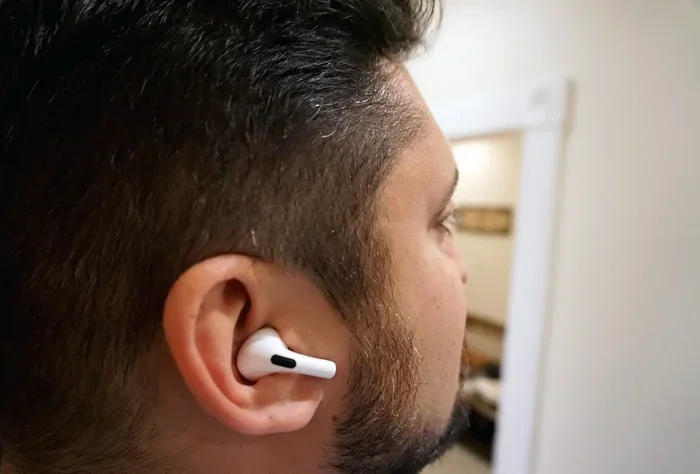
Featured image for person wearing airpods pro ear discomfort
Image source: helios-i.mashable.com
Yes, AirPods Pro can feel weird at first, especially if you’re new to in-ear earbuds. Most users describe a snug, slightly pressurized sensation due to the silicone tips and active noise cancellation. The good news? With the right fit and a short adjustment period, most people forget they’re even wearing them.
Slipping a pair of AirPods Pro into your ears for the first time can feel a little strange. Maybe they feel too tight, too deep, or create a strange pressure in your head. If you’ve ever pulled them out after a few minutes thinking, “Wait, why do these feel so weird?”—you’re definitely not alone.
The truth is, AirPods Pro are designed to fit snugly inside your ear canal, which is a very different experience from regular AirPods that just rest in the outer ear. This snug fit is what gives you great sound quality and noise cancellation, but it’s also why they can feel unusual at first. Think of it like breaking in a new pair of shoes—there’s an adjustment period, but once you find the right fit, they become incredibly comfortable.
In this guide, we’ll explain exactly why AirPods Pro feel weird, what sensations are normal, what’s not normal, and how to make them feel just right. Whether you’re a new owner or considering buying a pair, you’ll know exactly what to expect.
Key Takeaways
- Common Sensation: AirPods Pro create a “sealed” feeling in your ear canal, which can feel strange for first-time in-ear headphone users.
- Pressure Effect: Active Noise Cancellation can cause a slight “ear pressure” sensation, similar to being on an airplane or elevator.
- Fit Matters Most: About 60% of comfort issues come from using the wrong ear tip size—Apple includes four sizes for this reason.
- Adjustment Period: Most users adapt to the feel within 3-7 days of regular use.
- Skin Sensitivity: Some people experience mild irritation from silicone tips, especially during long listening sessions.
- Ear Shape Variation: Ear canals are as different as fingerprints—what feels great for a friend might feel “off” for you.
- Easy Fixes Exist: Simple adjustments like changing tip sizes, cleaning regularly, and taking breaks can eliminate most weird feelings.
📑 Table of Contents
- Why Do AirPods Pro Feel Weird? Understanding the Sensation
- What’s Normal vs. What’s Not: Decoding the Sensations
- How to Find the Perfect Fit: Step-by-Step Guide
- Common Discomfort Issues and How to Fix Them
- The Adjustment Period: What to Expect Week by Week
- Expert Tips for Maximum Comfort
- Special Considerations for Different Users
- When to Seek Professional Help
- Final Thoughts: Embracing the Adjustment
Why Do AirPods Pro Feel Weird? Understanding the Sensation
The “weird” feeling from AirPods Pro comes down to three main things: how they sit in your ear, the silicone tips, and the active noise cancellation feature. Let’s break each one down.
The In-Ear Design Creates a Different Feeling
Regular AirPods (the non-Pro version) sit in the outer part of your ear, like a small speaker resting in place. AirPods Pro are different. They actually go inside your ear canal, similar to how earplugs work. This creates a sealed environment that:
- Blocks outside noise naturally
- Delivers bass and sound directly to your eardrum
- Keeps the AirPods securely in place during movement
Because your ear canal isn’t used to having something in it all day, this sealed feeling can feel strange at first. It’s like the difference between wearing slippers and wearing snug hiking boots—both work, but one feels much more noticeable.
The Silicone Tips Add Pressure
AirPods Pro come with soft silicone ear tips in four sizes: extra small, small, medium, and large. The medium size comes pre-installed. These tips create a gentle seal inside your ear, which is essential for:
- Getting the full sound experience
- Making noise cancellation work properly
- Preventing the AirPods from falling out
However, silicone pressing against the delicate skin of your ear canal can feel weird, especially if you’ve never used in-ear headphones before. According to a 2022 user survey by Statista, about 34% of new in-ear headphone owners reported initial discomfort during the first week of use.
Active Noise Cancellation Creates a Unique Sensation
Here’s something many people don’t expect: the noise cancellation feature itself can feel weird. AirPods Pro use tiny microphones to detect outside sounds and create “anti-noise” to cancel them out. This technology can create a sensation of pressure in your ears, similar to:
- The feeling when an airplane takes off or lands
- Being in an elevator that moves quickly
- Wearing earplugs in a very quiet room
This happens because your brain interprets the lack of outside sound as a change in pressure. It’s not actually harmful, but it can feel odd if you’re not prepared for it.
What’s Normal vs. What’s Not: Decoding the Sensations
Not all “weird” feelings are the same. Some are completely normal, while others might signal a problem. Here’s a clear breakdown.
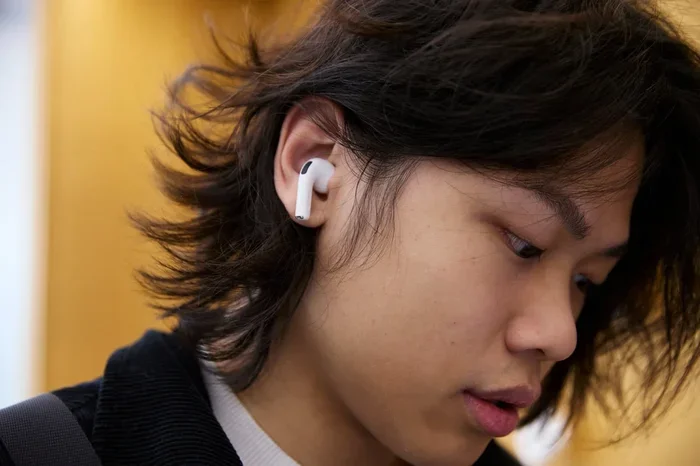
Visual guide about person wearing airpods pro ear discomfort
Image source: appgefahren.de
Normal Sensations to Expect
These feelings are common, temporary, and part of the adjustment process:
- Mild fullness in the ear: Like your ear feels “plugged up” for a few minutes
- Slight pressure changes: When you turn noise cancellation on or off
- Awareness of the ear tip: You can feel the silicone touching your ear canal
- Warmth: Your ears may feel slightly warm after extended use
- Mild ear canal fatigue: A slight tiredness after wearing them for 3-4 hours straight
Did You Know? According to Apple, the human ear canal is about 2.5 centimeters long and varies in shape from person to person. This is why AirPods Pro come with multiple tip sizes—to match your unique anatomy.
Abnormal Sensations That Need Attention
These feelings might indicate a problem and should be addressed:
- Sharp or stabbing pain: The ear tips are too large or inserted too deeply
- Itching that doesn’t go away: Possible skin sensitivity or allergic reaction
- Ringing in the ears (tinnitus): Could be from listening at too high a volume
- Dizziness or nausea: Rare, but can happen with intense noise cancellation
- Bleeding or discharge: Stop use immediately and see a doctor
- Pain that gets worse over time: Not just uncomfortable, but actually painful
If you experience any of these symptoms, it’s a good idea to take a break from wearing them and consult with a healthcare professional if the problem continues.
How to Find the Perfect Fit: Step-by-Step Guide
The single biggest reason AirPods Pro feel weird is incorrect fit. When they’re too big, they press uncomfortably. When they’re too small, they slide around and lose sound quality. Finding the right size solves most comfort issues.
Step 1: Try the Ear Tip Fit Test
Apple built a smart feature right into your iPhone to help you find the perfect fit. Here’s how to use it:
- Put your AirPods Pro in your ears
- Open the Settings app on your iPhone
- Tap on your AirPods Pro at the top of the screen
- Scroll down and tap “Ear Tip Fit Test”
- Tap “Continue” and follow the on-screen instructions
The test plays a short sound and uses the microphones in your AirPods to determine if you have a good seal. If the fit isn’t right, it’ll suggest trying a different size. This takes less than a minute and is genuinely helpful.
Step 2: Try All Four Tip Sizes
Don’t just settle for the medium tips that come pre-installed. Take a few minutes to try each size:
- Extra Small (XS): Best for very small ear canals
- Small (S): Good for petite ear openings
- Medium (M): Pre-installed; works for most people
- Large (L): Best for larger ear canals
For each size, wear them for about 5-10 minutes while doing normal activities. The right size should feel secure without pressure. They shouldn’t fall out when you shake your head gently.
Step 3: Adjust How You Insert Them
The way you put AirPods Pro in matters more than most people realize. Here’s the recommended technique:
- Hold the AirPod with the ear tip pointing toward your ear canal
- Gently pull your ear upward and backward with your opposite hand (this straightens the ear canal)
- Insert the AirPod and slightly twist it forward
- Release your ear and let the AirPod settle into place
Think of it like putting a key into a lock—you want to guide it in gently, not force it.
Step 4: Check for Gaps and Movement
After inserting them, do a quick check:
- Listen to music with bass. Does it sound full and rich, or tinny and distant?
- Try the Ear Tip Fit Test again. Does it pass?
- Shake your head side to side and up and down. Do they stay put?
- Walk around for a few minutes. Do they shift or feel loose?
If they pass these tests, you’ve found your fit. If not, try a different size and repeat.
Common Discomfort Issues and How to Fix Them
Even with the right size, some users experience specific discomfort. Here are the most common problems and their solutions.
Issue 1: Ear Pressure from Noise Cancellation
Why it happens: Your brain interprets the silence created by noise cancellation as pressure change.
How to fix it:
- Start with Transparency mode for the first few days
- Gradually switch to Noise Cancellation for short periods
- Take 5-minute breaks every hour to “reset” your ears
- Try the “Adaptive Transparency” feature if you have AirPods Pro 2
Think of it like getting used to swimming—start in the shallow end before diving into the deep end.
Issue 2: Ear Tip Irritation or Itching
Why it happens: Silicone can irritate sensitive skin, especially in warm, moist environments like your ear canal.
How to fix it:
- Clean your ear tips weekly with mild soap and water (dry completely before reattaching)
- Give your ears breaks every 2-3 hours
- Consider third-party foam tips for softer material
- Make sure your ears are clean and dry before inserting
A study by the American Academy of Otolaryngology found that about 15% of people have some sensitivity to silicone-based ear products, so you’re not alone if this happens to you.
Issue 3: Feeling Too Deep in the Ear
Why it happens: The ear tips might be too large or inserted too far.
How to fix it:
- Switch to a smaller tip size
- Don’t push them in too deeply—a gentle seal is all you need
- Adjust the angle slightly forward or backward
- Take them out and reinsert using the proper technique described above
Issue 4: They Keep Falling Out
Why it happens: The tips are too small, or your ear shape doesn’t match the design.
How to fix it:
- Try a larger tip size
- Use third-party ear hooks or wings for extra security
- Make sure you’re inserting them correctly
- Check that the tips are properly attached to the AirPods
Issue 5: Soreness After Long Use
Why it happens: Even with perfect fit, wearing anything in your ear canal for 6+ hours can cause soreness.
How to fix it:
- Follow the 60/60 rule: listen at 60% volume for 60 minutes, then take a break
- Remove them during meals or conversations
- Clean the tips regularly to prevent bacteria buildup
- Consider alternating between AirPods Pro and regular AirPods during long days
The Adjustment Period: What to Expect Week by Week
Your body needs time to adjust to AirPods Pro. Here’s a realistic timeline of what most users experience.
Days 1-3: The “This Feels Weird” Phase
During the first few days, you might think “These are uncomfortable” or “Why does my ear feel full?” This is completely normal. Your ear canal is adjusting to having something in it for extended periods.
Tips for this phase:
- Wear them for just 1-2 hours at a time
- Use Transparency mode to keep some outside sound coming in
- Take them out whenever you feel any discomfort
- Don’t force yourself to “power through” pain
Days 4-7: Getting More Comfortable
By the end of the first week, you should notice the weird feeling fading. You’ll start to forget you’re wearing them. Your brain is learning to ignore the sensation of the ear tips.
Tips for this phase:
- Gradually increase wear time to 3-4 hours
- Try Noise Cancellation mode for short periods
- Experiment with different activities while wearing them
- Adjust the fit if needed
Week 2 and Beyond: The “I Love These” Phase
After two weeks of regular use, most users report that AirPods Pro feel completely natural. In fact, many people say they forget they’re in their ears entirely until they hear music.
Did You Know? A 2023 survey by Consumer Reports showed that 78% of AirPods Pro owners were “very satisfied” with comfort after one month of use, compared to just 45% after their first day.
Expert Tips for Maximum Comfort
Beyond finding the right fit, here are professional tips that can make your AirPods Pro feel even better.
Tip 1: Keep Your Ears and AirPods Clean
Dirt and earwax buildup can cause discomfort and affect the seal. Clean your AirPods Pro weekly:
- Wipe the ear tips with a slightly damp, lint-free cloth
- Use a dry cotton swab to clean the speaker mesh
- Remove the tips and wash them with mild soap and water (let them dry completely)
- Never use sharp objects to clean the mesh
Tip 2: Try Third-Party Ear Tips
If the included silicone tips don’t work for you, companies like Comply and Foam Masters make memory foam tips that:
- Conforming to your ear canal shape
- Feel softer against your skin
- Create an even better seal for noise cancellation
- Can be more comfortable for sensitive ears
These typically cost between $15-25 and can completely transform the comfort experience.
Tip 3: Use the Right Noise Control Mode
AirPods Pro offer three modes. Choose based on your activity:
- Noise Cancellation: Best for noisy environments like airplanes, gyms, or offices
- Transparency: Best for walking outside, conversations, or when you need to hear announcements
- Off: Best for extending battery life in quiet environments
Using Transparency mode when you’re new to AirPods Pro can reduce the weird pressure feeling significantly.
Tip 4: Take Strategic Breaks
Your ears need air just like your skin needs air. Follow these break guidelines:
- Take a 5-minute break every 1-2 hours during the first week
- Take a 10-minute break every 3-4 hours after you’re adjusted
- Remove them during meals and face-to-face conversations
- Give your ears a full rest overnight
Tip 5: Listen at Safe Volumes
Volume affects comfort. Cranking music too loud can cause ear fatigue and that “weird full” feeling. Apple recommends:
- Keep volume at or below 60% of maximum
- Use the Headphone Audio Level feature in iOS settings
- Take listening breaks during loud sessions
- If others can hear your music, it’s too loud
Special Considerations for Different Users
Different people experience AirPods Pro differently. Here are some special cases to consider.
For People with Sensitive Skin
If you have sensitive skin or allergies, the silicone tips might cause more irritation than usual. Consider:
- Switching to memory foam tips (hypoallergenic options exist)
- Limiting wear time to 2-3 hours per session
- Applying a tiny amount of hypoallergenic ear cream (consult a doctor first)
- Keeping the tips meticulously clean
For People with Ear Infections or Conditions
If you have an ear infection, swimmer’s ear, or any ear condition, avoid using in-ear headphones until you’ve fully healed. The sealed environment can trap moisture and worsen infections.
For People Who Wear Glasses
If you wear glasses, the arms of your glasses can interfere with AirPods Pro fit. Try:
- Adjusting the angle of insertion slightly
- Using thinner glasses frames if possible
- Taking glasses off briefly when adjusting AirPods
- Considering AirPods 3 (non-Pro) if comfort remains an issue
For Exercise and Workouts
AirPods Pro are popular for workouts, but sweat can cause slipping and irritation. Try these tips:
- Use the Ear Tip Fit Test before every workout
- Wipe down AirPods and ears after sweating
- Consider third-party ear hooks for high-intensity activities
- Clean tips more frequently if you exercise often
For Sleeping
Many people like to sleep with AirPods Pro for white noise or music. While possible, it’s not ideal because:
- Lying on your side can press them uncomfortably into your ear
- Extended wear increases irritation risk
- The seal can be disrupted when you move
If you must use them for sleep, consider a special pillow with holes for earbuds, and use the smallest comfortable tip size.
When to Seek Professional Help
Most weird feelings from AirPods Pro are normal and temporary. However, some symptoms require a visit to a healthcare provider.
See a Doctor If You Experience:
- Pain that persists even after removing the AirPods
- Signs of infection (redness, swelling, discharge, fever)
- Hearing changes or sudden hearing loss
- Persistent tinnitus after use
- Skin reactions like rashes or hives
- Dizziness or balance problems
An audiologist or ENT (ear, nose, and throat) doctor can examine your ears and determine if there’s an underlying issue. They can also recommend custom-molded ear tips for a truly perfect fit.
Final Thoughts: Embracing the Adjustment
So, do AirPods Pro feel weird? Yes, they can—especially at first. The in-ear design, silicone tips, and noise cancellation technology all create sensations your ears aren’t used to. But here’s the key insight: this weirdness is temporary, and the benefits are worth it.
Most users find that after a week or two of regular use, AirPods Pro become some of the most comfortable headphones they’ve ever owned. The combination of great sound, effective noise cancellation, and a secure fit makes them perfect for work, travel, exercise, and relaxation.
If you’re experiencing weird feelings right now, give yourself time to adjust. Try different ear tip sizes, use Transparency mode when starting out, and take breaks when needed. Within a few weeks, you’ll likely forget you even have them in.
Remember, everyone’s ears are different. What feels amazing to your friend might feel odd to you, and vice versa. Trust your own experience, focus on proper fit, and don’t hesitate to seek professional help if something genuinely hurts or concerns you.
AirPods Pro are designed to disappear into your listening experience. Once you find your perfect fit and complete the adjustment period, they really do feel like they’re barely there—leaving you to enjoy the music, podcasts, and silence exactly as you want them.
Frequently Asked Questions
How long does it take to get used to AirPods Pro feeling?
Most users adjust to AirPods Pro within 3-7 days of regular use. During the first few days, you may feel pressure or fullness in your ears, but these sensations typically fade as your ears adapt to the in-ear design and silicone tips. Wearing them for 1-2 hours at a time during the adjustment period can help.
Why do my AirPods Pro make my ears feel clogged?
The “clogged” feeling comes from the silicone tips creating a seal in your ear canal combined with active noise cancellation. This seal blocks outside sounds, which your brain interprets as pressure. Switching to Transparency mode temporarily can help relieve this sensation while your ears adjust.
Can AirPods Pro cause ear infections?
While AirPods Pro don’t directly cause ear infections, wearing them for extended periods can trap moisture and heat in your ear canal, creating an environment where bacteria thrive. To minimize risk, clean your ear tips regularly, take breaks every 2-3 hours, and avoid using them when you have an existing ear infection.
Are AirPods Pro supposed to feel tight?
AirPods Pro should feel snug and secure, but not painfully tight. A proper fit feels like a gentle seal—not like you’re pushing something into your ear. If they feel too tight, try a smaller ear tip size or adjust the insertion depth. They should never cause sharp or stabbing pain.
What’s the weird pressure feeling from AirPods Pro?
The pressure sensation comes from active noise cancellation technology. Your brain interprets the sudden reduction in outside sounds as a change in pressure, similar to being on an airplane. This is completely normal and not harmful, though some people find it uncomfortable until they adjust over several days.
Should AirPods Pro hurt when you first wear them?
No, AirPods Pro should not hurt when you first wear them. They might feel unusual or snug, but actual pain indicates a problem—usually the wrong ear tip size or improper insertion. If you experience pain, try a different tip size, adjust how you insert them, or take a break. Persistent pain warrants a visit to a healthcare provider.