Yes, AirPods Pro generally last longer than many wireless earbuds, both in terms of single-charge battery life and overall lifespan. With proper care, you can expect 4.5-6 hours of listening per charge and 2-3 years of reliable use before noticeable degradation. Factors like charging habits, volume levels, and environmental conditions all play a role in how long your AirPods Pro will last.
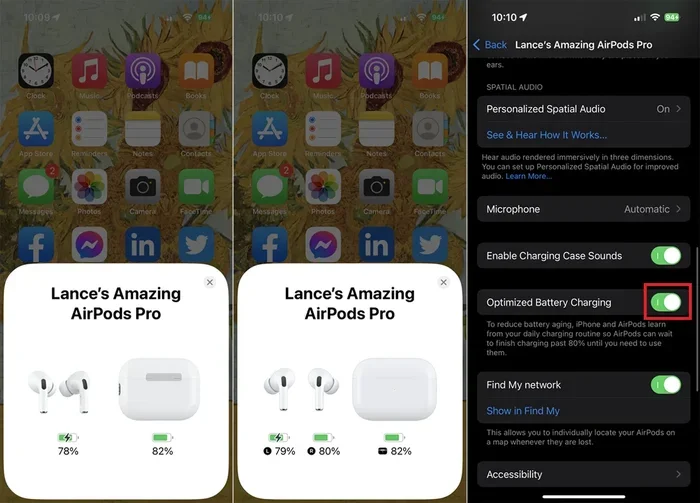
Featured image for AirPods Pro battery life
Image source: sm.pcmag.com
Have you ever wondered if those sleek little earbuds in your pocket are really worth the investment? You’re not alone. Millions of people ask the same question every year: do AirPods Pro actually last longer than the competition, and how can you make them last as long as possible?
Here’s the good news. AirPods Pro are built to be durable workhorses, not disposable gadgets. Think of them like a reliable car: with regular maintenance and smart habits, they can serve you well for years. But like any rechargeable device, they won’t last forever. Understanding how they age, what drains their battery, and how to care for them can mean the difference between getting two years of use or five.
In this guide, we’ll break down everything you need to know about AirPods Pro longevity. We’ll cover battery performance per charge, overall lifespan, what makes them degrade faster, and simple habits that can add months or even years to their life. Whether you just bought your first pair or have been using them for a while, you’ll find practical tips you can start using today.
Key Takeaways
- Battery Life Per Charge: AirPods Pro deliver 4.5-6 hours of listening time per charge, with the case providing 24-30 hours total.
- Overall Lifespan: Most AirPods Pro last 2-3 years before battery capacity noticeably drops below 80%.
- Charging Habits Matter: Keeping the case charged between 20-80% significantly extends battery longevity.
- Generation Differences: AirPods Pro 2 last about 33% longer per charge than the original AirPods Pro.
- Environmental Factors: Extreme temperatures and moisture are the biggest enemies of AirPods Pro longevity.
- Replacement Option: Apple offers battery service for $49-$79, cheaper than buying new earbuds.
- Smart Features Drain Power: Active Noise Cancellation uses more battery, reducing listening time by about 30 minutes.
📑 Table of Contents
- How Long Does AirPods Pro Battery Last on a Single Charge?
- What Is the Overall Lifespan of AirPods Pro?
- Do AirPods Pro Last Longer Than Regular AirPods?
- How Can You Make AirPods Pro Last Longer?
- When Should You Replace Your AirPods Pro?
- Common Myths About AirPods Pro Longevity
- Final Thoughts: Do AirPods Pro Last Longer Than You Think?
How Long Does AirPods Pro Battery Last on a Single Charge?
The first thing most people want to know is simple: how long will my AirPods Pro play music before they die? The answer depends on which generation you own and how you use them.
AirPods Pro Battery Life by Generation
Apple has improved battery life with each new release, and the difference is noticeable. Here’s what you can realistically expect:
- AirPods Pro (1st generation): Up to 4.5 hours of listening time with Active Noise Cancellation turned on, or about 5 hours with it off. Talk time clocks in around 3.5 hours.
- AirPods Pro (2nd generation): Up to 6 hours of listening time with ANC on, which jumps to 7 hours with ANC off. The charging case provides 30 hours total.
- AirPods Pro (3rd generation, if available): Apple’s newest model offers similar performance to the Pro 2, with refined power management.
To put this in perspective, 6 hours means you could listen to roughly 60 songs or watch three full movies on a single charge. The case itself holds enough power for about 4-5 full recharges, so you’re rarely caught without music.
What Drains Battery Faster?
Not all listening is created equal. Some activities sip power, while others gulp it down. Here’s a breakdown of what affects your battery life most:
- Active Noise Cancellation (ANC): Uses about 10-15% more battery per hour compared to having it off.
- Transparency Mode: Similar drain to ANC since it uses the same microphones and processing.
- High Volume Levels: Cranking music to maximum can reduce battery life by 20-30 minutes per charge.
- Phone Calls vs. Music: Talk time is always shorter because the microphone and noise processing work harder.
- Cold Weather: Lithium-ion batteries lose capacity in cold temperatures, sometimes reducing life by 30% in freezing conditions.
Think of your AirPods Pro battery like a gas tank. The faster you drive (high volume, heavy features), the quicker you burn through fuel. Smooth, moderate use always wins the longevity race.
What Is the Overall Lifespan of AirPods Pro?
Single-charge battery life is great, but the bigger question is: how many years will your AirPods Pro actually work before they’re unusable? This is where things get interesting.
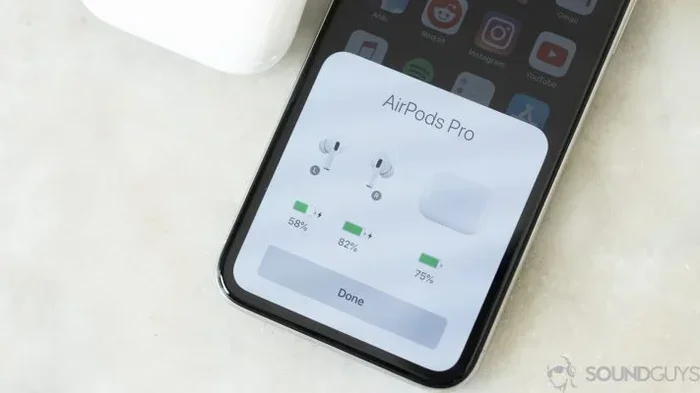
Visual guide about AirPods Pro battery life
Image source: soundguys.com
The 2-3 Year Reality
Most users find that AirPods Pro remain reliable for about 2-3 years with regular use. After that, you’ll likely notice:
- Battery life drops to 1-2 hours per charge
- The case needs more frequent charging
- One earbud might die faster than the other
- Sound quality may seem slightly reduced due to lower voltage
Apple itself states that their batteries are designed to retain up to 80% of original capacity after 500 complete charge cycles. For AirPods Pro, which are charged almost daily, that works out to roughly 18-24 months of heavy use before noticeable decline.
Did You Know?
Did you know that lithium-ion batteries, the type used in AirPods Pro, slowly lose capacity even when not in use? A pair sitting in a drawer for two years will have less capacity than a pair that was actively used but well cared for. Batteries are always “aging,” just like people.
Factors That Shorten Lifespan
Some habits and environments can dramatically cut your AirPods Pro life short:
- Constant full discharges: Letting battery hit 0% regularly damages cells over time.
- Heat exposure: Leaving them in a hot car can permanently reduce capacity.
- Moisture damage: Despite being sweat-resistant, they’re not waterproof.
- Frequent drops: The charging case battery is sensitive to physical shock.
- Cheap third-party chargers: Poor-quality charging cables can deliver inconsistent power.
Do AirPods Pro Last Longer Than Regular AirPods?
This is one of the most common questions, and the answer might surprise you. The “Pro” model isn’t automatically longer-lasting than standard AirPods. Here’s why.
Battery Life Comparison
Standard AirPods and AirPods Pro have similar per-charge battery life, but with key differences:
- AirPods (2nd gen): About 5 hours listening, 3 hours talk time
- AirPods (3rd gen): About 6-7 hours listening, 4 hours talk time
- AirPods Pro (2nd gen): About 6 hours with ANC, 7 hours without
As you can see, the latest AirPods 3 actually matches or slightly beats AirPods Pro 2 in pure battery endurance, mainly because it doesn’t have power-hungry noise cancellation features running by default.
Why Pro Models Might Last Longer Overall
However, when it comes to overall lifespan, AirPods Pro often edge out standard AirPods for one simple reason: people tend to use them differently. Pro owners often invest in cases, take better care of premium devices, and replace ear tips, all of which extend usable life. A well-cared-for Pro can outlast a beat-up standard AirPod set.
The Build Quality Difference
AirPods Pro also feature slightly more durable construction with better sealing, which protects internal components from moisture and debris. The silicone tips create a better seal that reduces the need to crank volume, indirectly saving battery life over time.
How Can You Make AirPods Pro Last Longer?
Now for the fun part: practical tips you can use starting today to add months or years to your AirPods Pro life. These are simple habits that compound over time.
Smart Charging Habits
How you charge matters more than you might think. Lithium-ion batteries prefer partial cycles over full ones. Instead of draining to 0% and charging to 100%, try these approaches:
- Keep battery between 20-80%: This is the sweet spot for battery health, similar to how you don’t run a car engine at redline constantly.
- Avoid overnight charging: Once full, the case stops charging the earbuds, but heat buildup can still affect longevity. If you do charge overnight, remove the case from any insulating surfaces.
- Use Apple-certified cables: The included cable or MFi-certified alternatives ensure proper voltage regulation.
- Don’t let them sit at 0%: If they die, charge them within a few hours. Deep discharge states stress battery chemistry.
Think of battery care like caring for a plant. You don’t flood it with water all at once. Instead, you give it steady, moderate nourishment. Your AirPods battery thrives the same way.
Environmental Protection
Where you use and store your AirPods Pro dramatically affects their lifespan. Here are key environmental tips:
- Avoid extreme temperatures: Don’t leave them in cars, near heaters, or in direct summer sun. The ideal range is 32-95°F (0-35°C).
- Keep them dry: While they’re sweat-resistant, they’re not waterproof. After workouts, wipe them down before storing.
- Use a protective case: A silicone or hard case for the charging case prevents drops and scratches, protecting the fragile battery inside.
- Clean them regularly: Earwax and debris block speakers and force the drivers to work harder, drawing more power.
Feature Management
Smart feature use can stretch battery life significantly. You don’t need every feature running all the time:
- Turn off ANC when not needed: In quiet environments, switch to Transparency or off mode to save 30+ minutes per charge.
- Lower the volume: Listening at 50-70% volume instead of maximum can extend life by up to an hour per charge.
- Use one earbud at a time: For calls or podcasts, alternating earbuds lets one charge while you use the other.
- Disable “Hey Siri”: Always-listening features constantly monitor audio, draining small amounts of power continuously.
Software Updates
Apple regularly releases firmware updates that improve power management. Make sure your AirPods Pro stay updated by:
- Keeping them connected to your iPhone
- Placing them in the case near your phone periodically
- Ensuring automatic updates are enabled in Bluetooth settings
When Should You Replace Your AirPods Pro?
Even with perfect care, there comes a time when replacement makes more sense than repair. Here are clear signs it’s time to move on.
Warning Signs of Battery Failure
Watch for these indicators that your AirPods Pro are nearing the end:
- Battery drops suddenly from 40% to 10%: This indicates cell damage and unreliable capacity.
- One earbud dies much faster: Uneven discharge suggests one battery is failing.
- Case won’t hold charge: If the case battery dies within hours, its internal cell is likely degraded.
- Total listening time under 1 hour: Below this threshold, daily use becomes impractical.
Apple’s Battery Replacement Service
Before buying new, consider Apple’s official battery service. As of 2026 pricing:
- AirPods Pro battery service: $49-$79 per earbud, depending on generation
- Out-of-warranty service: Available even if your warranty expired
- Turnaround time: Usually 3-5 business days through Apple Store or authorized providers
This option is significantly cheaper than new earbuds, which start around $199-$249. However, if both earbuds and case need service, replacement often makes more financial sense.
Upgrading to a New Generation
Sometimes the smartest move is upgrading rather than repairing. Consider new AirPods Pro when:
- Your current pair is over 3 years old
- New features (like adaptive audio or better ANC) would meaningfully improve your experience
- Repair costs approach 50% of new device price
- You’re experiencing connectivity issues beyond battery problems
Common Myths About AirPods Pro Longevity
Let’s clear up some confusion. The internet is full of advice, but not all of it is accurate.
Myth 1: You Should Always Drain to 0% Before Charging
This was true for old nickel-cadmium batteries but is actively harmful for lithium-ion. Partial charges are better. Modern AirPods don’t have “memory effect,” so topping off is always fine.
Myth 2: Off-Brand Chargers Will Damage Your AirPods
Not exactly. Quality off-brand chargers with proper certifications are fine. However, extremely cheap, uncertified chargers can deliver inconsistent power that degrades batteries over time. Stick with reputable brands or Apple’s own cables.
Myth 3: AirPods Pro Are Waterproof
They’re water-resistant with an IPX4 rating, meaning they handle splashes and sweat, but not submersion. Dropping them in a pool will likely kill them. Water resistance also decreases over time as seals age.
Myth 4: Higher Volume Always Equals Better Sound
Actually, distortion increases at maximum volume, meaning your music sounds worse while draining battery faster. The 60-70% volume range often delivers the best balance of sound quality and battery life.
Myth 5: Storing AirPods Fully Charged Is Best
For long-term storage, 50% charge is ideal. Fully charged batteries stored for months lose capacity faster than half-charged ones. If you’re not using them for weeks, charge to around 50% before storing.
Final Thoughts: Do AirPods Pro Last Longer Than You Think?
Yes, AirPods Pro can absolutely last longer than many people expect, especially with smart habits. With proper care, you can realistically expect 2-3 years of reliable service, possibly longer if you’re gentle with them.
The key takeaways are simple: avoid extreme temperatures, don’t constantly drain to zero, use features like ANC thoughtfully, and protect the charging case from drops. These small habits add significant life to your investment.
Remember, AirPods Pro are premium devices, but they’re not indestructible. Treat them well, and they’ll reward you with years of great sound. Treat them carelessly, and you’ll be shopping for replacements sooner than you’d like.
Whether you’re a new owner or a seasoned user, starting better habits today means more music, more podcasts, and more calls tomorrow. Your ears and your wallet will thank you.
Frequently Asked Questions
How many years do AirPods Pro typically last?
With regular use and proper care, AirPods Pro typically last 2-3 years before battery capacity noticeably declines. Heavy users might see degradation sooner, around 18-24 months, while light users can extend life to 4+ years. The limiting factor is almost always battery capacity rather than the speakers or electronics.
Can you replace just the battery in AirPods Pro?
Apple offers official battery service for $49-$79 per earbud, which is the safest option. While third-party shops can replace batteries, this voids any remaining warranty and risks damaging the delicate components. For most people, Apple’s service or buying new makes more sense than third-party repairs.
Do AirPods Pro lose battery when not in use?
Yes, all lithium-ion batteries slowly self-discharge even when not in use. However, AirPods Pro have very low standby drain, typically losing only 1-2% per day when idle in their case. The case itself can hold charge for months when not powering the earbuds.
Is it bad to charge AirPods Pro every night?
Charging every night is fine and won’t significantly harm your AirPods Pro. Modern lithium-ion batteries have built-in protection that stops power flow when fully charged. However, keeping them at 100% constantly for extended periods can slightly accelerate capacity loss compared to partial cycles.
Why does one AirPod die faster than the other?
One earbud typically drains faster because it handles more processing, like the primary Bluetooth connection or microphone duties. Over time, slight manufacturing differences or usage patterns can cause uneven battery wear. If the difference becomes dramatic, it often indicates one battery is failing.
Do AirPods Pro work after getting wet?
AirPods Pro are water-resistant (IPX4 rating), meaning they survive splashes and sweat but not submersion. If they get wet, dry them thoroughly before charging and avoid using them until completely dry. Water damage isn’t covered by warranty, so prevention is key to longevity.