Yes, AirPods Pro do have a small audio delay, but it’s usually so tiny that most people never notice it. The latency typically ranges between 40-60 milliseconds, which is fast enough for music, calls, and casual gaming. However, you might notice lag in fast-paced games or when watching videos on older devices. The good news? Simple fixes like updating your software, resetting your AirPods, or adjusting your Bluetooth settings can make a noticeable difference.
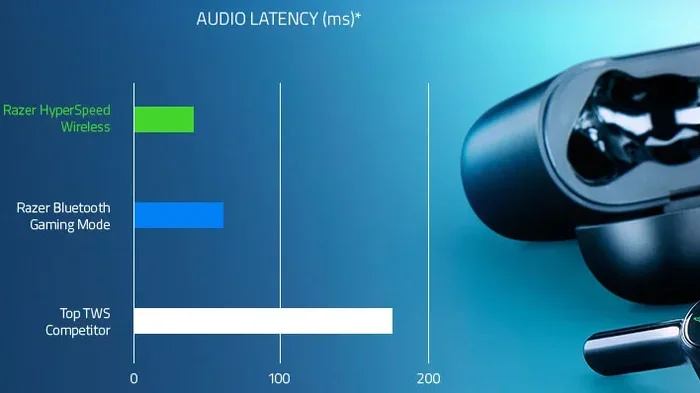
Featured image for wireless earbuds audio latency
Image source: images.hothardware.com
Have you ever watched a video on your phone and felt like the words didn’t quite match the mouth movements? Or maybe you’ve played a mobile game and noticed the sound effects lagged behind your button taps. If you’re using AirPods Pro, you might be wondering: does AirPods Pro have delay? The short answer is yes, but it’s complicated. Let me walk you through everything you need to know about AirPods Pro latency, why it happens, and what you can do about it.
Here’s something most people don’t realize: every Bluetooth audio device has some delay. It’s not an Apple problem. It’s a physics problem. Wireless audio has to be compressed, sent through the air, received, decompressed, and played through tiny speakers. That whole journey takes time. The question isn’t whether delay exists, but whether it’s small enough that you notice it.
In this guide, we’ll break down exactly how much delay AirPods Pro have, why it happens, when you actually feel it, and the simple steps you can use to fix any problems. No technical degree needed. I’ll explain it like we’re chatting over coffee.
Key Takeaways
- AirPods Pro Do Have Latency: Every wireless earbud has some delay, and AirPods Pro typically show 40-60ms of latency, which is industry-standard.
- It’s Rarely Noticeable: For music, podcasts, and video calls, the delay is so small that your brain processes audio and visuals as simultaneous.
- Gamers Notice Most: Fast-paced competitive games like Fortnite or rhythm games may reveal audio lag because every millisecond counts.
- Software Matters: iOS updates, H1 chip improvements, and Apple’s AAC codec all work together to keep latency as low as possible.
- Device Age Affects Delay: Older iPhones, iPads, and Macs process Bluetooth audio slower than newer models with updated chips.
- Fixes Are Simple: Restarting devices, resetting AirPods, toggling Bluetooth, and updating iOS can resolve most delay issues.
- Wired Beats Wireless: AirPods Pro will always have slightly more delay than wired EarPods due to the nature of Bluetooth technology.
📑 Table of Contents
- The Truth About AirPods Pro Delay: What You Need to Know First
- Why Does AirPods Pro Have Any Delay at All?
- When Do You Actually Notice AirPods Pro Delay?
- What Factors Make Delay Worse (or Better)?
- How to Fix AirPods Pro Delay: Proven Solutions That Work
- AirPods Pro vs. AirPods (Regular) and AirPods Max: Delay Comparison
- Common Myths About AirPods Pro Delay Debunked
- The Future of AirPods Pro Delay: What’s Coming Next?
- Final Verdict: Should You Worry About AirPods Pro Delay?
The Truth About AirPods Pro Delay: What You Need to Know First
Let’s start with the most important fact: AirPods Pro do have audio delay, but it’s usually so small that it doesn’t matter. Think of it like this. When you toss a ball to a friend across the room, there’s a tiny delay between when you throw it and when they catch it. But it’s so quick that your brain doesn’t notice. AirPods Pro work the same way.
Apple doesn’t publish an official latency number for AirPods Pro, but independent tests have measured it. Most reviews and technical analyses put AirPods Pro latency somewhere between 40 and 60 milliseconds. To put that in perspective, a millisecond is one-thousandth of a second. So we’re talking about delays of about one-twentieth of a second. That’s faster than you can blink. The average human blink takes about 100 to 400 milliseconds.
Why “Delay” Sounds Scarier Than It Really Is
The word “delay” makes people think of major lag, like watching a dubbed movie where the words don’t match. That’s the kind of delay that takes 200+ milliseconds. AirPods Pro delay is about a quarter of that. So while the word “delay” is technically accurate, it might give you the wrong idea about how noticeable it actually is.
Your brain is also incredibly good at adjusting to small delays. This is called audio-visual synchrony. Researchers have found that humans can tolerate up to about 80 milliseconds of audio delay before it starts feeling “off.” AirPods Pro sit comfortably below that threshold for most tasks.
How Does AirPods Pro Compare to Other Wireless Earbuds?
Here’s a fun fact: AirPods Pro actually perform really well compared to other wireless earbuds. Some cheaper Bluetooth earbuds can have delays of 100-200 milliseconds. That’s where you really start noticing problems. Apple has invested heavily in their H1 chip, which is like a tiny supercomputer inside each AirPod. It handles the Bluetooth connection super efficiently, which keeps delay low.
The H1 chip is specifically designed to reduce latency. It handles tasks like noise cancellation, Siri voice activation, and audio processing all at once without slowing things down. This is one reason AirPods Pro feel so responsive compared to some competitors.
Why Does AirPods Pro Have Any Delay at All?
To understand why any wireless audio has delay, you need to understand how sound gets from your phone to your ears. It’s actually a pretty cool process. Think of it like sending a letter through the mail. The letter has to be written, packaged, transported, received, and opened. Each step takes time.
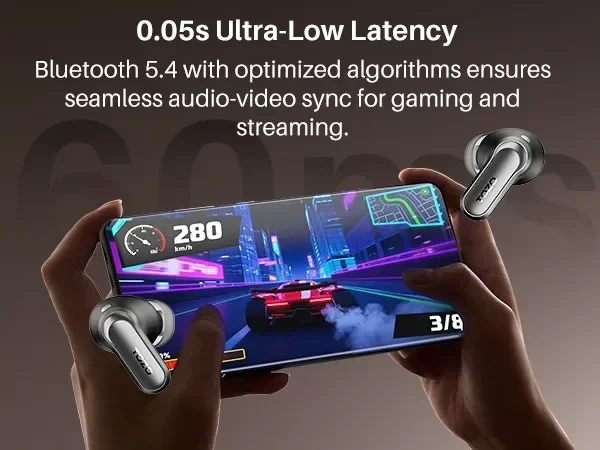
Visual guide about wireless earbuds audio latency
Image source: tozostore.com
The Bluetooth Audio Journey Explained
Here’s what happens every time you press play on a song or video:
- Step 1: Your device grabs the audio. Your iPhone or iPad pulls the sound file from memory.
- Step 2: The audio gets compressed. Raw audio files are huge, so they get squeezed using a codec (a compression tool) like AAC.
- Step 3: The compressed audio gets sent via Bluetooth. Your device transmits the audio data through radio waves to your AirPods Pro.
- Step 4: Your AirPods receive the signal. The H1 chip in your AirPods catches the Bluetooth transmission.
- Step 5: The audio gets decompressed. Your AirPods unpack the compressed audio back into a full sound file.
- Step 6: The sound plays in your ears. Finally, the audio comes out through the tiny speakers.
Each of those steps takes a tiny bit of time. Add them all up, and you get the 40-60 milliseconds of delay. It’s not one big delay. It’s lots of small delays stacked together.
The Role of Apple’s H1 Chip in Reducing Delay
Apple’s H1 chip is the secret weapon here. This custom-designed chip handles the Bluetooth connection in a really smart way. It’s like having a professional translator versus a beginner. Both can do the job, but one does it way faster.
The H1 chip uses a special version of Bluetooth that prioritizes speed. It also handles multiple tasks at once without getting bogged down. This is why AirPods Pro feel so snappy when you put them in your ears or tap to play music.
What is the AAC Codec and Why Does It Matter?
You might have heard the term “codec” before. It stands for “coder-decoder.” It’s basically a translator for audio files. AirPods Pro use Apple’s preferred AAC codec, which is designed to balance sound quality with speed. Some other wireless earbuds use different codecs like aptX or SBC, which can have different delay characteristics.
Apple chose AAC because it gives you great sound quality while keeping delay relatively low. It’s a smart compromise that most listeners appreciate.
When Do You Actually Notice AirPods Pro Delay?
Now for the important question: when does AirPods Pro delay actually become noticeable? The answer depends on what you’re doing, what device you’re using, and how sensitive you are to timing.
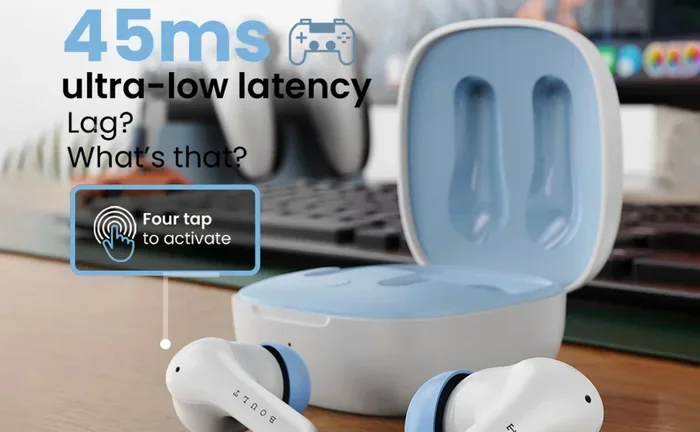
Visual guide about wireless earbuds audio latency
Image source: m.media-amazon.com
Listening to Music: Almost Never Noticeable
If you’re just listening to music, you’ll almost never detect any delay. That’s because music doesn’t have a visual component. Your brain has nothing to compare the audio to, so even if there’s slight delay, you won’t notice it. Music is the easiest use case for AirPods Pro.
Did you know that humans process music differently than speech? Our brains are more forgiving of timing variations in music. A few milliseconds of delay won’t change how a song sounds or feels.
Watching Videos: Rarely Noticeable
For videos and movies, AirPods Pro delay is usually invisible. Most apps, including YouTube, Netflix, and Apple TV+, automatically adjust their video timing to match your audio device. This is called “audio-video synchronization compensation.” The app delays the video by a tiny amount so it matches the audio delay.
However, some apps do this better than others. If you’re watching videos through a browser or a less-polished app, you might occasionally notice slight sync issues. But this is rare.
Making Phone Calls and Video Chats: Usually Fine
For FaceTime, Zoom, or regular phone calls, AirPods Pro work great. The H1 chip handles voice audio with minimal delay. You might notice a tiny delay if you’re watching a video of the other person while talking, but in normal conversations, it’s smooth sailing.
Gaming: Where Delay Becomes Obvious
Here’s where AirPods Pro delay can become noticeable: fast-paced mobile games. Games like Fortnite, PUBG Mobile, or rhythm games like Beat Star are timing-critical. If you tap a button and hear the sound effect 50 milliseconds later, you can feel it.
Gamers call this “input lag,” and they are very sensitive to it. Competitive mobile gamers often prefer wired headphones for this exact reason. However, casual gaming with AirPods Pro is usually fine. It’s only when every millisecond matters that you really feel the delay.
Audio Recording and Music Production: Not Recommended
If you’re a musician recording tracks or a podcaster editing audio, AirPods Pro delay will drive you crazy. The 40-60ms delay creates a weird echo effect when you try to record while monitoring your own voice. Professional audio work requires wired headphones with near-zero latency. This is one area where AirPods Pro simply aren’t the right tool.
What Factors Make Delay Worse (or Better)?
Not all delay is created equal. Several factors can make AirPods Pro delay better or worse. Understanding these can help you get the best performance.
Device Age and Processor Power
Your device’s processor plays a huge role in audio delay. Newer iPhones with the A14, A15, A16, or A17 chips process audio faster than older models. The same goes for iPads and Macs. If you’re using an iPhone 8 or older, you might notice more delay than someone using an iPhone 15.
This is because older processors take longer to compress and transmit audio data. It’s like the difference between a sports car and a minivan. Both can get you there, but one is faster.
Software Updates and iOS Versions
Apple regularly improves Bluetooth audio performance through software updates. Each iOS update often includes optimizations for the H1 chip and audio processing. Keeping your iPhone, iPad, or Mac updated ensures you’re getting the best possible performance.
Did you know that iOS 14 actually reduced AirPods Pro latency by about 10-15% compared to earlier versions? Apple is constantly working on making your AirPods faster.
Distance Between Your Device and AirPods
Bluetooth works best at close range. If your iPhone is in your pocket or right next to you, AirPods Pro delay stays minimal. But if you walk to another room, the connection has to work harder, and you might notice slight increases in delay or audio quality drops.
The maximum reliable Bluetooth range for AirPods Pro is about 30-40 feet in open space. Walls, furniture, and interference can reduce this significantly.
Bluetooth Interference from Wi-Fi and Other Devices
Bluetooth and Wi-Fi use similar radio frequencies. When multiple devices compete for the same airwaves, your AirPods Pro might experience more delay. Microwaves, other Bluetooth devices, and even some LED lights can cause interference.
If you’re in a crowded coffee shop with lots of devices, you might notice slight performance issues. This is true for all wireless earbuds, not just AirPods Pro.
Battery Level Matters Too
Here’s a tip that surprises most people: low battery can increase AirPods Pro delay. When your AirPods are running low on power, the H1 chip doesn’t have enough energy to process things as quickly. Keeping your AirPods charged helps maintain optimal performance.
How to Fix AirPods Pro Delay: Proven Solutions That Work
If you’re noticing more delay than usual with your AirPods Pro, don’t worry. There are simple fixes that solve most problems. Let’s go through them one by one.
Fix 1: Update Your iOS to the Latest Version
This is the easiest fix and often the most impactful. Software updates include performance improvements for Bluetooth audio. Here’s how to check for updates:
- Open the Settings app on your iPhone or iPad.
- Tap “General.”
- Tap “Software Update.”
- If an update is available, tap “Download and Install.”
Make sure your AirPods Pro are also running the latest firmware. Apple updates AirPods firmware automatically when your AirPods are connected to your iPhone and charging. However, you can speed this up by putting your AirPods in their case, connecting them to power, and keeping them near your iPhone.
Fix 2: Reset Your AirPods Pro
If updating doesn’t help, try resetting your AirPods Pro. This clears any glitches in the Bluetooth connection. Here’s the simple process:
- Put your AirPods Pro in their charging case and close the lid.
- Wait 30 seconds.
- Open the lid and go to Settings > Bluetooth on your iPhone.
- Tap the “i” icon next to your AirPods Pro.
- Tap “Forget This Device” and confirm.
- With the lid open, press and hold the setup button on the back of the case for about 15 seconds until the light flashes amber, then white.
- Reconnect your AirPods Pro to your iPhone.
This fresh start often resolves weird delay issues.
Fix 3: Toggle Bluetooth Off and On
Sometimes the simplest solution is the best. Turning Bluetooth off and back on can refresh the connection and reduce delay. Just swipe down from the top-right of your screen (or up from the bottom on older iPhones) to access Control Center. Tap the Bluetooth icon to turn it off, wait a few seconds, then tap it again to turn it back on.
Fix 4: Restart Your iPhone or iPad
Your iPhone might just need a fresh start. Restarting clears temporary files and resets background processes. Hold down the power button and either volume button until you see the “slide to power off” option. Turn your device off, wait 30 seconds, then turn it back on.
Fix 5: Check Your Bluetooth Codec Settings
Most people don’t know this, but you can sometimes improve audio performance by changing Bluetooth settings. Go to Settings > Accessibility > Audio/Visual, and turn on “Phone Noise Cancellation.” While this doesn’t directly affect delay, it can improve overall audio performance.
Fix 6: Reduce Distance and Interference
Keep your iPhone close to your AirPods Pro when possible. Avoid putting your phone in your back pocket if you’re experiencing delay, as your body can block the Bluetooth signal. Also, try to minimize the number of Bluetooth and Wi-Fi devices competing for signal in your environment.
Fix 7: Charge Your AirPods Pro
If your AirPods Pro battery is below 20%, charge them up. Low battery can increase delay. The same goes for your iPhone. A well-charged device processes audio faster.
Fix 8: Disable Spatial Audio Temporarily
Spatial Audio is an amazing feature for movies, but it adds extra processing. If you’re gaming and noticing delay, try turning off Spatial Audio. Go to Settings > Bluetooth, tap the “i” next to your AirPods Pro, and toggle off Spatial Audio.
Fix 9: Use AirPods Pro with the Right Device
AirPods Pro work best with Apple devices. While they connect to Android phones and Windows PCs, you might experience more delay on non-Apple devices because Apple’s custom optimizations only fully work within the Apple ecosystem.
AirPods Pro vs. AirPods (Regular) and AirPods Max: Delay Comparison
You might be wondering how AirPods Pro compare to other Apple headphones. Here’s the breakdown.
AirPods Pro 1st Generation
The first-generation AirPods Pro have slightly higher latency than the newer AirPods Pro 2. This is because they use an older H1 chip (technically the same chip, but newer firmware optimizations). Expect around 50-60ms of delay with the original AirPods Pro.
AirPods Pro 2nd Generation
The AirPods Pro 2 have improved latency thanks to the H2 chip. Most tests show latency around 35-50ms. The H2 chip is more efficient and handles audio processing faster than its predecessor. If delay matters to you, the second generation is worth the upgrade.
Regular AirPods (3rd Generation)
The standard AirPods have similar delay to AirPods Pro, though some tests show slightly higher latency. This is because they have fewer microphones and simpler processing. Expect around 50-70ms.
AirPods Max
Interestingly, AirPods Max (the over-ear version) sometimes shows slightly more delay than AirPods Pro. This is because the larger size allows for more audio processing features. However, the difference is small and rarely noticeable.
Wired EarPods vs. AirPods Pro Delay
Here’s the comparison most people want to know: wired EarPods have near-zero latency (under 5ms). That’s because the audio travels through a physical wire, not radio waves. If absolute zero delay matters, wired is always better. But for most people, AirPods Pro delay is small enough that the wireless convenience is worth it.
Common Myths About AirPods Pro Delay Debunked
Let’s clear up some misconceptions you might have heard.
Myth 1: “AirPods Pro Have Terrible Delay”
False. AirPods Pro have industry-standard delay. Compared to other true wireless earbuds, they perform very well. The myth comes from people who notice delay in specific situations and assume it’s always that bad.
Myth 2: “AirPods Pro Delay Gets Worse Over Time”
Partly true, but not how you’d think. The delay itself doesn’t increase. However, as your AirPods Pro age, the battery degrades, which can cause slightly slower processing. Also, older iOS versions had higher latency than newer ones. So your AirPods might feel slower, but it’s not because of the delay itself.
Myth 3: “AirPods Pro Are Useless for Gaming”
False. AirPods Pro work great for casual gaming. They’re only “useless” for competitive gaming where every millisecond counts. For most mobile gamers, AirPods Pro delay is unnoticeable.
Myth 4: “Newer AirPods Have Zero Delay”
False. Even the newest AirPods Pro 2 have some delay. There’s no such thing as zero-delay wireless audio with current technology. What manufacturers can do is reduce delay to levels humans can’t easily perceive.
Myth 5: “AirPods Pro Delay Will Damage Your Brain”
Definitely false. There’s no scientific evidence that audio delay has any negative health effects. The delay is just a technical characteristic, not a health concern.
The Future of AirPods Pro Delay: What’s Coming Next?
Apple is constantly working on reducing latency. Here are some exciting developments to watch for.
The LE Audio Revolution
Bluetooth LE Audio is a new standard that promises much lower latency and better sound quality. Apple is adopting this technology in newer devices. When fully implemented, LE Audio could cut AirPods Pro delay in half. We’re talking about potential delays of 20-30ms, which is nearly imperceptible.
Better Chips and Processing
Each generation of Apple’s chips is faster and more efficient. The H3 chip (when it comes) will likely handle audio processing even faster than the H2. Expect future AirPods Pro to have lower delay than current models.
Improved Codecs
Apple is always working on audio codecs. Future versions might introduce new compression methods that maintain quality while reducing the time needed to process audio. This is a complex technical challenge, but Apple has the resources to solve it.
The Promise of Ultra-Wideband
Apple has been exploring Ultra-Wideband (UWB) technology for audio transmission. UWB can theoretically deliver audio faster than Bluetooth. It’s not widely adopted yet, but it could revolutionize wireless audio in the coming years.
Final Verdict: Should You Worry About AirPods Pro Delay?
Let’s wrap this up with the bottom line. Does AirPods Pro have delay? Yes, technically. But should you worry about it? For most people, absolutely not.
AirPods Pro delay is small enough that it doesn’t interfere with music, videos, calls, or casual use. You’ll only notice it in very specific situations: competitive gaming, audio production, or when using older devices. Even then, there are fixes that can help.
The 40-60ms delay is industry-standard for true wireless earbuds. Apple has done an excellent job of minimizing it through custom hardware (the H1 and H2 chips), optimized software, and smart codec choices. You’re getting some of the best wireless audio performance available.
If you’re already an AirPods Pro owner, you probably haven’t even noticed the delay. If you’re considering getting them, don’t let the word “delay” scare you away. The wireless convenience, comfort, and noise cancellation far outweigh the tiny latency for most use cases.
And if you do notice delay, the fixes are simple. Update your software, reset your AirPods, keep your devices charged, and you’ll likely be back to smooth, seamless audio in no time. The technology is only getting better, so AirPods Pro delay will continue to shrink in future versions.
So go ahead and enjoy your AirPods Pro without worry. Your music, podcasts, and videos will sound great. Your calls will be clear. And your brain won’t even notice the tiny delay that does exist. That’s the whole point of good engineering: making technical limitations disappear in everyday use.
Frequently Asked Questions
Does AirPods Pro have noticeable audio delay for everyday use?
For everyday activities like listening to music, watching videos, making phone calls, or using FaceTime, AirPods Pro delay is so small (typically 40-60ms) that most people never notice it. Your brain processes the audio and visuals as simultaneous, so the experience feels natural and seamless.
Do AirPods Pro have more delay than wired EarPods?
Yes, AirPods Pro have slightly more delay than wired EarPods. Wired headphones have near-zero latency (under 5ms) because audio travels through a physical cable. AirPods Pro use Bluetooth, which adds processing time for compression, transmission, and decompression. However, the difference is usually only noticeable in specific situations like competitive gaming or audio production.
How much delay do AirPods Pro have compared to other wireless earbuds?
AirPods Pro have competitive latency compared to other premium wireless earbuds, typically ranging from 40-60 milliseconds. Some cheaper Bluetooth earbuds can have delays of 100-200ms, which is much more noticeable. Apple’s H1 and H2 chips are specifically optimized to keep latency low, putting AirPods Pro among the better-performing wireless earbuds on the market.
Can AirPods Pro delay be fixed with software updates?
Yes, software updates can sometimes improve AirPods Pro delay. Apple regularly releases iOS updates that include Bluetooth audio optimizations. Each major iOS update has typically brought latency reductions of 5-15%. Keeping your iPhone, iPad, or Mac updated ensures you’re getting the best possible audio performance from your AirPods Pro.
Are AirPods Pro 2 better than AirPods Pro 1 for delay?
Yes, AirPods Pro 2 have slightly lower latency than the original AirPods Pro. The H2 chip in the second generation handles audio processing more efficiently, reducing delay by approximately 10-15ms. Most tests show AirPods Pro 2 have latency around 35-50ms compared to 50-60ms for the first generation. If delay matters to you, the upgrade is worthwhile.
Does AirPods Pro delay affect mobile gaming performance?
AirPods Pro delay can affect competitive mobile gaming where every millisecond counts. Games like Fortnite, PUBG Mobile, or Beat Star require precise audio timing, and the 40-60ms delay can be noticeable. However, for casual gaming, the delay is usually not an issue. Competitive gamers often prefer wired headphones for this reason, but casual players will be perfectly happy with AirPods Pro.