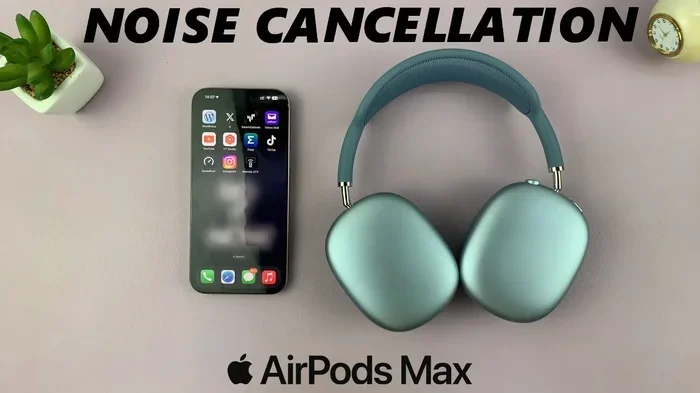
Featured image for AirPods noise cancellation feature
Image source: i.ytimg.com
Yes, AirPods can effectively cut out background noise—but only certain models support this feature. AirPods Pro, AirPods Pro 2, and AirPods 4 with ANC use Active Noise Cancellation (ANC) technology to block unwanted sounds. Standard AirPods (without ANC) rely on passive noise isolation, which is less effective but still helpful in moderately noisy environments.
Ever tried listening to your favorite song on a crowded subway, only to hear more rattle than rhythm? Or jumped on a Zoom call from a coffee shop and watched your coworkers’ confused faces as the barista’s blender roared through your microphone? We’ve all been there. Background noise is one of life’s most annoying interruptions—and finding earbuds that actually fight back can feel like searching for a needle in a haystack.
Apple’s AirPods have become the go-to choice for millions of people worldwide. But here’s the big question: do AirPods cut out background noise the way we hope they do? The answer isn’t a simple yes or no. It depends on which AirPods you own, how they fit, and where you’re using them. Some AirPods come packed with advanced noise-blocking tech, while others take a simpler approach.
In this guide, we’ll break down everything you need to know about AirPods and background noise. You’ll learn which models have noise cancellation, how the technology actually works (in plain English), and practical tips to get the quietest listening experience possible. Whether you’re a remote worker, frequent flyer, or just someone who craves peace on your morning commute, this article has you covered.
Key Takeaways
- Active Noise Cancellation (ANC) is the key feature that allows AirPods to actively reduce background noise using microphones and sound waves.
- Not all AirPods have ANC—only AirPods Pro, AirPods Pro 2, and AirPods 4 (ANC version) include this technology.
- Transparency Mode lets outside sound in when you need to hear your surroundings without removing your AirPods.
- Passive noise isolation works differently—it physically blocks sound through ear tip sealing rather than electronic processing.
- Fit and seal matter tremendously—even ANC-enabled AirPods won’t work well if ear tips don’t create a proper seal.
- ANC performs best with consistent, droning sounds like airplane engines, AC units, and traffic hum, but struggles with sudden, sharp noises.
- Battery life decreases with ANC on, so plan your listening sessions accordingly for long trips or workdays.
📑 Table of Contents
- How AirPods Block Background Noise: The Basics
- Which AirPods Models Have Noise Cancellation?
- How Effective Is AirPods Noise Cancellation in Real Life?
- Transparency Mode vs. Active Noise Cancellation
- Tips to Maximize Noise Cancellation on Your AirPods
- Common Myths About AirPods and Noise Cancellation
- When AirPods Aren’t Enough: Alternative Solutions
- The Future of AirPods and Noise Cancellation
- Final Thoughts: Do AirPods Cut Out Background Noise?
How AirPods Block Background Noise: The Basics
Let’s start with the big picture. AirPods use two main strategies to deal with background noise: passive noise isolation and Active Noise Cancellation (ANC). Think of them like two different superheroes—one uses a shield, and the other uses special powers.
Passive Noise Isolation: The Shield Approach
Passive noise isolation is the simpler method. It’s not electronic at all—it’s purely physical. When you put earbuds in your ears, they physically block some sound from reaching your eardrum. It’s like putting your hands over your ears when your little brother blasts his music. The better the seal, the more sound gets blocked.
All AirPods provide some level of passive noise isolation. Even basic AirPods (without ANC) block a portion of outside sound simply by sitting in your ear canal. However, this method works best for higher-pitched sounds and struggles with low-frequency rumbles like airplane engines or HVAC systems.
Active Noise Cancellation: The Special Power Approach
ANC is where the magic happens. This technology uses tiny microphones to listen to the world around you. Then, in real time, it creates an “anti-noise” sound wave that’s the exact opposite of the background noise. When these two waves meet, they cancel each other out. It’s like adding a positive number and a negative number together to get zero.
Did You Know? The concept of noise cancellation was first patented by Dr. Lawrence Fogel in 1952. He invented it for pilots to communicate clearly in noisy cockpit environments. Today, that same principle lives inside your tiny earbuds!
ANC works incredibly well for steady, predictable sounds. Think of the drone of an airplane, the hum of an air conditioner, or the constant whoosh of traffic. These sounds have a consistent pattern, making them easy to “cancel.” However, ANC is less effective against sudden, sharp noises like a dog barking or someone dropping a pan.
Which AirPods Models Have Noise Cancellation?
Not all AirPods are created equal when it comes to blocking background noise. Here’s the breakdown of every model and what they offer.
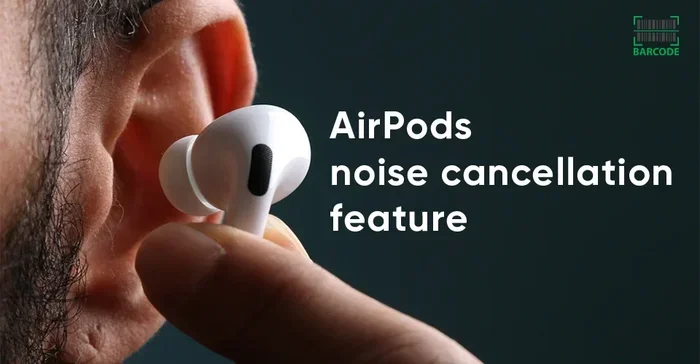
Visual guide about AirPods noise cancellation feature
Image source: barcodelive.org
AirPods (1st, 2nd, and 3rd Generation)
Standard AirPods—the non-Pro versions—do not have Active Noise Cancellation. They rely solely on passive noise isolation. The 3rd generation AirPods have a slightly better seal than earlier models, but they still can’t electronically cancel noise.
If you own basic AirPods, you’ll notice that voices and nearby conversations still come through clearly. They’re great for casual listening in quiet environments, but they’re not your best bet for a noisy commute or busy office.
AirPods Pro (1st Generation)
The original AirPods Pro introduced ANC to the AirPods lineup back in 2019. They use two microphones—one facing outward and one facing inward—to detect and cancel background noise. They also feature silicone ear tips in three sizes, which creates a much better seal than the hard plastic of standard AirPods.
AirPods Pro 2 (2nd Generation)
The AirPods Pro 2 took noise cancellation to the next level. Apple claims they offer up to twice the noise cancellation of the original AirPods Pro. They use the H2 chip, which processes audio faster and more efficiently. They also include Adaptive Transparency Mode, which automatically reduces loud sounds while still letting you hear your surroundings.
Did You Know? The AirPods Pro 2 can process 48,000 times per second. That’s faster than most computers from just 20 years ago—all happening inside a chip smaller than your fingernail.
AirPods 4 with ANC
Released in 2024, the AirPods 4 with ANC brought Active Noise Cancellation to the standard AirPods line for the first time. While not as powerful as the Pro models, they still offer meaningful noise reduction for everyday situations.
AirPods Max
The AirPods Max are Apple’s over-ear headphones, and they feature some of the most advanced ANC in any Apple product. They use eight microphones for noise cancellation and offer a premium listening experience. If you need maximum noise blocking, these are the top performers.
How Effective Is AirPods Noise Cancellation in Real Life?
Numbers and specs are great, but what matters is how AirPods perform in the real world. Let’s look at common scenarios.
On Airplanes
Airplanes are one of the best use cases for ANC. The constant engine drone is exactly the type of low-frequency sound that noise cancellation handles best. Many travelers report that AirPods Pro and AirPods Max reduce engine noise to a barely noticeable hum. You can listen to music at lower volumes, which is also better for your hearing.
In the Office or Coffee Shop
In an office or coffee shop, you’ll face a mix of sounds—conversations, keyboard clicks, the espresso machine. ANC AirPods handle the constant background hum well, but voices can still leak through. This is where a good seal becomes critical. Pair your ANC AirPods with the right ear tip size, and you’ll notice a huge difference.
On Public Transit
Buses and trains create a mix of rumbling and screeching. ANC AirPods handle the rumbling portion beautifully. Sudden screeches and announcements may still break through, but overall, your music will sound much cleaner.
At the Gym
The gym is tricky. Music blaring from speakers, grunts, and equipment clanking create an unpredictable soundscape. ANC won’t eliminate all of it, but it will reduce the overall noise floor, making your workout playlist sound better and helping you stay in the zone.
Walking Outdoors
Here’s an important safety note: using full ANC outdoors can be dangerous. You might not hear approaching cars, cyclists, or warnings. This is exactly why Apple created Transparency Mode.
Transparency Mode vs. Active Noise Cancellation
AirPods with ANC come with a second feature called Transparency Mode. It’s the opposite of noise cancellation. Instead of blocking outside sound, it lets it in—almost as if you’re not wearing earbuds at all.
Why Transparency Mode Matters
Imagine you’re crossing a busy street and need to hear traffic. Or you’re at the airport waiting for an important boarding announcement. Removing your earbuds every time is annoying. Transparency Mode solves this. You can hear everything around you clearly without taking your AirPods out.
Adaptive Transparency Mode
AirPods Pro 2 introduced Adaptive Transparency. This smart feature automatically reduces sudden loud sounds—like a siren or construction noise—while still letting regular sounds through. It’s like having a volume knob for the world around you.
How to Switch Between Modes
Switching is easy. You can:
- Press and hold the force sensor on the AirPods Pro stem.
- Squeeze the stem on AirPods 4 with ANC.
- Use the Digital Crown on AirPods Max.
- Go to Control Center on your iPhone or iPad.
- Ask Siri to turn it on or off.
Tips to Maximize Noise Cancellation on Your AirPods
Owning ANC AirPods is one thing. Getting the most out of them is another. Here are practical tips to maximize your noise-blocking experience.
Get the Right Ear Tip Fit
This is the single most important thing you can do. Apple includes multiple ear tip sizes (XS, S, M, L) with AirPods Pro. Try each size and pick the one that creates a snug seal. A proper seal feels secure and blocks significantly more noise. If you’re not sure, use the Ear Tip Fit Test in your iPhone settings.
Keep Your AirPods Clean
Did You Know? Earwax and debris can reduce noise cancellation by up to 30%? That’s a massive drop just from poor hygiene. Wipe your AirPods regularly with a soft, dry cloth. Use a clean, dry cotton swab to gently remove debris from the mesh.
Update Your Firmware
Apple regularly releases firmware updates that improve noise cancellation performance. Make sure your AirPods are up to date by connecting them to your iPhone and checking Settings > Bluetooth > AirPods info.
Use the Right Ear Tips for Your Activity
For exercise, consider foam ear tips from third-party brands. They create a tighter seal and stay in place better during movement. For office use, the silicone tips that came with your AirPods usually work great.
Be Mindful of Battery Life
ANC uses extra battery. AirPods Pro 2 give you about 6 hours of listening with ANC on, but only 5.5 hours with ANC off and spatial audio on. Charge regularly, and keep your case topped up for long days.
Use One AirPod at a Time (Strategically)
If you need to stay aware of your surroundings but still want some noise reduction, try using a single AirPod. You’ll still get some passive isolation, but you can hear more naturally with your other ear open. This works well for walking in safe areas or working in a quiet office.
Common Myths About AirPods and Noise Cancellation
Let’s clear up some confusion that’s floating around the internet.
Myth 1: “ANC Can Block All Sounds”
This isn’t true. ANC works best with consistent, low-frequency sounds. It cannot completely eliminate sudden, sharp noises like a gunshot, a scream, or a baby crying. It reduces noise—it doesn’t make your world silent.
Myth 2: “All AirPods Have the Same Noise Cancellation”
False. The quality and strength of ANC varies significantly between models. AirPods Max offer the strongest cancellation, followed by AirPods Pro 2, then AirPods Pro, then AirPods 4 with ANC.
Myth 3: “Noise Cancellation Damages Your Hearing”
This is a common worry, but it’s not accurate. In fact, ANC can protect your hearing by letting you listen at lower volumes in noisy environments. Without ANC, people often crank up the volume to drown out background noise, which can damage hearing over time.
Myth 4: “ANC Uses a Lot of Battery Even When Not Playing Music”
Yes, ANC does use battery when active, even without audio playing. If you’re trying to save battery, turn ANC off when you don’t need it.
Myth 5: “AirPods Noise Cancellation Works the Same for Everyone”
Not quite. Ear shape, ear tip fit, and even how you walk or move can affect ANC performance. Two people using the same AirPods Pro can have very different experiences based on their unique ear anatomy.
When AirPods Aren’t Enough: Alternative Solutions
Sometimes you need more than what earbuds offer. Here are situations where you might want extra help.
For Extreme Noise Environments
If you work around heavy machinery, construction, or loud industrial equipment, consumer AirPods won’t cut it. You need proper industrial hearing protection, like 3M Peltor earmuffs or custom-molded earplugs. These can block 30+ decibels of noise—far beyond what AirPods can do.
For Sleep and Focus
Want silence while you sleep? AirPods aren’t designed for that. Consider sleep-specific earbuds like QuietOn or Bose Sleepbuds. They’re tiny, comfortable for side sleepers, and designed to block snoring and neighbor noise.
For Professional Recording or Calls
If you’re recording podcasts or taking important business calls in noisy places, look beyond AirPods. Consider a directional microphone, a quiet space, or software like Krisp.ai that uses noise suppression algorithms to clean up your audio in real time.
The Future of AirPods and Noise Cancellation
Apple continues to push the boundaries of what’s possible with tiny earbuds. The H2 chip in AirPods Pro 2 represents a massive leap forward, and rumors suggest even more advanced features are on the horizon.
Future AirPods may include health monitoring features like heart rate tracking and temperature sensing. Some industry experts predict that upcoming models might offer personalized noise cancellation profiles—essentially tuning ANC to your specific ear shape and hearing. We may also see AI-powered noise cancellation that learns your environment and adapts in real time.
Did You Know? The global noise cancellation headphones market is expected to reach $15 billion by 2027. That’s a lot of people looking for quiet!
What we can say for sure is that AirPods will keep getting smarter. Each generation has brought meaningful improvements, and there’s no sign of that slowing down.
Final Thoughts: Do AirPods Cut Out Background Noise?
So, do AirPods cut out background noise? The short answer: yes—if you have the right model. AirPods Pro, AirPods Pro 2, AirPods 4 with ANC, and AirPods Max all offer Active Noise Cancellation that genuinely reduces background noise in everyday situations. They won’t give you complete silence, but they will make your music clearer, your calls cleaner, and your commute more peaceful.
If you have basic AirPods (1st, 2nd, or 3rd generation), you’ll get some passive noise reduction, but it won’t be enough for truly noisy environments. Consider upgrading to a Pro model if noise cancellation is a priority for you.
Remember, the key to great noise cancellation isn’t just the technology—it’s also the fit. Take the time to find the right ear tips, keep your AirPods clean, and update their firmware regularly. Do these simple things, and you’ll get the quiet, focused listening experience you’re looking for.
Whether you’re flying across the country, working from a bustling café, or just trying to enjoy some peace at home, the right pair of AirPods can be your ticket to a calmer, more focused world. Now that’s something worth tuning in for.
Frequently Asked Questions
Do all AirPods cut out background noise?
No, not all AirPods cut out background noise. Only AirPods Pro, AirPods Pro 2, AirPods 4 with ANC, and AirPods Max have Active Noise Cancellation. Standard AirPods (1st, 2nd, and 3rd generation) rely on passive noise isolation only, which provides minimal noise reduction compared to ANC models.
How does Active Noise Cancellation work on AirPods?
Active Noise Cancellation on AirPods uses tiny microphones to detect outside sounds. Then the H1 or H2 chip creates an “anti-noise” sound wave that’s the exact opposite of the background noise. When these two waves meet, they cancel each other out, dramatically reducing the noise you hear.
Can AirPods noise cancellation damage my hearing?
No, AirPods noise cancellation does not damage your hearing. In fact, it can protect your hearing by allowing you to listen to music at lower volumes in noisy environments. Without ANC, people often turn up the volume to dangerous levels to drown out background noise.
Why can I still hear voices with ANC turned on?
ANC works best with steady, low-frequency sounds like airplane engines or air conditioners. Voices and sudden, sharp noises are harder to cancel because they vary in pitch and intensity. You’ll still hear people talking, but the overall background noise level will be significantly reduced.
How do I turn on noise cancellation on my AirPods?
To turn on noise cancellation, press and hold the force sensor on the stem of your AirPods Pro or AirPods 4 with ANC. You can also swipe down from the top-right of your iPhone to open Control Center, then tap and hold the volume slider to access noise control options. AirPods Max users can press the noise control button on the right ear cup.
Do AirPods noise cancellation work without music playing?
Yes, AirPods noise cancellation works without music playing. You can activate ANC to simply reduce environmental noise, even in silence. However, using ANC without audio will drain your battery faster, so keep an eye on your charge level for extended quiet sessions.