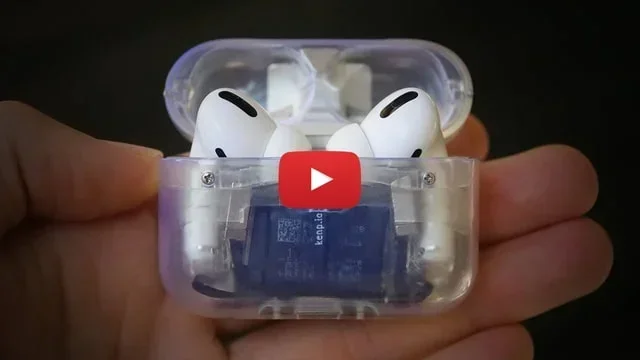
Featured image for AirPods Pro USB-C charging case
Image source: iclarified.com
Yes, AirPods Pro can charge with USB-C, but only specific models support this feature. The AirPods Pro (2nd generation) with the MagSafe Case (USB-C) and AirPods Pro (2nd generation) with USB-C charging case both work with USB-C cables. Original AirPods Pro models and the AirPods Pro (1st generation) still use a Lightning cable for charging. To use this method, simply plug a USB-C cable into the charging port on the bottom of the AirPods Pro case and connect the other end to a power source.
Picture this: you’re packing for a trip, and you grab your phone charger, your tablet charger, and your earbuds charger. That’s three cables for three devices. Now imagine grabbing just one. That’s the promise of USB-C, and it’s a promise that finally extends to your AirPods Pro. But does every AirPods Pro case actually use USB-C? The answer is more nuanced than you might think.
Apple’s transition to USB-C has been a slow but steady journey. The iPad started making the switch back in 2018. The MacBook lineup followed. Then, in September 2023, Apple made the big leap with the iPhone 15 series. Around the same time, they quietly updated the AirPods Pro to include a USB-C charging case. But here’s the catch: not every AirPods Pro you buy today automatically comes with USB-C. The older Lightning versions are still floating around in stores and warehouses.
This guide will walk you through everything you need to know about charging your AirPods Pro with USB-C. We’ll cover compatibility, the differences between models, step-by-step charging instructions, and even some tips to make your battery last longer. By the end, you’ll know exactly which cable to grab and which case you actually have.
Key Takeaways
- Only AirPods Pro 2nd Gen (USB-C) supports USB-C charging: Models released before September 2023 use Lightning cables instead.
- The case determines charging type: Even with AirPods Pro 2, the charging case version matters—Lightning cases won’t accept USB-C.
- USB-C offers faster, universal charging: You can use the same cable for iPhone 15, iPads, MacBooks, and many Android devices.
- Charging speed remains similar: USB-C doesn’t dramatically speed up AirPods charging but provides convenience.
- Any USB-C cable works: You don’t need Apple’s branded cable to charge your AirPods Pro.
- USB-C cases support Lossless Audio: When paired with Vision Pro, USB-C AirPods Pro deliver 20-bit lossless audio.
- Wireless charging still works: USB-C AirPods Pro cases also support Qi, Qi2, and MagSafe wireless charging.
📑 Table of Contents
- Which AirPods Pro Models Support USB-C Charging?
- How to Charge AirPods Pro with USB-C: Step-by-Step Guide
- USB-C vs. Lightning: What Are the Real Differences?
- Can You Charge AirPods Pro Wirelessly with USB-C Cases?
- Tips to Maximize Your AirPods Pro Battery Life
- Common Questions and Troubleshooting
- The Bottom Line: USB-C Is the Way to Go
Which AirPods Pro Models Support USB-C Charging?
The world of AirPods Pro can feel a bit like navigating a maze. There are different generations, different case types, and subtle naming differences that can trip up even the most dedicated Apple fans. Let’s break down exactly which models work with USB-C and which don’t.
AirPods Pro 1st Generation (Lightning Only)
The original AirPods Pro launched in October 2019 with a charging case that featured a Lightning port. This was the standard for years. If you bought AirPods Pro before September 2023, there’s a very good chance you have this version. The only way to charge these cases is with a Lightning cable. USB-C is completely incompatible with the Lightning port due to physical design differences.
Think of it like trying to fit a square peg into a round hole. The Lightning connector has a unique shape with eight pins, while USB-C has a small, oval-shaped connector with 24 pins. They’re built differently and serve different purposes. So if you have first-generation AirPods Pro, you’ll need to stick with Lightning cables.
AirPods Pro 2nd Generation (Lightning Version)
Apple released the second-generation AirPods Pro in September 2022. This model came with several case options, including one with a Lightning port. These are sometimes called “AirPods Pro 2 with MagSafe Case (Lightning)” to distinguish them from the newer USB-C version. Even though the earbuds themselves are identical, the case matters when it comes to charging.
If you bought AirPods Pro 2 before September 2023, or if you bought them from certain retailers after that date, you might still have the Lightning case. Check the bottom of your case. If you see a small Lightning-shaped port, that’s what you’re working with.
AirPods Pro 2nd Generation (USB-C Version)
Here’s where things get interesting. In September 2023, Apple quietly updated the AirPods Pro 2 to include a USB-C charging case. The earbuds themselves look identical to the Lightning version, but the case has a small but significant change: a USB-C port on the bottom. This is the version you’ll want if you’re looking to streamline your cable collection.
Did You Know? The USB-C AirPods Pro 2 also brought some exciting audio improvements. When paired with Apple Vision Pro, these earbuds support 20-bit, 48 kHz Lossless Audio with extremely low latency. That’s something the Lightning version simply can’t do.
AirPods Pro 3rd Generation (Future Models)
As of early 2026, Apple has not released a third-generation AirPods Pro. However, when they do, it’s almost certain they will feature USB-C charging. Apple has committed to transitioning its entire product lineup to USB-C, largely due to European Union regulations requiring common charging standards. So future-proofing your cable collection with USB-C makes good sense.
How to Charge AirPods Pro with USB-C: Step-by-Step Guide
Charging your AirPods Pro with USB-C is wonderfully simple. Once you have the right case, the process is almost foolproof. Here’s how to do it correctly.

Visual guide about AirPods Pro USB-C charging case
Image source: m.media-amazon.com
Step 1: Identify Your Case Type
Before anything else, confirm you have a USB-C case. Flip the case over and look at the bottom edge. You’ll see either a small rectangular Lightning port or a small oval-shaped USB-C port. If it’s oval, you’re good to go. If it’s rectangular with rounded corners, that’s Lightning.
Step 2: Gather Your USB-C Cable
You don’t need an Apple-branded cable to charge your AirPods Pro. Any USB-C cable that supports data transfer and power delivery will work. This includes cables that came with Android phones, iPads, MacBooks, Nintendo Switch controllers, and many other devices. The cable doesn’t even need to be MFi-certified (Made for iPhone) because USB-C is a universal standard.
Step 3: Connect the Cable to the Case
Take the smaller end of your USB-C cable and plug it into the port on the bottom of your AirPods Pro case. It should slide in smoothly with a satisfying click. If you have to force it, you’re probably trying to plug it in upside down. USB-C is reversible, meaning you can insert it either way.
Step 4: Connect the Other End to Power
Plug the other end of the USB-C cable into a power source. This could be:
- A USB-C wall adapter (like the ones that come with iPads or MacBooks)
- A computer with a USB-C or Thunderbolt port
- A portable power bank with USB-C output
- A car’s USB-C port
- A wireless charging pad (if your case supports wireless charging, which we’ll cover later)
Step 5: Check the Charging Status
Once plugged in, the status light on the front of your AirPods Pro case will turn on. If the case has less than 100% charge, the light will be amber (orange). If it’s fully charged, the light will be green. You can also check the charging status on your iPhone, iPad, or Mac by opening the case near your device with the earbuds inside.
Tip: Charging your AirPods inside the case takes about an hour to reach full battery. The case itself takes roughly an hour to charge via USB-C. So if you charge everything together, you can have fully powered earbuds in about an hour.
USB-C vs. Lightning: What Are the Real Differences?
You might be wondering: if both cables charge my AirPods Pro, does it really matter which one I use? Yes and no. While the charging speed is similar, there are some meaningful differences between USB-C and Lightning cables.
Physical Design Differences
USB-C is a universal standard adopted by virtually every tech manufacturer. It has an oval shape with 24 pins inside, allowing for faster data transfer and higher power delivery. Lightning, on the other hand, is Apple’s proprietary connector with 8 pins. It’s smaller and only works with Apple devices (unless you use an adapter).
Think of USB-C like a universal power outlet adapter that works in every country, while Lightning is like a specialty plug that only fits in certain outlets. USB-C gives you more flexibility when traveling, working, or just borrowing someone else’s cable.
Charging Speed Comparison
In terms of raw charging speed, USB-C doesn’t dramatically outperform Lightning for AirPods Pro. Here’s why: the AirPods Pro case has a small battery, so it doesn’t need much power to charge quickly. Both Lightning and USB-C can deliver more than enough wattage to fill up the case in about an hour.
However, USB-C has an edge in convenience. Many modern chargers use USB-C, and you can fast-charge the case using higher-wattage adapters (though AirPods will only draw what they need).
Data Transfer Capabilities
USB-C supports faster data transfer speeds than Lightning. While this doesn’t matter much for charging AirPods Pro, it does matter for firmware updates. When you connect your AirPods Pro case to a device for a firmware update, USB-C can handle the transfer much faster. In real-world use, this might save you a minute or two, but it’s still a noticeable improvement.
Future-Proofing Your Setup
Here’s the big one: USB-C is the future. Apple has already transitioned most of its product line to USB-C, including iPhones, iPads, and Macs. The European Union has mandated that all smartphones, tablets, and headphones sold in EU countries use USB-C by the end of 2024. Apple’s AirPods Pro (USB-C) complies with this regulation.
Did You Know? The European Union’s Common Charger Directive (Directive 2022/2380) requires all portable electronic devices to use USB-C by December 28, 2024. This is one of the main reasons Apple made the switch on AirPods Pro.
Can You Charge AirPods Pro Wirelessly with USB-C Cases?
Yes! AirPods Pro 2 with USB-C case supports wireless charging in addition to wired USB-C charging. This gives you the best of both worlds. You can charge the case with a cable when you’re in a hurry, or place it on a wireless charger for convenience.
Compatible Wireless Charging Standards
The AirPods Pro 2 USB-C case works with several wireless charging standards:
- Qi: The original wireless charging standard, supported by most wireless chargers on the market.
- Qi2: The newer version of Qi that offers magnetic alignment and faster charging speeds.
- MagSafe: Apple’s magnetic charging technology, which works perfectly with AirPods Pro cases.
To wirelessly charge your AirPods Pro case, simply place it on a compatible wireless charger with the status light facing up. The light will turn on to indicate charging has begun. As with wired charging, amber means charging and green means fully charged.
Charging Speeds: Wired vs. Wireless
Wireless charging is generally slower than wired charging, but the difference isn’t huge for AirPods Pro. A full wireless charge takes about 90 minutes to 2 hours, compared to about 60 minutes with a USB-C cable. If you’re in a rush, wired charging is the way to go. If you’re charging overnight or while working at your desk, wireless is perfectly fine.
Can You Use a MagSafe Charger?
Absolutely. The AirPods Pro 2 USB-C case is fully compatible with MagSafe chargers. The magnets in the charger will align with the case and hold it in place. This is great for nightstands and desks where you want to make sure your AirPods are charging without worrying about placement.
Tips to Maximize Your AirPods Pro Battery Life
Charging your AirPods Pro is one thing, but making the battery last longer between charges is another. Here are some practical tips to help you get the most out of your AirPods Pro battery.
Use the Case to Charge on the Go
The AirPods Pro case isn’t just a storage container—it’s a portable charger. Every time you put your AirPods back in the case, they get a quick top-up. This can extend your listening time significantly throughout the day. Make it a habit to put your AirPods back in the case whenever you’re not using them, even for short breaks.
Avoid Extreme Temperatures
Lithium-ion batteries, like the ones in your AirPods Pro, don’t like extreme heat or cold. Avoid leaving your AirPods in a hot car or in freezing conditions. Apple recommends operating AirPods Pro between 32°F and 95°F (0°C to 35°C) for optimal performance.
Turn Off Unnecessary Features
Features like Active Noise Cancellation, Transparency Mode, and Spatial Audio use more battery power. If you’re trying to extend battery life, turn these off when you don’t need them. You can do this from Control Center on your iPhone or directly from the AirPods settings.
Keep Your AirPods Updated
Apple regularly releases firmware updates that can improve battery efficiency. Make sure your AirPods Pro are running the latest firmware by connecting them to your iPhone and checking the settings. To check for updates, go to Settings > Bluetooth, tap the “i” next to your AirPods, and look at the firmware version.
Don’t Let the Battery Fully Die
Try not to let your AirPods Pro battery drain completely to 0% before charging. Lithium-ion batteries last longer when they’re kept between 20% and 80% charge. While occasional full discharges won’t hurt your AirPods, making it a habit can shorten the overall battery lifespan over time.
Clean Your AirPods and Case Regularly
Dirt and debris can interfere with the charging contacts. Clean the metal contacts inside the case and on the bottom of your AirPods with a soft, dry cloth. This ensures a good connection and prevents charging issues.
Common Questions and Troubleshooting
Even with the right cable, you might run into charging issues from time to time. Here are answers to some of the most common questions and problems people face.
Why Won’t My AirPods Pro Charge with USB-C?
If your AirPods Pro case isn’t charging with USB-C, here are a few things to check:
- Verify your case has a USB-C port: Look at the bottom of the case. If you see a Lightning port, you’ll need a Lightning cable instead.
- Try a different cable: Cables can wear out or get damaged. Try a different USB-C cable to rule out a faulty cable.
- Clean the charging port: Dust and debris can accumulate in the charging port. Use a soft, dry brush or compressed air to clean it out.
- Reset your AirPods: Sometimes a software glitch can prevent the case from working properly. Reset your AirPods by holding the setup button on the back of the case for 15 seconds until the light flashes amber, then white.
- Check the power source: Make sure the USB-C cable is plugged into a working power source. Try a different outlet or port.
Can I Use Any USB-C Cable?
Yes, you can use almost any USB-C cable to charge your AirPods Pro. The cable doesn’t need to be Apple-branded or MFi-certified. However, very cheap, low-quality cables might not work reliably. Stick with reputable brands and cables that support USB Power Delivery for the best results.
Can I Charge My iPhone with the Same Cable?
Yes! If you have an iPhone 15 or later, you can use the same USB-C cable to charge both your iPhone and your AirPods Pro case. This is one of the biggest advantages of USB-C: universal compatibility. You can also use this cable to charge iPads, MacBooks, Android phones, Nintendo Switches, and many other devices.
Does Fast Charging Work?
The AirPods Pro case doesn’t support fast charging in the traditional sense. It draws a small amount of power, so even a high-wattage USB-C adapter won’t speed up the charging process significantly. The case is designed to charge slowly and safely to preserve battery health.
Can I Charge AirPods Pro and the Case at the Same Time?
Yes, if you put your AirPods in the case and connect the case to power, both will charge simultaneously. This is the most convenient way to charge everything at once. Just keep in mind that the case charges a bit slower when the AirPods are inside, because the power is split between the two.
How Do I Know If My AirPods Pro Case Is Genuine?
If you’re buying AirPods Pro secondhand or from an unauthorized retailer, you might end up with a counterfeit. To check if your AirPods Pro are genuine, pair them with your iPhone and check the serial number in Settings > General > About > AirPods Pro. You can also enter the serial number on Apple’s website to verify authenticity.
The Bottom Line: USB-C Is the Way to Go
Charging your AirPods Pro with USB-C is simple once you have the right case. The AirPods Pro 2 with USB-C charging case is the model you’ll want if you’re looking for a universal, future-proof charging experience. It works with any USB-C cable, supports wireless charging, and offers some exciting features like Lossless Audio with Apple Vision Pro.
If you still have the older AirPods Pro with a Lightning case, it might be worth upgrading. Not only will you get USB-C charging, but you’ll also get the latest firmware features, better water resistance (IP54 vs. IPX4), and improved audio quality. Plus, you’ll be ready for a future where every device in your bag uses the same cable.
Remember: the key takeaway is that USB-C compatibility depends on the case, not just the AirPods Pro generation. Even if you have AirPods Pro 2, you might still have the Lightning case. Double-check before you throw out your Lightning cables!
Whether you’re a casual listener or an audiophile, USB-C AirPods Pro offer a more convenient and flexible charging experience. It’s a small change, but it makes a big difference in your daily tech life. And with the entire industry following suit, you can expect USB-C to be the standard for many years to come.