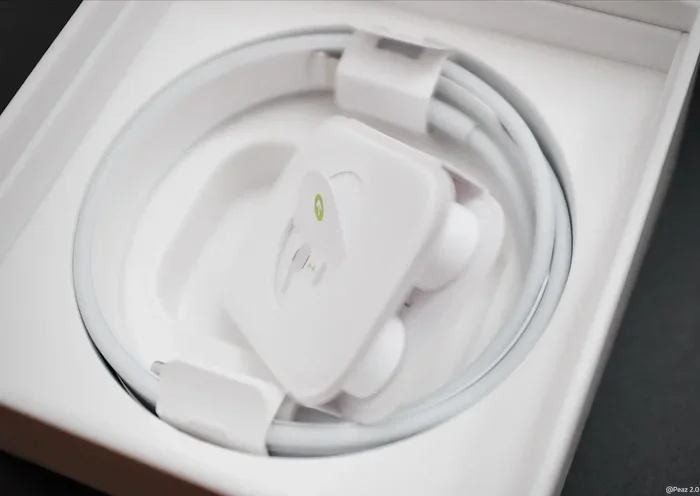
Featured image for AirPods Pro charging cable
Image source: i0.wp.com
AirPods Pro do use USB-C, but only on the second-generation model released in September 2023. The original AirPods Pro (2019) and AirPods Pro 1 still rely on the older Lightning connector. If you own a newer USB-C AirPods Pro case, you get faster charging, better compatibility with modern devices, and the ability to charge directly from your iPhone 15, MacBook, or iPad.
If you’ve been wondering whether AirPods Pro use USB-C, you’re not alone. This is one of the most common questions Apple fans ask in 2024 and beyond. The answer is simple, but it depends on which model you own. Not every AirPods Pro uses USB-C. In fact, only the newest version does. The older models still use Apple’s old Lightning connector. Let me break it all down for you in plain English so you know exactly what you have and what to buy.
USB-C has become the universal standard for charging. It works on phones, tablets, laptops, and now earbuds. Apple’s switch to USB-C on AirPods Pro is a big deal. It means you can carry one cable for almost everything. No more digging through drawers to find that tiny Lightning cable. Let’s dive into the details so you can understand exactly which AirPods Pro use USB-C and why it matters.
Key Takeaways
- Only AirPods Pro 2 (2023) use USB-C: The original AirPods Pro and AirPods Pro 1 still use Apple’s Lightning connector.
- Apple made the switch for regulatory reasons: EU rules pushed Apple toward USB-C, improving universal compatibility.
- You can identify your model by the case: Look for the USB-C port on the bottom of the charging case.
- USB-C offers faster charging: The USB-C AirPods Pro 2 case charges slightly faster than the Lightning version.
- Lossless Audio support: USB-C AirPods Pro 2 work with Apple Vision Pro for 20-bit/48 kHz Lossless Audio.
- Charging is universal: Use any USB-C cable, iPhone 15, iPad, or MacBook to power up your case.
- Wireless charging still works: USB-C AirPods Pro 2 also support Qi, MagSafe, and Apple Watch chargers.
📑 Table of Contents
- What Does “USB-C” Mean for AirPods Pro?
- Which AirPods Pro Models Use USB-C?
- Why Did Apple Switch AirPods Pro to USB-C?
- What Are the Benefits of USB-C AirPods Pro?
- How to Charge Your USB-C AirPods Pro
- Can You Use Lightning AirPods Pro With USB-C Devices?
- Should You Upgrade to USB-C AirPods Pro?
- Frequently Asked Questions About AirPods Pro and USB-C
What Does “USB-C” Mean for AirPods Pro?
USB-C is a type of charging port. It’s small, oval-shaped, and reversible. That means you can plug it in either way. No more fumbling around in the dark trying to figure out which side is up. Think of USB-C like a universal power outlet that fits almost every modern device. Phones, laptops, tablets, game consoles, and now earbuds all use it.
When people ask “Do AirPods Pro use USB-C?” they’re really asking one of three things:
- Can I charge my AirPods Pro with a USB-C cable?
- Does the charging case have a USB-C port?
- Is my AirPods Pro compatible with USB-C devices?
The answer depends entirely on which AirPods Pro you own. Apple makes this a little tricky because they sell different versions at different price points.
The USB-C Connector Explained
USB-C is also called USB Type-C. It first showed up in 2014 and quickly became the gold standard for charging. By 2024, over 80% of new phones shipped worldwide used USB-C ports. That’s a huge number! The European Union even passed a law requiring all small electronics to use USB-C by the end of 2024. This pushed Apple to make the switch on iPhones and AirPods.
Here’s a quick analogy. Think of USB-C as the “one ring to rule them all” from Lord of the Rings. Just like one ring controls all the others, one USB-C cable can charge many devices. You can use the same cable for your MacBook, iPad, iPhone 15, and now your AirPods Pro. Pretty cool, right?
Which AirPods Pro Models Use USB-C?
This is the most important question. Apple currently makes and sells several AirPods Pro models. Not all of them use USB-C. Let’s look at each one so you can figure out what you have.
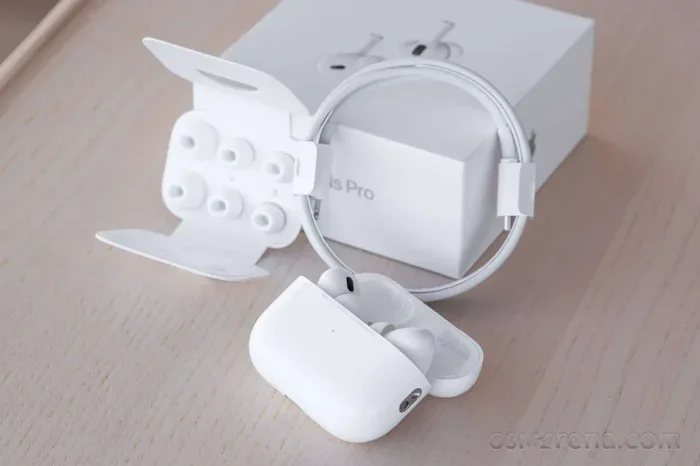
Visual guide about AirPods Pro charging cable
Image source: fdn.gsmarena.com
AirPods Pro 1st Generation (2019) – Lightning Only
The original AirPods Pro launched in October 2019. This model only has a Lightning port on the bottom of the charging case. You cannot charge it with a USB-C cable. If you plug a USB-C cable into this case, nothing will happen. The port shapes don’t match. It’s like trying to fit a square peg into a round hole.
You can spot this model by looking at the bottom of the case. If you see a small, narrow Lightning port, that’s the first generation. Apple discontinued this model in September 2022 when they released the second generation.
AirPods Pro 2nd Generation (2022) – Lightning Version
In September 2022, Apple released the AirPods Pro 2. The first version of this model also used a Lightning port. It had the same H2 chip as today’s version and many of the same features. However, the charging case still relied on Apple’s old connector.
Many people got confused when Apple released another AirPods Pro 2 in 2023. The 2022 version stayed on sale alongside the 2023 version for a while. The 2022 one is now harder to find but still exists in some stores and used markets. It uses Lightning, not USB-C.
AirPods Pro 2nd Generation (2023) – USB-C Version
In September 2023, Apple quietly updated the AirPods Pro 2 to include a USB-C charging case. This is the model most people mean when they ask about USB-C. It looks identical to the 2022 version but has one big change. The port on the bottom is now USB-C instead of Lightning.
This is the current model Apple sells today. It comes with a USB-C cable in the box. You can also buy the USB-C case separately if you want to upgrade an older pair. Wait, actually, Apple only sells the case separately for AirPods Pro 2, not for first-generation AirPods Pro.
How to Tell Which Model You Have
Not sure which AirPods Pro you own? Here are three easy ways to check:
- Look at the case: Flip the case over. USB-C ports are oval-shaped. Lightning ports are small and rectangular with two little pins inside.
- Check Settings on your iPhone: Open the Settings app, tap Bluetooth, then tap the “i” next to your AirPods Pro. You’ll see the model number listed.
- Look at the model number on the case: The model number is printed in tiny letters on the bottom of the case. Match it with Apple’s official list.
The model numbers break down like this:
- A2968: AirPods Pro 2 with USB-C case (2023)
- A2700: AirPods Pro 2 with Lightning case (2022)
- A2083, A2084, A2193: AirPods Pro 1st Generation
Why Did Apple Switch AirPods Pro to USB-C?
Apple didn’t switch to USB-C because they suddenly loved the format. They switched because they had to. Let me explain why.
The EU Common Charger Directive
In October 2022, the European Union passed a law called the Common Charger Directive. This law requires all smartphones, tablets, earbuds, and many other small electronics to use USB-C by December 28, 2024. The goal is to reduce electronic waste. Think about how many old Lightning cables get thrown away each year. Billions!
Did you know that the average household has at least three different types of charging cables? A 2019 EU study found that chargers and cables account for about 11,000 tons of e-waste every year in Europe alone. By forcing everyone to use USB-C, the EU hopes to cut that number way down.
Apple fought this law for years. They argued it would hurt innovation. But in the end, they had to comply. The AirPods Pro 2 with USB-C launched just in time to meet the new rules.
Universal Charging Convenience
Beyond legal reasons, USB-C just makes life easier. Before the switch, you needed a Lightning cable for your iPhone, AirPods, and many other Apple accessories. That’s a lot of cables. With USB-C, you can use one cable for your MacBook, iPad, iPhone 15, and AirPods Pro 2.
Imagine your kitchen drawer. It used to have a fruit drawer, a veggie drawer, and a meat drawer. Now imagine a universal drawer that holds everything. That’s what USB-C does for charging cables. One cable, many uses.
Better Compatibility With Non-Apple Devices
USB-C also makes AirPods Pro more useful with non-Apple gadgets. You can charge them with:
- Any Android phone that supports reverse charging
- A Windows laptop with a USB-C port
- A Nintendo Switch
- An iPad
- Almost any modern USB-C power bank
Before, you needed Apple’s special Lightning cable. Now, almost any USB-C cable works.
What Are the Benefits of USB-C AirPods Pro?
Switching to USB-C isn’t just about the port. It actually brings some real benefits. Let’s explore what you get when you buy the 2023 AirPods Pro 2.
Faster Charging Speeds
The USB-C AirPods Pro 2 charges slightly faster than the Lightning version. Apple says you can get about an hour of listening time from just five minutes in the case. That’s pretty fast! The exact difference is small, but every minute counts when you’re rushing out the door.
Lossless Audio With Apple Vision Pro
Here’s a really cool feature that only works with the USB-C version. The USB-C AirPods Pro 2 can deliver Lossless Audio when paired with the Apple Vision Pro headset. This means 20-bit, 48 kHz lossless sound. The Lightning version can’t do this.
Think of lossless audio like a fresh-baked pie versus canned pie filling. Both are pies, but one is clearly better. Lossless audio gives you all the original sound details, just like biting into fresh pie versus canned.
This is because USB-C has higher bandwidth than Lightning. It can transfer more data at once. That’s why Apple needed USB-C for true high-quality audio streaming.
IP54 Dust and Water Resistance
The 2023 USB-C AirPods Pro 2 also got an upgrade to IP54 dust and water resistance. The previous model was IPX4. The new rating means better protection against dust and water splashes. The earbuds and case are both more durable now.
Same Great Sound Quality
One thing didn’t change. The sound quality is identical between the 2022 Lightning version and the 2023 USB-C version. They both use the H2 chip. Both have the same drivers and tuning. You won’t hear a difference in audio quality just from the port change.
Improved Find My Features
The USB-C case also has a slightly louder speaker for Find My tracking. This makes it easier to locate if you drop it under the couch. The case also has a built-in U2 chip, which gives more precise location tracking.
How to Charge Your USB-C AirPods Pro
Charging your USB-C AirPods Pro is super easy. You have more options than ever before. Let’s go through them one by one.
Wired Charging With USB-C
Plug a USB-C cable into the bottom of the case. Then plug the other end into any USB-C power source. That could be:
- A wall adapter (the kind that comes with iPhones)
- A computer or laptop
- A power bank
- An iPad
- An iPhone 15 or newer (with reverse charging)
When charging, the small light on the front of the case will glow orange. Once fully charged, it turns green.
Wireless Charging
The USB-C AirPods Pro 2 also works with wireless chargers. You have several options:
- MagSafe: The case snaps magnetically to MagSafe chargers, including Apple’s MagSafe Charger and MagSafe Duo.
- Qi: Any Qi-certified wireless charger will work.
- Apple Watch charger: You can even use your Apple Watch charging puck to charge the case!
That’s right. The same charger that powers your Apple Watch can also power your AirPods Pro 2 case. Apple added this feature in 2023.
Reverse Charging From Your iPhone
Here’s a really neat trick. If you own an iPhone 15, iPhone 15 Plus, iPhone 15 Pro, iPhone 15 Pro Max, or any iPhone 16 model, you can charge your AirPods Pro case directly from your phone. Just plug a USB-C cable into your iPhone and connect the other end to your AirPods case. Your iPhone will share its battery with your AirPods.
Think of it like sharing a drink with a friend. Your iPhone has the energy. The AirPods need the energy. The cable passes it along.
Can You Use Lightning AirPods Pro With USB-C Devices?
If you have the older Lightning AirPods Pro, you might feel left out. The good news is that you can still use them with USB-C devices, just not for wired charging.
Here’s how to use Lightning AirPods Pro with USB-C devices:
- With MacBooks: Pair them via Bluetooth. It works perfectly.
- With iPad Pro: Same thing. Bluetooth pairing handles everything.
- With iPhone 15: Bluetooth works great.
- With Android phones: Bluetooth works fine too.
The only thing you can’t do is charge them with a USB-C cable. You’ll still need a Lightning cable for that. If you want to use one cable for everything, you’d need to buy the USB-C case separately.
What About Using a Lightning to USB-C Adapter?
You might be wondering if there’s a dongle or adapter that lets you charge Lightning AirPods with a USB-C cable. Unfortunately, no. Apple doesn’t make one, and third-party options don’t really work for charging. The charging protocols don’t match up properly. Your best bet is to just keep a Lightning cable around if you have older AirPods Pro.
Should You Upgrade to USB-C AirPods Pro?
Now the big question. Should you upgrade to the USB-C version if you have the Lightning version? Let me break it down.
Reasons to Upgrade
You should consider upgrading if:
- You own many USB-C devices and want one cable for everything
- You have an Apple Vision Pro and want Lossless Audio
- You travel a lot and want to pack less
- You want the improved IP54 dust and water resistance
- You want better Find My tracking
- You have an iPhone 15 or 16 and want reverse charging
Reasons to Stay With Lightning
You might want to keep your current AirPods Pro if:
- Your current pair works perfectly fine
- You don’t want to spend money on a new pair
- You don’t own any USB-C devices
- You don’t care about Lossless Audio
- You mainly use them at home where a Lightning cable is always plugged in
My honest advice? If your AirPods Pro 2 (2022) still work great, don’t rush to upgrade. The sound quality is the same. You’ll mostly just be getting a different charging port. Save your money for something else. But if you’re buying your first pair, definitely get the USB-C version. It’s the future.
Frequently Asked Questions About AirPods Pro and USB-C
I get a lot of questions about this topic. Let me answer the most common ones so you have all the info you need.
Do all AirPods Pro use USB-C?
No, only the AirPods Pro 2 released in September 2023 use USB-C. The original AirPods Pro (2019) and the 2022 AirPods Pro 2 still use Apple’s Lightning connector. If you’re buying new today, the current model uses USB-C.
Can I charge AirPods Pro with my iPhone 15?
Yes, you can charge the USB-C AirPods Pro 2 case using your iPhone 15, iPhone 15 Plus, iPhone 15 Pro, iPhone 15 Pro Max, or any iPhone 16 model. Just connect them with a USB-C cable. Your iPhone will share its battery power with the case through reverse charging.
Do USB-C AirPods Pro sound better than Lightning ones?
No, the sound quality is exactly the same between the Lightning and USB-C versions of AirPods Pro 2. Both use the same H2 chip and audio drivers. The only audio difference is when paired with Apple Vision Pro, where the USB-C version supports Lossless Audio.
Will Apple make a USB-C case for older AirPods Pro?
Apple does not sell a USB-C case for the original AirPods Pro 1st generation. You can only upgrade to USB-C by buying a new pair of AirPods Pro 2. There’s no trade-in or case-only option for the older model.
Do AirPods Pro USB-C come with a cable in the box?
Yes, every USB-C AirPods Pro 2 comes with a USB-C to USB-C charging cable in the box. It does not include a wall adapter. You’ll need to buy that separately or use one you already have.
Are USB-C AirPods Pro water resistant?
Yes, the USB-C AirPods Pro 2 have an IP54 rating. This means they resist dust and splashes of water. You can use them in the rain or during workouts, but you shouldn’t submerge them in water. The case is also IP54 rated.
Final Thoughts on AirPods Pro and USB-C
So, do AirPods Pro use USB-C? Yes, but only the 2023 AirPods Pro 2 model. The older versions still use Lightning. Apple made the switch because of EU regulations and because USB-C just makes life easier for everyone.
If you’re shopping for new AirPods Pro today, you’ll get the USB-C version. That’s a good thing. You can charge them with the same cable you use for your MacBook, iPad, or iPhone 15. You can even use your Apple Watch charger or any Qi wireless pad. The charging options are better than ever.
If you already own the Lightning AirPods Pro 2 from 2022, there’s no urgent need to upgrade. They sound identical and work great. Just keep using them until they wear out. When it’s time for new ones, the USB-C version will be waiting.
The future is clearly USB-C. Apple’s entire ecosystem is moving toward it. iPhones, iPads, Macs, and now AirPods all share the same port. That means fewer cables, less waste, and a simpler life. If you’ve been holding off on buying AirPods Pro, now is a great time. You’ll get a future-proof pair that works with everything you own.