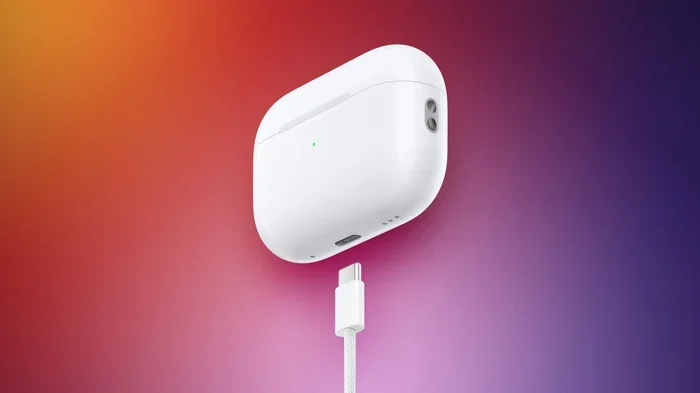
Featured image for AirPods USB-C charging cable
Image source: images.macrumors.com
Not all AirPods use USB-C. Only AirPods Pro 2 (2023), AirPods 4, and AirPods Max (USB-C version) feature USB-C charging. Older models like AirPods 2, AirPods 3, and the original AirPods Pro use Apple’s Lightning connector. To find out what your AirPods use, simply look at the charging port on the bottom of the case.
Have you ever grabbed a cable to charge your AirPods, only to find out it does not fit? You are not alone. With Apple slowly moving away from its old Lightning connector, many people wonder which AirPods models actually use USB-C. The answer is not as simple as you might think.
Here is the thing. Not every AirPod in your local store uses the same charging port. Some still rely on Apple’s older Lightning cable, while newer ones have jumped on the USB-C train. If you just bought a pair or are thinking about it, knowing which type you have can save you a lot of frustration.
This guide breaks down everything you need to know. We will cover which models have USB-C, which still use Lightning, when Apple made the switch, and why it happened in the first place. By the end, you will be able to look at your AirPods case and know exactly what cable you need.
Key Takeaways
- USB-C Arrived in 2023: Apple made the switch from Lightning to USB-C on AirPods starting with the AirPods Pro 2 (September 2023) and AirPods 4 (2024).
- Only Newer Models Use USB-C: AirPods Pro 2 (USB-C), AirPods 4 (both versions), and AirPods Max (USB-C) have the new port.
- Lightning Still Exists: AirPods 2, AirPods 3, original AirPods Pro, and first-generation AirPods Max still charge via Lightning cable.
- Why the Switch Happened: The European Union passed a law requiring all small electronics to use USB-C by the end of 2024, pushing Apple to make the change.
- Charging Speed Difference: USB-C doesn’t charge AirPods much faster, but it offers universal cable compatibility across most modern devices.
- How to Check Your Model: Look at the bottom of your AirPods case. A small oval port means Lightning, while a rounded rectangle means USB-C.
- Cable Compatibility: USB-C AirPods work with any USB-C cable, including those used for Android phones, iPads, and MacBooks.
📑 Table of Contents
- What AirPods Use USB-C?
- Which AirPods Still Use Lightning?
- Why Did Apple Switch to USB-C?
- How to Tell If Your AirPods Use USB-C or Lightning
- Does USB-C Charge AirPods Faster?
- Can You Use Any USB-C Cable with AirPods?
- What About the AirPods Pro 2 USB-C Version?
- Should You Buy USB-C AirPods or Stick with Lightning?
- Common Questions About AirPods and USB-C
- The Bottom Line on AirPods and USB-C
What AirPods Use USB-C?
Let us start with the most important question first. Right now, only a handful of AirPods models use USB-C for charging. These are the newer releases that Apple launched starting in late 2023.
The first AirPods to feature USB-C were the second-generation AirPods Pro, released in September 2023. This was a big deal because it marked the official end of Lightning on the Pro lineup. Before this, every AirPods Pro case used the older Lightning port.
Then came the AirPods 4 in September 2024. Both versions of this model, the standard AirPods 4 and the AirPods 4 with Active Noise Cancellation, come with a USB-C charging case. Apple finally said goodbye to Lightning on the regular AirPods line with this release.
You should also know about the AirPods Max. The original AirPods Max, launched in 2020, came with a Lightning cable for charging. But in September 2024, Apple released an updated version that swapped Lightning for USB-C. So if you are buying AirPods Max today, you are getting the USB-C version by default.
Here is a simple way to think about it. Think of USB-C as the new universal charger. It is like how most coffee shops now accept the same type of cup lid. USB-C is becoming that standard lid for nearly all small electronics.
The Complete USB-C AirPods Lineup
- AirPods Pro 2 (2023): The first AirPods with USB-C charging.
- AirPods 4 (2024): Available in two versions, both with USB-C.
- AirPods 4 with Active Noise Cancellation (2024): Premium version, also USB-C.
- AirPods Max (2024): Over-ear headphones now with USB-C.
Did you know that Apple also sells a USB-C to USB-C cable in the box with these models? It is a small detail, but it means you can charge your AirPods using the same cable that powers your MacBook, iPad, or even many Android phones. Pretty handy, right?
Which AirPods Still Use Lightning?
Now for the part that trips up a lot of people. Even in 2025, several AirPods models still charge with Lightning. If you bought AirPods before September 2023, there is a good chance your case uses the older connector.
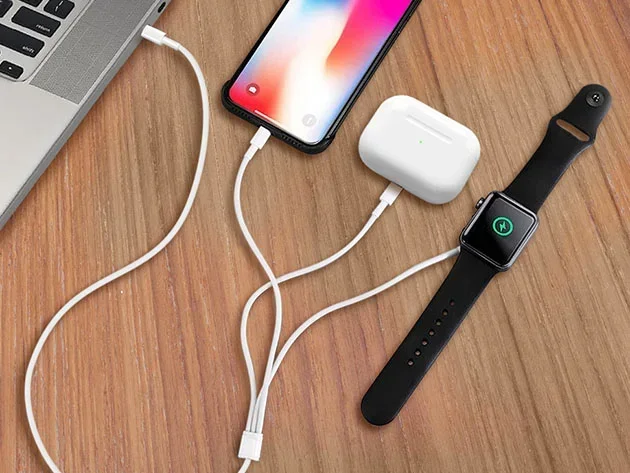
Visual guide about AirPods USB-C charging cable
Image source: mactrast.com
The AirPods 2, which came out in 2019, uses Lightning. Same goes for the AirPods 3, released in 2021. These models have been discontinued from Apple’s main lineup, but you can still find them at third-party retailers or on the used market.
The original AirPods Pro, launched in 2019 and updated in 2022, also uses Lightning. Apple kept selling this version alongside the USB-C AirPods Pro 2 for a while, which caused some mix-ups. Even today, if you see a deal on AirPods Pro, double-check which version you are actually buying.
The first-generation AirPods Max, released in December 2020, charges via Lightning. Apple still sold this version until recently, so people who bought AirPods Max in 2023 or early 2024 might have the Lightning model.
Think of Lightning and USB-C like two different keys on a keychain. Lightning is an older key that only fits certain locks, while USB-C is a master key that fits almost everything. Apple is slowly replacing the old keys with new ones.
Lightning AirPods Models to Watch For
- AirPods 1 and 2: Older models still using Lightning.
- AirPods 3: Released in 2021, uses Lightning.
- AirPods Pro 1 (2019): Original Pro model with Lightning.
- AirPods Pro 2 (Lightning version, 2022): Different from the USB-C version released in 2023.
- AirPods Max (Lightning, 2020): The original over-ear model.
Here is a fun fact. Apple actually released two versions of the AirPods Pro 2. The first came out in September 2022 with Lightning, and the second launched in September 2023 with USB-C. They look almost identical, but the charging port is the easiest way to tell them apart.
Why Did Apple Switch to USB-C?
The big reason comes down to a new law in Europe. In October 2022, the European Union passed a rule requiring all small electronic devices to use a common charging standard by the end of 2024. The EU picked USB-C as that standard.
This law covers smartphones, tablets, headphones, earbuds, and other gadgets. Apple, which had been using its own Lightning connector since 2012, had to make a choice. They could either create a special version of their products just for Europe, or switch the whole world to USB-C. They chose the latter.
But the EU was not the only reason. Apple was already moving toward USB-C on other products. The MacBook lineup switched to USB-C years ago. The iPad started using USB-C in 2018. Even the iPhone made the jump in 2023 with the iPhone 15. So AirPods were kind of the last holdouts.
There is also a practical benefit for users. Imagine you travel with an iPhone, iPad, and AirPods. Before USB-C, you needed three different cables. Now, you can carry just one USB-C cable and charge everything. It is a lot simpler.
The Benefits of USB-C on AirPods
- Universal Compatibility: Works with cables for Android phones, iPads, laptops, and more.
- One Cable for Everything: Most modern devices now use USB-C.
- Faster Data Speeds: USB-C supports faster data transfer than Lightning.
- More Durable: USB-C ports tend to last longer with daily use.
- Regulatory Compliance: Meets new rules in Europe and other regions.
Did you know that the EU estimates this common charger rule will save consumers around 250 million euros per year on unnecessary cable purchases? That is a lot of money not spent on duplicate chargers.
How to Tell If Your AirPods Use USB-C or Lightning
This is probably the easiest question to answer, but also one of the most important. You do not need to be a tech expert to figure it out. Just take a look at the charging case.
Flip your AirPods case over so the charging port faces you. Now look closely at the shape of the port.
If you see a small, oval-shaped slot, your AirPods use Lightning. It looks a bit like a tiny pill shape. This is Apple’s proprietary connector and only fits Lightning cables.
If you see a rounded rectangle, almost like a flattened oval, your AirPods use USB-C. This port is wider and more symmetrical than Lightning. You can insert a USB-C cable either way, which is one reason people love it.
Another method? Check the model number. You can find this printed on the underside of the case lid or in your iPhone settings under Bluetooth. Here are the model numbers to look for.
Model Numbers for USB-C AirPods
- A3040: AirPods Pro 2 (USB-C)
- A3053: AirPods 4
- A3056: AirPods 4 with Active Noise Cancellation
- A3184: AirPods Max (USB-C)
Model Numbers for Lightning AirPods
- A1602: AirPods 1
- A1932: AirPods 2 (with Lightning case)
- A2190: AirPods Pro (Lightning version)
- A2700: AirPods Pro 2 (Lightning version)
- A2565: AirPods 3
- A2096: AirPods Max (Lightning version)
Think of it this way. The Lightning port is like a one-way street. You can only insert the cable one way. USB-C, on the other hand, is a two-way street. It does not matter which side you plug in. Once you switch, you will never want to go back.
Does USB-C Charge AirPods Faster?
Here is where things get interesting. You might expect USB-C to charge your AirPods way faster than Lightning, but that is not really the case. The speed difference is minimal.
The reason comes down to battery size. AirPods cases have small batteries, often around 400 to 500 mAh. The charging cable type matters less than the actual charging circuitry inside the case. Both Lightning and USB-C AirPods cases take about the same amount of time to fully charge.
That said, there are some small improvements. The USB-C AirPods Pro 2 supports fast charging with compatible adapters, getting you about an hour of listening time from just five minutes in the case. The Lightning version does this too, so it is basically the same.
The real win with USB-C is not speed. It is about convenience. You can grab any USB-C cable lying around your house and know it will work. No more hunting for that one specific Lightning cable behind your couch.
Charging Time Comparison
- Lightning AirPods Pro: Full charge in about 1 hour.
- USB-C AirPods Pro 2: Full charge in about 1 hour.
- 5-Minute Quick Charge: About 1 hour of listening time on both versions.
- Wireless Charging: Both Lightning and USB-C Pro models support Qi and MagSafe.
Did you know that all USB-C AirPods cases also support wireless charging? You can still drop them on a Qi or MagSafe charger just like before. The USB-C port just gives you another option.
Can You Use Any USB-C Cable with AirPods?
For the most part, yes. Any standard USB-C cable should work with your AirPods case. The port follows the universal USB-C standard, so compatibility is not a major concern.
However, there are a few things to keep in mind. Very cheap or damaged cables might not charge reliably. Also, some cables are designed only for data transfer and not charging. Look for cables that explicitly mention charging support.
Apple includes a USB-C to USB-C cable in the box with new AirPods. But you can also use USB-C to Lightning cables in some setups, though they would be useless here since your AirPods have a USB-C port, not Lightning.
If you want to charge from an older USB-A port, like the one on an old laptop or wall adapter, you will need a USB-A to USB-C cable. These are common and inexpensive. Just make sure it supports charging, not just data.
Cable Tips for USB-C AirPods
- Use a quality cable: Cheap cables can fail quickly or charge slowly.
- Match the wattage: AirPods do not need high-wattage chargers. A 5W to 20W adapter is plenty.
- Check for damage: Frayed cables can damage the charging port over time.
- Keep it short: Longer cables can sometimes charge slower due to resistance.
Think of cables like water hoses. A good hose with no kinks delivers water fast. A cheap, kinked hose trickles slowly. The same idea applies to charging cables. Quality matters, even for small devices like AirPods.
What About the AirPods Pro 2 USB-C Version?
Let us zoom in on the most popular USB-C AirPods, the AirPods Pro 2 released in September 2023. This model is special because it brought some major upgrades beyond just the charging port.
The AirPods Pro 2 with USB-C introduced a new feature called Lossless Audio. When paired with the Apple Vision Pro headset, these AirPods can deliver true lossless sound, something that was never possible over Bluetooth before. This is a big deal for audiophiles.
These AirPods also have an IP54 rating for dust and sweat resistance. That means they can handle workouts and rainy days better than older models. The case itself is also water-resistant, which is a nice bonus.
You can charge the USB-C AirPods Pro 2 with any USB-C cable, Apple Watch charger, Qi pad, or MagSafe charger. It is the most flexible AirPods case Apple has ever made in terms of charging options.
Key Features of AirPods Pro 2 (USB-C)
- Active Noise Cancellation: Blocks out background noise.
- Adaptive Transparency Mode: Lets important sounds through.
- Conversation Awareness: Lowers volume when you start talking.
- Personalized Spatial Audio: Custom sound profile for your ears.
- Lossless Audio with Vision Pro: 20-bit, 48 kHz audio quality.
- IP54 Water Resistance: Handles splashes and sweat.
Did you know that the USB-C AirPods Pro 2 also supports the new Precision Finding feature on iPhone? You can use your iPhone to locate the exact case if you misplace it, as long as you have a compatible iPhone model. Pretty cool, right?
Should You Buy USB-C AirPods or Stick with Lightning?
If you are shopping for new AirPods today, the choice is pretty clear. Go with USB-C. The Lightning models have been phased out or discontinued in most places, and buying them now would mean dealing with an outdated cable standard.
But what if you already own Lightning AirPods? Should you rush out and upgrade? Not necessarily. If your current AirPods work fine, there is no urgent reason to replace them. They will continue to function normally, and Lightning cables are still widely available.
However, there are some good reasons to consider an upgrade. If your AirPods are old and the battery is dying, upgrading makes sense. Also, if you are tired of carrying multiple cable types, USB-C is a game-changer.
Here is a quick way to think about it. If you are happy with what you have and do not want to spend money, stick with your current AirPods. If you are due for an upgrade or want the latest features, USB-C AirPods are the way to go.
Reasons to Upgrade to USB-C AirPods
- Future-proofing: USB-C is the new standard for years to come.
- Better features: Newer models have improved noise cancellation and audio.
- One cable life: Simplify your charging setup.
- Improved durability: USB-C ports are generally more robust.
Reasons to Keep Your Lightning AirPods
- Cost savings: No need to spend money on new earbuds.
- Still functional: They work just as well as they always have.
- Cables are plentiful: Lightning cables are easy to find.
- No major issues: If it is not broken, do not fix it.
Think of it like choosing between an old reliable car and a shiny new one. The old car still drives fine, but the new one has better features and a longer warranty. The choice depends on what matters most to you.
Common Questions About AirPods and USB-C
Let us address a few more things that often come up about this topic.
Do AirPods 1 and 2 Have USB-C?
No. Both AirPods 1 and AirPods 2 use Lightning connectors. They were released before USB-C was a thing for Apple products. If you are still using these older models, you definitely need a Lightning cable to charge them.
Can I Charge USB-C AirPods with My iPhone Charger?
Yes, as long as your iPhone uses USB-C. The iPhone 15 and newer models have USB-C ports, so you can use the same cable to charge your iPhone and AirPods. If you have an older iPhone with Lightning, you will need a separate USB-C cable for your AirPods.
Are USB-C AirPods Waterproof?
They are water-resistant, not fully waterproof. The AirPods Pro 2 (USB-C) has an IP54 rating, which protects against splashes, sweat, and light rain. But you should not submerge them in water or wear them in the shower.
Do AirPods Max Wireless Still Use Lightning?
The original AirPods Max used Lightning, but Apple released a new version in 2024 with USB-C. If you are buying AirPods Max today, you will get the USB-C version. Just double-check if you are buying used.
Will Apple Make All AirPods USB-C Eventually?
Almost certainly yes. Apple has been steadily moving all its products to USB-C, and it is unlikely they will ever release another AirPods model with Lightning. The EU rules also make sure of this in European markets.
The Bottom Line on AirPods and USB-C
So, do AirPods take USB-C? The answer is yes, but only the newer models. If you have AirPods Pro 2 (2023 or newer), AirPods 4, or the AirPods Max (2024), you are good to go with any USB-C cable.
If you have any older AirPods, you will need a Lightning cable for now. But with Apple phasing out Lightning across its lineup, it is only a matter of time before USB-C is the only option for AirPods.
The switch to USB-C is a good thing for most people. It means fewer cables, more compatibility, and a simpler charging life. Whether you are buying new AirPods or just curious about your current pair, knowing the difference between Lightning and USB-C can save you time and hassle.
The next time you reach for a cable to charge your AirPods, take a quick look at the port on the case. That small detail will tell you everything you need to know.