
Featured image for AirPods USB-C charging case
Image source: i.ytimg.com
Yes, some AirPods models now use USB-C, but not all of them. Apple’s AirPods Pro (2nd generation) and AirPods 4 switched to USB-C charging cases, but AirPods 2, AirPods 3, and the original AirPods Pro still use Lightning connectors. If you’re buying new AirPods in 2024 or later, most likely you’ll get a USB-C version.
Have you ever wondered why some of your friends have AirPods with a small oval port at the bottom while yours has a tiny rectangular slot? That difference might be the answer to the question “do AirPods use USB-C?” It’s one of those tech things that sounds simple but actually has layers of interesting history, rules, and changes behind it.
Apple has been gradually switching its products from the Lightning connector to USB-C, and AirPods are part of that journey. But the move didn’t happen all at once. Different models made the switch at different times, which is why you might see confusion online about which AirPods actually use USB-C.
In this guide, we’ll walk through everything you need to know about AirPods and USB-C. We’ll cover which models have it, why Apple made the change, what it means for your charging routine, and what to expect in the future. By the end, you’ll be the smartest person in your friend group when this topic comes up.
Key Takeaways
- Not all AirPods use USB-C: Only the newer models like AirPods Pro 2 (USB-C version) and AirPods 4 have USB-C charging cases.
- Apple made the switch in 2023: The transition happened with the iPhone 15 lineup, which also moved to USB-C.
- Older AirPods still use Lightning: AirPods 2, AirPods 3, AirPods Pro 1, and AirPods Max use the older Lightning connector.
- EU regulations played a big role: The European Union required all small electronics to use USB-C by December 2024.
- USB-C offers faster charging: You can charge your AirPods Pro 2 (USB-C) much quicker compared to the Lightning version.
- You can use any USB-C cable: You don’t need an Apple-branded cable—any certified USB-C cable works fine.
- Wireless charging still works: Even with USB-C ports, you can still charge wirelessly on QiQ and MagSafe chargers.
📑 Table of Contents
- The Short Answer: Which AirPods Use USB-C?
- The Big Switch: Why Apple Changed from Lightning to USB-C
- How to Tell If Your AirPods Use USB-C
- Charging Your USB-C AirPods: What You Need to Know
- USB-C vs Lightning: What’s Actually Different?
- What About AirPods Max?
- The Future: What’s Next for AirPods and USB-C
- Common Questions and Concerns
- Wrapping It Up
The Short Answer: Which AirPods Use USB-C?
Let’s start with the most important information first because that’s how this whole thing works. If you’re in a rush, here’s the bottom line.
AirPods Models That Use USB-C
- AirPods Pro (2nd generation) with USB-C case – Released September 2023
- AirPods 4 – Released September 2024 (both standard and ANC versions)
- AirPods Pro 3 (when released) – Expected to feature USB-C
AirPods Models That Still Use Lightning
- AirPods (1st generation) – Original model, uses Lightning
- AirPods (2nd generation) – Released 2019, uses Lightning
- AirPods (3rd generation) – Released 2021, uses Lightning
- AirPods Pro (1st generation) – Released 2019, uses Lightning
- AirPods Max – Released 2020, uses Lightning (though Apple released a USB-C version in 2024)
Did You Know? According to Apple, over 1 billion Apple devices still shipped with Lightning connectors before the iPhone 15 launch. That’s a huge number of cables that are now being replaced by USB-C!
The Big Switch: Why Apple Changed from Lightning to USB-C
Think of the charging cable situation like a big family dinner. For years, Apple had its own special fork—the Lightning connector. Everyone in the Apple family (iPhones, iPads, AirPods) used this fork. But then, the European Union stepped in and said, “Hey, what if we all just used the same fork? It would be easier for everyone.” That common fork is USB-C.
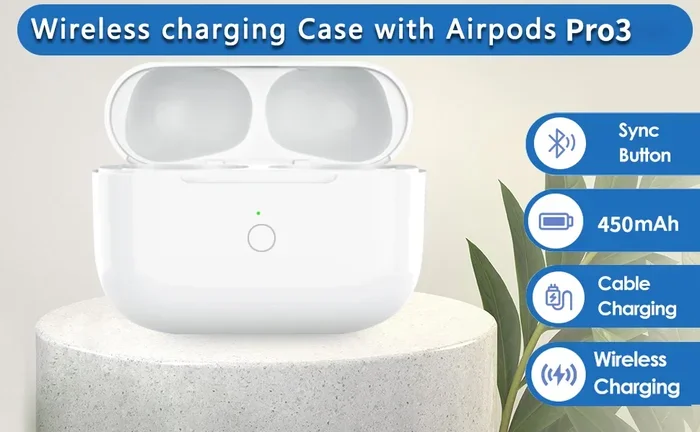
Visual guide about AirPods USB-C charging case
Image source: m.media-amazon.com
The EU USB-C Mandate Explained
In October 2022, the European Union passed a law that says all small electronic devices sold in EU countries must use USB-C charging by December 28, 2024. This includes phones, tablets, headphones, and yes, wireless earbuds like AirPods. The goal is simple: reduce electronic waste and make life easier for consumers.
Imagine if every restaurant had its own special fork. You’d need to carry a bag of forks everywhere! That’s what was happening with charging cables. The EU said, “Let’s all just use USB-C,” and Apple had to listen because Europe is one of their biggest markets.
Apple’s Response Timeline
- September 2023: Apple released the iPhone 15 with USB-C, plus a new AirPods Pro 2 case with USB-C.
- September 2024: AirPods 4 launched with USB-C cases, and AirPods Max got a USB-C version.
- December 2024: The EU deadline hit, and almost all Apple products now use USB-C.
Did You Know? The average household has at least 3 different charging cables lying around. With USB-C becoming the standard, that number could drop to just 1 by 2030!
How to Tell If Your AirPods Use USB-C
Okay, so now you know which models use USB-C, but how do you check your own pair? It’s actually pretty easy. Think of it like checking if a puzzle piece fits—USB-C and Lightning look nothing alike.
The Visual Difference
Lightning port: Small, rectangular, with rounded corners. About 6.7mm wide.
USB-C port: Slightly larger, oval-shaped, with rounded edges. About 8.4mm wide.
Imagine the difference between a tiny rectangle and a small pill shape. That’s basically what you’re looking at.
How to Check Your AirPods
- Look at the bottom of your AirPods case. This is where the charging port lives.
- Check the shape. Lightning is rectangular; USB-C is oval.
- Look up your model number. Go to Settings > Bluetooth on your iPhone, find your AirPods, and tap the “i” icon. It will show your model number.
AirPods Model Numbers Quick Guide
- A2968: AirPods Pro 2 with USB-C
- A3053, A3054, A3055: AirPods 4
- A2700: AirPods Pro 2 with Lightning (original 2022 version)
- A2566, A2565: AirPods 3 with Lightning
Pro tip: If your AirPods case has a speaker grille on the bottom (those tiny holes that make a chime sound), you likely have the USB-C version of AirPods Pro 2. Apple added this feature in 2023 along with the USB-C switch.
Charging Your USB-C AirPods: What You Need to Know
Here’s the great news: if you have USB-C AirPods, charging them is super easy. In fact, it’s easier than ever. Think of it like switching from a special key to a master key that fits many locks.
What Cables Work with USB-C AirPods?
Pretty much any USB-C cable will work. You don’t need to buy the fancy Apple one. Here are your options:
- Apple USB-C cables: The one that comes in iPhone 15 and newer boxes works perfectly.
- Third-party USB-C cables: Any USB-IF certified cable from brands like Anker, Belkin, or Amazon Basics.
- The cable from your MacBook, iPad, or Android phone: Yes, they all use USB-C now!
- USB-C to USB-C cables: Standard for most modern devices.
Charging Speed Comparison
One of the best things about USB-C AirPods is how fast they charge. Here’s a comparison:
- AirPods Pro 2 (USB-C): 5 minutes of charging gives you about 1 hour of listening time.
- AirPods Pro 2 (Lightning): 5 minutes of charging gives you about 1 hour of listening time (similar, actually!).
- Full charge time: About 1 hour for both versions.
The charging speed isn’t dramatically different between Lightning and USB-C, but the convenience is way better. You probably already have multiple USB-C cables around your house.
Wireless Charging Still Works
Here’s something cool: even with a USB-C port, you can still charge your AirPods wirelessly. The AirPods Pro 2 (USB-C) and AirPods 4 with ANC support:
- Qi wireless charging: Any Qi-certified charger works.
- MagSafe charging: Apple MagSafe chargers will snap on magnetically.
- Apple Watch charger: The AirPods Pro 2 USB-C version can actually charge on an Apple Watch charger. Cool, right?
Think of it like having two doors to your house. The USB-C port is the front door, and wireless charging is the back door. You can use either one.
Did You Know? Apple says that the USB-C AirPods Pro 2 has the same 6 hours of listening time on one charge (with ANC off) as the Lightning version. The battery life didn’t change—just the charging port.
USB-C vs Lightning: What’s Actually Different?
Let’s break down the real differences between these two connectors. It’s like comparing a sports car to a regular car—both get you where you need to go, but one has more features.
Physical Differences
- Size: USB-C is slightly larger but still fits in the palm of your hand.
- Shape: USB-C is oval and reversible; Lightning is rectangular and reversible.
- Durability: USB-C is rated for 10,000 insertions; Lightning is rated for similar numbers, but USB-C is becoming the industry standard.
Technical Differences
- Data transfer: USB-C supports faster data speeds (up to 40Gbps with Thunderbolt 4), though AirPods don’t really need this.
- Power delivery: USB-C can deliver up to 100W of power (enough to charge a laptop), while Lightning maxes out at about 20W.
- Compatibility: USB-C works with Android, Windows, iPad, MacBook, Nintendo Switch, and more.
Real-World Impact for AirPods Users
Honestly, for just charging AirPods, you won’t notice a huge difference in everyday use. Both Lightning and USB-C charge your AirPods at similar speeds. The real benefits are:
- One cable for everything: Your iPhone, iPad, MacBook, and AirPods can all share the same cable.
- Less e-waste: Fewer cables thrown away.
- More options: You can borrow a friend’s cable, use one from a coffee shop, or grab any random USB-C cable.
Think of it like this: imagine if every gas station only accepted one specific brand of gas. That’s how Lightning was. USB-C is like having a universal fuel nozzle that works everywhere.
What About AirPods Max?
The AirPods Max situation is a bit unique. These over-ear headphones came out in 2020 with the original Lightning connector. For years, fans waited for a USB-C version.
The Original AirPods Max (2020)
The first AirPods Max used Lightning. Many people were surprised because Apple started moving to USB-C on other products, but the Max stuck with Lightning until recently.
AirPods Max USB-C Version (2024)
In September 2024, Apple finally released an AirPods Max with USB-C. The new version comes in several colors and includes:
- USB-C charging port: Instead of Lightning
- Updated chip: For better performance
- Same audio quality: Apple kept the sound the same
- New colors: Midnight, Blue, Purple, Orange, and Starlight
If you’re buying AirPods Max now, make sure you’re getting the USB-C version. The Lightning version is still sold in some places but is considered the older model.
Did You Know? The AirPods Max USB-C version was one of the last Apple products to make the switch. Apple wanted to focus on smaller devices first because of the EU deadline.
The Future: What’s Next for AirPods and USB-C
Now let’s look into our crystal ball. What does the future hold for AirPods and charging? Here’s what we can expect.
Predictions for AirPods Pro 3
The AirPods Pro 3 are expected to launch in late 2025 or 2026, and they will almost certainly have USB-C. They’re also rumored to include:
- Health monitoring features: Like heart rate tracking
- Better noise cancellation: Apple is always improving ANC
- New design: Possibly smaller or with new features
- USB-C port: Pretty much guaranteed at this point
Will Lightning AirPods Still Work?
Absolutely! Your Lightning AirPods will continue to work just fine. You’ll just need a Lightning cable to charge them. Apple supports older products for many years, so there’s no need to throw away your old AirPods.
Will There Ever Be a Portless AirPods?
This is an interesting question. Apple has been moving toward wireless everything. Could we see AirPods with no port at all, relying entirely on wireless charging?
It’s possible in the future, but there are challenges:
- Wireless charging is slower than wired
- You need a charging pad which is another thing to buy
- Travel can be inconvenient without a cable option
For now, USB-C seems like the standard that will stick around for many years. It’s like how QWERTY keyboards became the standard for typing—once everyone agrees, it stays.
Did You Know? Apple sells over 80 million AirPods every year. That’s more than the entire population of California! With that many users, charging standards really matter.
Common Questions and Concerns
Let’s address some things people often worry about when it comes to AirPods and USB-C.
“Do I Need to Buy New AirPods?”
No! If your current AirPods work fine, keep using them. The switch to USB-C only matters when you buy new ones or if you want the convenience of using the same cable as your other devices.
“Can I Use Lightning AirPods with USB-C iPhone?”
You can still use Lightning AirPods with a USB-C iPhone—you just need a Lightning cable to charge the case. The AirPods themselves connect via Bluetooth, which works the same regardless of the charging port.
“Are USB-C AirPods More Expensive?”
Generally, they’re priced similarly to Lightning versions. In some cases, Apple actually lowered the price of the USB-C AirPods Pro 2 when they launched it, making it a great deal.
“Should I Buy USB-C or Lightning AirPods?”
If you’re buying new AirPods in 2024 or later, go with USB-C. They’re the future, they’re more convenient, and they’re becoming the only option Apple sells in many places.
Wrapping It Up
So, do AirPods use USB-C? The answer is yes, but only the newer ones. If you have AirPods Pro 2 (2023 version), AirPods 4, or the USB-C AirPods Max, you’re using USB-C. If you have older models, you’re still using Lightning, and that’s okay too.
The switch to USB-C isn’t just about AirPods—it’s about all of our devices working better. Fewer cables, less waste, more convenience. That’s a win for everyone.
Whether you stick with your current AirPods or upgrade to USB-C ones, you’ll get the same great sound quality and listening experience. The charging port is just one small part of a much bigger picture.
Next time someone asks you “do AirPods use USB-C?” you’ll know exactly what to say. You’ll be the AirPods expert in your group, and that’s pretty cool.