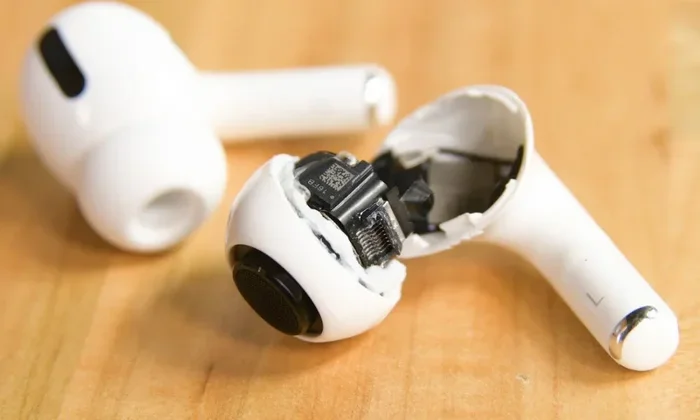
Featured image for Airpods Pro breaking in
Image source: cdn.idropnews.com
Short answer: No, you don’t need to formally “break in” AirPods Pro like you would old speakers. However, using them for the first few hours can help you get used to their sound signature and fit. The earbuds are designed to perform at their best right out of the box, though simple tips like proper ear tip selection and firmware updates can enhance your experience further.
You’ve just unboxed your shiny new AirPods Pro. You’re excited, you’re ready, but then a friend tells you something that makes you pause: “You need to break them in first.” Now you’re wondering if you’ve been doing it wrong all along, or if this is just another tech myth.
Here’s the good news: AirPods Pro are engineered to deliver excellent sound quality from the moment you open the box. Unlike vintage speakers or old-school headphones with heavy drivers, these tiny earbuds use sophisticated digital processing that handles everything for you.
That said, there’s more to this story. While you don’t need a formal “break-in” routine, there are a few things worth understanding about how your ears, your brain, and your new earbuds all work together. Let’s dive into everything you need to know.
Key Takeaways
- No Formal Break-In Required: AirPods Pro use digital signal processing and don’t need traditional speaker break-in to reach optimal performance.
- Acoustic Adaptation Matters: Your ears need time to adjust to the AirPods Pro sound signature, which can make audio seem better after initial use.
- Proper Fit Is Crucial: Choosing the right ear tip size dramatically affects sound quality, noise cancellation, and bass response.
- Firmware Updates Help: Apple regularly releases updates that can improve audio performance and active noise cancellation.
- Burn-In Is a Myth (Mostly): While some drivers benefit from minor physical settling, modern headphone technology makes this virtually irrelevant.
- Environmental Factors Count: Your listening environment and audio source quality matter more than any break-in period.
- Brain Adjustment Is Real: Your brain needs roughly 10-20 hours to fully adapt to new audio equipment, which people often confuse with break-in.
📑 Table of Contents
- What Does “Breaking In” Headphones Actually Mean?
- Do You Need to Break In AirPods Pro? The Direct Answer
- The Brain Adjustment Factor: What’s Really Happening
- The Role of Ear Tip Fit in Sound Quality
- Firmware Updates: Keeping Your AirPods Pro Performing Their Best
- Common Myths About Breaking In AirPods Pro
- Practical Tips to Get the Best Sound from AirPods Pro
- The Science Behind Why AirPods Pro Don’t Need Break-In
- Conclusion: Enjoy Your AirPods Pro Right Away
What Does “Breaking In” Headphones Actually Mean?
Before we talk about AirPods Pro specifically, let’s understand what people mean when they talk about “breaking in” headphones. This concept has been around for decades, and it comes from the world of high-fidelity audio equipment.
The Traditional Definition
In the old days, audio enthusiasts believed that new speakers and headphones needed a “break-in” period. The idea was simple: play music through them for several hours, and the physical drivers would loosen up and sound better. Think of it like breaking in a new pair of shoes, but for your ears.
Traditional over-ear speakers have physical cones made from paper, plastic, or metal. These cones are attached to a voice coil and surrounded by suspension materials. In theory, playing audio through them would loosen these components and allow them to move more freely, producing better sound.
How It Applies to Modern Earbuds
AirPods Pro are a completely different beast. They use tiny balanced armature drivers or custom dynamic drivers paired with sophisticated digital signal processors. The drivers are extremely small, and most of the “magic” happens through software rather than physical movement.
Here’s a helpful analogy: imagine the difference between a vintage film camera and a modern smartphone camera. The film camera might need its mechanical parts loosened up, but the smartphone camera works perfectly from day one because it uses software to handle image processing. AirPods Pro are like the smartphone of headphones.
Do You Need to Break In AirPods Pro? The Direct Answer
Let me give you the straight answer: No, you don’t need to break in AirPods Pro in the traditional sense. Apple’s engineers have designed these earbuds to perform optimally right out of the packaging.
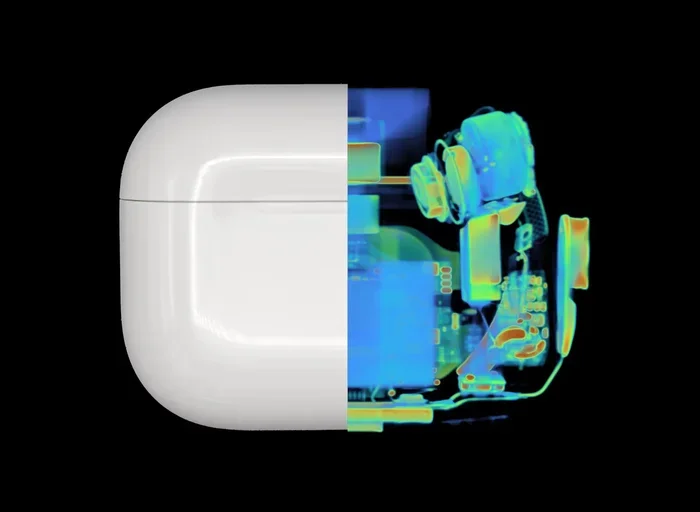
Visual guide about Airpods Pro breaking in
Image source: global-uploads.webflow.com
Why Apple Designed Them This Way
Apple invests millions in audio research and development. The AirPods Pro feature custom-built drivers, the Apple H1 or H2 chip (depending on your generation), and Adaptive EQ technology. All of these work together to deliver consistent sound quality regardless of how many hours you’ve used them.
The H2 chip, found in the second-generation AirPods Pro, processes audio at incredibly high speeds. It adjusts the sound in real-time based on how the earbuds fit in your ears, the ambient noise around you, and what you’re listening to. This means there’s no “warm-up” period needed.
What Actually Happens When You First Use Them
When you first put AirPods Pro in your ears, several things happen that might affect what you hear:
- Ear Tip Seal Test: Your AirPods Pro will run a quick test to check if you have a good seal with your chosen ear tips.
- Active Noise Cancellation Calibration: The microphones analyze your ear canal shape and adjust the noise cancellation accordingly.
- Adaptive EQ Activation: This feature tunes the audio based on how the earbuds sit in your ears.
- Personalized Spatial Audio Setup: If you’ve enabled this feature, it creates a custom audio profile based on your head and ear shape.
All of these calibrations happen automatically and instantly. You don’t need to do anything special to “activate” them.
The Brain Adjustment Factor: What’s Really Happening
Here’s something fascinating that many people don’t realize: your brain needs time to adjust to new audio equipment, but this isn’t the same as breaking in the headphones.
How Your Brain Processes Sound
Your brain is incredibly adaptive. When you start using new headphones, your auditory cortex (the part of your brain that processes sound) needs time to understand the new sound signature. This is similar to how your eyes need time to adjust when you walk into a dark room.
Research suggests that your brain typically needs 10-20 hours of listening time to fully adapt to new headphones. During this period, you might notice subtle changes in how you perceive the sound. Bass might seem tighter, vocals might sound clearer, and the overall presentation might feel more natural.
Why People Confuse Brain Adjustment with Break-In
This is where the myth perpetuates itself. Someone buys new AirPods Pro, listens to them for a week, and notices the sound seems better. They assume the earbuds “broke in,” when really, their brain adapted to the sound signature.
Here’s another helpful analogy: imagine moving to a new city. For the first few weeks, everything feels strange and unfamiliar. But after living there for a while, it starts feeling like home. The city didn’t change, but your brain adapted to the new environment. The same thing happens with audio equipment.
The Role of Ear Tip Fit in Sound Quality
While you don’t need to break in AirPods Pro, you absolutely need to ensure they fit properly. Fit is the single most important factor affecting sound quality with AirPods Pro.
Why Fit Matters So Much
AirPods Pro use a sealed in-ear design to deliver bass and block external noise. If the seal isn’t perfect, you’ll experience several issues:
- Weak Bass Response: Low frequencies need a good seal to resonate properly.
- Reduced Noise Cancellation: Active noise cancellation works best when external sound is already physically blocked.
- Tinny Sound Quality: Without proper seal, audio can sound thin and unsatisfying.
- Discomfort or Frequent Adjustments: Poor fit leads to constant readjustment.
Finding Your Ideal Ear Tip Size
Apple includes four ear tip sizes with AirPods Pro: extra small, small, medium, and large. Most people default to medium, but that’s not always the right choice. Here’s how to find your perfect fit:
- Try Multiple Sizes: Spend time with each size to see which feels most secure.
- Use the Ear Tip Fit Test: Your iPhone has a built-in test that uses the AirPods’ microphones to check your seal.
- Check for Gaps: There should be no gaps between the ear tip and your ear canal.
- Listen for Bass: Good bass response usually indicates a proper seal.
Did You Know? According to Apple, the wrong ear tip size is one of the top reasons people experience poor sound quality with AirPods Pro. Taking five minutes to find the right size can transform your listening experience more than any “break-in” period ever could.
Firmware Updates: Keeping Your AirPods Pro Performing Their Best
One thing that does matter with AirPods Pro is keeping them updated. Apple regularly releases firmware updates that can genuinely improve performance.
What Firmware Updates Do
Firmware updates can include several improvements:
- Better Noise Cancellation: Apple has improved ANC with several firmware updates over the years.
- Improved Sound Quality: Audio processing algorithms get refined over time.
- Bug Fixes: Issues like crackling or popping sounds have been addressed through updates.
- New Features: Sometimes updates add entirely new capabilities.
How to Update Your AirPods Pro
The good news is that AirPods Pro update automatically. You don’t need to do anything special. Just make sure they:
- Are connected to your iPhone or iPad
- Are in their charging case
- Are charging or have battery power
- Are within range of your iOS device
The update happens in the background while you’re not using them. You can check your current firmware version in Settings > Bluetooth > tap the “i” next to your AirPods Pro.
Common Myths About Breaking In AirPods Pro
Let’s debunk some common myths that circulate online about breaking in AirPods Pro.
Myth 1: You Must Play Pink Noise for 100 Hours
Some audiophile forums recommend playing pink noise or specific burn-in tracks for extended periods. This is unnecessary for AirPods Pro. The digital processing handles frequency response calibration automatically, and there’s no physical mechanism that needs loosening.
Myth 2: Bass Will Improve Over Time
While you might perceive bass as improving, this is due to brain adaptation, not physical changes in the drivers. The drivers will produce the same bass response whether you’ve used them for one minute or one thousand hours.
Myth 3: Higher Volume Speeds Up Break-In
This is both unnecessary and potentially harmful. Playing audio at high volumes won’t speed up any break-in process, and it can damage your hearing. Keep volume at reasonable levels.
Myth 4: All Headphones Need Break-In
This depends on the headphone type. Planar magnetic headphones and some high-end dynamic drivers might benefit slightly from physical break-in. However, true wireless earbuds like AirPods Pro don’t fall into this category.
Myth 5: Break-In Will Fix Poor Sound Quality
If your AirPods Pro sound bad out of the box, break-in won’t fix it. Poor sound quality usually indicates a different issue:
- Wrong ear tip size
- Dirty ear tips or speaker mesh
- Bluetooth connection issues
- Audio source quality problems
- Need for firmware update
- Hardware defect (rare but possible)
Practical Tips to Get the Best Sound from AirPods Pro
Instead of worrying about break-in, focus on these practical tips that will actually improve your listening experience.
Optimize Your Audio Settings
Your iPhone has several audio settings that affect how AirPods Pro sound:
- Spatial Audio: Enable this for movies and supported music for an immersive experience.
- Headphone Accommodations: Found in Accessibility settings, this can boost soft sounds and adjust frequencies.
- EQ Settings: In Music settings, you can choose from various EQ presets or create custom settings.
- Balance Audio: Adjust left/right balance if needed in Accessibility settings.
Keep Your AirPods Pro Clean
Dirty earbuds sound worse than clean ones. Earwax and debris accumulate on the speaker mesh and affect sound quality. Clean them regularly:
- Remove ear tips and rinse them with water (let them dry completely before reattaching)
- Use a dry cotton swab to gently clean the speaker mesh
- Wipe the entire earbud with a soft, dry, lint-free cloth
- Never use sharp objects to clean the mesh
Use High-Quality Audio Sources
AirPods Pro are capable of excellent sound, but they can only reproduce what they’re given. Use high-quality audio sources:
- Apple Music Lossless or Hi-Res: While AirPods Pro use AAC codec, higher quality sources still sound better.
- Avoid Heavily Compressed Files: Low-bitrate MP3s will sound worse regardless of your headphones.
- Try Apple Digital Masters: These are mastered specifically for digital playback.
Charge Them Properly
Battery health affects performance. While this isn’t a “break-in” issue, it’s worth mentioning:
- Avoid letting them die completely regularly
- Don’t leave them in extreme temperatures
- Use the Optimized Battery Charging feature
- Keep the charging case clean and dry
The Science Behind Why AirPods Pro Don’t Need Break-In
Let’s get a bit more technical about why AirPods Pro are different from traditional speakers.
Digital Signal Processing
The H2 chip processes audio signals up to 48,000 times per second. It applies precise equalization, adjusts for ear canal differences, and manages noise cancellation in real-time. This processing happens regardless of how long you’ve used the earbuds.
Think of it this way: traditional speakers are like a piano that needs tuning before each performance. AirPods Pro are like a digital keyboard that always stays in tune because it uses electronic signals instead of physical strings.
Driver Technology
The custom dynamic driver in AirPods Pro is tiny and extremely lightweight. Unlike large speaker drivers that have significant mass and stiff suspensions, these drivers have minimal mass and flexible materials that don’t require loosening. They’re designed to operate optimally from the first use.
Acoustic Design
Every aspect of AirPods Pro is acoustically engineered:
- Internal Vent System: Equalizes pressure for comfort
- Custom Driver Shape: Optimized for the small form factor
- Precision Microphones: Both inside and outside the ear for ANC
- Ear Tip Design: Affects acoustic seal and comfort
All of these elements work together from day one. There’s no physical process that requires time to “settle.”
Conclusion: Enjoy Your AirPods Pro Right Away
So, do you need to break in AirPods Pro? The answer is a resounding no. These earbuds are engineered to deliver exceptional audio quality from the moment you first put them in your ears.
Instead of playing burn-in audio for hours, spend that time on things that actually matter:
- Finding the perfect ear tip size for your ears
- Keeping your AirPods Pro clean and well-maintained
- Updating to the latest firmware
- Optimizing your audio settings
- Using high-quality audio sources
- Allowing your brain 10-20 hours to adapt to the new sound signature
The real “break-in” period is your own auditory adjustment, and that happens naturally as you use your AirPods Pro in your daily life. Within a week or two, you’ll be fully accustomed to their sound, and you’ll wonder why you ever worried about breaking them in.
Remember, AirPods Pro represent the pinnacle of modern audio engineering. They use sophisticated technology that makes traditional break-in routines obsolete. Trust the engineering, enjoy your music, and don’t fall for audiophile myths that don’t apply to modern digital earbuds.
Now, put those AirPods Pro in your ears, queue up your favorite playlist, and enjoy the excellent sound quality that Apple designed them to deliver from day one.
Frequently Asked Questions
How long does it take to break in AirPods Pro?
AirPods Pro don’t require a traditional break-in period. However, your brain needs approximately 10-20 hours of listening time to fully adjust to the sound signature. This auditory adaptation is often confused with headphone break-in, but it’s purely neurological.
Will AirPods Pro sound better after using them for a while?
The sound quality won’t physically improve over time, but your perception of the sound may change. Your brain adapts to the new audio signature, which can make music seem richer or more detailed after initial use. This is normal and happens with any new headphones.
Should I play pink noise to break in my AirPods Pro?
No, playing pink noise or burn-in tracks is unnecessary for AirPods Pro. These earbuds use digital signal processing that calibrates audio automatically, regardless of what’s played through them. Save your time for actually enjoying your music instead.
Do ear tips affect how AirPods Pro sound?
Yes, ear tip fit dramatically affects sound quality. The wrong size creates gaps that reduce bass response, weaken noise cancellation, and produce tinny audio. Apple includes four ear tip sizes, and finding the right one matters more than any break-in period could.
Can firmware updates improve AirPods Pro sound?
Absolutely. Apple releases firmware updates that can improve noise cancellation, refine audio processing, and fix bugs. AirPods Pro update automatically when connected to your iOS device, so keep them paired and charged to receive the latest improvements.
What’s the best way to get optimal sound from AirPods Pro?
Focus on proper ear tip fit, keep your AirPods Pro clean, ensure firmware is updated, use high-quality audio sources, and optimize your iPhone’s audio settings. These practical steps will improve your experience far more than any break-in routine ever could.