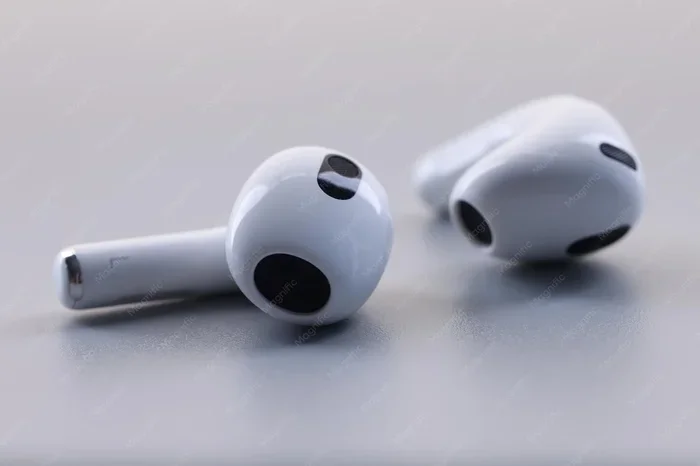
Featured image for AirPods 1 white background
Image source: img.freepik.com
AirPods 1 do not have active noise cancellation (ANC). They rely solely on a passive noise-isolating fit to muffle some background sound. If you want true noise cancellation, you’ll need to look at AirPods Pro, AirPods Max, or AirPods 4 with ANC. AirPods 1 remain a solid, budget-friendly choice for casual listening, calls, and everyday use, but they won’t silence a noisy commute or airplane cabin.
Picture this: you’re on a crowded subway, the train screeches to a halt, and all you want is a moment of peace with your favorite playlist. You reach for your AirPods, pop them in, and… the rumble of the train still cuts right through your music. If this sounds familiar, you might be wondering whether your AirPods are actually doing anything to block noise — or whether they ever could.
The truth is, when it comes to noise cancellation, not all AirPods are created equal. The original AirPods — often called AirPods 1 — are a fan favorite for their simplicity, easy pairing, and comfortable fit. But when it comes to silencing the world around you, they leave a lot on the table. In this guide, we’ll break down exactly what AirPods 1 can (and can’t) do for noise reduction, why they work the way they do, and what your options are if silence is what you’re really after.
Whether you’re a longtime AirPods 1 owner, someone considering buying a used pair, or just curious about how noise cancellation actually works, you’ll find clear, honest answers here. Let’s dive in.
Key Takeaways
- No Built-In ANC: The original AirPods (1st generation) launched in 2016 without any active noise cancellation technology.
- Passive Isolation Only: AirPods 1 reduce some ambient noise simply because of how they sit in your ears, not through electronic sound processing.
- Chip Limitations: The W1 chip inside AirPods 1 is designed for connectivity and battery efficiency, not noise-canceling features.
- Best for Quiet Settings: Without ANC, AirPods 1 work best in low-noise environments like offices, homes, or casual walks.
- Software Can’t Add It: No iOS update or app can magically enable ANC on AirPods 1 — the required hardware simply isn’t there.
- ANC Alternatives: AirPods Pro, AirPods Pro 2, AirPods 4 (with ANC), and AirPods Max all offer true active noise cancellation.
- Great Budget Pick: If you don’t need ANC, AirPods 1 are still a reliable, affordable option for music, podcasts, and calls.
📑 Table of Contents
- The Straight Answer: Do AirPods 1 Have Noise Cancellation?
- Active vs. Passive Noise Cancellation: What’s the Difference?
- What About Transparency Mode and Adaptive Audio?
- How AirPods 1 Compare to AirPods With Noise Cancellation
- Who Should (and Shouldn’t) Buy AirPods 1 in Today’s Market?
- Better Alternatives If You Need Noise Cancellation
- Tips for Getting the Most Out of AirPods 1 (Without ANC)
- The Future of AirPods and Noise Cancellation
- Final Verdict: Should You Buy AirPods 1 If You Want Noise Cancellation?
The Straight Answer: Do AirPods 1 Have Noise Cancellation?
Let’s not bury the lede here. No, AirPods 1 do not have active noise cancellation. Not a little bit. Not even a hidden software mode you can toggle on. They simply don’t include the technology.
Apple launched the original AirPods back in December 2016. At the time, they were revolutionary for their tiny size, seamless pairing with iPhones, and the magic of the W1 chip. But noise cancellation? That wasn’t part of the package.
What AirPods 1 Offer Instead
Instead of ANC, AirPods 1 rely on what’s called passive noise isolation. This is a fancy way of saying the earbuds physically block some sound simply by sitting in your ears. Think of it like putting your hands over your ears — you’re not canceling the noise, you’re just muffling it a bit.
Passive isolation works best when:
- The earbuds fit snugly in your ear canal
- There’s a good seal between the earbud and your ear
- The background noise is relatively low
AirPods 1 have a hard plastic design that rests on the outer ear rather than sealing inside the canal (like in-ear silicone tips). This means they let in a fair amount of outside sound — which is great for situational awareness, but bad for blocking noise.
Why Apple Skipped ANC on AirPods 1
Back in 2016, noise cancellation was mostly found in bulky over-ear headphones like the Bose QC series or Sony WH-1000X. Cramming ANC technology into tiny wireless earbuds was a serious engineering challenge. Apple chose to prioritize:
- Size and comfort — keeping the earbuds small and light
- Battery life — ANC drains battery fast
- Price point — making AirPods accessible at $159
It wasn’t until 2019 — three years later — that Apple finally released AirPods Pro, the first AirPods with active noise cancellation. That’s how big the gap was between regular AirPods and ANC AirPods.
Active vs. Passive Noise Cancellation: What’s the Difference?
To really understand why AirPods 1 fall short in noisy environments, it helps to know how noise cancellation actually works. There are two main types, and they operate in completely different ways.
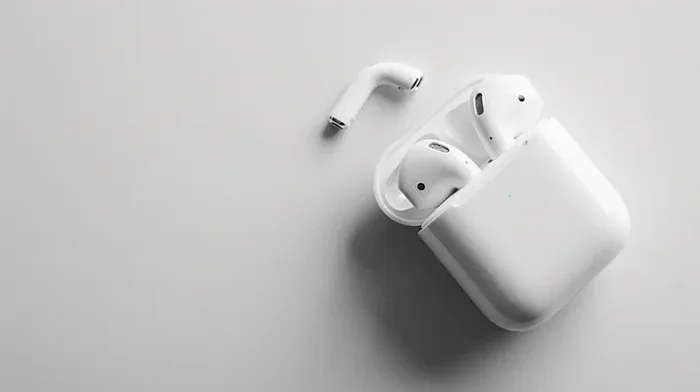
Visual guide about AirPods 1 white background
Image source: png.pngtree.com
Passive Noise Isolation (What AirPods 1 Have)
Passive noise isolation is the oldest, simplest method. It relies on physical barriers to block sound waves from reaching your eardrum. Think of it like closing a window to keep out street noise — the window isn’t doing anything special, it’s just in the way.
For earbuds, this means:
- A snug fit that covers or seals the ear canal
- Materials that absorb or reflect sound waves
- No electronics or batteries required
AirPods 1 offer mild passive isolation. Their hard plastic shell sits loosely in most ears, so they don’t create a tight seal. You’ll hear a soft reduction in volume from background noise, but nothing dramatic.
Active Noise Cancellation (What AirPods Pro and Beyond Have)
Active noise cancellation is where the magic happens. Tiny microphones on the earbuds listen to the outside world, and the earbuds generate an “anti-noise” signal that’s the exact opposite waveform of the incoming sound. When these two waves meet, they cancel each other out. It’s like adding a number and its negative to get zero.
Here’s a simple analogy: imagine you’re in a room with a loud humming air conditioner. Now imagine someone plays the exact opposite hum at the same volume. The two sounds collide and — poof — silence. That’s ANC in a nutshell.
ANC works best on steady, low-frequency sounds like:
- Airplane engines
- Train rumbles
- Air conditioners
- Traffic hum
It struggles more with sudden, sharp sounds like conversations, dog barks, or crying babies. For those, a feature called Transparency Mode (available on AirPods Pro and newer) lets you hear the world around you naturally when needed.
Why This Matters for AirPods 1 Users
If you’re using AirPods 1 in a quiet home office, you probably don’t notice the lack of ANC much. But take them on a bus, a plane, or to a busy café, and you’ll quickly realize how much outside noise bleeds through. Music sounds muddy at lower volumes, and you end up cranking it up — which isn’t great for your hearing long-term.
What About Transparency Mode and Adaptive Audio?
Modern AirPods come loaded with smart audio features that AirPods 1 simply don’t have. Let’s quickly cover the big ones so you know what you’re missing.
Transparency Mode
Transparency Mode is the opposite of noise cancellation. Instead of blocking outside sound, it uses the microphones to pipe in ambient noise so you can hear the world clearly without taking your earbuds out. It’s perfect for crossing streets, hearing announcements at airports, or having quick conversations.
AirPods 1? They let in outside sound whether you want it or not — because they don’t seal your ears. So in a way, they have permanent “transparency,” just without the clarity or control.
Adaptive Audio and Conversation Awareness
Introduced with iOS 17 and AirPods Pro 2, Adaptive Audio dynamically blends ANC and Transparency based on your environment. Walking past a construction site? ANC kicks in. Stopping to chat with a barista? Transparency activates automatically.
AirPods 1 don’t support any of this. Their audio experience is static — what you hear is just the music and whatever ambient noise happens to leak in.
Personalized Volume and Spatial Audio
AirPods 1 also lack features like Personalized Volume (which learns your listening preferences) and the full Spatial Audio experience with dynamic head tracking. They do support basic stereo Spatial Audio, but it’s a watered-down version compared to newer models.
If you’re an audiophile or someone who values premium sound, these missing features are worth considering.
How AirPods 1 Compare to AirPods With Noise Cancellation
Let’s put it all side by side so you can see exactly what you’re gaining (or missing) when comparing AirPods 1 to ANC-equipped models.
AirPods 1 vs. AirPods Pro
- Design: AirPods 1 have an open-ear hard plastic design. AirPods Pro use silicone tips that seal the ear canal.
- Noise Cancellation: AirPods Pro have ANC; AirPods 1 do not.
- Transparency Mode: AirPods Pro have adjustable Transparency; AirPods 1 have uncontrolled ambient leak.
- Sound Quality: AirPods Pro deliver richer bass and clearer mids thanks to the seal and better drivers.
- Water Resistance: AirPods Pro are IPX4 sweat and water-resistant; AirPods 1 are not rated.
- Price (Used): AirPods 1 can often be found for $50–$80 used. AirPods Pro typically run $150–$200 used or refurbished.
AirPods 1 vs. AirPods 4 (with ANC)
The AirPods 4 launched in September 2024 in two versions: one without ANC and one with ANC. The ANC version is the first “regular” AirPods (non-Pro) to include active noise cancellation.
- Chip: AirPods 4 use the H2 chip; AirPods 1 use the older W1 chip.
- Noise Cancellation: AirPods 4 (ANC model) include it; AirPods 1 don’t.
- Adaptive Audio: AirPods 4 (ANC) support it; AirPods 1 don’t.
- Price: AirPods 4 ANC retail around $179 new.
AirPods 1 vs. AirPods Max
AirPods Max are Apple’s over-ear headphones with premium ANC. They’re overkill for most people due to their $549 price tag, but if you want the best noise cancellation Apple offers, they’re the top pick.
AirPods 1, by contrast, are ultra-portable and budget-friendly — but they can’t compete on noise blocking, comfort for long sessions, or sound quality.
Who Should (and Shouldn’t) Buy AirPods 1 in Today’s Market?
Just because AirPods 1 lack ANC doesn’t mean they’re useless. In fact, for certain users, they’re still a solid buy — especially on the used market.
AirPods 1 Are a Great Fit If You…
- Mostly listen to music or podcasts at home, in a quiet office, or while walking in low-traffic areas
- Want a budget-friendly entry into the Apple ecosystem
- Prefer an open-ear design that lets you hear your surroundings (for safety or awareness)
- Already own a charging case and want a backup pair
- Use them primarily for casual calls and Siri commands
You Should Skip AirPods 1 If You…
- Commute on noisy trains, buses, or planes regularly
- Work in open-plan offices or bustling cafés
- Want immersive music with rich bass and clear detail
- Need sweat resistance for workouts
- Travel frequently and rely on noise cancellation to rest
A Quick Word on Used AirPods 1
If you’re buying used AirPods 1, check the battery health. Apple doesn’t replace batteries in AirPods 1 — once they degrade, the earbuds are essentially e-waste. A pair with degraded batteries might only last 30 minutes per charge, which is frustrating for daily use.
Also, make sure the charging case is genuine and functional. Counterfeit AirPods are everywhere, and they often look identical to real ones but offer terrible sound and unreliable connections.
Better Alternatives If You Need Noise Cancellation
If you’ve read this far and realized AirPods 1 won’t meet your noise-blocking needs, here are your best options — at different price points.
Budget-Friendly: AirPods 4 (Without ANC) — Around $129
If you like the regular AirPods fit but want newer technology, AirPods 4 (non-ANC) are a big step up from AirPods 1. They feature the H2 chip, better sound, and improved comfort — just no active noise cancellation.
Best Value: AirPods 4 with ANC — Around $179
For most people, this is the sweet spot. You get genuine ANC, Adaptive Audio, Transparency Mode, and Spatial Audio — all in the familiar AirPods design. The ANC isn’t quite as powerful as AirPods Pro, but it’s impressive for the size and price.
Premium Pick: AirPods Pro 2 — Around $199 (often discounted)
The gold standard for in-ear AirPods. AirPods Pro 2 deliver best-in-class ANC, rich sound, IP54 dust and water resistance, and Conversation Awareness. If you can find them on sale or refurbished, they’re an incredible value.
Over-Ear Option: AirPods Max — Around $549
Luxurious, heavy, and loaded with premium features. AirPods Max offer the strongest ANC in Apple’s lineup and stunning build quality. But they’re not very portable, and the price is steep.
Non-Apple Alternatives
If you’re open to stepping outside the Apple ecosystem, consider:
- Sony WF-1000XM5: Arguably the best ANC in any wireless earbud
- Bose QuietComfort Ultra Earbuds: Legendary noise cancellation with great comfort
- Sennheiser Momentum True Wireless 4: Audiophile-grade sound with solid ANC
These often match or beat AirPods Pro on ANC while offering competitive pricing.
Tips for Getting the Most Out of AirPods 1 (Without ANC)
If you’re sticking with your AirPods 1, here are a few practical tips to make the most of what they can do.
1. Use the Right Ear Tip Fit (Even Though They’re Not In-Ear)
Since AirPods 1 don’t seal your ear canal, getting a snug fit is about positioning. Try different angles until the earbud feels secure. A loose fit means more noise leak and worse bass response.
2. Crank the Volume Strategically
Without ANC, you’ll naturally want to turn up the volume in noisy places. But blasting music at 80%+ volume for extended periods can damage your hearing. Use the Headphone Audio Levels feature in iOS Settings to monitor safe listening levels.
3. Pair with Apple Watch for Better Control
If you have an Apple Watch, you can control music and volume without pulling out your iPhone — useful when you’re in loud environments.
4. Use the EQ Settings in Apple Music
Adjusting the equalizer can compensate for some background noise. Boosting bass and mids slightly can help your music cut through ambient sound without maxing out the volume.
5. Clean Your AirPods Regularly
Did you know that earwax buildup can affect sound quality and even how well your AirPods fit? A quick clean with a soft, dry brush can make a noticeable difference. Just don’t use water or harsh cleaners.
The Future of AirPods and Noise Cancellation
Looking ahead, noise cancellation is only going to get more advanced. Apple is rumored to be working on health-sensing AirPods, AI-powered audio adjustments, and even better ANC algorithms. The H2 chip already powers impressive real-time audio processing, and future iterations will likely push boundaries further.
For now, though, AirPods 1 remain what they were at launch — a convenient, simple, no-frills wireless earbud. They’re not built for noise cancellation, and that’s perfectly fine for what they do best.
Final Verdict: Should You Buy AirPods 1 If You Want Noise Cancellation?
Let’s wrap it all up.
If noise cancellation is a priority for you, AirPods 1 are not the right choice. They simply don’t have the hardware to block out ambient noise effectively. Save up for AirPods 4 (ANC model), AirPods Pro, or AirPods Pro 2 — they’re worth the upgrade if you commute, travel, or work in noisy environments.
If you’re okay with passive noise reduction and want an affordable, reliable pair of wireless earbuds for everyday casual use, AirPods 1 are still a solid pick. Just don’t expect miracles when the world gets loud.
Ultimately, knowing what you’re getting — and what you’re not — is the key to a satisfying purchase. AirPods 1 may not silence the world, but they still deliver on the core promise of wireless freedom with Apple-style polish.
Frequently Asked Questions
Do AirPods 1 have any kind of noise cancellation?
No. AirPods 1 only offer passive noise isolation, which is the natural muffling that happens when earbuds sit in your ears. They do not have active noise cancellation (ANC), which uses microphones and anti-noise signals to block sound electronically.
Can I add noise cancellation to AirPods 1 with a software update?
Unfortunately, no. Active noise cancellation requires special hardware — specifically outward-facing microphones and a powerful processing chip. The W1 chip inside AirPods 1 is not capable of running ANC algorithms, so no software update can add this feature.
Which AirPods models have active noise cancellation?
Apple’s ANC-equipped AirPods include AirPods Pro, AirPods Pro 2, AirPods 4 (with ANC), and AirPods Max. These models use external microphones and Apple silicon to actively block background noise.
Are AirPods 1 good for airplane travel?
AirPods 1 are not ideal for airplane travel because they don’t block engine noise effectively. Without ANC, you’ll hear a lot of cabin rumble and likely need to turn the volume up high, which isn’t great for your ears. AirPods Pro or AirPods Max are much better travel companions.
Is it worth buying AirPods 1 in 2024 or 2025?
If you can find them at a very low price (under $50) and don’t need ANC or water resistance, AirPods 1 can still be a decent backup pair. However, for most people, AirPods 4 or AirPods Pro offer much better value, sound quality, and modern features for only a bit more money.
How can I tell if my AirPods are 1st generation?
You can identify AirPods 1 by going to Settings > Bluetooth on your iPhone, tapping the “i” icon next to your AirPods, and checking the model number. AirPods 1 are listed as A1523 (right earbud) and A1722 (left earbud). The charging case model is A1602.