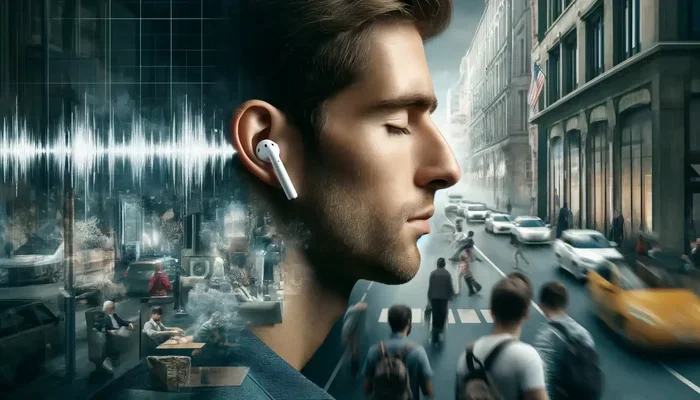
Featured image for AirPods noise cancellation city
Image source: blogospherenews.com
Yes, AirPods do reduce background noise, especially models with Active Noise Cancellation (ANC) like AirPods Pro and AirPods Max. These premium models use tiny microphones and advanced algorithms to detect outside sounds and create “anti-noise” that cancels them out. Even standard AirPods offer some noise isolation through their in-ear design, though they don’t actively cancel sound the way ANC models do.
Ever tried having a phone call in a coffee shop, only to have the person on the other end say, “Sorry, can you repeat that?” Yeah, we’ve all been there. Background noise is one of the biggest frustrations of modern life, whether you’re working from home, commuting, or just trying to enjoy some music at your favorite café. But do AirPods reduce background noise? The short answer is yes, but how well they do it depends on which AirPods you own and how you use them.
Think of background noise like an unwanted guest at a dinner party. Some AirPods are like having a polite but firm bouncer at the door, while others are more like asking the guest nicely to keep it down. Understanding the difference between passive noise isolation and active noise cancellation is key to knowing what you’re getting.
In this guide, we’ll break down everything you need to know about how AirPods handle background noise. You’ll learn which models work best, how the technology actually works (in simple terms, we promise!), and tips to get the most out of your AirPods in noisy environments. By the end, you’ll be an AirPods noise-cancellation expert ready to make the most of your listening experience.
Key Takeaways
- Two Main Technologies: AirPods reduce background noise through Passive Noise Isolation (physical seal) and Active Noise Cancellation (electronic anti-noise).
- ANC Models Work Best: AirPods Pro 1st gen, Pro 2nd gen, and AirPods Max feature Active Noise Cancellation that reduces noise by up to 30-40 decibels.
- Standard AirPods Offer Limited Help: Regular AirPods (without silicone tips) provide minimal noise reduction since they don’t seal the ear canal.
- Transparency Mode is a Bonus: ANC AirPods let you switch to Transparency Mode when you need to hear your surroundings clearly.
- Battery Drain Consideration: Active Noise Cancellation uses extra battery power, typically reducing listening time by 1-2 hours.
- Adaptive Audio (Newer Models): AirPods Pro 2nd gen introduced Adaptive Audio that automatically adjusts noise control based on your environment.
- Best for Consistent Low-Frequency Noise: ANC works best on airplane engines, AC units, and traffic, while sudden sharp sounds are harder to cancel.
📑 Table of Contents
- Understanding How AirPods Handle Background Noise
- Which AirPods Models Reduce Background Noise Best?
- How Well Does Active Noise Cancellation Actually Work?
- Special Features That Improve the Experience
- Practical Tips to Maximize Background Noise Reduction
- Common Misconceptions About AirPods and Noise Reduction
- Conclusion: Finding Your Perfect Noise Reduction Setup
Understanding How AirPods Handle Background Noise
Before we dive into specific AirPod types, it helps to know the two main ways any headphones reduce noise. Think of it like this: passive noise reduction is like closing a window to keep street noise out, while active noise cancellation is like having a sound system that creates the opposite noise to cancel it out completely.
Passive Noise Isolation: The Physical Block
Passive noise isolation is the simplest form of noise reduction. It works exactly like putting your fingers in your ears when your little sibling won’t stop singing. The headphones physically block sound waves from reaching your eardrums.
AirPods achieve passive isolation mainly through how they fit in your ears. The silicone tips on AirPods Pro and AirPods Pro 2 create a seal inside your ear canal, similar to earplugs. This seal blocks a surprising amount of mid and high-frequency sounds, like people’s chatter or the clinking of dishes.
Did You Know? A good seal from silicone ear tips can block up to 20-25 decibels of noise on its own, even without any electronic help. That’s like turning down the volume on the world around you by about one-quarter!
However, standard AirPods (the basic ones without Pro in the name) don’t have silicone tips. They just rest in your outer ear, which means very little passive noise isolation. If you own regular AirPods, this is likely why you hear so much background noise.
Active Noise Cancellation: The Smart Technology
Active Noise Cancellation, often called ANC, is where things get really cool. This technology uses tiny microphones to listen to the world around you, then creates a “mirror image” sound wave that cancels out the original noise. It’s like throwing a ball at a wall and having another ball come from the opposite direction to knock it out of the air.
AirPods with ANC (Pro and Max models) have microphones both inside and outside the ear cup or bud. The external mic picks up incoming noise, and the internal mic monitors what actually reaches your ear. A processor inside the AirPods calculates the anti-noise in real-time, faster than you can blink.
This anti-noise is played through the speaker, and when it meets the original noise wave, the two cancel each other out. The result? Significantly less background noise reaching your ears.
Which AirPods Models Reduce Background Noise Best?
Not all AirPods are created equal when it comes to noise reduction. Apple has rolled out ANC gradually across its lineup, with the premium models getting the best noise-canceling tech. Let’s look at each model so you know what to expect.
Visual guide about AirPods noise cancellation city
Image source: descriptive.audio
AirPods Pro: The Pocket-Sized Noise Canceller
AirPods Pro and AirPods Pro 2 are the stars of the show when it comes to background noise reduction. These tiny earbuds pack impressive noise-canceling power into a small package. The original AirPods Pro, released in 2019, were Apple’s first in-ear AirPods with ANC.
The AirPods Pro 2, released in 2022, took things even further. According to Apple, these offer “up to twice as much” noise cancellation as the first generation. In real-world testing, users report that the AirPods Pro 2 can dramatically reduce airplane engine noise, subway rumble, and office chatter.
One feature that makes AirPods Pro especially good is the silicone tip selection. Apple includes four sizes of silicone tips (XS, S, M, L) with the Pro models. Finding the right size is crucial because a proper seal dramatically improves both passive isolation and active cancellation effectiveness.
Pro Tip: Use Apple’s Ear Tip Fit Test in Settings > AirPods Pro > Ear Tip Fit Test. It plays a few seconds of music and tells you if your tips are sealing properly. If not, try a different size.
AirPods Max: The Over-Ear Champion
AirPods Max are Apple’s over-ear headphones, and they’re the absolute kings of background noise reduction in the AirPods lineup. Because they cover your entire ear, they provide excellent passive isolation, plus they have powerful ANC.
AirPods Max use eight microphones dedicated to noise cancellation (more than any other AirPods model). This gives them superior ability to detect and cancel a wider range of frequencies. Whether it’s the low rumble of an airplane or the higher-pitched noise of a busy café, AirPods Max handle them all impressively.
The downside? AirPods Max are heavy (384 grams) and expensive ($549 starting price). They’re great for serious listening sessions but not as portable as the Pro models.
Standard AirPods: Minimal Noise Reduction
Standard AirPods (1st, 2nd, 3rd, and 4th generation) don’t have Active Noise Cancellation. The hard plastic design means they don’t seal your ear canal, so they offer very little passive isolation either.
If you’re using regular AirPods, you’ll hear most of what’s happening around you. They’re great for situational awareness (like crossing streets safely), but not for focusing in noisy environments.
However, there’s an exception: AirPods 4 (released in 2024) come in two versions. One has ANC, and one doesn’t. The ANC version of AirPods 4 is Apple’s first non-Pro AirPods with Active Noise Cancellation, making it more affordable than the Pro line.
How Well Does Active Noise Cancellation Actually Work?
Now that we know which AirPods have ANC, let’s talk about how well it works in real life. The truth is, ANC isn’t magic. It works amazingly well for some sounds and not so well for others.
Best Scenarios for ANC
Active Noise Cancellation works best on consistent, low-frequency sounds. Think of sounds that are “drone-like” and don’t change much. Here are the top scenarios where AirPods ANC shines:
- Airplane travel: Engine noise is low and constant, making it perfect for ANC cancellation.
- Public transportation: Bus and train rumble gets significantly reduced.
- Office environments: The hum of air conditioning and computers fades away.
- Home appliances: Dishwashers, washing machines, and HVAC systems become much quieter.
- City streets: Traffic noise reduces dramatically, especially lower frequencies.
Did You Know? Studies show that ANC can reduce perceived noise by up to 30 decibels in ideal conditions. That’s the difference between a busy street and a quiet library!
Limitations of ANC Technology
ANC doesn’t work equally well on all sounds. Here are the situations where you’ll still hear noise even with AirPods Pro or AirPods Max:
- Sudden loud noises: Car horns, barking dogs, and shouting take a fraction of a second to cancel, so you’ll often hear the start of these sounds.
- High-frequency sounds: Voices, squeaky brakes, and alarms are harder to cancel because they have shorter wavelengths.
- Irregular sounds: Random clatter or music from nearby speakers is harder to predict and cancel.
- Wind noise: Wind can create noise on the ANC microphones, sometimes causing whistling or whooshing sounds (though newer models handle this better).
Think of ANC like a skilled surfer riding waves. It handles consistent swells beautifully, but a sudden choppy wave will still splash the surfer a bit.
The Numbers Behind Noise Reduction
If you’re a numbers person, here’s some data. Independent measurements have shown that AirPods Pro 2 can achieve noise reduction of about 30-35 dB on low-frequency sounds (below 500 Hz). For comparison, that’s roughly the difference between standing next to a busy highway and being in a quiet office.
AirPods Max perform even better, with noise reduction reaching 40 dB in some frequency ranges. That makes them comparable to much more expensive audiophile-grade headphones.
Special Features That Improve the Experience
Apple has added several smart features to AirPods that go beyond simple ANC. These make the noise-canceling experience more flexible and user-friendly.
Transparency Mode: Hear What You Need to Hear
What if you want to block out noise most of the time but still hear important things like announcements or conversations? That’s the purpose of Transparency Mode. This feature uses the same microphones to let outside sounds through naturally, as if you weren’t wearing earbuds at all.
It’s incredibly useful for:
- Listening for flight announcements at airports
- Having quick conversations without removing your AirPods
- Staying aware of traffic when walking or cycling
- Ordering food at a counter without taking out your earbuds
Switching between ANC and Transparency Mode is simple. On AirPods Pro, press and hold the force sensor on the stem. On AirPods Max, press the noise control button. It’s like having a volume knob for the world around you.
Adaptive Audio: The Smart Compromise
Introduced with AirPods Pro 2 in 2023, Adaptive Audio is a game-changer. This feature automatically adjusts between ANC and Transparency Mode based on your environment and what you’re doing.
Imagine walking down a busy street. Your AirPods detect that there’s a lot of noise, so they increase noise cancellation. You stop to chat with a friend, and the AirPods automatically switch to Transparency Mode so you can hear clearly. You start walking again, and ANC kicks back in. It’s all seamless.
This smart feature means you don’t have to constantly fiddle with controls. Your AirPods adapt to your world in real-time.
Conversation Awareness
Another smart feature on AirPods Pro 2 is Conversation Awareness. When you start speaking to someone, your AirPods automatically lower your music volume and switch to Transparency Mode. When you stop, they go back to normal after a few seconds.
It’s like having a polite assistant who turns down the music whenever you want to chat. Perfect for ordering coffee or asking for directions.
Practical Tips to Maximize Background Noise Reduction
Owning AirPods with ANC is one thing. Getting the most out of them is another. Here are practical tips to ensure your AirPods are reducing background noise as effectively as possible.
Get the Perfect Fit
The single biggest factor in noise reduction is fit. If your AirPods Pro tips don’t seal properly, both passive isolation and ANC performance drop significantly.
- Try all ear tip sizes: Don’t assume the medium tips are right for you. Spend time trying each size.
- Insert properly: Twist the AirPods slightly as you put them in to create a better seal.
- Use the fit test: Run Apple’s Ear Tip Fit Test regularly, especially after cleaning.
- Replace worn tips: Silicone tips wear out over time. If they feel loose or damaged, replace them. Apple sells replacements for around $9.
Keep Your AirPods Clean
Dirty AirPods don’t just look bad, they perform worse. Earwax and debris can block the mesh and microphones, reducing ANC effectiveness. Here’s a quick cleaning routine:
- Weekly: Wipe down your AirPods with a dry, soft cloth.
- Monthly: Use a dry cotton swab to gently clean the mesh areas.
- Never use water: AirPods aren’t waterproof, so avoid getting them wet.
- Deep clean as needed: If mesh looks clogged, use a soft-bristled dry brush.
Update Your Firmware
Apple regularly releases firmware updates that improve ANC performance, fix bugs, and add features. Make sure your AirPods are up to date by:
- Putting them in their case
- Connecting the case to power
- Placing the case near your iPhone (updates happen automatically when nearby and connected to Wi-Fi)
You can check your firmware version in Settings > Bluetooth > tap the “i” next to your AirPods.
Use Them Correctly in Noisy Environments
Even with great AirPods, how you use them matters. Here are some situational tips:
- On planes: Activate ANC before takeoff for best results, as engines are loudest during taxi and climb.
- In offices: Pair ANC with low-volume background music for maximum focus.
- During calls: ANC helps you hear clearly, but remember the mics still pick up your voice naturally.
- While sleeping: AirPods Pro 2 work great for blocking snoring partners, though comfort varies by person.
Common Misconceptions About AirPods and Noise Reduction
There are several myths floating around about how AirPods handle background noise. Let’s clear up the most common ones.
Myth 1: All AirPods Cancel Noise Equally
This is far from true. As we discussed, only certain models (AirPods Pro, AirPods Pro 2, AirPods 4 ANC, and AirPods Max) have Active Noise Cancellation. Even among these, performance varies significantly.
Myth 2: ANC Makes Everything Silent
Despite what marketing might suggest, ANC doesn’t create complete silence. It reduces noise dramatically, but you’ll still hear some sounds, especially sudden or high-frequency ones. Expect a noticeable quieting, not a cone of silence.
Myth 3: ANC Damages Your Hearing
Some people worry that ANC is harmful. The opposite is actually true. By reducing background noise, ANC lets you listen to music at lower volumes, which can actually protect your hearing long-term. There’s no evidence that ANC itself causes hearing damage.
Myth 4: ANC Drains Battery Quickly
While ANC does use more battery than normal listening, it’s not as bad as you might think. AirPods Pro 2 still offer up to 6 hours of listening time with ANC on (compared to 7 hours without). The trade-off is worth it for most people in noisy environments.
Myth 5: You Can’t Use ANC Without Music
Many people don’t realize you can activate ANC without playing any audio. This is perfect for quiet focus or meditation in noisy places. Just activate noise cancellation and enjoy the relative quiet.
Conclusion: Finding Your Perfect Noise Reduction Setup
So, do AirPods reduce background noise? Absolutely yes, especially if you choose the right model. AirPods Pro, AirPods Pro 2, AirPods 4 with ANC, and AirPods Max all offer excellent Active Noise Cancellation that can transform noisy environments into peaceful listening spaces.
The key is matching the AirPods to your needs. If you’re frequently in noisy environments, spring for the ANC models. If you only need occasional noise reduction, the AirPods 4 ANC version might be the perfect balance of price and performance. And if you’re a serious audiophile who wants the best, AirPods Max deliver unmatched noise cancellation in the Apple ecosystem.
Remember that even the best ANC technology works best when combined with proper fit and smart usage habits. Take time to find the right ear tip size, keep your AirPods clean, and update your firmware regularly. These simple steps ensure you’re getting maximum background noise reduction every time you put them in.
Whether you’re trying to focus in a busy office, survive a long flight, or just enjoy your music without distractions, AirPods have the technology to help. The world might be noisy, but with the right AirPods, you can carve out your own pocket of peace. Happy listening!
Frequently Asked Questions
Do all AirPods models reduce background noise?
No, not all AirPods reduce background noise equally. Only AirPods Pro, AirPods Pro 2, AirPods 4 with ANC, and AirPods Max feature Active Noise Cancellation. Standard AirPods offer minimal noise reduction due to their non-sealing design.
How much background noise can AirPods Pro actually cancel?
AirPods Pro 2 can reduce background noise by approximately 30-35 decibels on low-frequency sounds, with AirPods Max achieving up to 40 dB in some ranges. This represents significant reduction, though complete silence isn’t possible with any ANC technology.
Does Active Noise Cancellation work without playing music?
Yes, you can activate Active Noise Cancellation on compatible AirPods without playing any audio. This is useful for creating quiet environments for focus, meditation, or simply escaping noisy surroundings when you want peace.
Why can I still hear voices with AirPods Pro noise cancellation on?
Active Noise Cancellation works best on consistent, low-frequency sounds like engines and HVAC noise. Voices are higher-frequency and more irregular, making them harder to cancel completely. You’ll notice voices become muffled but won’t disappear entirely.
Does using noise cancellation drain AirPods battery faster?
Yes, Active Noise Cancellation uses additional battery power. AirPods Pro 2 offer about 6 hours of listening with ANC on versus 7 hours with it off. The trade-off is usually worth it in noisy environments, and the case provides multiple full charges throughout the day.
Can AirPods noise cancellation help with airplane travel?
Absolutely! Airplanes are one of the best use cases for AirPods ANC. Engine drone is low-frequency and consistent, which ANC cancels very effectively. Many travelers report AirPods Pro and AirPods Max dramatically improve flight comfort by reducing engine noise significantly.