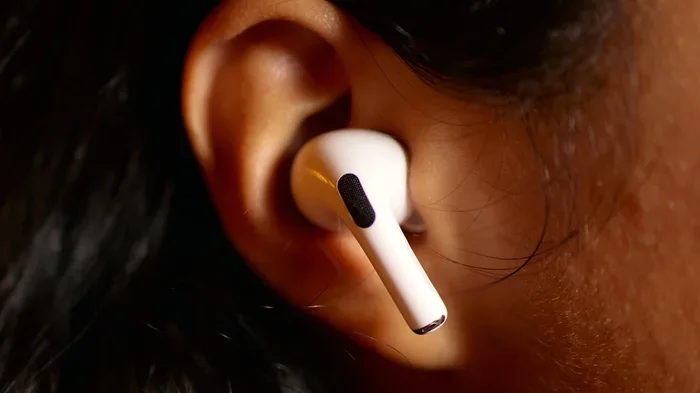
Featured image for person wearing airpods in noisy cafe
Image source: static01.nyt.com
Yes, AirPods can remove background noise—but only if they have Active Noise Cancellation (ANC). AirPods Pro, AirPods Pro 2, AirPods 4, and AirPods Max use built-in microphones and advanced algorithms to detect and cancel surrounding sounds. Basic AirPods without ANC rely only on a passive seal to reduce noise, which is far less effective in loud environments.
Imagine sitting in a busy café, trying to focus on your favorite playlist, but the espresso machine hisses, the blender whirs, and a group two tables over is laughing loudly. You pop in your AirPods, press play, and… suddenly, it’s just you and the music. Did your AirPods really “remove” that background noise, or is something else going on? Let’s break it down in plain English.
The short answer is: some AirPods can absolutely remove background noise, and others can only muffle it a little. The technology behind this magic is called Active Noise Cancellation (ANC), and it’s a built-in feature on certain AirPods models. Think of ANC like having a tiny sound-canceling superhero inside each earbud, listening to the world and shouting “SILENCE!” at the exact right moment.
In this guide, you’ll learn exactly which AirPods have noise cancellation, how the technology actually works, what to do if yours don’t seem to cancel noise effectively, and a few tips to get the best results. By the end, you’ll know whether your AirPods are secretly saving your sanity—or just playing music.
Key Takeaways
- Not All AirPods Have ANC: Only AirPods Pro (1st and 2nd gen), AirPods Max, and AirPods 4 (with ANC) can actively remove background noise.
- ANC Uses Anti-Noise Waves: Tiny microphones listen to outside sounds, and your AirPods create an opposite “anti-noise” signal to cancel them out before you hear them.
- Transparency Mode Lets Sound In: This feature mixes outside audio with your music so you can hear announcements or conversations without removing your AirPods.
- Fit Affects Performance: Even the best ANC won’t work well if your ear tips are the wrong size. A snug seal blocks more noise passively before ANC even kicks in.
- Battery Drain: Using ANC and Transparency mode can reduce battery life by roughly 20–30% compared to listening with these features off.
- Call Quality Uses Different Mics: AirPods also reduce background noise during phone calls using beamforming microphones, separate from the music noise-cancellation system.
- Alternatives Exist: If you don’t have ANC AirPods, good in-ear tips, white noise apps, or cheaper ANC earbuds can still help reduce distractions.
📑 Table of Contents
- What Does “Remove Background Noise” Actually Mean?
- Which AirPods Models Can Remove Background Noise?
- How Does Active Noise Cancellation Actually Work Inside AirPods?
- AirPods and Phone Calls: Do They Cancel Background Noise for Callers?
- How to Get the Best Noise Cancellation from Your AirPods
- What If Your AirPods Aren’t Removing Background Noise Properly?
- Are AirPods the Best Option for Removing Background Noise?
- Final Thoughts: Do AirPods Remove Background Noise?
What Does “Remove Background Noise” Actually Mean?
Before we get into the AirPods specifics, let’s clarify what we mean by “remove background noise.” There are two main types of noise reduction: passive noise isolation and active noise cancellation. They sound similar, but they work in very different ways.
Passive Noise Isolation: The Simple Plug
Passive noise isolation is exactly what it sounds like: you stick something in or over your ears, and it physically blocks sound waves from reaching your eardrums. It’s the same idea as closing a door to keep out noise. With earbuds, a snug-fitting silicone tip creates a seal inside your ear canal, muffling outside sounds.
Did You Know? Studies show that a properly fitted pair of in-ear earbuds can block up to 15–20 decibels (dB) of noise just by creating a good seal. That’s roughly the difference between a quiet office and a loud restaurant.
The catch is that passive isolation works best for higher-pitched sounds (like clinking dishes) and is less effective against low-frequency rumbles (like airplane engines or air conditioners).
Active Noise Cancellation: The Smart System
Active Noise Cancellation is where the real wizardry happens. ANC uses tiny microphones on the outside of your AirPods to “hear” the ambient noise around you. Then, in a fraction of a millisecond, the internal chip creates an opposite sound wave—an “anti-noise” signal—and plays it into your ear. When the two waves meet, they cancel each other out, and you hear… silence. Or at least, a much quieter version of the world.
Think of it like this: if someone throws a basketball at you, and you throw a basketball at the same speed from the opposite direction at the exact same time, they collide and stop. That’s basically how sound waves cancel each other out. The result is a peaceful bubble of calm, even in a noisy environment.
According to Apple’s testing, AirPods Pro 2 can reduce outside noise by up to twice as much as the original AirPods Pro, especially when dealing with mid- and high-frequency sounds like street traffic or office chatter.
Which AirPods Models Can Remove Background Noise?
Here’s the deal: not all AirPods are created equal. Some have Active Noise Cancellation, and others don’t. Let’s look at the current lineup so you know exactly where your pair falls.
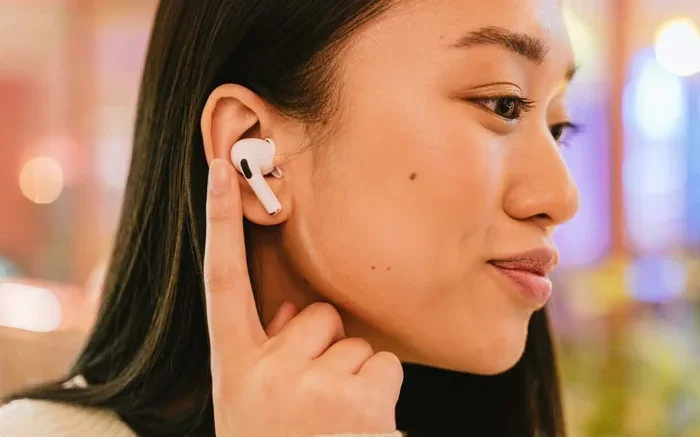
Visual guide about person wearing airpods in noisy cafe
Image source: lh3.googleusercontent.com
AirPods Pro (1st and 2nd Generation)
Both generations of AirPods Pro feature Active Noise Cancellation, Transparency Mode, and Adaptive Audio. The 2nd generation, released in 2022, takes things further with the H2 chip, which is more powerful at processing sound and blocking noise in real time. The 2nd gen also introduced touch controls for adjusting volume directly from the stem.
Did You Know? The H2 chip in AirPods Pro 2 performs up to 48,000 operations per second just to analyze and cancel ambient noise. That’s faster than your brain processes most thoughts.
AirPods 4 (with Active Noise Cancellation)
Released in late 2024, the AirPods 4 introduced a version with ANC at a lower price point. This is the first time Apple offered active noise cancellation in its standard AirPods line (without the “Pro” branding). It uses the H2 chip and works similarly to the Pro models, though the open-ear design means slightly less passive isolation than the silicone-tipped Pro.
AirPods Max (Over-Ear Headphones)
The AirPods Max are Apple’s premium option, and yes—they have ANC. Because they cover your entire ear, they combine strong passive isolation with active cancellation, making them particularly effective on planes or in loud offices. Each ear cup has multiple microphones dedicated to listening to and canceling ambient noise.
AirPods (2nd and 3rd Generation) and AirPods 4 (Base Model)
These models do not have Active Noise Cancellation. They rely entirely on passive noise isolation, which means they can only muffle sound—not actively cancel it. If you have one of these models, you’ll still get some noise reduction from the earbud seal, but you won’t get that “magical silence” effect.
Here’s a quick comparison:
- AirPods Pro 1: ANC + Transparency + great fit
- AirPods Pro 2: ANC + Transparency + Adaptive Audio + Conversation Awareness
- AirPods 4 (ANC): ANC + Transparency + open-ear design
- AirPods Max: ANC + Transparency + over-ear premium build
- AirPods 2, 3, AirPods 4 (base): No ANC, only passive isolation
How Does Active Noise Cancellation Actually Work Inside AirPods?
Let’s peek behind the curtain at the engineering. It might surprise you how much is packed into those tiny white earbuds.
The Microphones Are Always On
AirPods with ANC have at least one microphone facing outward on each earbud. This mic constantly listens to the ambient sound around you. On AirPods Pro 2, there’s also an inward-facing microphone inside the earbud that listens to the sound reaching your ear. This dual setup helps the system adapt to how the earbud fits and to changes in your environment.
The Chip Does the Heavy Lifting
The H1 chip (in AirPods Pro 1) or H2 chip (in AirPods Pro 2 and AirPods 4 ANC) processes the audio thousands of times per second. It takes the incoming noise, inverts the waveform, and adds it to your music. The result: the noise cancels out before you consciously hear it. The whole process happens so fast you never notice the “anti-noise” being generated.
Think of it like a noise-canceling superhero with superhuman reflexes. The moment a noisy truck drives by, your AirPods generate a counter-wave that wipes it out before it reaches your ears.
Adaptive Audio and Conversation Awareness (Newer Features)
AirPods Pro 2 introduced Adaptive Audio, which blends ANC and Transparency mode automatically based on your surroundings. If you walk from a quiet office into a noisy street, the AirPods will crank up the ANC. If someone starts talking to you, the system will lower the noise cancellation so you can hear them. It’s like having an audio assistant that adjusts the volume of the world for you.
There’s also Conversation Awareness, which detects when you’re speaking and temporarily lowers your music volume while boosting the voices around you. So if you start chatting with a coworker, you don’t need to pull your AirPods out.
AirPods and Phone Calls: Do They Cancel Background Noise for Callers?
Yes! But it’s a different system from the music noise cancellation. When you’re on a phone call or video meeting, AirPods use beamforming microphones and a noise-reduction algorithm to focus on your voice and suppress surrounding sounds.
Here’s how it works: the microphones at the bottom of each AirPod stem pick up your voice, and the system filters out everything that doesn’t sound “voice-like.” This is why the person you’re calling hears you clearly, even if you’re in a windy park or a busy café. Apple calls this voice isolation, and it’s available on most modern AirPods.
Did You Know? AirPods Pro 2 use a machine-learning model trained on over 50 million audio samples to recognize and isolate human voices from background noise during calls. That’s a massive amount of audio processing happening in your earbuds!
If you’ve ever wondered why people say “you sound so clear” when you’re using AirPods on a windy day, this is why.
How to Get the Best Noise Cancellation from Your AirPods
Even if you have the right AirPods, you might not be getting the full noise-canceling benefit if a few things aren’t set up correctly. Here are some practical tips to maximize performance.
Choose the Right Ear Tip Size
This is the #1 mistake people make. If your ear tips are too small, you won’t get a good seal, and ANC will be much less effective. Apple includes small, medium, and large silicone tips in the box, and you can buy XS tips separately for AirPods Pro.
To find the right size, try the Ear Tip Fit Test in your iPhone’s Settings (Settings → Bluetooth → tap your AirPods → Ear Tip Fit Test). It plays a few seconds of sound and uses the microphones to determine whether each earbud has a good seal. The whole thing takes about a minute.
Keep Your AirPods Clean
Wax, dust, and debris can block the microphones and reduce ANC performance. Use a dry cotton swab or a soft-bristled brush to gently clean the mesh grilles on the outside and inside of each earbud. Apple recommends against using sharp objects or liquids directly on the AirPods.
Update Your Firmware
Apple occasionally releases firmware updates that improve noise cancellation, audio quality, and battery life. Make sure your AirPods are connected to your iPhone and charging nearby; updates install automatically in the background.
Use Adaptive Audio for Smart Switching
If you have AirPods Pro 2 or AirPods 4 (ANC), turn on Adaptive Audio in Settings. This feature automatically blends ANC and Transparency based on your surroundings, so you don’t have to fiddle with controls when you move between quiet and noisy places.
Turn Off ANC When You Don’t Need It
ANC uses extra battery. If you’re in a quiet room, turning it off can extend your listening time. On AirPods Pro, you can long-press the stem to switch between ANC, Transparency, and Off. Or use the Control Center on your iPhone to toggle modes quickly.
What If Your AirPods Aren’t Removing Background Noise Properly?
Sometimes, even with the right model, the noise cancellation feels weaker than expected. Here are some troubleshooting steps to try.
Check That ANC Is Actually Turned On
It sounds obvious, but it’s worth checking. On iPhone, swipe down from the top-right corner to open Control Center, then long-press the volume slider. You’ll see three options: Noise Cancellation, Transparency, and Off. Make sure Noise Cancellation is selected.
Reset Your AirPods
If something seems off, reset your AirPods. Place them in the charging case, close the lid, wait 30 seconds, then open the lid. On your iPhone, go to Settings → Bluetooth, tap the “i” next to your AirPods, and choose “Forget This Device.” Then re-pair them as if they were new.
Try a Different Ear Tip
If the fit isn’t snug, ANC will struggle. Switch to a larger size and re-run the Ear Tip Fit Test. You’d be surprised how much of a difference the right tip makes.
Check for Hardware Issues
If one AirPod is significantly weaker at canceling noise than the other, there might be a hardware issue. Contact Apple Support or visit an Apple Store for a diagnostic. AirPods Pro are covered by a one-year warranty, and AppleCare+ extends that coverage.
Did You Know? A study by the Journal of the Audio Engineering Society found that a poor ear tip seal can reduce ANC effectiveness by up to 50%. The right fit isn’t just about comfort—it directly impacts performance.
Are AirPods the Best Option for Removing Background Noise?
AirPods are excellent, but they’re not the only option. Depending on your budget and needs, here are a few alternatives worth considering.
Budget ANC Earbuds
If you don’t want to spend $200+ on AirPods Pro, brands like Anker Soundcore, JLab, and EarFun offer solid ANC earbuds for $50–$100. They won’t match Apple’s seamless iPhone integration, but the noise cancellation is often surprisingly good.
Over-Ear Headphones
If you want maximum noise reduction, over-ear ANC headphones like Sony WH-1000XM5 or Bose QuietComfort still outperform earbuds in pure noise-canceling power. They’re also great for long flights or focus sessions at a noisy office.
White Noise or Focus Apps
Sometimes the best “noise removal” is masking sound with pleasant audio. Apps like Brain.fm, Endel, or even Spotify’s built-in white noise playlists can help you focus in noisy environments, especially if you don’t have ANC headphones.
Simple Lifestyle Adjustments
Don’t underestimate the basics: noise-isolating earplugs, a quiet workspace, or simply scheduling deep-focus time when the world is calmer. Sometimes the cheapest noise-canceling solution is just… choosing a quieter moment.
Final Thoughts: Do AirPods Remove Background Noise?
So, do AirPods remove background noise? If you have AirPods Pro, AirPods Pro 2, AirPods 4 (ANC), or AirPods Max, the answer is a resounding yes. These models use advanced Active Noise Cancellation to actively cancel ambient sounds, and the latest versions do it better than ever, thanks to the H2 chip and Adaptive Audio features.
If you have the base AirPods 2, AirPods 3, or AirPods 4 (without ANC), you’ll still get some passive noise reduction from the earbud seal, but you won’t get the full “silence the world” effect. In that case, consider upgrading to a model with ANC or investing in well-fitted third-party ear tips.
The bottom line? AirPods are among the best consumer earbuds for noise cancellation, especially within the Apple ecosystem. With the right fit, clean hardware, and updated firmware, you can turn even the noisiest café, plane, or open office into your own private concert hall—or your own quiet workspace, depending on whether you press play.
Now that you know exactly how AirPods handle background noise, you can make the most of every listening moment. So go ahead: pop them in, hit play, and let the silence do its thing.
Frequently Asked Questions
Do all AirPods have noise cancellation?
No, only certain models do. AirPods Pro (1st and 2nd gen), AirPods Max, and AirPods 4 with ANC have Active Noise Cancellation. Standard AirPods 2, AirPods 3, and base-model AirPods 4 do not have ANC and rely only on passive noise isolation from their fit.
How do I turn on noise cancellation on my AirPods?
On iPhone, open Control Center, long-press the volume slider while your AirPods are connected, and tap “Noise Cancellation.” You can also long-press the stem of your AirPods Pro to cycle between ANC, Transparency, and Off modes.
Does noise cancellation work without music playing?
Yes, ANC works even when no music is playing. Many people use AirPods Pro in silence just to block out background noise at the office or on a flight. The microphones still detect and cancel ambient sounds without any audio playing.
Can AirPods cancel noise during phone calls?
Yes, but it works differently. AirPods use beamforming microphones and voice isolation algorithms to reduce background noise for the person you’re calling, so your voice comes through clearly. The ANC feature mainly affects what you hear, not what the caller hears.
Does ANC drain AirPods battery faster?
Yes, enabling ANC or Transparency mode reduces battery life by roughly 20–30% compared to listening with these features off. AirPods Pro 2 still deliver around 6 hours of listening time with ANC on, which is enough for most commutes or work sessions.
Why aren’t my AirPods canceling noise effectively?
The most common reasons are poor ear tip fit, wax or debris blocking the microphones, outdated firmware, or ANC being turned off. Try running the Ear Tip Fit Test, cleaning your AirPods, and making sure Noise Cancellation is enabled in your settings.