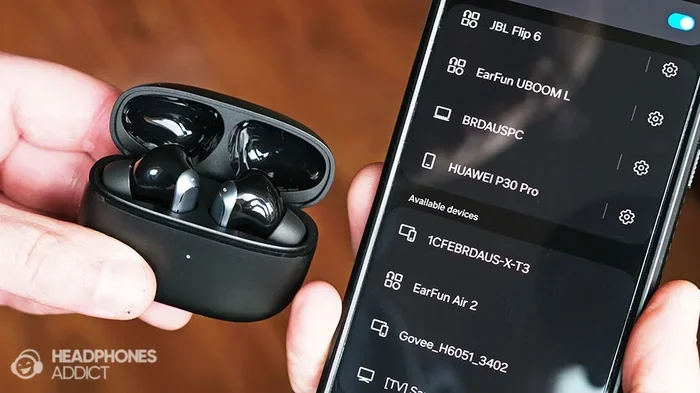
Featured image for iPhone wireless headphones pairing
Image source: headphonesaddict.com
Almost any wireless headphones with Bluetooth can work with an iPhone, including models from Sony, Bose, Samsung, and budget brands. iPhones use universal Bluetooth standards, so pairing is straightforward regardless of brand. However, certain Apple-exclusive features like automatic ear detection and spatial audio with dynamic head tracking only work with AirPods or Beats products.
Picture this: you’re standing in a busy electronics store, holding your iPhone in one hand and a pair of sleek wireless headphones in the other. The box says “Made for Android.” Your heart sinks. Will they actually work with your iPhone, or did you just waste your hard-earned money?
Here’s the good news. The answer is almost always yes. iPhones are designed to play nicely with a massive range of wireless headphones, not just AirPods. Think of your iPhone’s Bluetooth like a universal language translator. It can understand thousands of different headphone models because they all “speak” the same basic Bluetooth language.
But here’s the catch. While most wireless headphones will connect and play music, some special Apple features only work with AirPods or Beats products. It’s kind of like how a universal remote can turn on your TV, but it can’t access the smart menu on your Apple TV. In this guide, we’ll walk you through everything you need to know about wireless headphone compatibility with iPhone, from the basics of Bluetooth pairing to the hidden features you might miss.
Key Takeaways
- Universal Bluetooth Compatibility: Any Bluetooth-enabled wireless headphones can pair with an iPhone running iOS 7 or later.
- AirPods Offer Exclusive Features: Features like automatic switching, Find My integration, and personalized spatial audio only work with AirPods or Beats.
- Audio Codecs Matter: iPhones support SBC and AAC codecs, but not all Android-optimized codecs like LDAC or aptX HD.
- Easy Pairing Process: Pairing non-AirPod headphones is as simple as opening Bluetooth and selecting the device.
- Battery and Range: Bluetooth 5.0 and later offer better battery life and connection stability than older versions.
- Best Alternatives Exist: Brands like Sony, Bose, Jabra, and Sennheiser offer excellent iPhone-compatible alternatives to AirPods.
- Multipoint Limitations: iPhones don’t natively support multipoint Bluetooth, limiting simultaneous connections to multiple devices.
📑 Table of Contents
- Understanding Bluetooth: The Universal Language of Wireless Audio
- The Short Answer: Yes, Almost Any Wireless Headphones Work with iPhone
- How to Pair Any Wireless Headphones with Your iPhone
- AirPods-Exclusive Features: What You Miss Out On
- Audio Quality and Codecs: What iPhone Supports
- Best Non-AirPod Wireless Headphones for iPhone in 2024
- Special Considerations for iPhone Users
- The Future of Wireless Audio and iPhone
- Common Myths About Wireless Headphones and iPhone
- Making Your Decision: AirPods or Third-Party?
- Conclusion: Your Wireless Headphones, Your Choice
Understanding Bluetooth: The Universal Language of Wireless Audio
Before we dive into which headphones work with iPhone, let’s talk about the technology that makes it all possible. Bluetooth is like the invisible bridge that connects your iPhone to your wireless headphones. It’s a short-range wireless technology that has been around since 1999, and it has become the gold standard for wireless audio.
What Is Bluetooth and How Does It Work?
Bluetooth works by using radio waves in the 2.4 GHz frequency band. Think of it as a walkie-talkie for your devices. When you pair your iPhone with wireless headphones, they exchange a secret handshake, creating a secure connection that streams audio back and forth.
Did you know that over 4.7 billion Bluetooth-enabled devices ship every year? That makes it one of the most widely adopted wireless technologies on the planet. Your iPhone has had Bluetooth built in since the iPhone 3GS, which launched way back in 2009.
Bluetooth Versions: Why They Matter
Not all Bluetooth is created equal. Different versions offer different benefits:
- Bluetooth 4.0 to 4.2: Found in older devices. They work fine for music but drain battery faster.
- Bluetooth 5.0: Introduced in 2016. Offers twice the speed and four times the range of older versions.
- Bluetooth 5.2 and 5.3: The latest versions. They bring better audio quality, lower latency, and improved battery efficiency.
Here’s a simple analogy. Bluetooth versions are like generations of cell phones. A 5G feature phone can still make calls, but a 5G smartphone does it faster, clearer, and with more features. Similarly, newer Bluetooth versions make your wireless headphones perform better.
The latest iPhones support Bluetooth 5.3, which means they can take full advantage of modern wireless headphones. If your headphones use an older Bluetooth version, they’ll still work, but you might notice slightly shorter battery life or a less stable connection.
The Short Answer: Yes, Almost Any Wireless Headphones Work with iPhone
Let’s cut to the chase. If your wireless headphones have Bluetooth, they will work with your iPhone. Period. There are no special Apple-only Bluetooth chips or secret software locks that prevent third-party headphones from connecting.
Visual guide about iPhone wireless headphones pairing
Image source: i.ytimg.com
What Types of Headphones Are Compatible?
You have many options when shopping for wireless headphones for your iPhone:
- Over-ear headphones: Full-size cans from brands like Sony, Bose, and Sennheiser.
- On-ear headphones: Smaller versions that sit on top of your ears.
- In-ear earbuds: Tiny buds that fit inside your ear canal, like AirPods competitors.
- True wireless earbuds: Completely wire-free earbuds with their own charging cases.
- Neckband earbuds: Earbuds connected by a band that rests on your neck.
Did you know that Apple’s AirPods only account for about 25% of the global true wireless earbuds market? That leaves 75% of the market full of perfectly iPhone-compatible alternatives.
Brands That Work Perfectly with iPhone
Here’s a quick look at popular headphone brands that pair seamlessly with iPhone:
- Sony: Known for the WF-1000XM5 and WH-1000XM5 series, with industry-leading noise cancellation.
- Bose: The QuietComfort series offers premium audio quality and comfort.
- Jabra: Great for workout enthusiasts, with the Elite series offering rugged designs.
- Sennheiser: Audiophile-grade sound in the Momentum series.
- Samsung Galaxy Buds: Despite the name, they work great with iPhones via Bluetooth.
- Anker Soundcore: Budget-friendly options with surprisingly good quality.
- JBL: Known for bass-heavy sound and durable designs.
How to Pair Any Wireless Headphones with Your iPhone
Pairing wireless headphones with your iPhone is usually a breeze. Think of it like introducing two friends at a party. Once they’ve met, they remember each other forever.
Step-by-Step Pairing Guide
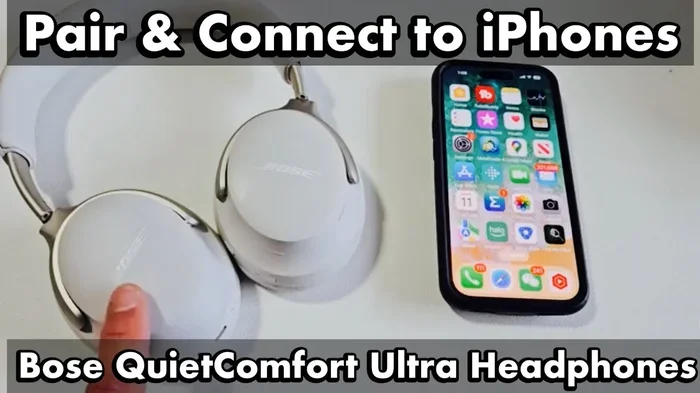
Here’s how to pair any Bluetooth headphones with your iPhone:
- Open the Settings app on your iPhone.
- Tap “Bluetooth” and make sure it’s turned on. You’ll see a green indicator.
- Put your headphones in pairing mode. This usually involves holding a button on the headphones until a light flashes blue or red and blue.
- Wait for your headphones to appear in the “Other Devices” list.
- Tap the name of your headphones to pair them.
- Confirm the pairing if prompted, and you’re done!
Once paired, your iPhone will remember your headphones and reconnect automatically whenever they’re turned on and within range. It’s like having a permanent friendship that doesn’t require constant introductions.
Troubleshooting Common Pairing Problems
Sometimes things don’t go smoothly. Here are some quick fixes for common pairing issues:
- Headphones won’t show up? Make sure they’re actually in pairing mode and not just turned on.
- Connection keeps dropping? Try moving closer to your iPhone or restarting both devices.
- No sound after pairing? Check that your headphones are selected as the audio output in Control Center.
- Headphones won’t pair at all? Try “forgetting” the device in your Bluetooth settings and starting over.
Here’s an interesting fact: the average person pairs a new Bluetooth device only 2.3 times per year, which means most of us don’t get much practice. Don’t worry if it takes a couple of tries to get it right.
AirPods-Exclusive Features: What You Miss Out On
Here’s where things get a little more complicated. While any wireless headphones will play music from your iPhone, some magical features only work with AirPods or Beats products. Think of it as having a backstage pass to a concert. Non-AirPod headphones get you into the show, but AirPods get you closer to the band.
The AirPods Magic
These features only work with AirPods or Beats headphones:
- Automatic Switching: Your AirPods can jump between your iPhone, iPad, and Mac automatically when you start using a different device.
- Find My Integration: Lost your earbuds? AirPods show up in the Find My app, making them easy to locate.
- Ear Tip Fit Test: AirPods Pro can analyze how well the ear tips seal in your ear.
- Personalized Spatial Audio: Uses your face and ear shape to create a custom surround sound experience.
- Automatic Ear Detection: Music pauses when you remove an AirPod and resumes when you put it back.
- Hands-Free “Hey Siri”: Access Siri without touching your iPhone.
- Audio Sharing: Share audio between two sets of AirPods from one iPhone.
Why Apple Locks These Features
Apple uses a special chip called the H1 or H2 in AirPods and newer Beats products. This chip enables tighter integration with iOS. It’s like having a secret handshake that only Apple devices know.
From a business perspective, this makes sense. Apple wants you to buy AirPods. From a user perspective, it can be frustrating when premium third-party headphones lack these features.
Audio Quality and Codecs: What iPhone Supports
Audio quality isn’t just about the headphones. It’s also about the codec, which is like the language your devices use to transmit audio. Different codecs offer different levels of quality.
What Are Audio Codecs?
Think of codecs as translators. They compress audio for transmission and decompress it on the other end. Better codecs mean better sound. iPhones support these Bluetooth audio codecs:
- SBC (Sub-Band Codec): The universal baseline codec. Every Bluetooth audio device supports it. It offers decent quality but isn’t amazing.
- AAC (Advanced Audio Coding): Apple’s preferred codec. It offers better quality than SBC, especially for music streaming.
- LC3 (Low Complexity Communication Codec): The latest codec for Bluetooth LE Audio, offering better quality at lower bitrates.
Here’s something important: iPhones do NOT support LDAC, aptX, or aptX HD codecs. That’s a big deal if you’re an audiophile. These codecs offer near-lossless audio quality, but they’re mostly found in Android phones and dedicated audio players.
What Does This Mean for You?
If you’re using wireless headphones with your iPhone, you’ll be listening through AAC or SBC. That’s actually fine for most people. Studies show that the average person cannot distinguish between high-quality AAC audio and lossless CD-quality audio in blind comparisons.
However, if you’re buying premium audiophile headphones, you won’t get the full benefit from your iPhone. You’d need a specialized music player or an Android device with LDAC support.
The Good News About iOS Updates
Apple regularly improves Bluetooth audio quality through iOS updates. iOS 14 introduced spatial audio, iOS 15 brought lossless audio support for certain AirPods, and iOS 17 added personalized spatial audio. The future looks bright for iPhone audio quality.
Best Non-AirPod Wireless Headphones for iPhone in 2024
Now for the fun part. Let’s explore some of the best wireless headphones you can use with your iPhone that aren’t made by Apple. These are excellent alternatives to your AirPods.
True Wireless Earbuds Alternatives
If you love the convenience of true wireless earbuds but want to avoid AirPods, consider these options:
- Sony WF-1000XM5: Often considered the best-sounding true wireless earbuds on the market. They have excellent noise cancellation and support AAC for high-quality audio on iPhone.
- Bose QuietComfort Ultra Earbuds: Premium noise cancellation in a compact design.
- Jabra Elite 10: Great for workouts, with secure fit and good sound.
- Sennheiser Momentum True Wireless 4: Audiophile-grade sound with modern features.
- Beats Fit Pro: Made by Apple, so they get all the AirPods features. Great for fitness.
Over-Ear Headphone Alternatives
If you prefer full-size headphones, these options deliver premium sound:
- Sony WH-1000XM5: Industry-leading noise cancellation with up to 30 hours of battery life.
- Bose QuietComfort Ultra Headphones: Superior comfort and noise cancellation.
- Sennheiser Momentum 4 Wireless: Outstanding battery life of up to 60 hours.
- Apple Beats Studio Pro: Made by Apple with AirPods features. Excellent for iPhone users who want over-ear headphones.
Budget-Friendly Options
You don’t need to spend a fortune for great wireless audio with your iPhone:
- Anker Soundcore Liberty 4: Feature-packed earbuds at a fraction of the price.
- JBL Tune 760NC: Solid over-ear headphones with noise cancellation.
- EarFun Air Pro 3: Surprisingly good sound for under $100.
- QCY HT07: Ultra-budget option with decent quality.
Did you know that the global wireless headphones market is worth over $70 billion? That massive market means tons of options at every price point.
Special Considerations for iPhone Users
Before you buy wireless headphones for your iPhone, here are some important things to consider. Think of this as your pre-purchase checklist to avoid buyer’s remorse.
Multipoint Pairing Limitations
Many modern wireless headphones support multipoint pairing, which lets them connect to two devices at once. This is great if you want to use your headphones with both your iPhone and laptop. However, iPhones don’t fully support multipoint Bluetooth pairing.
What does this mean in practice? Your iPhone can only actively stream audio to one Bluetooth device at a time. Even if your headphones support multipoint, you might have to manually switch connections. AirPods handle this seamlessly with Apple devices, but third-party headphones can be hit or miss.
Battery Life Expectations
Modern wireless headphones offer impressive battery life. Here’s what you can typically get from different types:
- True wireless earbuds: 5 to 10 hours per charge, with 20 to 30 hours total with the charging case.
- Over-ear headphones: 20 to 60 hours of playback per charge.
- Neckband earbuds: 8 to 15 hours per charge.
Remember that battery life varies based on volume level, features used, and environmental factors. Noise cancellation, for example, can reduce battery life by 20 to 30 percent.
Latency and Gaming
If you’re a mobile gamer, you need to know about latency. This is the tiny delay between when audio is created and when you hear it. Bluetooth audio always has some latency, typically between 40 and 200 milliseconds.
For casual gaming, this isn’t noticeable. For competitive gaming, however, it can be a problem. The latest Bluetooth 5.3 and LC3 codec reduce latency significantly, making gaming more enjoyable on iPhone.
Water and Sweat Resistance
Planning to use your wireless headphones for workouts? Look for an IP rating. IPX4 means splash-resistant, IPX7 means fully waterproof, and IP67 means dust-proof and waterproof. AirPods Pro have an IPX4 rating, which is fine for most workouts but not for swimming.
The Future of Wireless Audio and iPhone
The world of wireless audio is evolving rapidly, and Apple is at the forefront. Let’s peek into what’s coming next for iPhone users.
Bluetooth LE Audio
Bluetooth Low Energy Audio, also known as LE Audio, is the next big thing in wireless audio. It promises better sound quality, lower power consumption, and support for hearing aids. The iPhone 14 and later support LE Audio, which means your future wireless headphones will sound better and last longer.
USB-C and the iPhone
Apple switched to USB-C with the iPhone 15 series. This opens up possibilities for wired digital audio, though wireless Bluetooth remains the dominant choice for most users. Some speculate that future iPhones might ditch the charging port entirely, making wireless audio even more important.
Lossless and Hi-Res Audio
Apple Music offers lossless and hi-res lossless audio, which delivers studio-quality sound. However, traditional Bluetooth can’t transmit this quality. Apple introduced the Lossless Audio Codec for AirPods Pro 2 with USB-C, but for now, most wireless headphones will downsample to AAC quality.
The Rise of Spatial Audio
Spatial audio is becoming a major selling point. More third-party headphones are adding support for iPhone’s spatial audio feature, though with varying degrees of success. As this technology matures, expect more headphones to offer immersive 3D sound with your iPhone.
Common Myths About Wireless Headphones and iPhone
Let’s bust some myths that might be holding you back from making the right purchase decision.
Myth 1: Non-Apple Headphones Sound Worse on iPhone
This is not true. While iPhones don’t support LDAC or aptX, the AAC codec delivers excellent sound quality. Many reviewers actually prefer the sound of certain Sony or Bose headphones over AirPods, regardless of the codec limitations.
Myth 2: AirPods Are the Only Truly Wireless Option
Wrong. Many excellent true wireless earbuds exist from brands like Sony, Bose, Sennheiser, and Jabra. AirPods are popular, but they’re far from the only option.
Myth 3: Wireless Headphones Have Too Much Lag for Video
This used to be true with older Bluetooth versions, but modern Bluetooth 5.0 and later virtually eliminate lip-sync issues. Most people won’t notice any lag when watching videos on their iPhone.
Myth 4: You Need AirPods for Voice Calls
Absolutely not. Any wireless headphone with a built-in microphone works for calls on iPhone. Many third-party options actually have better microphones than AirPods.
Myth 5: iPhones Won’t Show Battery Levels for Non-AirPods
Most modern wireless headphones support the Battery Service profile, which means your iPhone will display battery levels in the widget and notification center. This isn’t exclusive to AirPods.
Making Your Decision: AirPods or Third-Party?
So, should you buy AirPods or go with a third-party option? The answer depends on your priorities. Let me help you figure it out.
Choose AirPods If You Value These Features:
- Seamless integration with your Apple ecosystem
- Automatic switching between Apple devices
- Find My support
- Personalized spatial audio
- Hands-free Siri access
- The prestige and status of the Apple brand
Choose Third-Party Headphones If You Value These Features:
- Better sound quality for the price
- Superior noise cancellation in many cases
- Longer battery life
- More color and design options
- Better comfort for long listening sessions
- More affordable prices
The wireless headphone industry is more competitive than ever. AirPods Pro 2 are excellent, but they face stiff competition from Sony, Bose, and others that often outperform them in head-to-head reviews.
Conclusion: Your Wireless Headphones, Your Choice
Let’s wrap this up with the key takeaways. The answer to the question “do any wireless headphones work with iPhone” is a resounding yes. Your iPhone is designed to work with virtually any Bluetooth-enabled wireless headphones, regardless of brand. Whether you choose AirPods, Sony, Bose, or a budget option from Anker, you’ll enjoy music, podcasts, and calls on your iPhone.
However, it’s important to know what features you might miss out on. If you live and breathe in the Apple ecosystem, AirPods offer magical features that third-party options can’t match. If you prioritize pure audio quality, noise cancellation, or value, the third-party market is full of incredible options.
At the end of the day, the best wireless headphones for your iPhone are the ones that meet your needs and budget. Don’t let anyone tell you that you have to buy AirPods. Explore your options, read reviews, and choose what feels right for you.
Your iPhone is a powerful device that plays nicely with the entire world of wireless audio. Embrace that freedom, and happy listening!
Frequently Asked Questions
Will any Bluetooth headphones work with an iPhone?
Yes, any Bluetooth-enabled headphones will work with an iPhone. iPhones use universal Bluetooth standards, so pairing is straightforward regardless of whether the headphones are from Sony, Bose, Samsung, or any other brand. As long as your headphones support Bluetooth, they’ll connect to your iPhone.
Do non-Apple wireless headphones work with all iPhone models?
Non-Apple wireless headphones work with any iPhone that has Bluetooth, which includes all models from the iPhone 3GS onward. However, newer iPhones support newer Bluetooth versions, which can improve sound quality, battery life, and connection stability when paired with modern wireless headphones.
What features do I lose by not using AirPods with my iPhone?
Without AirPods, you’ll miss out on automatic device switching, Find My integration, personalized spatial audio, ear tip fit test, automatic ear detection, and hands-free Siri access. These features use Apple’s proprietary H1 or H2 chips, which are exclusive to AirPods and Beats products.
Are AirPods worth the extra money compared to other wireless headphones?
AirPods are worth it if you heavily use Apple devices and value seamless ecosystem integration. However, many third-party options from Sony, Bose, and Sennheiser offer better sound quality, noise cancellation, and battery life at similar or lower prices. The best choice depends on your priorities.
Can I use wireless headphones for phone calls on my iPhone?
Yes, any wireless headphones with a built-in microphone can be used for phone calls on your iPhone. The call audio will route through your headphones automatically once paired. The microphone quality varies by brand and model, so check reviews if call clarity is important to you.
How do I check if wireless headphones are compatible before buying?
Check that the headphones have Bluetooth connectivity, which is the only real requirement for iPhone compatibility. Look for Bluetooth 5.0 or later for the best experience. Read user reviews specifically mentioning iPhone use to ensure there are no compatibility issues reported by other users.